Key takeaways
- Total travel: 2.8mm to 3.2mm vs. 4.0mm on standard MX-style switches
- Actuation point: 1.1mm to 1.5mm vs. 2.0mm on standard switches
- Actuation force: 35g to 55g depending on linear, tactile, or clicky variant
The best low profile mechanical keyboards for easy typing in 2026 are the Logitech MX Mechanical and MX Mechanical Mini for quiet office work, the Keychron K3 Max and NuPhy Air75 V2 for compact wireless versatility, and the Logitech G915 X LIGHTSPEED for low-latency gaming, because they cut total height to 22-26mm while keeping mechanical switches with 2.8-3.2mm travel.
Unlike standard mechanical boards that sit 32-40mm tall and force your wrists to extend upward, low profile models reduce finger travel distance and wrist angle, which is why they feel faster for long typing sessions and take up less desk depth. Choosing the right one comes down to five trade-offs: overall height and angle, switch feel, layout size, connectivity, and keycap compatibility.
What “Low Profile” Actually Means for Typing Comfort
Height is measured from desk surface to the top of the keycaps. A true low profile mechanical keyboard stays under 26mm at its lowest point without feet extended, compared to 32mm for a slim standard board and 38mm+ for a typical gaming keyboard with OEM keycaps.
That 10-15mm difference changes your wrist posture. With a flat desk and no wrist rest, a 40mm tall board creates roughly 12-15 degrees of wrist extension. A 22mm low profile board drops that to 5-8 degrees, close to neutral. This is why many typists find they can type longer without fatigue even before adding a wrist rest.
Travel distance matters just as much as height. Most low profile mechanical switches provide:
- Total travel: 2.8mm to 3.2mm vs. 4.0mm on standard MX-style switches
- Actuation point: 1.1mm to 1.5mm vs. 2.0mm on standard switches
- Actuation force: 35g to 55g depending on linear, tactile, or clicky variant
If you want easy, light typing with fewer typos, look for 1.2mm actuation and 45g tactile switches. If you bottom out hard and make errors, a 1.5mm actuation or heavier 50-55g spring helps prevent accidental presses.
The 5 Best Low Profile Mechanical Keyboards Compared
These models represent the main classes of low profile mechanical keyboards available in 2026. All use mechanical low profile switches rather than membrane scissor switches, so you get a physical actuation point and replaceable switches on most models.
| Model | Height (front) | Switch Travel / Actuation | Layout | Connectivity | Hot-Swappable |
|---|---|---|---|---|---|
| Logitech MX Mechanical / Mini | 24.1mm | 3.2mm / 1.5mm, Tactile Quiet (45g) | Full-size or 75% (84 keys) | Bluetooth 5.0, Logi Bolt, USB-C wired | No |
| Logitech G915 X LIGHTSPEED | 22.0mm | 2.8mm / 1.3mm, GL Clicky / Tactile / Linear (45-50g) | Full-size or TKL | LIGHTSPEED 2.4GHz, Bluetooth, USB-C wired | No |
| Keychron K3 Max | 22.5mm | 2.8mm / 1.3mm, Gateron Low Profile 2.0 Brown/Red/Blue (35-50g) | 75% (84 keys) | 2.4GHz, Bluetooth 5.1, USB-C wired | Yes |
| NuPhy Air75 V2 | 22.0mm | 3.0mm / 1.4mm, Gateron Low Profile Cowberry / Moss / Wisteria (35-55g) | 75% (81 keys) | 2.4GHz, Bluetooth 5.0, USB-C wired | Yes |
| Lofree Flow | 23.8mm | 3.1mm / 1.6mm, Kailh POM Low Profile Ghost Tactile/Linear (45g) | 75% (84 keys) or 100% (100 keys) | Bluetooth 5.0, 2.4GHz, USB-C wired | Yes (selected versions) |
1. Logitech MX Mechanical Series – Best for Quiet Office Typing
The MX Mechanical uses low profile Tactile Quiet switches that are dampened at both top and bottom, so there is no high-pitched click and less ping on bottom-out. At 24.1mm tall and with a very low 1.3mm keycap profile, it feels closest to a premium laptop keyboard but with a mechanical bump. It usually sits in the $150–$200 range for the full-size and $140–$180 for the Mini.
Trade-off: The switches are not hot-swappable and the keycaps use a proprietary low profile mount, so your keycap replacement options are limited to Logitech-compatible sets. You gain stability and quiet operation, but lose customization.
2. Logitech G915 X LIGHTSPEED – Best for Gaming and Low Latency
The G915 X is the thinnest gaming-focused option at 22mm. Its GL switches are available in linear, tactile, and clicky versions with 2.8mm total travel, which is shorter than the MX Mechanical and faster for repeated key presses. LIGHTSPEED wireless reports at 1000Hz polling, so input latency stays under 5ms on 2.4GHz, compared to 15-25ms typical for Bluetooth.
This board usually costs $180–$250 depending on size. It requires no feet extended to stay low and includes dedicated media controls and per-key RGB. Like the MX Mechanical, it is not hot-swappable and uses Logitech’s low profile stem, limiting third-party keycaps.
3. Keychron K3 Max – Best All-Rounder for Desk Space and Comfort
The K3 Max is a QMK/VIA compatible 75% board that keeps a compact footprint (about 306 x 116mm) while retaining function row and arrow keys. It uses Gateron Low Profile 2.0 switches that are hot-swappable, so you can change from Brown tactile to Red linear without soldering. Height is 22.5mm with included low profile PBT keycaps.
It typically falls in the $110–$160 range. Connectivity includes wired plus 2.4GHz for low latency and Bluetooth for up to three devices. QMK allows you to remap keys and set layers without background software, which is useful if you want to move Home/End or create a dedicated typing layer.
4. NuPhy Air75 V2 – Best for Custom Feel on a Small Desk
The Air75 V2 is similar in size to the K3 Max but slightly lighter at around 520g and uses a gasket-mounted plate for a softer bottom-out. Its Cowberry (linear, 37g), Moss (tactile, 45g), and Wisteria (clicky, 55g) switches are all low profile and hot-swappable. Travel is 3.0mm, a touch deeper than the Keychron and Logitech gaming options, which many typists prefer because it feels less abrupt.
Market range is usually $100–$140. It supports 2.4GHz, Bluetooth 5.0, and wired, with a 4000mAh battery that NuPhy rates for longer life than the first-generation Air75.
5. Lofree Flow – Best Premium Typing Experience
The Flow is tuned for smooth, thocky typing rather than gaming. At 23.8mm it is a millimeter taller than the thinnest options, but the Kailh POM switches and gasket mount give it a more cushioned, quiet bottom-out than plate-mounted low profile boards. The design mimics a laptop profile with concave spherical keycaps that guide finger placement.
It usually costs $150–$220. The 75% layout is the most popular for balancing desk space and usability, while the 100-key version adds numpad without adding much depth compared to a standard full-size board that is 440mm wide.
How to Choose: Decision Matrix for Typing Comfort vs. Desk Space
Use your primary use case to narrow the list before worrying about switch color or RGB.
| Your Situation | Best Match | Why |
|---|---|---|
| You type 6+ hours a day in a shared office and need quiet | Logitech MX Mechanical Mini | Dampened tactile switches and lowest noise; full wireless with Easy-Switch for laptop/desktop |
| You game competitively and type in the same setup | Logitech G915 X LIGHTSPEED | 1000Hz 2.4GHz wireless, shortest travel for double-taps, dedicated volume roller |
| You want smallest desk footprint but keep F-row and arrows | Keychron K3 Max or NuPhy Air75 V2 | 75% layout saves ~120mm width vs. full-size; both fit in a 15-inch laptop bag |
| You want to try different switch feels without buying a new board | Keychron K3 Max, NuPhy Air75 V2 | Hot-swappable low profile sockets; supports Gateron low profile switches |
| You prioritize soft, comfortable bottom-out over speed | Lofree Flow | Gasket mount + POM switches reduce harsh impact; slightly deeper 3.1mm travel |
| You need a number pad for spreadsheets | Lofree Flow 100 or Logitech MX Mechanical Full-Size | 100% layout keeps numpad while total depth stays under 125mm vs. 135mm+ for standard boards |
Worked Calculation: How Much Battery Life and Desk Space You Actually Gain
Specs alone do not tell you if a low profile board will last a work week or fit your desk. Two quick calculations help.
1. Battery Runtime Estimate
Most wireless low profile keyboards publish battery capacity (mAh) but not hours under your settings. You can estimate runtime as:
Runtime (hours) = Battery Capacity (mAh) / Average Current Draw (mA)
Current draw depends heavily on backlight and connection. For a 4000mAh board like the NuPhy Air75 V2 or Keychron K3 Max:
- Backlight off, Bluetooth polling at ~125Hz: draw is about 8–12mA. Runtime = 4000 / 10 = 400 hours, or about 10 weeks at 40 hours per week of active typing.
- Backlight on low white (30% brightness): draw rises to ~45–60mA. Runtime = 4000 / 50 = 80 hours, or 2 weeks of full-time use.
- Backlight on full RGB at 100% + 2.4GHz 1000Hz polling: draw is ~120–150mA. Runtime = 4000 / 130 = ~30 hours before recharge.
This is why manufacturers often quote 40 hours with RGB on versus 300+ hours with it off — the LEDs dominate power use. If you want weeks between charges, set backlight to 20-30% or turn it off and use 2.4GHz only when gaming, Bluetooth when typing.
2. Desk Space Saved
A standard full-size mechanical board is about 440 x 135mm. A 75% low profile board is about 306 x 116mm.
Area saved = (440 x 135) – (306 x 116) = 59,400 – 35,496 = 23,904 sq mm, or about 40% less footprint. That recovered 134mm of width is enough for a large mouse pad to sit without pushing the keyboard off-center, which lets you keep elbows at 90 degrees instead of reaching outward — a direct comfort win for shoulder strain.
Layout, Connectivity, and Keycap Options Explained
Layout
For easy typing without relearning muscle memory, 75% is the sweet spot. You keep F1-F12, arrows, and Home/End in a single layer without the extra navigation cluster that makes TKL and full-size boards wide. If you use a numpad daily, choose a 96% or 100% low profile like the Lofree Flow 100 or Keychron K5 Max — they compress the navigation keys to keep width closer to 400mm instead of 440mm.
Connectivity
All five models above offer tri-mode: Bluetooth, 2.4GHz dongle, and USB-C wired.
- Use Bluetooth 5.0/5.1 for typing and multitasking between laptop, tablet, and phone. Latency of 15-30ms is unnoticeable for typing and allows Easy-Switch between three devices.
- Use 2.4GHz for gaming. Latency drops to 3-8ms and polling stays stable even with RGB on.
- Use wired when you enable QMK/VIA remapping or need 1000Hz polling without battery drain.
If you work on a corporate laptop that blocks dongles, prioritize Bluetooth-first boards like the MX Mechanical. If you game, ensure the board has a dedicated 2.4GHz receiver, not Bluetooth only.
Keycap Options
This is the biggest hidden limit of low profile keyboards. Standard MX keycaps are 9-11mm tall and will not fit low profile switches because the stem and switch height are different.
- Logitech G915 X and MX Mechanical: Use proprietary low profile stems. Replacement sets exist but are limited to Logitech-spec caps. You cannot install generic Cherry MX caps.
- Keychron K3 Max, NuPhy Air75 V2, Lofree Flow: Use Gateron/Kailh low profile stems, which follow the newer cross-compatible low profile standard. You can buy low profile PBT sets from the same brands, but still not standard MX caps.
If keycap customization is important, choose a hot-swappable Gateron/Kailh board and factor in $25–$45 for a compatible low profile PBT set. Look for shine-through legends if you use backlighting, and for double-shot PBT rather than ABS if you want legends that do not fade.
Settings That Make Low Profile Boards Easier to Type On
After you choose the board, adjust these values instead of typing harder to compensate:
- Set actuation point to 1.2-1.4mm if your software allows it (Keychron QMK and Logitech G Hub both expose this on newer firmware). A lower actuation reduces finger travel by 25% compared to 2.0mm.
- Enable key repeat delay of 500ms and repeat rate of 30 characters per second in your OS. With shorter travel you will trigger repeats faster; a slightly longer delay prevents double letters while you adjust.
- Lower tilt to 4-6 degrees. Low profile boards already sit flat; using both rear feet at full height re-creates the wrist extension you were trying to avoid. Try flat or single-stage tilt first.
- Set backlight to static low white at 20-30% for daytime work. This cuts power draw by ~70% compared to full RGB and reduces eye fatigue from flicker at low brightness PWM.
FAQ
Are low profile mechanical switches as durable as standard switches?
Yes for normal typing loads. Most low profile mechanical switches are rated for 50 million keystrokes, compared to 60-80 million for full-size mechanical switches and 5-10 million for membrane scissor switches. The difference is not noticeable in lifespan for most users over 5-7 years.
Do I still need a wrist rest with a low profile keyboard?
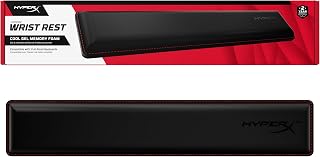
Not always. At 22-24mm height many typists can keep wrists floating without a rest. If your desk is 29 inches or higher and your chair cannot rise enough to keep elbows at 90 degrees, a slim 12-15mm wrist rest still helps prevent extension, but you can use a thinner rest than you would with a 38mm board.
Can I use a low profile keyboard for gaming?
Yes, if you choose a model with 2.4GHz 1000Hz polling like the G915 X LIGHTSPEED, Keychron K3 Max, or NuPhy Air75 V2. Avoid Bluetooth-only low profile boards for competitive shooters because polling drops to 125Hz and latency variance is higher.