Key takeaways
- Best Roblox VR Games to Play The best Roblox VR games in 2026 are VR Hands for social chaos, Cook Burgers for cooperative physical play, Shrek in the Backrooms for short horror sessions, Rainbow Friends for accessible group scares, and…
Best Roblox VR Games to Play
The best Roblox VR games in 2026 are VR Hands for social chaos, Cook Burgers for cooperative physical play, Shrek in the Backrooms for short horror sessions, Rainbow Friends for accessible group scares, and Opposer VR for players who want more movement and competitive action.
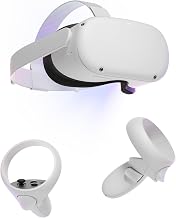
Roblox VR is most convenient on Meta Quest 2, Quest 3, and Quest 3S through the official Roblox app. Quest Pro can also run the same standalone experiences, although its discontinued status makes it a less practical new purchase. PC-connected headsets using SteamVR or OpenXR may work where the Roblox experience and current client support them, but compatibility can change after updates. PlayStation VR2 is not a dependable choice for Roblox because Roblox does not offer the same broad native VR path there.
Quick comparison: which Roblox VR game fits you?
| Game | Best for | Typical session size | Motion demand | Comfort and accessibility | Replay value |
|---|---|---|---|---|---|
| VR Hands | Social play and physical comedy | Small to medium groups | Low to medium | Comfortable seated or standing; simple controls | High with friends |
| Cook Burgers | Cooperative tasks | Small groups | Low to medium | Good for beginners; reach-heavy interactions | Medium to high |
| Shrek in the Backrooms | Short horror sessions | Solo or small groups | Low to medium | Teleport movement is preferable for sensitive players | Medium |
| Rainbow Friends | Family-friendly suspense and teamwork | Medium groups | Low | Simple objectives; pause between rounds | High for groups |
| Opposer VR | Competitive combat | Small to medium groups | High | Best for experienced VR players | High if you enjoy practice and competition |
1. VR Hands: the best all-round social pick
VR Hands makes the controller-driven hand avatar the main attraction. Players can gesture, grab, annoy friends, and interact with a shared environment in ways that feel more immediate than standard Roblox controls. It is a strong first game because the objective is easy to understand: enter a room, experiment with your hands, and see what other players are doing.
Movement requirements are relatively modest. You can usually play from a seated or standing position, but standing gives you more room for reaching and gesturing. Use a small snap-turn angle, such as 30 degrees, rather than smooth turning if you are new to VR. The experience is most replayable with friends; alone, it is better as a short introduction than as a long campaign.
In-game purchases, where offered, are optional rather than necessary to understand the core interactions. Check the current experience page before buying anything because Roblox passes and cosmetic offerings can change.
2. Cook Burgers: the best cooperative VR activity
Cook Burgers works well in VR because preparing food is built from physical actions: picking up ingredients, assembling orders, using kitchen equipment, and keeping the operation moving. It is less about twitch reflexes and more about communication, which makes it a practical choice for mixed-experience groups.
Expect frequent reaching, turning, and standing. The game is not as demanding as a room-scale action title, but a seated player may need to adjust the play area or use a larger interaction radius where the settings allow it. Clear your floor space before starting; the main risk is not software difficulty but hitting furniture while reaching for a virtual object.
Its replay value comes from coordination. A group that assigns one player to ingredients, another to cooking, and another to serving will have a noticeably easier time than a group where everyone grabs the same item. Any passes or cosmetic purchases are optional for the basic cooking loop.
3. Shrek in the Backrooms: the best short VR horror choice
Shrek in the Backrooms combines maze exploration, surprise encounters, and chase sequences. VR increases the tension because looking around is physical: sounds behind you and dark corners become more effective than they are on a flat screen.
Use teleport movement or short-distance snap movement if you experience nausea. Continuous locomotion, rapid turning, and repeated running from enemies create the highest comfort burden. A useful first session is 10–15 minutes, followed by a break; this lets you detect discomfort before it becomes severe.
The experience is better with a small group than with a large crowd. Too many players can reduce the fear and make objectives confusing. Replay value depends on discovering routes and learning enemy behavior rather than unlocking a long progression system. Treat paid items as optional convenience or customization, not as a requirement for the horror content.
4. Rainbow Friends: the most approachable group experience
Rainbow Friends is a good recommendation for players who want suspense without committing to a physically intense VR game. Its objectives are easy to explain, and the group format gives less experienced players someone to follow. The colorful presentation also makes it more approachable than realistic horror, although sudden sounds and pursuit sections can still be uncomfortable.
Motion requirements are generally low compared with competitive VR experiences. Play seated if preferred, keep snap turning enabled, and lower visual effects or audio volume if a player is sensitive to flashing or loud cues. Because rounds create natural stopping points, it is easy to play for 20–30 minutes and then take a break.
The game’s replay value comes from teamwork, different player decisions, and repeating objectives with friends. Purchases should be evaluated as optional extras; they do not replace the value of learning routes and cooperating during each round.
5. Opposer VR: the best choice for active players
Opposer VR is aimed at players who want a more action-focused Roblox VR experience. Combat and competitive encounters demand faster reactions, more aiming, and more deliberate use of the play area than social or puzzle games.
This is the least beginner-friendly recommendation on the list. Standing play is strongly preferable, and you should have enough room to extend both arms without touching a wall, desk, or ceiling fan. Smooth movement can be useful for experienced players, but newcomers should begin with teleportation or snap turning where available. If you feel eye strain, headache, or disorientation, stop rather than trying to push through it.
The replay loop is stronger than in a purely social sandbox because improvement matters: learning positioning, practicing aim, and adapting to opponents gives you a reason to return. Check the current experience description for game passes and ability-related purchases before spending Robux, since competitive advantages can affect whether the game feels fair to you.
Headset and comfort decision guide
| Your situation | Start with | Why | Suggested setup |
|---|---|---|---|
| First VR session | VR Hands | Simple interactions and no demanding objective | Seated or standing; snap turn |
| Playing with children or mixed skill levels | Rainbow Friends | Clear goals and group support | Short rounds; moderate audio |
| Two or three friends who want teamwork | Cook Burgers | Communication matters more than reflexes | Standing if possible; clear floor space |
| Sensitive to motion sickness | VR Hands or Rainbow Friends | Lower movement demand | Teleport or snap turning; 10-minute trial |
| Experienced VR player seeking competition | Opposer VR | Higher action and skill ceiling | Standing; full arm clearance; wrist straps |
How to get better performance on Quest
Roblox experiences vary in complexity, so performance can change between games even on the same headset. Before troubleshooting, close other apps, keep the headset cool, and update both Roblox and the headset software. If the image stutters, reduce the headset’s refresh rate from 120 Hz to 90 Hz or 72 Hz if your model and current software expose that option. A lower refresh target gives the device more rendering time per frame.
The frame-time budget explains why this helps. At 90 Hz, each frame has approximately 1,000 ÷ 90 = 11.1 milliseconds to render. At 120 Hz, the budget falls to 1,000 ÷ 120 = 8.3 milliseconds. That is a 25% reduction in available time. If a busy Roblox experience misses frames at 120 Hz, 90 Hz can produce steadier motion even though the refresh rate is lower.
If tracking feels wrong, recenter the headset, improve room lighting without aiming bright lights directly at the cameras, and remove reflective surfaces from the play area. If controls work but the experience displays as a flat game, leave and rejoin after confirming that the Roblox app and the specific experience support VR. VR support is experience-dependent and can change with an update.
Do Roblox VR games require purchases?
No. The recommended experiences can be sampled without buying a headset-specific subscription or mandatory add-on. Roblox experiences may offer game passes, private servers, cosmetics, boosts, or other optional items. For a fair comparison, play the basic loop first, then decide whether a purchase improves convenience or merely skips progression. Parents should review Roblox account spending controls before allowing purchases.
Final recommendation
Choose VR Hands for the safest first recommendation, Cook Burgers for cooperative play, Rainbow Friends for accessible group suspense, Shrek in the Backrooms for horror, and Opposer VR when you specifically want active competitive movement. Start with the lowest-motion option that matches your group, confirm VR mode on your headset, and treat comfort as part of the game choice rather than an afterthought.