Key takeaways
- Frees up desk space for wider mouse movement.
- Satisfying mechanical feel with anti-ghosting.
- Portable and lightweight for travel.
- Options from budget to premium wireless.
What's inside
Mini mechanical keyboards have surged in popularity as gamers and typists discover how much desk space a 60% or 65% layout frees up. By trimming the numpad, function row, and arrow cluster, these compact boards keep your mouse hand closer to center while still delivering the satisfying tactile feel of mechanical switches.
This review explores what makes a mini mechanical keyboard worth owning, the trade-offs of a smaller layout, and how popular models from MageGee, Logitech, Newmen, and others compare for gaming and everyday use.
As an Amazon Associate we earn from qualifying purchases at no extra cost to you.




🎮 Get More From Your Setup — Free
Prime Gaming gives you free PC games every month, in-game loot, and a free Twitch channel sub — plus fast free shipping on all the gear above. New members get a 30-day free trial.
Watch: Mechanical Mini Keyboard: Review & Buyer’s Guide — Video Review
Design & Build
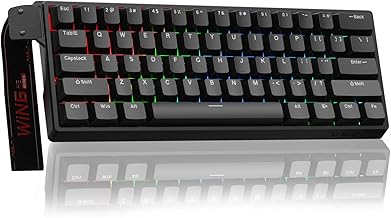
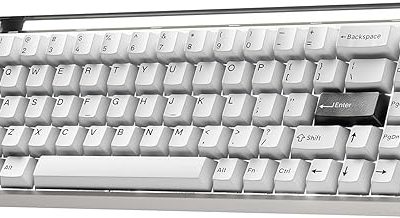
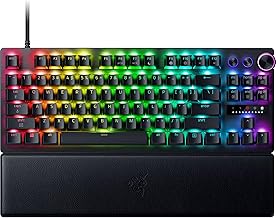
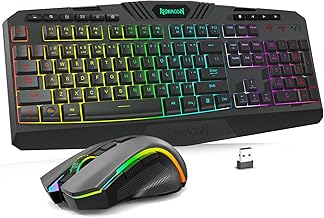
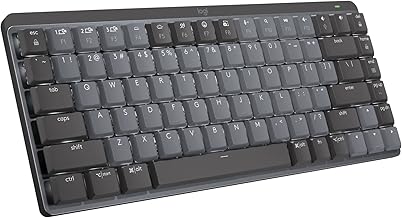
Mini mechanical keyboards typically come in 60% (around 61 keys) or 65% (around 68 keys) layouts. Budget options like the MageGee MK-Box and Snpurdiri 60% use compact plastic bodies with red linear switches, while the Newmen GM611 adds LED backlighting in a portable frame. Premium picks like the Logitech MX Mechanical Mini bring a refined aluminum-accented build with wireless connectivity, and the Logitech G413 TKL SE offers tactile switches in a slightly larger tenkeyless form.
Performance
These boards deliver crisp mechanical actuation with anti-ghosting for reliable input during fast games. Red linear switches, common in the MageGee and Snpurdiri models, are smooth and quiet-ish for gaming and typing, while the MX Mechanical Mini’s clicky option gives more tactile feedback. The compact layout takes brief adjustment since arrows and function keys move to a secondary layer, but once learned, the space savings and portability are a real benefit for cramped or minimalist setups.
Pros & Cons
- Frees up desk space for wider mouse movement.
- Satisfying mechanical feel with anti-ghosting.
- Portable and lightweight for travel.
- Options from budget to premium wireless.
- Secondary layer needed for arrows and function keys.
- Learning curve for shortcut-heavy work.
Alternatives to Consider
If a true 60% feels too cramped, the Logitech G413 TKL SE offers a tenkeyless layout that keeps arrows and function keys while still saving space. For premium wireless with multi-device switching, the Logitech MX Mechanical Mini is the standout. Budget gamers will find great value in the MageGee MK-Box or GEODMAER 65%, which deliver the compact mechanical experience for very little money.
Frequently Asked Questions
What is the difference between 60% and 65%?
A 65% layout adds dedicated arrow keys and a few extras, making it easier to use than a pure 60% while staying compact.
Are mini keyboards good for gaming?
Yes. The smaller footprint gives more mouse room, and mechanical switches with anti-ghosting handle fast inputs well.
Do I lose the arrow keys?
On 60% boards, arrows move to a secondary layer accessed with a function key. 65% boards keep dedicated arrow keys.
Which switch type should I choose?
Red linear switches suit gaming and quiet typing; tactile or clicky switches give more feedback for typists who want it.
Verdict
A mini mechanical keyboard is a smart upgrade for anyone short on desk space or chasing a cleaner setup. The Logitech MX Mechanical Mini leads for premium wireless use, the G413 TKL SE is a great tenkeyless middle ground, and the MageGee MK-Box delivers unbeatable budget value. Expect a short adjustment to the layout, and you will gain space and a better typing feel.