Our Top Picks
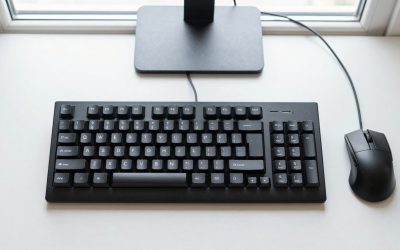
 Redragon K668 108-Key Hot-Swap Wired RGB Gaming Keyboard17.3 x 4.7 x 17.3 inches1.9 PoundsCheck on Amazon
A hot-swappable keyboard lets you pull out and replace the key switches without any soldering, because each switch sits in a socket on the circuit board instead of being soldered to it. You simply pull a switch straight out with a switch puller and press a different one in, which makes it easy to change how your keys feel and sound or to replace one that has failed.
How hot-swap sockets work
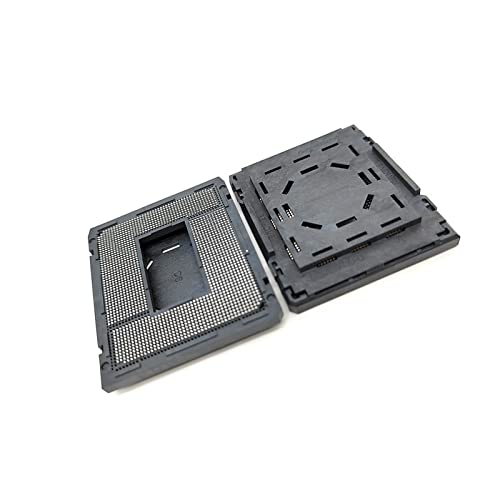
In a traditional mechanical keyboard, each switch has two metal pins that pass through the printed circuit board and are soldered in place. Replacing a switch means desoldering and soldering again, which needs tools and some skill. A hot-swap board replaces each solder joint with a small metal socket, usually soldered to the board at the factory. The switch pins slide into these sockets and make electrical contact through spring pressure.

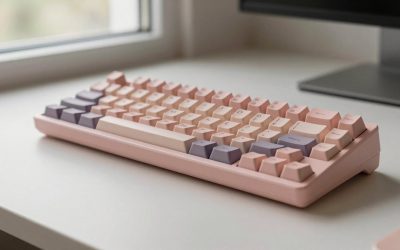
AULA F75 Pro Wireless Mechanical Keyboard,75% Hot Swappable Custom Keyboard with Knob,RGB Backlit,Pre-lubed Reaper Switches,Side Printed PBT Keycaps,2.4GHz/USB-C/BT5.0 Mechanical Gaming Keyboards
Chosen because it specifies 75% Hot Swappable Custom Keyboard with Knob and RGB Backlit.
View on Amazon
Redragon Mechanical Gaming Keyboard Wired, 11 Programmable Backlit Modes, Hot-Swappable Red Switch, Anti-Ghosting, Double-Shot PBT Keycaps, Light Up Keyboard for PC Mac
Chosen because it specifies 11 Programmable Backlit Modes and Hot-Swappable Red Switch.
View on Amazon
Aula WIN60 HE - 60% Mechanical Gaming Keyboard Wired, Magnetic Switch Hot Swappable, Adjustable Actuation Rapid Trigger Mode, 8000 Hz Polling Rate, RGB Small Keyboard 60 Percent Compact Design for PC
Chosen because it specifies 60% Mechanical Gaming Keyboard Wired and Magnetic Switch Hot Swappable.
View on AmazonRedragon K668 108-Key Hot-Swap Wired RGB Gaming Keyboard, Extra 4 Hotkeys | Dedicated Shortcut Keys for Mute, Calc & Desktop, Cushioned Noise Dampening for Creamy Thocky Sound, Swap-Ready, PRO Software
Chosen because it specifies Extra 4 Hotkeys and Dedicated Shortcut Keys for Mute.
View on AmazonBecause the connection is purely mechanical, swapping needs no heat or special electronics. The board still scans the key matrix the same way, so the keyboard behaves normally. Many hot-swap boards support common MX-style switches from several makers, though compatibility depends on the pin layout.
Why it matters for gaming
Gamers care about key feel, actuation behavior and durability, and switch choice affects all three. The main benefits are:
- Try before committing. You can test linear, tactile and clicky switches on one board without buying separate keyboards.
- Tune per key. Some players put lighter or shorter-travel switches on movement keys and different switches elsewhere. This is a personal preference.
- Repair instead of replace. If a single switch chatters or stops registering, you can replace only that switch.
- Upgrade later. As new switch designs, including magnetic and Hall effect options, appear, you may be able to keep the board. Note that Hall effect switches need compatible electronics, so a standard hot-swap board only works with the switch type it was designed for.
Hot-swap vs soldered boards
| Aspect | Hot-swappable | Soldered |
|---|---|---|
| Changing a switch | Pull out and press in | Desolder and resolder |
| Tools needed | Switch puller, sometimes tweezers | Soldering iron, desoldering pump, solder |
| Risk of board damage | Low if done carefully, but sockets can wear | Higher, pads can lift when heated |
| Long-term socket wear | Possible after many swaps | Not applicable |
| Switch compatibility | Limited to the socket type | Limited to the pin layout |
| Feel with typical case design | Similar when well built | Some enthusiasts describe a more rigid connection |
Checking whether your keyboard is hot-swappable
- Read the product page and manual. The maker’s specification list will say “hot-swappable” if it applies. If it does not, assume it is not.
- Look for a switch puller in the box. Many hot-swap keyboards include one.
- Remove a keycap and look. After pulling the keycap, check whether the switch sits in a plastic or metal housing visible on top of the board. This does not show the sockets, so the maker’s information is the more reliable source.
- Check the community. Reviews and maker forums often document whether a model is hot-swap and whether it uses 3-pin or 5-pin compatible sockets.
Do not try to pry out a switch on a board that is not hot-swappable. You can break the switch or lift the solder pads, which damages the keyboard.
3-pin vs 5-pin switches
Most MX-style switches have two metal contact pins and either one or two plastic guide pegs. A 3-pin switch has the two metal pins plus a central plastic post. A 5-pin switch adds two more plastic pegs for stability. Plastic pegs do not carry any signal, but they need a matching hole in the board.
Many hot-swap boards have holes for the extra pegs so they accept both types. Some boards are 3-pin only. A 5-pin switch can be used in a 3-pin board if you carefully clip off the extra plastic pegs, but this is irreversible, so check the maker’s compatibility first. Do not bend the metal pins.
How to swap a switch safely
- Unplug the keyboard, or turn off a wireless model, so no keystrokes register during the change.
- Remove the keycap with a keycap puller.
- Grip the switch with the switch puller by its side tabs, and pull straight up with even force. Do not twist.
- Look at the new switch. Straighten any bent metal pins gently with tweezers if needed.
- Align the pins with the socket holes and press the switch straight down until the housing is seated flat on the plate.
- Replace the keycap and test the key in a keyboard tester or text field.
If the keyboard is wired, plug it back in and test every swapped key. If a key does not register, pull the switch and check whether a pin is bent or missing.
Common misconceptions
- “Any switch fits any hot-swap keyboard.” Most support MX-style switches, but some keyboards use low-profile, optical or magnetic designs that need matching switches. Check the maker’s list.
- “Hot-swap boards are always worse.” Quality depends on the build. Some enthusiasts feel the sockets add slight flex or sound differences, but many players cannot tell.
- “Swapping voids the warranty.” It varies by maker. Read the warranty terms before swapping, especially for repairs involving anything beyond the switches.
- “You can swap switches while the keyboard is on.” The name suggests this, but it is safer to disconnect first, since contact between pins during a swap can send unexpected signals. Some boards explicitly warn against it, so follow the maker’s guidance.
- “Hot-swap means better switches.” It only means they are replaceable. The switches that come with the board can still be good or average.
When to care and when to ignore it
| Your situation | Does hot-swap matter? |
|---|---|
| You like experimenting with switch feel | Yes, it is the main reason to buy one |
| You game competitively and want specific switches | Often yes, to find what suits you |
| You want a long-lived keyboard you can repair | Yes |
| You are happy with the stock switches and never plan to change them | Not really |
| You want a low-profile or specialized switch board | Check compatibility first |
If you are unsure which switches you like, a hot-swap board plus a small sampler of switch types is a low-risk way to learn. If you already know your preference, a good non-hot-swap board with those switches is perfectly fine.
Frequently Asked Questions
Do I need special tools for a hot-swappable keyboard?
A switch puller and a keycap puller are the main tools, and many keyboards include them. A pair of tweezers can help straighten bent pins. No soldering equipment is needed.
How many times can I swap switches before the sockets wear out?
Socket makers publish durability ratings, but real-world wear depends on handling. Reviewers generally suggest that occasional swaps are fine and repeated swapping over many cycles may loosen contact. Pull and insert straight to reduce wear.
Can I use any switch brand on my board?
Most MX-compatible switches from different makers fit, but check the keyboard maker’s compatibility list. Proprietary designs, such as some low-profile or optical switches, only work with matching boards.
What if a swapped switch does not work?
Remove it and check for bent pins. Straighten gently and reinsert straight down. If it still fails, try a different switch in the same spot to see whether the socket or the switch is at fault, and contact the maker if the socket seems damaged.
Is a hot-swap keyboard good for gaming?
It can be, since you can pick switches that suit your style. The hot-swap feature itself does not change latency or responsiveness. Polling rate, switch type and firmware matter more for performance.
Will swapping switches change the sound?
Yes. Different switch types, lubrication and plate materials all influence sound and feel. Changing switches is one of the simplest ways to change how a keyboard sounds.