Key takeaways
-
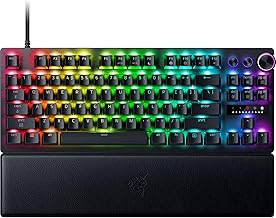
Wooting 80HE: A better choice for players who want Hall Effect technology but prefer a larger tenkeyless layout with dedicated arrow and navigation keys.
-
Razer Huntsman V3 Pro Mini: An alternative for competitive gamers interested in adjustable optical analog switches in a compact keyboard, with a different software and hardware ecosystem.
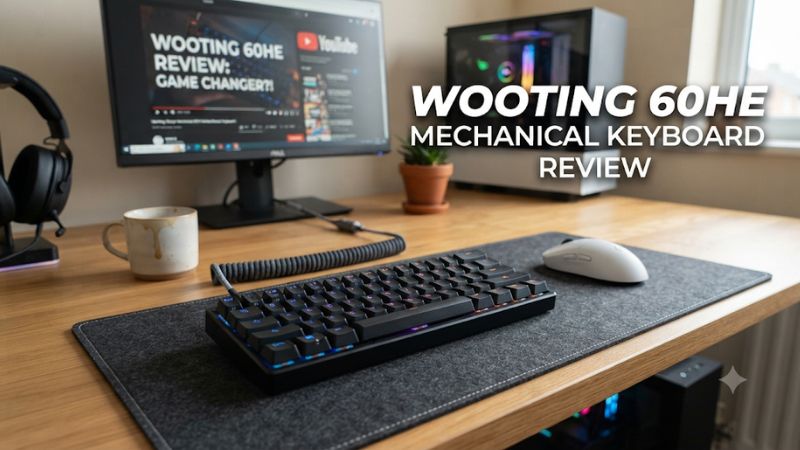
The Wooting 60HE mechanical keyboard review comes down to one question: is its Hall Effect technology still worth paying for? This 60% wired keyboard offers adjustable actuation, Rapid Trigger, and analog input, but newer models change the value equation. Here’s what buyers should know.
1. Wooting 60HE: Who Should Buy This Keyboard?
The Wooting 60HE targets competitive gamers who want precise control over key activation rather than a traditional mechanical typing experience. Its magnetic switches offer adjustable actuation and Rapid Trigger, making it particularly relevant to FPS and rhythm games. However, its compact layout, wired connection, and newer-generation competition deserve consideration before purchasing.
Competitive Gaming and Input Control
The main reason to consider the Wooting 60HE is its magnetic Hall Effect switch technology. Unlike conventional mechanical switches that rely on physical electrical contacts, these switches use magnetic sensing to detect key movement. This allows the keyboard to respond to configurable activation points throughout a keypress.
That flexibility matters in competitive games where repeated movement inputs are common. Players can configure how far a key must travel before activating and how quickly it resets. The Wooting 60HE therefore offers more control over input behavior than a conventional mechanical keyboard with a fixed actuation point.
Understanding Rapid Trigger and Adjustable Actuation
Rapid Trigger is one of the keyboard’s most important gaming features. Instead of requiring a key to return to a predetermined reset position, the feature allows activation and reset behavior to respond dynamically to the key’s movement. This can make repeated directional inputs easier to control.
Adjustable actuation provides another layer of customization. Players can configure individual keys to activate at different points, depending on their preferences and the game being played. These settings can help with movement-heavy titles, but they do not automatically improve aim, reaction time, or overall game performance.
The 60% Layout: Space Savings and Compromises
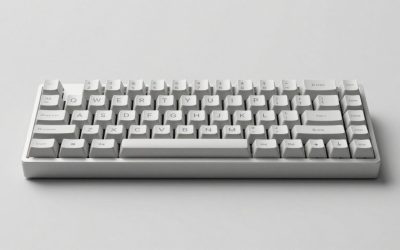
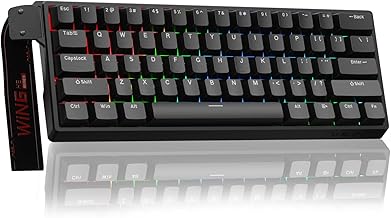
The 60% form factor is a major part of the Wooting 60HE’s appeal. It removes the dedicated function row, arrow keys, navigation cluster, and number pad found on larger keyboards. The smaller footprint leaves more room for mouse movement, which can be useful for low-sensitivity FPS players.
However, this design requires compromises outside gaming. Arrow keys and other missing functions must be accessed through keyboard layers and key combinations. Users who frequently work with spreadsheets, edit documents, or navigate long lines of code may find a 60% keyboard less convenient than a tenkeyless or full-size model.
Software, Customization, and Compatibility
Wootility is the manufacturer’s configuration software. It provides access to actuation settings, Rapid Trigger, analog input, and other keyboard customization options. The interface allows users to create different configurations rather than relying entirely on factory settings.
The keyboard connects through USB and is designed for desktop gaming setups. Buyers should check the exact model and operating-system support before purchasing, especially when considering older hardware or alternative firmware configurations. It is not a wireless keyboard, so Bluetooth connectivity and cable-free gaming are not part of its feature set.
2. Wooting 60HE Review: Specifications, Performance, and Value
The Wooting 60HE remains an interesting gaming keyboard because its core technology addresses a specific limitation of conventional mechanical switches. However, evaluating its value in November 2026 requires distinguishing the original model from the 60HE+ and the newer 60HE v2. These products share a family name but have meaningful differences in construction and specifications.
Technical Specifications and Build Quality
The original 60HE uses Gateron Lekker magnetic switches and a compact 60% layout. Its construction includes an ABS plastic case, steel switch plate, and wired USB connection. The manufacturer also offers a modular version for buyers interested in building a customized keyboard.
The 60HE+ retains the core concept while offering an updated product configuration. Its published specifications include Lekker L60 switches, an ABS case, plate-mounted stabilizers, and a GH60-compatible 60% PCB. The preassembled version measures approximately 30.2 × 11.6 × 3.8 cm and weighs around 605 grams.
Gaming Performance and Independent Evidence
Independent measurements from RTINGS support the original keyboard’s reputation for responsive gaming input. Its review reports exceptionally low single-key and multi-key latency, full N-key rollover, and an effective 1,000Hz update rate. These findings make it a strong option for competitive gaming where consistent input registration matters.
However, low latency should not be confused with guaranteed improvements in match results. Your computer’s performance, display refresh rate, network conditions, game settings, and personal skill also influence the overall experience. The keyboard’s biggest advantage is configurable input behavior rather than a promise of better performance in every game.
Price and Value Compared With Newer Models
The most important purchasing consideration is the product’s generation. The original Wooting 60HE has been superseded, while the 60HE+ and 60HE v2 occupy different positions in the manufacturer’s lineup. Buying an older board can still make sense when its price is sufficiently lower.
Wooting’s published US pricing on February 3, 2026, listed the preassembled 60HE+ at $154.99. The 60HE v2 started at $179.99 for its plastic configuration and reached $239.99 for its aluminum configuration. These are manufacturer-listed prices, not guaranteed November retail offers.
| Model | Best For | Key Specifications | Compatibility | Watch Out For |
|---|---|---|---|---|
| Original Wooting 60HE | Budget-conscious competitive gamers | Magnetic Lekker switches, 60% layout, 1,000Hz | Wired USB desktop setups | Older generation |
| Wooting 60HE+ | Buyers wanting the established 60HE platform | Lekker L60 switches, ABS case, 1,000Hz | GH60 60% platform | Steel plate and tray mounting |
| Wooting 60HE v2 Plastic | Competitive gamers wanting newer hardware | Lekker Tikken switches, 8,000Hz, friction-fit mounting | ANSI and ISO configurations | Higher purchase price |
| Wooting 60HE v2 Aluminum | Buyers prioritizing premium construction | Aluminum case, 8,000Hz, updated mounting | ANSI and ISO configurations | More expensive configuration |
The table highlights why buyers should avoid treating every Wooting 60HE-branded product as identical. The v2 introduces an 8,000Hz maximum polling rate and a different mounting system. Those changes improve the specification sheet, although the practical gaming difference is unlikely to justify an upgrade for every existing owner.
Strengths, Weaknesses, and Alternatives
The strongest reasons to choose the Wooting 60HE are its configurable magnetic switches, responsive input, compact dimensions, and flexible software. It is particularly appealing to players who enjoy adjusting actuation behavior for different games. Its established ecosystem is another advantage for users interested in keyboard customization.
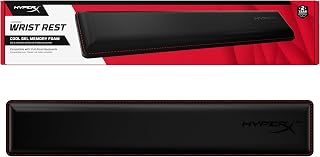
There are also meaningful disadvantages. The fixed 60% layout is restrictive for some everyday workflows, the keyboard requires a wired connection, and its relatively high profile may be uncomfortable without a wrist rest. Buyers should also consider the newer 60HE v2 before paying a premium for an older original model.
Two alternatives deserve attention:
-
Wooting 80HE: A better choice for players who want Hall Effect technology but prefer a larger tenkeyless layout with dedicated arrow and navigation keys.
-
Razer Huntsman V3 Pro Mini: An alternative for competitive gamers interested in adjustable optical analog switches in a compact keyboard, with a different software and hardware ecosystem.
Neither alternative is automatically better for everyone. The right decision depends on preferred layout, switch technology, software features, and the price available in your market.
3. Wooting 60HE Mechanical Keyboard Review: FAQ
Is the Wooting 60HE worth buying in 2026?
Yes, the Wooting 60HE can still be worth buying if you find the original model at a substantial discount. Its adjustable magnetic switches, Rapid Trigger functionality, and responsive input remain relevant for competitive gaming. However, buyers should compare its price against the 60HE+ and 60HE v2 before making a decision.
If the price difference is small, the newer model is generally the more sensible purchase. The original is most attractive to gamers who want its core features without paying for newer construction or higher polling-rate specifications.
Does the Wooting 60HE work with every gaming PC?
The Wooting 60HE is designed for wired desktop use through USB. It does not require a dedicated graphics card or a particular gaming CPU because keyboard input processing is separate from GPU rendering performance.
Nevertheless, buyers should check Wooting’s current software and operating-system compatibility information before purchasing. USB connectivity alone does not guarantee that every configuration feature will work identically across all operating systems.
Is Rapid Trigger better than normal mechanical switches?
Rapid Trigger offers more flexible activation and reset behavior than traditional fixed-reset mechanical switches. This can be particularly useful for repeated directional inputs in competitive FPS games and rhythm games.
However, the advantage depends on the player and the game. Traditional mechanical keyboards remain perfectly suitable for most gaming, and players who prefer conventional typing behavior may not benefit enough from magnetic switch customization to justify the additional cost.
Should I buy the Wooting 60HE or 60HE v2?
The Wooting 60HE v2 is the better choice for most buyers purchasing new hardware in 2026. It offers an 8,000Hz maximum polling rate, updated Lekker switches, and a redesigned mounting system, alongside plastic and aluminum case options.
The original 60HE remains worth considering when discounted or when purchasing a compatible secondhand unit. Existing owners also have little reason to upgrade solely for the higher polling rate because its practical in-game advantage is limited.
Final Thoughts
The Wooting 60HE mechanical keyboard review reveals a gaming keyboard whose magnetic switch technology remains relevant despite newer competition. Its biggest strengths are adjustable actuation, Rapid Trigger, and compact design. Buy the original only at a compelling discount; otherwise, compare the 60HE+ and 60HE v2 before committing your budget.
More from Amazon
Programs that pair well with the guide above. Offers and eligibility are set by Amazon and may change.
Free shipping on eligible items, Prime Video and more. Eligible new members can start with a free trial.
Start a Prime free trialAd-free music streaming. Eligible new subscribers can start with a free trial.
Try Music Unlimited freeA Prime membership for ages 18-24 with a trial period. Eligibility is set by Amazon.
See Prime for Young AdultsAudiobooks and podcasts to listen to on the go. Eligible new members can start with a free trial.
Try Audible freeAs an Amazon Associate we earn from qualifying purchases.