Our Top Picks
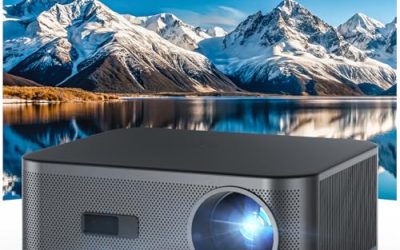
 Epson EpiqVision Flex CO-W01 Portable Projector 3-Chip 3LCD8.3 x 11.6 x 3.4 inches5.3 PoundsCheck on Amazon
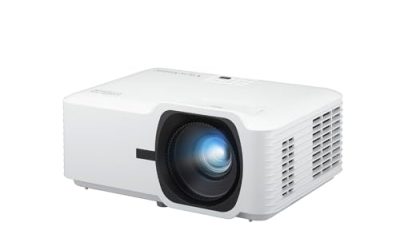
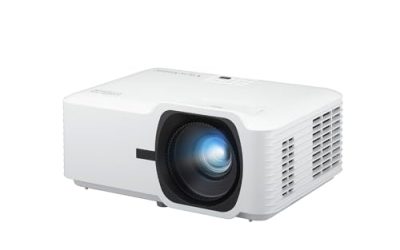
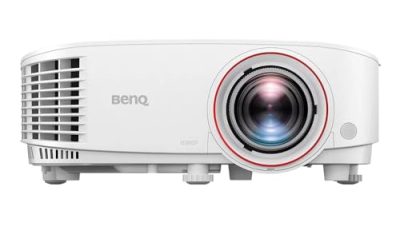
 ViewSonic PA503X XGA Projector 4000 Lumens HDMI Business0.2" x 8.6" x 11.6"8.58 x 4.33 x 11.57 inches4.85 poundsCheck on Amazon
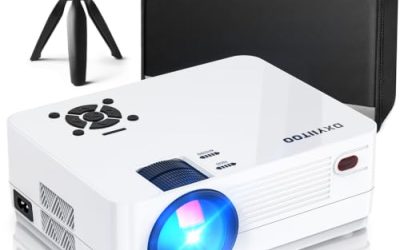
 Epson EX3290 3-Chip 3LCD Widescreen WXGA Video Projector11.9 x 9.3 x 3.2 inches5.2 poundsCheck on Amazon
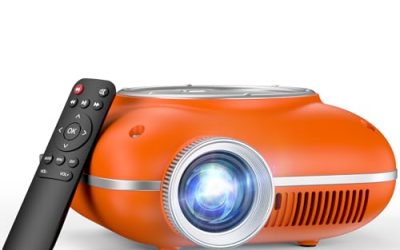
 ViewSonic PA503HD 4000 Lumens 1080p Full HD DLP13.3" x 12.2" x 4.5"13.3 x 12.2 x 4.5 inches6 PoundsCheck on Amazon
A classroom projector has a harder job than a living-room one. It has to stay legible from the back row with the blinds half open, run for hours every school day, survive being switched on and off by a dozen different teachers, and connect to whatever laptop or document camera happens to be on the cart. That is why the most useful specs here are not the glamorous ones. Brightness in lumens, native resolution, HDMI and VGA inputs, ceiling-mount readiness, and the way the lens handles a tilted image matter far more than a thin chassis or a flashy sound system.
This guide is for teachers, school IT staff, tutoring centers, and parents setting up a home classroom who need a dependable projector for lessons and presentations. Eight models are covered, spanning older XGA resolution through WXGA and full 1080p, in both LCD and DLP technologies, plus one laser unit. The aim is to help you choose by room size and use rather than by brand loyalty. If your budget committee is also asking in 2026 whether a projector is still the right tool versus a flat panel, the answer usually depends on room size, because a projector scales to a large wall for a fraction of the cost of a big display. A small seminar room may be better served by a panel, while a 30-seat room almost always favors the projector.
Quick Picks

Epson, EPSV11H982020, PowerLite X49 3LCD XGA Classroom Projector with HDMI, 1 Each , 3.4"x11.6"x10.2"
One of the consumer electronics options compared in this guide.
View on AmazonEpson EpiqVision Flex CO-W01 Portable Projector 3-Chip 3LCD Technology | 3000 Lumens of Color and White Brightness 300-Inches Display HDMI Port Built-in Speaker Home Theater and Work
One of the consumer electronics options compared in this guide.
View on AmazonViewSonic PA503X XGA Projector 4000 Lumens HDMI Business Presentations | Clear Bright Images For Meetings, Classrooms, Training Rooms, Offices, Vertical Keystone, VGA, Long Lamp Life, Easy Setup
One of the consumer electronics options compared in this guide.
View on Amazon
Epson PowerLite E20 LCD Projector - 4:3 - Ceiling Mountable - White
One of the consumer electronics options compared in this guide.
View on AmazonEpson EX3290 3-Chip 3LCD Widescreen WXGA Video Projector | Built-In Speaker 4000 Lumens of Color and White Brightness 2x HDMI Ports
One of the consumer electronics options compared in this guide.
View on AmazonViewSonic PA503HD 4000 Lumens 1080p Full HD DLP Projector, High Brightness | HDMI, USB, Optical Zoom, Auto Keystone, 120Hz, Ceiling Mount, Classroom, Business, Presentation, Large Screens, Smooth Action
One of the consumer electronics options compared in this guide.
View on Amazon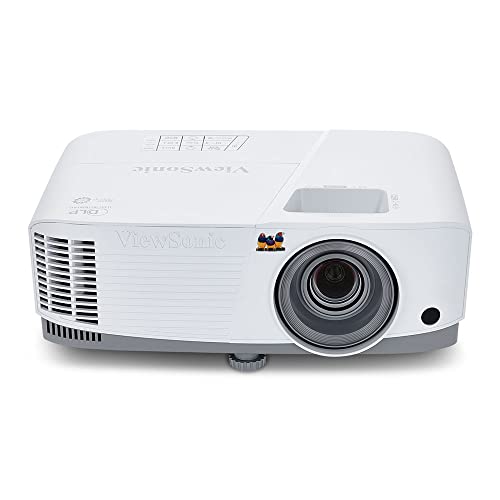
ViewSonic PA503W 4000 Lumens WXGA DLP Projector, High Brightness HDMI | Vertical Keystone, Optical Zoom, 120Hz, Low Latency, VGA, USB, Ceiling Mount, Classroom, Business, Presentation, Large Screen
One of the consumer electronics options compared in this guide.
View on Amazon| Product | Best for | Key spec from the title |
|---|---|---|
| Epson PowerLite X49 | Standard classroom with HDMI | 3LCD, XGA, HDMI |
| Epson EpiqVision Flex CO-W01 | Portable, shared between rooms | 3000 lumens, 3-chip 3LCD, 300-inch display |
| ViewSonic PA503X | Large rooms on an XGA budget | 4000 lumens, XGA, HDMI |
| Epson PowerLite E20 | Permanent ceiling install | LCD, 4:3, ceiling mountable |
| Epson EX3290 | Widescreen with built-in sound | 4000 lumens, 3LCD, WXGA, 2x HDMI |
| ViewSonic PA503HD | Full HD lessons and video | 4000 lumens, 1080p DLP, optical zoom |
| ViewSonic LS740HD | Lamp-free, very bright rooms | 5500 lumens, 1080P laser |
| ViewSonic PA503W | Widescreen presentations | 4000 lumens, WXGA DLP, optical zoom |
How to Choose
Brightness for rooms that cannot go dark
Classrooms rarely have blackout curtains, so lumens matter. Projectors in the 3000 lumen range suit smaller rooms with controllable lighting, 4000 lumens handle a standard classroom with ambient daylight, and 5000 or more is for large rooms, gyms, or sun-facing windows. Keep in mind that 3LCD models list both color and white brightness, which is a more honest figure than white-only claims. If you cannot dim the lights, choose the brighter model even if it costs more. Seating distance matters as well: a back row more than about 25 feet from the screen needs a bigger image, and a bigger image spreads the same lumens thinner.
Resolution and aspect ratio
XGA is 1024 by 768 in a 4:3 shape, matching older slide decks and many school laptops. WXGA is 1280 by 800 in a wider shape that suits modern widescreen content, and 1080p is Full HD for video and detailed spreadsheets. If your teachers mostly show slide decks and documents, XGA is fine; if they show video or run split-screen content, step up to WXGA or 1080p. Match the projector to the laptops in the room, because a mismatched aspect ratio leaves black bars. Teachers who plug in a tablet or a document camera should also check that the projector can handle that device’s native output without a clumsy adapter.
Inputs, mounting, and lens adjustments
Look for at least one HDMI input and, for older equipment, a VGA port. A USB port can simplify showing files or powering a streaming stick. Ceiling-mount readiness, optical zoom, and keystone correction decide how easy installation is, since optical zoom lets you place the unit without moving it back and forth, and keystone straightens a trapezoid image. Auto keystone saves time for staff who share a projector between rooms. Remember that heavy keystone correction trims pixels from the image, so physically aligning the projector with the screen is always preferable.
Lamp versus laser, and what to ignore
Lamp projectors cost less up front but need lamp replacements and have to warm up and cool down. Laser units avoid lamp changes, which suits a busy school, but the initial cost is higher. Ignore gaming-oriented terms like refresh rate unless students will project games. Budget models often cut corners on speaker quality and fan noise, so a wired audio feed or a small speaker setup is wise in any room larger than a tutoring space. Finally, consider the lifetime cost: a bargain model that needs frequent lamp changes can cost more over several school years than a pricier unit that runs without maintenance.
The 8 Best Options
Epson PowerLite X49
The PowerLite X49 is described as a 3LCD XGA classroom projector with HDMI. The 3LCD design is known for steady color and equal color and white brightness, which suits slides with charts and diagrams. A school that already stocks Epson lamps and mounts can slot it into an existing routine, which counts for more than any spec when a department is managing a dozen rooms.
- Strength: 3LCD technology with HDMI in a purpose-labeled classroom model.
- Strength: XGA resolution matches common school slide decks.
- Trade-off: the visible title gives no lumen figure, so confirm brightness for your room.
Skip it if your teachers regularly play widescreen video that benefits from a wider panel.
Epson EpiqVision Flex CO-W01
This portable 3-chip 3LCD projector lists 3000 lumens of color and white brightness, a 300-inch maximum display, and an HDMI port. It suits a teacher who moves between rooms or runs a small group lesson. It also makes sense for a home classroom where the projector needs to be put away after lessons.
- Strength: equal color and white brightness at 3000 lumens.
- Strength: a portable design for shared use.
- Trade-off: 3000 lumens is the lowest brightness here, so rooms with daylight may struggle.
Skip it if you need a permanently mounted unit for a large, bright room.
ViewSonic PA503X
ViewSonic markets the PA503X as an XGA projector with 4000 lumens and HDMI for business presentations, classrooms, and training rooms. The brightness at XGA resolution is the draw. It targets a budget-minded department that cares about being seen from the back row more than about pixel count.
- Strength: 4000 lumens for rooms with daylight.
- Strength: it is positioned for classrooms and training rooms.
- Trade-off: XGA resolution looks coarse for detailed video.
Skip it if you want widescreen or Full HD output.
Epson PowerLite E20
The PowerLite E20 is an LCD projector in a 4:3 format that is ceiling mountable and white in color. The listing is brief, but ceiling mounting and a 4:3 shape suit a classic classroom install. Facilities teams who want a set-and-forget unit above the desks will find that format familiar.
- Strength: ceiling mountable for a tidy permanent installation.
- Strength: 4:3 format matches older presentation material.
- Trade-off: the visible title lists little else, so confirm brightness and ports.
Skip it if you need specifics on lumens or video inputs before buying.
Epson EX3290
Epson lists the EX3290 as a 3-chip 3LCD widescreen WXGA projector with a built-in speaker, 4000 lumens of color and white brightness, and two HDMI ports. The dual HDMI inputs and speaker make it flexible for a room that connects a laptop and a streaming device. The speaker is a convenience for quick video clips, though a separate audio setup is still wise for a full class.
- Strength: 4000 lumens with equal color and white brightness.
- Strength: two HDMI ports and a built-in speaker.
- Trade-off: WXGA falls short of Full HD detail.
Skip it if you need 1080p or lamp-free operation.
ViewSonic PA503HD
This ViewSonic is a 1080p Full HD DLP projector with 4000 lumens, HDMI and USB inputs, optical zoom, auto keystone, 120Hz, and ceiling-mount support. It is the best match for classrooms that show a lot of video. The optical zoom also lets staff place it a bit closer or farther from the screen without sacrificing focus.
- Strength: Full HD resolution at 4000 lumens.
- Strength: optical zoom and auto keystone simplify installation.
- Trade-off: DLP can show rainbow artifacts for some viewers.
Skip it if you need a laser light source or a built-in speaker.
ViewSonic LS740HD
The LS740HD is a 1080P laser projector at 5500 lumens with optical zoom, keystone, corner adjustment, and wording that spans home theater, golf simulation, and classroom use. The laser source means no lamp swaps. It is a long-term pick for an auditorium or a large multi-purpose room.
- Strength: 5500 lumens suits large or bright rooms.
- Strength: corner adjustment helps with awkward placement.
- Trade-off: a laser model typically sits at a higher cost tier than lamp projectors.
Skip it if your room is small and dim, where it would be overkill.
ViewSonic PA503W
The PA503W is a 4000 lumen WXGA DLP projector with HDMI, VGA, USB, vertical keystone, optical zoom, 120Hz, low latency, and ceiling-mount support. The VGA port helps with older equipment. Schools with a mix of legacy carts and newer laptops would benefit most.
- Strength: HDMI, VGA, and USB cover many connections.
- Strength: 4000 lumens with optical zoom for flexible placement.
- Trade-off: keystone is listed as vertical, so side-angle placement is less forgiving.
Skip it if you need Full HD detail.
Which One Fits Your Situation
A standard classroom with windows
The Epson EX3290 and the ViewSonic PA503W both offer 4000 lumens in WXGA. Choose the Epson for two HDMI ports and a built-in speaker, or the ViewSonic for the VGA port.
A video-heavy media or science class
The ViewSonic PA503HD brings 1080p and 4000 lumens, so videos and detailed diagrams look crisper. Science labs that project microscope feeds or art rooms that show reference images benefit the most, since fine detail survives the trip to the back row.
A large lecture room or gym
The ViewSonic LS740HD at 5500 lumens with a laser source is the brightest, and it avoids lamp maintenance. For a district that wants one dependable unit in a hard-to-reach ceiling spot, avoiding ladder trips for lamp changes is a real saving.
A tutoring center or shared cart
The Epson EpiqVision Flex CO-W01 is portable, while the Epson PowerLite X49 is a straightforward fixed-room workhorse. Pair either with a cart, a spare HDMI cable, and a printed setup card so any substitute teacher can get the picture up in a minute.
Common Mistakes
- Buying for resolution and ignoring brightness in a room with daylight.
- Skipping the HDMI or VGA check against the laptops teachers actually use.
- Forgetting that lamp replacements are an ongoing cost.
- Mounting the projector without checking throw distance for the screen size.
- Counting on built-in speakers to fill a full classroom.
Related guides
- External Hard Drive For Xbox Series X
- How To Check Gpu Temperature While Gaming
- 7.1 Surround Sound Gaming Headsets
Frequently Asked Questions
How many lumens does a classroom need?
Around 3000 lumens suits small rooms with controlled light, 4000 handles typical classrooms with daylight, and 5000 or more is for large or bright spaces.
Is XGA still acceptable?
For slide decks and documents, yes. For video or widescreen content, WXGA or 1080p gives a more suitable image.
Is a laser projector worth it for a school?
It can be, since there is no lamp to replace and it starts quickly. The higher initial cost is the trade-off, so it tends to make sense where the unit will run many hours per day for years.
Do I need a screen?
A smooth white wall can work, but a proper screen improves contrast and brightness, especially in bright rooms.