Key takeaways
- 1440p 144-240Hz (Competitive / Esports + AAA High): CPU-sensitive. In CPU-heavy titles like Cyberpunk 2077, Starfield, Valorant, and Call of Duty, a strong gaming CPU with large cache can deliver 15-25% higher average FPS and 20-30% better 1% lows compared to a budget 6-core from the same generation.
- 1440p 60-100Hz (Single-player AAA, Ultra settings): Balanced. Most mid-range modern CPUs will keep the GPU fully fed. No need for X3D or i7-class chips unless you plan to upgrade the GPU later.
- 4K 60-144Hz (Ultra settings, often with DLSS Quality): GPU-bound. Differences between a Ryzen 5 7600 and a Ryzen 9 7950X shrink to 2-5% in most games. Platform cost and efficiency matter more than peak gaming IPC.
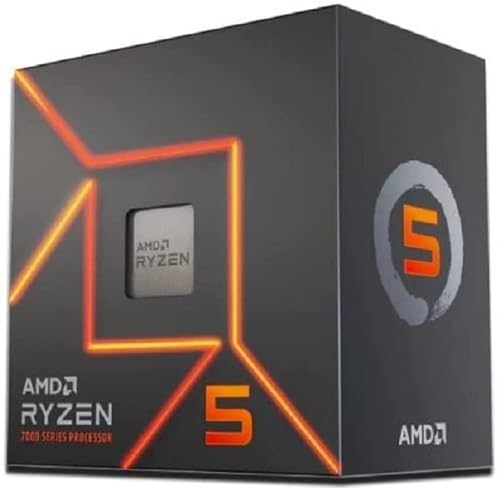
The best CPU for 4070 Super builds is the AMD Ryzen 7 7800X3D or Ryzen 7 9800X3D for high-refresh 1440p gaming, while the Ryzen 5 7600 / Intel Core i5-14400F class is the best value for 60-144Hz 1440p and 4K 60-120Hz where the GPU becomes the limiting factor.
With an RTX 4070 Super, your CPU choice matters far more at 1440p than at 4K. At 1440p high-refresh, the 4070 Super is fast enough to expose a slower CPU’s frame-time limits, causing stutter and lower 1% lows. At 4K, the GPU is almost always the bottleneck, so you can save money on the CPU and platform without losing performance.
1440p vs 4K: Where the CPU Actually Matters for the 4070 Super
The RTX 4070 Super (12GB GDDR6X, ~220W TGP) is positioned as a 1440p high-refresh and 4K 60+ entry card. Understanding where the bottleneck shifts tells you how much to spend on a CPU.
- 1440p 144-240Hz (Competitive / Esports + AAA High): CPU-sensitive. In CPU-heavy titles like Cyberpunk 2077, Starfield, Valorant, and Call of Duty, a strong gaming CPU with large cache can deliver 15-25% higher average FPS and 20-30% better 1% lows compared to a budget 6-core from the same generation.
- 1440p 60-100Hz (Single-player AAA, Ultra settings): Balanced. Most mid-range modern CPUs will keep the GPU fully fed. No need for X3D or i7-class chips unless you plan to upgrade the GPU later.
- 4K 60-144Hz (Ultra settings, often with DLSS Quality): GPU-bound. Differences between a Ryzen 5 7600 and a Ryzen 9 7950X shrink to 2-5% in most games. Platform cost and efficiency matter more than peak gaming IPC.
Best CPUs for 4070 Super by Gaming Target
1. For 1440p 165Hz+ High-Refresh: Ryzen 7 7800X3D / Ryzen 7 9800X3D
If your monitor is 1440p 165Hz, 240Hz, or 360Hz and you play competitive shooters or CPU-heavy open-world games, these are the frame-time kings. The stacked 3D V-Cache dramatically reduces memory latency, which smooths 1% lows and removes the micro-stutter you get when a 4070 Super is waiting on the CPU.
Expect to pair this with DDR5-6000 CL30 and a B650/B650E board. Power draw is low for the performance (typically 70-90W in games), so a 240mm AIO or good tower cooler is more than enough and noise stays low. This is the best long-term pairing if you intend to keep the CPU for 4-5 years and upgrade only the GPU later.
2. For Balanced 1440p / 4K 60-120Hz: Ryzen 5 7600 / Ryzen 5 7600X / Intel Core i5-14400F
For most 4070 Super builders, this is the sweet spot. A modern 6-core with high boost clocks (5.0 GHz+ ) is enough to drive the 4070 Super to 100% utilization at 1440p Ultra and 4K. You lose some peak FPS at 1080p/low settings, but at your actual 1440p/4K targets you lose almost nothing.
Platform cost is the win here: usually $180-$240 for the CPU, B650 or B760 DDR5 motherboards in the budget to mid-range tier, and no need for expensive cooling. The Ryzen 5 7600 includes a usable stock cooler for 1440p/4K loads, while the 14400F needs a budget tower cooler.
3. For Productivity + Gaming: Intel Core i5-14600K / Intel Core Ultra 7 265K / Ryzen 7 7700
If you stream, edit video, or compile while gaming, step up to 14-20 threads. The i5-14600K (14 cores: 6P+8E) and Ultra 7 265K offer strong hybrid multi-core performance, while the Ryzen 7 7700 (8C/16T) gives you AM5 efficiency. Gaming performance sits between the value 6-cores and the X3D chips – about 5-10% behind X3D at 1440p, essentially tied at 4K.
Trade-off: Intel K / Ultra K chips draw significantly more power under load (120-180W in multi-threaded work vs 65-90W for Ryzen 7000/9000), so budget for a 240-360mm cooler and a more robust motherboard VRM.
4. Budget AM4 Upgrade Path: Ryzen 7 5700X3D / Ryzen 5 5600
Already on AM4 with a B450/B550 board and DDR4? You don’t need to change platforms for a 4070 Super at 4K or 60-144Hz 1440p. The Ryzen 7 5700X3D drops into most AM4 boards with a BIOS update and delivers ~85-90% of a 7800X3D’s gaming performance for much less total cost. Avoid pairing a 4070 Super with older 4-core or Zen 2 chips like the Ryzen 5 3600 if you target 144Hz+, as frame-time stutter will be noticeable.
Performance and Platform Cost Comparison
| CPU | Gaming Load Power (Avg) | Best For | 1440p Ultra Gap vs 9800X3D* | 4K Ultra Gap vs 9800X3D* | Platform (Socket / RAM) |
|---|---|---|---|---|---|
| Ryzen 7 9800X3D (8C/16T) | 75-85W | 1440p 240Hz+, lowest 1% lows | Baseline (100%) | Baseline (100%) | AM5 / DDR5 |
| Ryzen 7 7800X3D (8C/16T) | 70-80W | 1440p 165-240Hz | -3 to -5% | -1 to -3% | AM5 / DDR5 |
| Ryzen 7 7700 (8C/16T) | 65-75W | Mixed gaming + creation | -8 to -12% | -2 to -4% | AM5 / DDR5 |
| Ryzen 5 7600 / 7600X (6C/12T) | 55-70W | Value 1440p / 4K 60-144Hz | -10 to -15% | -2 to -5% | AM5 / DDR5 |
| Intel Core i5-14600K (14C/20T) | 110-150W | Gaming + streaming/editing | -6 to -10% | -2 to -4% | LGA1700 / DDR4 or DDR5 |
| Intel Core Ultra 7 265K (20C/20T) | 100-140W | Productivity + gaming | -5 to -8% | -1 to -3% | LGA1851 / DDR5 |
| Ryzen 7 5700X3D (8C/16T) | 65-75W | AM4 drop-in upgrade | -10 to -13% | -2 to -5% | AM4 / DDR4 |
* Gap estimates based on aggregate 1440p Ultra and 4K Ultra gaming averages with RTX 4070 Super, without DLSS Frame Generation. 4K gaps close because the GPU is the limiter. Low settings or 1080p would show larger gaps.
Worked Calculation: Power Budget and PSU Sizing for a 4070 Super Build
The 4070 Super has a Total Graphics Power of ~220W, with transient spikes to ~260W. Sizing your PSU on sustained load prevents random shutdowns and leaves headroom for CPU boosts.
Example Build – 1440p High-Refresh (Ryzen 7 7800X3D):
- CPU gaming load: 75W + Motherboard/RAM/SSD/Fans: ~40W = 115W
- GPU sustained: 220W + Transient headroom allocation: +40W = 260W
- Total system DC draw: 115W + 260W = 375W
- Add 30% headroom for efficiency and capacitor aging: 375W x 1.30 = 487.5W
- Result: A quality 650W 80+ Gold PSU is the practical minimum, 750W is ideal if you plan to upgrade to a 300W+ GPU later.
For Intel i5-14600K / Ultra 7 Build: Replace 75W with 140W gaming/productivity load. Total becomes ~440W sustained, ~570W with headroom. A 750W PSU is recommended, 850W if overclocking.
Also consider 12V rail stability: The 4070 Super uses a single 12VHPWR or 2x 8-pin adapter. Use two separate PCIe cables rather than a daisy-chain pigtail on older PSUs to reduce voltage droop under transients.
Compatibility and Decision Matrix
Use your current platform and monitor to choose, not just benchmark charts.
| Your Situation | Recommended CPU Class | Why |
|---|---|---|
| New build, 1440p 180Hz+ monitor, want max FPS for 3-4 years | Ryzen 7 7800X3D / 9800X3D | Best frame-time balance at 1440p, lowest power, AM5 upgrade path to future Ryzen CPUs |
| New build, 1440p 144Hz or 4K 60-120Hz, tight budget | Ryzen 5 7600 or Core i5-14400F | Within 2-5% of high-end at 4K, saves usually $100-$200 vs X3D for GPU/monitor |
| Already on AM4 (B450/B550 + DDR4) | Ryzen 7 5700X3D | Drop-in CPU only, no need to buy DDR5/board, ideal for 60-144Hz targets |
| Gaming + heavy streaming / Adobe Premiere / compilation | Core i5-14600K / Ultra 7 265K or Ryzen 7 7700 | More threads for background tasks, minimal gaming loss at 1440p/4K |
| SFF / Small Form Factor, noise sensitive | Ryzen 5 7600 / Ryzen 7 7800X3D | 65-90W gaming draw keeps thermals and fan noise low in compact cases |
| Plan to upgrade to RTX 5080/5090 class in 2 years | Ryzen 7 9800X3D on AM5 | Removes CPU bottleneck for next-gen GPU; AM5 is supported through 2027+ |
RAM, Motherboard, and Bottleneck Tuning
To get full value from a 4070 Super, the memory and board choice matter as much as the CPU model.
- AM5 (Ryzen 7000/9000): Use DDR5-6000 CL30 (2x16GB). This is the sweet spot for Infinity Fabric (2000 MHz FCLK 1:1) and avoids the latency penalty of DDR5-7200+. Enable EXPO in BIOS. A B650 motherboard is enough; you only need B650E/X670E if you want PCIe 5.0 for future GPUs/SSDs.
- LGA1700 (Intel 14th Gen): If buying new, choose DDR5-5600 to 6400. If reusing DDR4, use 2x16GB DDR4-3600 CL16. Enable XMP. B760 is fine if not overclocking; Z790 only for K-series overclocking.
- LGA1851 (Intel Core Ultra 200): Requires DDR5. DDR5-6400 is the current validated sweet spot for the new memory controller.
- Bottleneck check: After building, run your target game at your target resolution with MSI Afterburner overlay. If GPU usage is consistently 97-100% at 1440p/4K, your CPU is not limiting you. If GPU usage dips to 70-85% while CPU is near 100% on a few threads at 1440p, you are CPU-limited and would benefit from X3D.
Recommended Settings Values to Balance CPU and GPU
If you are slightly CPU-limited at 1440p, adjust settings to shift load to the 4070 Super where it belongs:
- Keep on GPU: Textures (Ultra) – uses 12GB VRAM, no CPU cost. Ray Tracing (Medium/High) and DLSS Quality – heavy on GPU, minimal CPU impact. Resolution at native 1440p or 4K.
- Lower to reduce CPU load: View Distance / Level of Detail, Crowd Density, Shadow Quality, and Physics/Particles. Dropping these from Ultra to High can recover 10-15% CPU headroom and improve 1% lows with no visible loss at 1440p.
- Enable in BIOS/OS: Resizable BAR (Smart Access Memory), EXPO/XMP, and set Windows Power Plan to Balanced. For Ryzen X3D, ensure chipset drivers are installed so the 3D V-Cache scheduler works correctly.
Upgrade Path and Platform Longevity in 2026
AM5 is the stronger upgrade path in 2026. AMD has confirmed AM5 support beyond 2027, so a B650 board bought today with a Ryzen 5 7600 can later take a Ryzen 9000 X3D chip with a BIOS update. LGA1700 is end-of-life; LGA1851 (Arrow Lake / Core Ultra 200) is current but Intel historically supports a socket for two generations. If you buy Intel now, plan to replace board + CPU together next time.
For PCIe lanes: All recommended CPUs and boards give you PCIe 4.0 x16 for the 4070 Super, which is full bandwidth. PCIe 5.0 does not improve 4070 Super performance, so don’t pay extra for it unless future-proofing for a GPU upgrade.
FAQ
Will a Ryzen 5 7600 bottleneck a 4070 Super at 4K?
No, not in a meaningful way. At 4K Ultra, the 4070 Super is at 100% utilization first, so the difference between a Ryzen 5 7600 and a Ryzen 9 class CPU is only a few percent. Bottlenecks only appear at 1080p or with competitive low settings.
Do I need DDR5 for a 4070 Super?
For any new AM5 or LGA1851 build, yes – DDR5 is mandatory and DDR5-6000 to 6400 is the price/performance sweet spot in 2026. For LGA1700 you can reuse DDR4-3600 and lose only 3-7% at 1440p, which is reasonable for a budget upgrade.
Is the 4070 Super enough for 4K 144Hz?
In AAA titles without upscaling, it targets 4K 60-80 FPS at Ultra. To reach 100-144 FPS at 4K, enable DLSS Quality or Balanced and use Frame Generation where latency is not critical. For native 4K 144Hz Ultra without compromises, a higher GPU class is needed, and then an X3D CPU becomes more important.