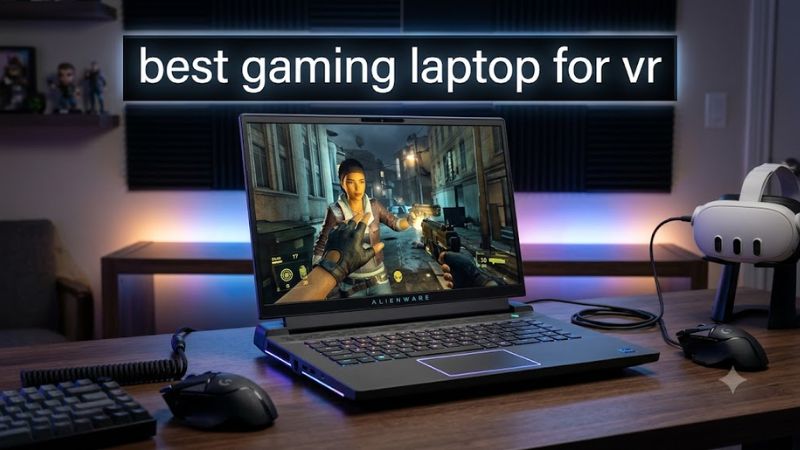
The best gaming laptop for VR is one with a powerful dedicated GPU, sufficient video memory, effective cooling, and the correct connection options for your headset. For demanding PC VR games, a laptop with an NVIDIA GeForce RTX 5080 or RTX 5090 Laptop GPU is a strong premium choice, while an RTX 5070 Ti configuration can offer a more balanced starting point.
However, a laptop being marketed as “VR-ready” does not guarantee compatibility with every headset or consistently smooth performance in every game. Your choice should depend on whether you use a Meta Quest headset through PC Link, a DisplayPort-connected headset, or VR simulation software with demanding graphics settings.
This guide compares gaming laptop configurations worth considering, explains the trade-offs between performance and portability, and identifies the compatibility checks to make before buying. Recommendations are based on published specifications and available independent reviews, not firsthand VR testing by Real Gaming News.
Best gaming laptops for VR at a glance
The following shortlist focuses on GPU capability, memory, cooling potential, and headset connectivity. These are configuration-based recommendations, not a ranking derived from a shared VR benchmark test.
| Laptop | Best for | Configuration to consider | Main trade-off |
| ASUS ROG Strix SCAR 18 (2026) | Best overall premium option | RTX 5090 Laptop GPU, 24GB VRAM | Large, heavy, expensive |
| Lenovo Legion Pro 7i Gen 10 | Best 16-inch performance option | RTX 5080 Laptop GPU, 16GB VRAM | High-performance configuration can be costly |
| Acer Predator Helios 18 AI | Best desktop replacement | RTX 5080 or RTX 5090 Laptop GPU | Limited portability |
| Acer Predator Helios Neo 16 AI | More balanced performance tier | RTX 5070 Ti Laptop GPU | Less GPU headroom than flagship models |
Exact memory, storage, GPU power limits, and ports depend on the configuration and regional SKU. Check the manufacturer’s specifications before purchasing. ASUS lists up to an RTX 5090 Laptop GPU with 24GB GDDR7 in its 2026 SCAR 18, Lenovo lists an RTX 5080 Laptop GPU with 16GB GDDR7 for its Legion Pro 7i Gen 10, and Acer publishes model-specific GPU power limits for its Predator range. [1][2][3]
How we selected these VR gaming laptops
A VR laptop has to render a separate view for each eye while keeping frame delivery consistent. A high average frame rate on a conventional monitor does not establish that a machine will perform equally well in a headset.
The shortlist uses five criteria:
- Dedicated GPU performance: Higher-tier graphics configurations provide more room for demanding VR titles, high render resolutions, and supersampling.
- Video memory: More VRAM can help with high-resolution assets and demanding simulation environments, although it does not guarantee better performance by itself.
- Cooling and sustained power: Laptop GPUs with the same name can operate at different power limits, affecting sustained performance.
- Headset connectivity: USB-C data support, wireless networking, and direct display outputs serve different VR connection methods.
- Upgradeability and memory: Replaceable RAM and SSDs can make a laptop more practical for simulation libraries and VR development.
Meta’s official developer documentation identifies Windows PCs and compatible Meta headsets as part of its Horizon Link workflow, with a suitable USB-C data cable or supported wireless connection. SteamVR also lists its own platform requirements, which should be checked alongside the headset manufacturer’s requirements. [4][5]
1. ASUS ROG Strix SCAR 18 (2026) — Best overall premium option
Best for demanding PC VR, simulation games, and buyers prioritizing graphics headroom.
The 2026 ASUS ROG Strix SCAR 18 is the strongest premium option on this list for buyers who want a high-end mobile VR workstation. ASUS specifies configurations with up to an Intel Core Ultra 9 290HX Plus processor and an NVIDIA GeForce RTX 5090 Laptop GPU. Its published specifications list up to 24GB of GDDR7 graphics memory and a maximum GPU power of 175W, including Dynamic Boost. [1]
Key specifications
- CPU: Up to Intel Core Ultra 9 290HX Plus
- GPU: Up to NVIDIA GeForce RTX 5090 Laptop GPU
- Graphics memory: Up to 24GB GDDR7
- RAM: Up to 128GB DDR5-6400, with two SO-DIMM slots
- Storage: Up to 8TB across two M.2 SSD slots
- Connectivity: HDMI 2.1 FRL and two Thunderbolt 5 ports supporting DisplayPort 2.1
- Operating system: Windows 11
These are maximum supported configuration specifications, not a guarantee that every retail unit includes those components. [1]
Why it stands out for VR
The RTX 5090 configuration provides substantial graphics capability for demanding PC VR workloads. The available memory capacity is also attractive for simulation games, complex environments, and development projects that need more resources than a typical standalone-headset experience.
Its Thunderbolt 5 ports and HDMI output provide useful connectivity options, but buyers should still verify whether a particular headset requires a direct DisplayPort connection and whether that output is routed to the discrete GPU.
Limitations
The 18-inch chassis prioritizes performance over portability. The laptop is also likely to be an expensive purchase, and ASUS’s maximum specifications should not be confused with a verified current retail price.
Buy it if: you want a premium laptop for demanding VR games, simulations, and conventional PC gaming.
Consider an alternative if: you need something lighter, less expensive, or primarily use a Quest headset for standalone games.
2. Lenovo Legion Pro 7i Gen 10 — Best 16-inch performance option
Best for buyers who want high-end PC VR capability without moving to an 18-inch laptop.
The Lenovo Legion Pro 7i Gen 10 offers a compelling alternative to larger desktop-replacement laptops. Lenovo’s US specifications include an RTX 5080 Laptop GPU with 16GB of GDDR7, a Core Ultra 9 275HX processor, and a 16-inch 2560 × 1600 OLED display option. A published US configuration, part number 83F50080US, includes 32GB of DDR5-6400 memory and a 1TB PCIe Gen 5 SSD. [2]
Key specifications
- CPU: Intel Core Ultra 9 275HX in the cited configuration
- GPU: NVIDIA GeForce RTX 5080 Laptop GPU, 16GB GDDR7
- GPU power: Up to 175W, including boost, in Lenovo’s published specification
- RAM: 32GB DDR5-6400 in the cited configuration
- Storage: 1TB SSD in the cited configuration
- Display: Optional 16-inch 2560 × 1600 OLED, 240Hz
- Connectivity: HDMI 2.1, Thunderbolt 4 with DisplayPort 2.1, and USB-C with DisplayPort 2.1
Lenovo offers multiple configurations, so the exact model number matters when comparing specifications. [2]
Why it stands out for VR
The RTX 5080 configuration offers a strong balance of GPU capability and graphics memory for demanding PC VR titles. Its 16-inch format is easier to accommodate on a desk or in luggage than an 18-inch performance laptop, although it remains a substantial gaming machine.
The combination of HDMI and DisplayPort-capable USB-C connections provides flexibility for compatible headsets and external displays. However, connector availability alone does not prove compatibility with a particular native DisplayPort VR headset.
Limitations
It costs more than mainstream gaming laptops in many configurations, and the OLED display’s resolution is not itself evidence of VR performance. A headset renders through its own displays, so the laptop’s panel is secondary to GPU capability and connection compatibility.
Buy it if: you want a powerful 16-inch laptop for VR and demanding conventional games.
Consider an alternative if: your budget is limited or your VR library consists mainly of less demanding titles.
3. Acer Predator Helios 18 AI — Best desktop replacement
Best for players who mostly use their laptop at a desk and want a powerful VR and simulation system.
The Acer Predator Helios 18 AI is worth considering if you want flagship-class graphics in a large laptop chassis. Acer’s published GPU specifications list the PH18-I71 configuration with options up to an RTX 5090 Laptop GPU or RTX 5080 Laptop GPU, with a maximum graphics power of 175W for both listed options. [3]
Key specifications
- GPU: Up to NVIDIA GeForce RTX 5090 Laptop GPU, or RTX 5080 depending on configuration
- Maximum graphics power: 175W for the listed RTX 5080 and RTX 5090 options
- Form factor: 18-inch gaming laptop
- Operating system: Verify the operating system and exact configuration with the seller
The published GPU table identifies the model family and power limits, but buyers should confirm the full regional part number and the rest of the configuration before purchasing. [3]
Why it stands out for VR
A high-power GPU configuration is attractive for demanding simulation workloads, high-resolution PC VR, and games with complex environments. The large chassis also makes this model better suited to a dedicated gaming desk than frequent travel.
The important distinction is that the GPU’s 175W maximum graphics power is a specification, not a measured VR frame rate. Actual results depend on the title, headset resolution, rendering settings, CPU, cooling, and software configuration.
Limitations
An 18-inch performance laptop is not a lightweight travel system. Its power requirements also make it important to use the supplied adapter during demanding sessions and leave adequate room around the cooling vents.
Buy it if: you want a laptop that functions primarily as a portable desktop replacement.
Consider an alternative if: you regularly carry your laptop between classes, offices, and gaming sessions.
4. Acer Predator Helios Neo 16 AI — Best balanced performance tier
Best for buyers seeking a capable GPU tier without automatically paying for a flagship RTX 5090 system.
The Acer Predator Helios Neo 16 AI is a sensible model family to investigate for buyers who want strong conventional gaming performance alongside PC VR capability.
Acer’s published GPU table lists the PHN16-I71 configuration with RTX 5070 Ti, RTX 5080, and RTX 5060 options. The RTX 5070 Ti version has a listed maximum graphics power of 140W, including Dynamic Boost, while the RTX 5080 option reaches 175W. This makes checking the precise GPU configuration particularly important. [3]
Key specifications
- GPU options: NVIDIA GeForce RTX 5070 Ti, RTX 5080, or RTX 5060, depending on configuration
- RTX 5070 Ti maximum graphics power: 140W, including Dynamic Boost
- RTX 5080 maximum graphics power: 175W, including Dynamic Boost
- Form factor: 16-inch gaming laptop
- Other specifications: Verify CPU, VRAM, RAM, SSD capacity, and ports for the exact SKU
Why it stands out for VR
The RTX 5070 Ti configuration is a reasonable starting point for buyers who want a modern dedicated GPU without automatically choosing a top-tier system. It can also be more practical for everyday gaming and productivity than a large desktop-replacement laptop.
The trade-off is graphics headroom. More demanding simulators, higher headset render resolutions, and aggressive supersampling can put greater pressure on the GPU than less demanding VR titles. The RTX 5080 configuration is worth considering if those workloads are a priority and the price difference is acceptable.
Limitations
The model name alone is not enough to establish VR suitability. Acer lists several GPU configurations with different maximum power limits across its Predator and Nitro ranges. Do not assume that every laptop carrying the same GPU name delivers identical performance. [3]
Buy it if: you want a versatile gaming laptop and plan to use VR alongside conventional PC games.
Consider an alternative if: you intend to run the most demanding simulators at high render resolutions and can justify a more powerful configuration.
What GPU do you need for a VR gaming laptop?
Your GPU is the most important starting point, but headset compatibility comes first. There is no single graphics card that guarantees the same experience across every VR headset and game.
Use these tiers as a purchasing framework rather than strict performance guarantees.
| GPU tier | Best suited to | What to consider |
| RTX 5090 Laptop GPU | Demanding simulations and premium PC VR | Highest-cost option; still subject to laptop power and cooling limits |
| RTX 5080 Laptop GPU | High-end VR and demanding games | Strong premium tier without automatically choosing the flagship GPU |
| RTX 5070 Ti Laptop GPU | Balanced high-performance gaming and VR | Verify the GPU power limit and exact headset requirements |
| RTX 5060 or lower | Less demanding VR workloads, subject to compatibility | Check the headset’s supported-GPU list and the requirements of each game before buying |
This is a configuration-selection guide, not a measured VR benchmark ranking. The tiers do not establish specific frame rates, and even a powerful GPU may need reduced rendering resolution or graphics settings in a demanding title.
Why GPU power limits matter
Two laptops with the same GPU designation can have different performance because of their configured graphics power, cooling, and firmware limits. Acer’s own specifications illustrate this: its RTX 5070 Ti configurations include models with maximum graphics power of 115W and 140W, depending on the laptop family. [3]
When comparing laptops, check:
- The exact GPU name and dedicated VRAM.
- The maximum graphics power specification, including whether Dynamic Boost is included.
- Independent reviews of the exact configuration, where available.
- Whether the laptop maintains performance during sustained workloads.
Do not compare maximum graphics power with the laptop’s total system power or charger wattage. They describe different things.
VR headset compatibility: what to check before buying
A capable GPU is only part of the purchase. The right laptop also depends on how your headset connects.
Meta Quest 3 and Quest 3S with PC Link
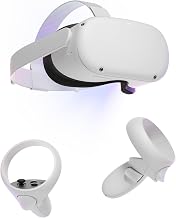
For Quest headsets, check compatibility with Meta’s PC Link software, the dedicated GPU, USB data connectivity, and your wireless network if you plan to use Air Link.
Meta’s developer documentation lists Windows as the PC platform for Horizon Link and describes using a compatible headset with a USB-C data cable or supported wireless connection. Its documentation also specifies a USB-C cable supporting 5Gbps or higher for the referenced development workflow. That cable specification should not be treated as a universal guarantee of Link performance for every headset and setup. [4]
Before buying, verify the current Meta Link requirements for your specific headset and software version. Do not assume that a USB-C port supports every USB data speed simply because it has a USB-C connector.
Valve Index and other DisplayPort-connected headsets
For a headset that requires DisplayPort, verify the exact laptop’s display outputs and graphics routing before purchase. A USB-C port may support DisplayPort Alternate Mode, but that does not automatically establish compatibility with every adapter or headset.
Valve’s SteamVR listing includes DisplayPort 1.2 or newer and HDMI 1.4 or newer in its published minimum requirements. These are platform-level requirements, not a guarantee that any laptop with those ports will work with every headset. [5]
Check the headset manufacturer’s supported hardware and connection instructions before committing to a laptop.
Standalone VR versus PC VR
A Quest headset can run supported standalone games without a gaming laptop. A laptop becomes relevant when you want to run PC VR titles or use PC-based VR applications.
That distinction matters because a laptop purchase is unnecessary if you only intend to play games installed directly on the headset. If you plan to use PC VR, check each game’s requirements as well as those of the headset and connection software.
How much RAM and storage should a VR laptop have?
Aim for 32GB of RAM if your budget allows, especially for demanding simulators or VR development. A 16GB configuration may suit some games, but requirements vary by title, operating system, and the other applications you run.
For storage, a 1TB SSD is a useful starting point if you expect to install several large PC games alongside VR software. More storage can be worthwhile for a large library or development projects.
Prioritize in this order:
- A compatible dedicated GPU with enough performance for your intended games.
- Confirmed headset connectivity.
- Adequate RAM for your games and multitasking.
- Enough SSD capacity for your library.
- Cooling, upgradeability, and portability.
Check whether the RAM is replaceable before buying. A laptop with soldered memory may limit your upgrade options, while an upgradeable model can offer more flexibility.
How to choose the right VR gaming laptop for your budget
Prices and availability vary by configuration and retailer. Because a current, exact US street price has not been established for each configuration in this shortlist, this guide does not assign invented prices or label a laptop the cheapest option.
Use these rules when comparing offers:
- For maximum performance: Compare RTX 5090 Laptop GPU configurations, paying particular attention to graphics power, VRAM, cooling, and the total cost.
- For high-end performance without automatically choosing a flagship: Start with RTX 5080 configurations and compare their power limits and independent reviews.
- For a more balanced purchase: Consider RTX 5070 Ti configurations, but verify the headset’s compatibility requirements and the laptop’s GPU power limit.
- For a portable setup: Compare the laptop’s weight and adapter size alongside performance. A thinner machine can have a lower graphics power limit even when it uses a similarly named GPU.
- For a Quest-based setup: Confirm the software requirements and USB or wireless connection method before paying for premium display outputs you may not need.
Before purchasing, look up the complete manufacturer part number or SKU. The same laptop family may include different GPUs, memory capacities, screens, and port configurations. A review of one configuration should not be treated as proof of performance for another.
Frequently asked questions
1. What is the best gaming laptop for VR in 2026?
The ASUS ROG Strix SCAR 18 (2026) with an RTX 5090 Laptop GPU is the premium choice in this shortlist. Its 24GB of graphics memory and 175W maximum GPU power make it a strong specification-based option for demanding PC VR, although actual performance depends on the headset, game, and settings.
2. Is an RTX 5070 Ti laptop good enough for VR?
An RTX 5070 Ti laptop can be a reasonable choice for many PC VR workloads, provided its exact configuration meets the headset and game requirements. Check the GPU power limit, dedicated VRAM, and independent performance reviews rather than relying on the GPU name alone.
3. Can I use a gaming laptop with Meta Quest 3?
Yes, a compatible Windows gaming laptop can run supported PC VR experiences through Meta’s Link software. Verify the current requirements for Quest 3, the laptop GPU, and the selected USB or wireless connection method before buying.
4. Do I need a gaming laptop to play VR games?
No, you do not need a gaming laptop to play games supported directly by a standalone headset such as Meta Quest 3. A capable PC becomes necessary when you want to run PC VR games or applications that require a Windows computer.
Final verdict
The ASUS ROG Strix SCAR 18 (2026) is the premium specification-based choice for demanding VR, while the Lenovo Legion Pro 7i Gen 10 offers a compelling high-performance alternative in a 16-inch format. The Acer Predator Helios 18 AI suits buyers who prioritize desktop-replacement performance, and the Acer Predator Helios Neo 16 AI is worth considering for a more balanced GPU tier.
Before choosing any of them, confirm the exact configuration, headset compatibility, GPU power limit, and required connections. Those checks are more useful than a generic “VR-ready” label—and help avoid paying for performance or connectivity your particular headset does not need.