Key takeaways
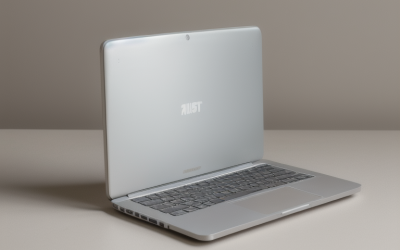
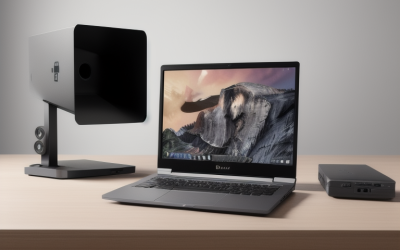
- A realtor's laptop is a mobile office, so it should be light, connected, and good enough on camera to carry listings from kitchen table to open house.
A realtor’s laptop is a mobile office, so it should be light, connected, and good enough on camera to carry listings from kitchen table to open house. The specs that matter most are all-day battery life (ten hours or more), a lightweight body of about three pounds or less, and reliable connectivity, ideally with optional cellular. Processing power matters less than most buyers expect, unless you edit photos or video yourself.
This guide is for agents, brokers, and team admins who juggle listings, contracts, showings, and marketing. As 2026 begins, a typical day includes a CRM, an MLS portal, e-signature documents, video calls with clients, virtual tour uploads, and plenty of browser tabs, often from a car, a coffee shop, or a vacant house with no outlet. Below are the thresholds worth checking, a tier table, profiles by business style, and the mistakes that leave agents stuck without power or signal.
A Laptop That Works Where Deals Happen
Realtors rarely sit at one desk. You might review contracts in a car between showings, run a listing presentation on a client’s table, or edit photos at home that night. That mobile pattern puts portability, battery, and connectivity ahead of raw speed. Many agents also use a phone or tablet for quick tasks, so the laptop is for heavier jobs like writing offers, building marketing material, and managing transactions.
Think about the software you rely on. Most real estate tools, such as CRMs, transaction management platforms, e-signature services, and MLS sites, run in a web browser and work on any operating system. Others, like specialized forms software or desktop publishing tools, may require Windows or macOS. Confirm that your brokerage’s required tools support your choice before buying.
Specs That Matter in the Field
Battery Life and Charging
Look for ten hours or more of stated battery life, and treat the spec as a ceiling since video calls and bright screens shorten it. USB-C charging allows one compact charger for your laptop and phone, and fast charging can add several hours in half an hour. A car charger or portable power bank that supports laptop charging is a smart addition for long showing days.
Weight and Size
A 13- or 14-inch laptop weighing under three pounds is easy to carry through open houses. Larger screens help with spreadsheets and photo editing, but they add weight. If you mostly work on the go, favor portability and plug into an external monitor at the office.
Connectivity: Wi-Fi, Cellular, and Hotspot
Vacant listings and rural properties often lack reliable Wi-Fi. Models with an optional built-in cellular modem keep you online without hunting for a signal, and the alternative is tethering to your phone. Wi-Fi 6 or newer improves reliability in crowded spaces, and Bluetooth 5 or newer connects headsets and a mouse.
Memory, Storage, and Processor
Eight gigabytes of RAM handles browsers and documents, but 16 GB gives smoother multitasking with many tabs and video calls. A 256 GB solid-state drive is the minimum, with 512 GB better for photo libraries and downloaded contracts. A mainstream efficient processor is plenty. Photo and video editors should step up to a stronger processor and 16 GB or more.
Display, Webcam, and Audio
Client presentations and virtual tours depend on the screen and camera. Look for a bright display of around 400 nits that stays readable near windows, a matte or anti-glare finish, and a 1080p webcam with a privacy shutter. Quality microphones and speakers help in video calls with buyers and sellers.
Spec Targets by Budget Tier
| Spec | Budget | Mid-Range | Premium |
|---|---|---|---|
| Weight | 3 to 4 pounds | Under 3.3 pounds | Under 3 pounds |
| Battery goal | 8 hours | 10 hours | 12+ hours, fast charge |
| RAM | 8 GB | 16 GB | 16 to 32 GB |
| Storage | 256 GB | 512 GB | 1 TB |
| Connectivity | Wi-Fi 6, phone hotspot | Wi-Fi 6 or newer, Bluetooth 5 | Optional cellular modem |
| Display | 1080p | 1200p, bright, matte | High-res, bright, optional touch |
Most agents do well in the mid-range column. The premium column suits those who edit listing video or want the lightest possible machine with built-in cellular.
Photos, Video, and Marketing Work
Many agents handle some marketing themselves, from editing listing photos to cutting social videos. Light photo editing in a browser-based tool or a simple app needs only 16 GB of RAM and an efficient processor. Heavier video work benefits from a stronger processor, a dedicated or capable integrated GPU, and a fast drive. If you outsource photography, you can stay with a lighter machine.
An SD card slot is a practical feature if you shoot with a camera, because it lets you import photos without a dongle. Color accuracy matters for listing photos, so look for a panel with at least full sRGB coverage. If you often present on a television or projector at a client’s home, HDMI saves carrying an adapter, and a USB-C port that outputs video is a decent substitute.
Printing and signing round out the toolkit. A laptop with a touchscreen and pen support lets you sign or annotate documents directly, although most agents rely on e-signature services on a phone. Check that the laptop connects easily with wireless printers and mobile scanners, since last-minute paperwork is a staple of the business.
Virtual tours and live video walkthroughs are a growing part of the job, and they stress the laptop’s upload connection and webcam. If you host tours from a listing, a stable Wi-Fi 6 connection or wired Ethernet adapter helps avoid dropped streams. Keep background apps closed during a live session, and use a headset with a microphone so sellers and buyers hear you clearly over the echo of an empty room.
Security and Client Data
Agents handle sensitive information, including financial documents, identification, and wire instructions. Fraud involving fake wire details is a known risk in real estate, so protect your accounts. Look for a laptop with a TPM chip, full-disk encryption support, and a fingerprint or face sign-in. A webcam shutter and a privacy screen filter help when working in public. Always use multi-factor authentication on your email and transaction platforms, and keep the system updated.
Durability, Accessories, and the Car Office
A laptop that spends its life in a car, a tote bag, and strangers’ kitchens takes more punishment than a desk machine. Look for a sturdy lid, a spill-resistant keyboard, and hinges that stay firm after thousands of openings. Extreme heat in a parked car is hard on batteries, so avoid leaving the laptop inside on hot days and store it in a padded sleeve while traveling.
A few small accessories pay off quickly. A compact wireless mouse speeds up document work, a lightweight stand lifts the screen to eye level on a client’s table, and a portable hotspot or phone tether keeps you connected. A second charger kept in the car or office means you never leave without power. If you work from a vehicle, a laptop with a bright, anti-glare screen is far easier to read than a glossy panel, and a backlit keyboard helps during evening showings.
Finally, plan for support. A warranty with fast replacement or on-site service keeps you earning when a laptop fails before a closing. Because agents depend on their devices every day, the ability to restore your files quickly from a cloud backup is as important as the hardware itself.
Which Profile Matches Your Business
The Showing-Heavy Agent
You are in the car and in houses all day. Prioritize low weight, ten or more hours of battery, and a cellular option or reliable phone tethering.
The Listing and Marketing Specialist
You create photos, videos, and flyers. Choose 16 GB or more of RAM, a bright color-accurate display, an SD card slot, and a capable processor.
The Team Lead or Broker
You manage many files and meetings. A 14- to 15-inch screen, 16 GB of RAM, a dependable webcam, and a dock for dual monitors serve you well.
The New Agent on a Tight Budget
A budget or mid-range ultraportable with 8 to 16 GB of RAM and good battery life covers most tasks. Spend on a protective sleeve and a spare charger.
Common Mistakes
- Buying for power instead of portability. A heavy gaming laptop becomes a burden at open houses.
- Trusting battery claims blindly. Video calls and bright screens cut runtime significantly.
- Skipping a connectivity plan. Vacant homes often have no Wi-Fi.
- Neglecting the webcam. Poor video hurts your professional image on client calls.
- Ignoring security. Unencrypted devices and weak passwords put client data at risk.
Before You Buy
- Check your brokerage’s required software and operating systems.
- Confirm weight and stated battery life.
- Decide on a cellular option or hotspot plan.
- Verify webcam quality and a privacy shutter.
- Look for HDMI or USB-C video output for presentations.
- Review warranty options and the return window.
Related guides
- Budget Graphics Cards For 4K Video Editing
- External Hard Drive For Xbox Series X
- How To Check Gpu Temperature While Gaming
Frequently Asked Questions
Do realtors need a powerful laptop?
Generally no, because most real estate tools run in a browser. Choose power only if you edit photos or video regularly.
Is a tablet enough for a real estate agent?
A tablet can handle signing and quick tasks, but a laptop is better for writing offers, managing multiple documents, and video calls. Many agents carry both.
Is a laptop with a built-in cellular modem worth it?
It can be if you often work from vacant properties or remote areas, since it keeps you connected without hunting for Wi-Fi. A phone hotspot is a lower-cost alternative.
How much storage does a realtor need?
A 256 GB drive suffices if you use cloud storage for documents. Choose 512 GB if you keep photo libraries and contracts locally.