The Samsung PRO Plus 1TB is the best microSD card for most Steam Deck owners, thanks to its UHS-I compatibility, A2 application-performance rating, and generous storage capacity. The SanDisk Extreme is an excellent alternative for players who want more capacity options, while the Lexar PLAY is worth considering for a card marketed specifically toward handheld gaming.
The right choice depends more on storage capacity, genuine-card quality, and price than on the highest advertised transfer speed. Both the Steam Deck LCD and OLED use a UHS-I microSD reader, so paying extra for speeds that require a specialized reader does not automatically make games load faster.
This guide compares the strongest options using published specifications and manufacturer documentation available as of October 23, 2026. The recommendations are based on specifications, not firsthand testing by Real Gaming News.
Best microSD Cards for Steam Deck at a Glance
| MicroSD card | Best for | Key specifications | Main trade-off |
| Samsung PRO Plus | Best overall | UHS-I, A2, U3, V30; up to 1TB | Advertised peak speeds require compatible equipment |
| SanDisk Extreme | Best alternative and larger libraries | UHS-I, A2, U3, V30; up to 2TB in the product family | Performance specifications vary by capacity and model |
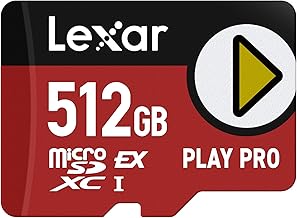
| Lexar PLAY | Gaming-focused storage | UHS-I, A2, V30; up to 1TB in the standard PLAY range | Maximum advertised speed depends on the card and reader |
All three are suitable options for expanding Steam Deck storage when you purchase a genuine, compatible model. The best value depends on the capacity you need and the current price of that specific card.
1. Samsung PRO Plus — Best Overall
Best for most Steam Deck owners who want a balanced combination of speed ratings, capacity, and warranty coverage.
The Samsung PRO Plus is the strongest all-around recommendation for a Steam Deck because its published specifications combine the A2 application-performance rating with U3 and V30 speed classifications. Samsung lists the product family in capacities up to 1TB and specifies a 10-year limited warranty for the relevant lineup.
Key specifications include:
- Interface: UHS-I
- Capacities: 128GB, 256GB, 512GB, and 1TB in the documented lineup
- Speed classifications: U3, V30, and A2
- Advertised sequential read speed: Up to 180 MB/s
- Advertised sequential write speed: Up to 130 MB/s, depending on capacity and compatible equipment
- Warranty: 10-year limited warranty, subject to regional terms
The A2 rating is useful because it specifies minimum random-read and random-write performance under defined conditions, rather than focusing only on sequential transfers. That makes it a sensible feature to look for in storage used by software and games.
The main limitation is that the advertised maximum read speed is not a realistic promise of Steam Deck performance. Samsung’s peak-speed claims depend on compatible equipment, and the Deck’s UHS-I interface limits the benefit of faster card-reader modes.
Who should buy it: Choose the PRO Plus in 512GB for a moderate library or 1TB if you frequently install large games and want to avoid uninstalling them as often.
Who should consider an alternative: Buyers who need more than 1TB on a single card should examine the SanDisk Extreme range instead.
2. SanDisk Extreme — Best for Larger Game Libraries
Best for players who want a familiar storage brand and the option of a card larger than 1TB.
The SanDisk Extreme is a strong alternative to the Samsung PRO Plus. Its published specifications include UHS-I, A2, U3, and V30 ratings, and the product family includes capacities up to 2TB in newer listings. That larger capacity makes it particularly appealing to players with extensive libraries of demanding PC games.
Key specifications include:
- Interface: UHS-I
- Capacity: Varies by model; newer listings extend up to 2TB
- Speed classifications: A2, U3, and V30 on applicable capacities
- Advertised read speed: Varies by capacity and product generation
- Advertised write speed: Varies by capacity and product generation
SanDisk’s published documentation makes clear that its highest advertised read speeds require compatible devices and may exceed what the Steam Deck’s standard UHS-I interface can deliver. Check the exact product generation and capacity before comparing speed figures, since older and newer versions do not necessarily share identical specifications.
The principal advantage is capacity flexibility. A 1TB or 2TB card can hold more installed games, although actual usable storage will be lower than the advertised capacity. A larger card can also cost more, so compare the price per usable gigabyte rather than buying the biggest option automatically.
Who should buy it: Choose the SanDisk Extreme if you want a high-capacity card or plan to use the same card in other compatible devices.
Who should consider an alternative: If a Samsung PRO Plus of the same capacity costs less, there is little reason to pay extra solely for a higher advertised read speed when using the card in a Steam Deck.
3. Lexar PLAY — Best Gaming-Focused Alternative
Best for players who prefer a microSD card specifically marketed for handheld gaming.
The Lexar PLAY is designed for portable gaming devices, smartphones, and tablets. Its standard product range includes capacities up to 1TB, with UHS-I compatibility, A2 application-performance classification, and V30 video-speed classification.
Key specifications include:
- Interface: UHS-I
- Capacities: 128GB, 256GB, 512GB, and 1TB in the documented standard range
- Speed classifications: A2 and V30
- Advertised read speed: Up to 205 MB/s on applicable versions
- Warranty: Check the terms for the exact model and sales region
Lexar’s peak read-speed claim depends on a compatible Lexar reader, so it should not be interpreted as the speed you will achieve inside the Steam Deck. Confirm that the specific card you purchase carries the expected ratings; specifications can change between product generations.
The PLAY is worth considering when its capacity and current price compare favorably with the Samsung and SanDisk options. Its gaming-oriented marketing is convenient, but it does not establish that games will load faster than they would from another comparable A2-rated UHS-I card.
Who should buy it: Consider the Lexar PLAY 1TB if you want a gaming-focused memory card and find it at a competitive price.
Who should consider an alternative: Buyers who want more than 1TB on a single card should compare the available SanDisk Extreme capacities instead.
How to Choose the Right microSD Card for Steam Deck
1. Choose capacity before advertised speed
Storage capacity has the most obvious effect on how many games you can keep installed at once.
| Capacity | Best suited to | Main consideration |
| 256GB | Smaller or rotating libraries | Large games can consume space quickly |
| 512GB | Moderate libraries | A practical balance between capacity and cost |
| 1TB | Large libraries | More room for installed games and updates |
| 2TB | Extensive libraries | Check the exact card’s compatibility, authenticity, and price |
These are practical buying categories, not guaranteed game counts. Installation sizes vary considerably, and shader caches, updates, and other files also consume storage.
For many owners, 512GB is a reasonable starting point. If you regularly play several large games without an internet connection, 1TB may be a better long-term choice.
2. Understand UHS-I, A2, U3, and V30
The markings on a microSD card describe different aspects of performance. They are not interchangeable.
| Marking | What it means | Why it matters |
| UHS-I | The card’s bus interface standard | Matches the Steam Deck’s supported microSD interface |
| A2 | Application Performance Class 2 | Specifies minimum random-read and random-write performance under defined conditions |
| U3 | UHS Speed Class 3 | Specifies a minimum sequential write speed of 30 MB/s under the applicable standard |
| V30 | Video Speed Class 30 | Specifies a minimum sustained video-write speed of 30 MB/s under the applicable standard |
For a Steam Deck game library, an A2-rated card is a sensible target, while UHS-I ensures the appropriate interface. U3 and V30 are useful indicators of sustained write capability, although they are video-oriented classifications rather than direct measures of game-loading performance.
Valve supports UHS-I microSD cards and states that faster UHS-II and UHS-III cards can work, but their higher transfer speeds are not supported by the Deck. Buying a more expensive card with a higher interface rating therefore does not guarantee better gaming performance.
3. Buy from a reputable seller
Counterfeit and misrepresented memory cards can report an incorrect capacity or fail when data is written beyond their actual storage limit. A suspiciously low price is a reason to investigate, especially for high-capacity cards.
Buy from the manufacturer or an established retailer, inspect the packaging and model number, and retain your receipt. When practical, verify a new card’s actual capacity with a reputable storage-testing utility before trusting it with important data.
4. Format the card through SteamOS
A new microSD card may need formatting before the Steam Deck can use it. Formatting erases existing data, so back up anything important first.
To prepare a card:
- Insert the microSD card into the slot on the bottom of the Steam Deck.
- Open Steam > Settings > System.
- Select Format SD Card.
- Confirm the operation and wait for formatting to finish.
- Open Steam > Settings > Storage to check that the card appears as available storage.
These instructions follow Valve’s published Steam Deck support guidance. Menu wording can vary with software updates. If the card contains files you want to preserve, do not format it until those files have been backed up elsewhere.
Does a Faster microSD Card Improve Steam Deck Game Loading?
A faster card can help with some storage operations, but its headline read speed alone does not establish that it will load Steam games faster.
The Steam Deck uses a UHS-I microSD interface. The standard UHS-I SDR104 mode has a theoretical bus ceiling of 104 MB/s, while some manufacturers advertise higher speeds through proprietary modes that require compatible card readers. Those higher figures are not directly attainable through the Deck’s standard interface.
Actual game-loading times also depend on the game, file access patterns, decompression, CPU performance, and other system factors. Without a controlled, like-for-like benchmark, it would be misleading to promise a specific loading-time improvement from switching between these cards.
For most buyers, the practical priorities are therefore:
- Enough capacity for the games you want installed.
- A genuine card from a reputable manufacturer.
- UHS-I compatibility and useful performance classifications.
- A reasonable price and suitable warranty coverage.
Frequently Asked Questions
1. What is the best microSD card for Steam Deck?
The Samsung PRO Plus is the best all-around choice based on its published specifications, A2 rating, and 10-year limited warranty. The SanDisk Extreme is a strong alternative for buyers who need more capacity, while the Lexar PLAY is worth considering when its price is competitive.
2. Does the Steam Deck support 1TB and 2TB microSD cards?
Yes, the Steam Deck’s UHS-I microSD slot supports compatible SDXC cards, including 1TB and 2TB options. Confirm the exact card’s compatibility and buy from a reputable seller, particularly when purchasing high-capacity models.
3. Is A2 better than A1 for Steam Deck gaming?
A2 specifies higher minimum random-read and random-write performance than A1 under the application-performance standard. However, the rating alone does not guarantee faster game loading, because actual performance depends on the card, host device, and workload.
4. Can I leave a microSD card in my Steam Deck permanently?
Yes, you can leave a compatible microSD card installed during normal use. Eject it through the appropriate system controls before physically removing it when the system requires safe removal, and avoid removing the card while data is being written.
Final Verdict
For most Steam Deck owners, the Samsung PRO Plus 1TB is the best starting point for a large game library. The SanDisk Extreme is the better alternative if you want access to larger capacities, while the Lexar PLAY is a sensible gaming-focused option when its price and specifications make it competitive.
Choose capacity first, verify the exact model’s specifications, and avoid paying a premium for advertised transfer speeds that the Steam Deck cannot fully use. A genuine, appropriately rated card with enough space is a better purchase than a more expensive card chosen solely for its headline speed.