Key takeaways
- Actively developed firmware that keeps adding real features
- Benchmark image quality and negligible input lag
- Excellent CRT emulation on modern displays
- Long product lifespan backed by ongoing support
What's inside
The retro-gaming hardware scene rarely stands still, and in 2026 the RetroTink 4K remains the headline act, kept fresh by a steady drip of firmware updates that add features owners never paid for. What launched as an already-impressive upscaler has, update after update, grown into an evolving platform, and that trajectory is exactly why it continues to dominate the conversation among collectors and content creators alike.
This review covers the RetroTink 4K as it stands today: the current state of its firmware, the features that have landed since release, how it performs across the retro spectrum, and where the wider market of scan converters fits around it for players who do not need the flagship.
As an Amazon Associate we earn from qualifying purchases at no extra cost to you.



⚡ Save on Your Next PC — Amazon Prime
Prime members get fast free shipping on the systems above, plus early access to Prime Day & Black Friday PC deals. New members get a 30-day free trial.
Watch: Retrotink 4K Review — Video Review
Design & Build
The hardware has stayed consistent, a compact, actively cooled aluminum unit with a front display and dedicated remote, but the story is what the firmware keeps adding to it. SD-card updates have introduced new processing profiles, refined filters, and quality-of-life improvements, meaning the device you buy in 2026 is meaningfully more capable than the one that shipped at launch. Wide analog input coverage and rock-solid build quality round out a package designed to stay relevant for years rather than seasons.
Performance
In its current state, performance is exceptional. The latest firmware sharpens deinterlacing, expands CRT emulation options, and maintains the imperceptible latency that made the device a favorite of competitive players. Across 240p, 480i, and 480p sources the image is clean, colors are accurate, and the scanline and mask filters look convincing on modern OLED and 4K panels. It continues to set the benchmark that budget converters are measured against, and the gap in fine detail remains obvious in side-by-side comparisons.
Pros & Cons
- Actively developed firmware that keeps adding real features
- Benchmark image quality and negligible input lag
- Excellent CRT emulation on modern displays
- Long product lifespan backed by ongoing support
- Flagship pricing that outpaces most players’ needs
- Keeping up with every new feature takes effort
- Excessive for owners of a single retro console
Alternatives to Consider
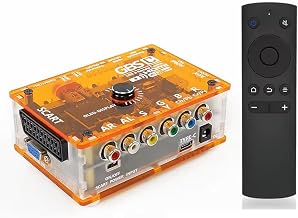
The broader market offers plenty for lighter needs. The Kaico OSSC 1.8 Open Source Scan Converter is a long-standing enthusiast favorite for zero-lag RGB, and the TicKnot ODV-GBS-C and Mcbazel ODV-GBS-C converters handle SCART, RGBS, and component sources affordably. Nintendo 64 fans are covered by the Azduou N64 to HDMI converter and the ZUZONG N64-to-HDMI adapter with aspect-ratio switching, while the Retro-Bit Prism suits GameCube owners and the ClearClick AV to HDMI Converter 3.0 gives remote-adjustable upscaling for composite and S-Video sources.
Frequently Asked Questions
What has recent firmware added?
Updates have brought new processing profiles, improved deinterlacing, expanded filter options, and general refinements, all delivered free via SD card.
Is it still the best upscaler in 2026?
For all-around image quality and low latency it remains the reference device, though cheaper converters have narrowed the gap for basic use.
How do I install updates?
Firmware is loaded from an SD card following the maker’s instructions, a straightforward process that keeps the device current.
Does it work for game capture and streaming?
Its clean HDMI output pairs well with capture cards, which is part of why creators favor it for retro content.
Verdict
Thanks to its evolving firmware and unmatched output, the RetroTink 4K holds its crown in 2026 and looks set to stay relevant well into the future. It is a premium buy aimed at serious collectors and creators; more casual players can lean on the affordable converters above, but nothing else in the market grows with you quite like this.