Key takeaways
- 1080p at 240 Hz or faster: Choose the Ryzen 7 9800X3D or a comparable top-tier gaming CPU. The 7900 XTX can be CPU-limited frequently at this resolution.
- 1440p at 144–240 Hz: The Ryzen 7 7800X3D remains a strong match, while the 9800X3D is preferable for competitive games and better one-percent lows.
- 4K at 120–165 Hz: A Ryzen 7 7800X3D, Ryzen 7 9700X, or similar modern eight-core processor is generally sufficient. Spend extra on the CPU only if you play simulation-heavy games or want a longer upgrade window.
- 4K at 240 Hz: Use the fastest gaming CPU you can justify, but do not expect every game to reach 240 frames per second. The GPU, game engine, ray tracing, and graphics settings will often be the limiting factors.
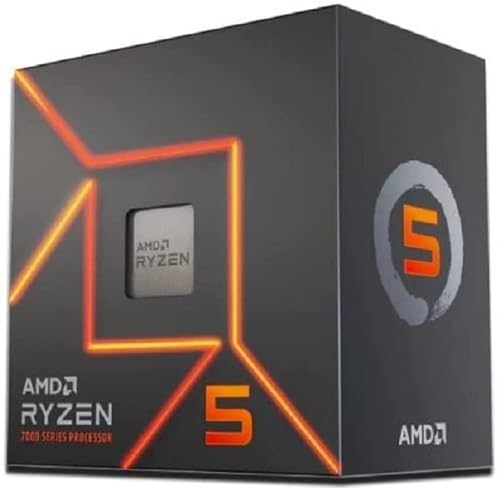
The best CPU to pair with the 7900 XTX for most gaming PCs in 2026 is the Ryzen 7 9800X3D; choose the cheaper Ryzen 7 7800X3D for a value-focused AM5 build, or step up to the Ryzen 9 9950X3D if you also need serious productivity performance.
Quick picks
| CPU | Best for | Platform | Typical market range | Why pair it with a 7900 XTX? |
|---|---|---|---|---|
| Ryzen 7 9800X3D | High-refresh gaming | AM5 | Usually $450–$600 | Excellent gaming latency and strong minimum frame rates without excessive power draw |
| Ryzen 7 7800X3D | Best value on an existing or affordable AM5 build | AM5 | Usually $300–$450 | Still fast enough for 1440p and 4K, with a simple eight-core design |
| Ryzen 9 9950X3D | Gaming plus rendering, compiling, or content creation | AM5 | Usually $650–$800 | Combines high gaming performance with 16-core productivity capability |
| Ryzen 7 9700X | Efficient mixed-use systems | AM5 | Usually $300–$450 | Strong all-round performance when the 7900 XTX is mainly used at 4K |
| Core Ultra 7 265K | Intel-based productivity and gaming builds | LGA1851 | Usually $350–$500 | Competitive general-purpose performance, particularly if you already own a compatible board |
Why the resolution changes the CPU choice
The Radeon RX 7900 XTX is a high-end graphics card with enough rendering capacity to expose CPU limits at lower resolutions and very high refresh rates. At 4K, the GPU usually does most of the work, so the difference between a Ryzen 7 7800X3D and a Ryzen 7 9800X3D may be modest in many graphically demanding games. At 1440p, especially with settings reduced to chase 200 frames per second or more, the CPU becomes much more important.

AVGPC Reaper Series Gaming PC - AMD Ryzen 7 9800X3D, Radeon RX 7900 XTX 24G, 32GB 6000MHz DDR5, 2TB NVME M.2 SSD, 360mm AIO Liquid Cooler, ARGB Fans, WiFi/AC, TD500 Black Case, Windows 11 Pro
Included for 'Best CPUs to Pair With the 7900 XTX' because the listing specifies AMD Ryzen 7 9800X3D and Radeon RX 7900 XTX 24G, details this guide uses to compare options.
View on Amazon- 1080p at 240 Hz or faster: Choose the Ryzen 7 9800X3D or a comparable top-tier gaming CPU. The 7900 XTX can be CPU-limited frequently at this resolution.
- 1440p at 144–240 Hz: The Ryzen 7 7800X3D remains a strong match, while the 9800X3D is preferable for competitive games and better one-percent lows.
- 4K at 120–165 Hz: A Ryzen 7 7800X3D, Ryzen 7 9700X, or similar modern eight-core processor is generally sufficient. Spend extra on the CPU only if you play simulation-heavy games or want a longer upgrade window.
- 4K at 240 Hz: Use the fastest gaming CPU you can justify, but do not expect every game to reach 240 frames per second. The GPU, game engine, ray tracing, and graphics settings will often be the limiting factors.
A useful way to think about this is frame time. A 144 Hz display gives the entire system about 6.94 milliseconds to produce each frame, while 240 Hz allows only 4.17 milliseconds. At 4K, the GPU often consumes most of that time; at 1080p, the CPU and game engine have a greater chance of becoming the slower stage.
Ryzen 7 9800X3D: the best pure-gaming match
The Ryzen 7 9800X3D is the safest premium recommendation for a new 7900 XTX gaming build. Its large cache helps games that repeatedly access world data, draw calls, and simulation state. That matters most in large multiplayer maps, strategy games, open-world titles, and high-refresh competitive games.
It is not automatically the best value at every resolution. If you play mainly demanding 4K single-player games, the graphics card will often determine performance before the CPU does. The 9800X3D becomes easier to justify when you use a 165 Hz or faster monitor, reduce settings for high frame rates, or want stronger minimums during busy scenes.
Ryzen 7 7800X3D: the value choice
The Ryzen 7 7800X3D is an excellent pairing when its price is substantially below newer X3D processors, particularly if you already have an AM5 motherboard and DDR5 memory. Its eight cores are enough for modern gaming, and its cache-focused design helps prevent the 7900 XTX from being held back in many CPU-sensitive titles.
It is especially attractive for a 4K system because the money saved can go toward a better monitor, larger SSD, quieter cooling, or a higher-quality power supply. It is less attractive if you are building from scratch and the price gap to the Ryzen 7 9800X3D is small, because the newer chip offers a better long-term ceiling for high-refresh gaming.
Ryzen 9 9950X3D: for gaming and heavy workloads
Choose the Ryzen 9 9950X3D when the PC must also handle CPU rendering, code compilation, virtual machines, video production, or other heavily threaded work. Its 16-core design gives it a substantial advantage over eight-core gaming CPUs in those applications while retaining high gaming performance.
For gaming alone, it is difficult to justify the extra cost over a Ryzen 7 X3D processor. More cores do not automatically increase game frame rates, and the money may produce a larger visible improvement if redirected toward a faster display or future graphics upgrade.
Where the Ryzen 7 9700X and Core Ultra 7 265K fit
The Ryzen 7 9700X is a sensible choice for a balanced, efficient system. It is particularly reasonable for 4K gaming, where the 7900 XTX normally carries the heavier workload. It can also be preferable when you want strong everyday responsiveness and productivity without paying for a cache-focused gaming model.
The Core Ultra 7 265K is worth considering when you already own an LGA1851 motherboard or have software that benefits from its broader platform features. For a completely new gaming-only build, AM5 is usually the more attractive route because of its strong gaming CPU selection and clearer upgrade path. Compare the total cost of the processor, motherboard, memory, and cooler rather than judging the CPU price alone.
Platform cost and upgrade path
AM5 is the easiest platform to recommend for a new 7900 XTX system. A B650 or B850-class motherboard, 32 GB of DDR5-6000 memory, and a capable air cooler are usually enough for an eight-core Ryzen gaming processor. A higher-end X870-class board is not required merely to run the 7900 XTX.
For a budget-conscious build, buy a sensible B650 or B850 board with two or three M.2 slots, adequate VRM cooling, BIOS flashback, and the connectivity you actually need. Avoid spending heavily on motherboard features that do not improve frame rates. The AM5 socket also leaves room for a later CPU upgrade, although the exact future products and firmware support will depend on the board.
If you already own an AM4 system, an inexpensive CPU upgrade may not be worthwhile alongside a 7900 XTX. A Ryzen 7 5800X3D can still deliver good results, especially at 4K, but a new AM5 platform provides more CPU headroom and a more useful future upgrade path. At 1080p or high-refresh 1440p, moving from an older six-core processor to a modern X3D chip is much more likely to produce a noticeable improvement.
Power, cooling, and memory checks
The 7900 XTX can draw around 355 watts under a typical board-power limit, with short-lived spikes depending on the card design. Here is a practical system-power calculation for a gaming build:
- Graphics card: approximately 355 W
- CPU under a heavy gaming or mixed workload: approximately 120 W
- Motherboard, memory, SSDs, fans, USB devices: approximately 75 W
- Estimated sustained total: 550 W
- Recommended headroom for transient loads, aging, and quieter operation: about 30–40%
That calculation points to a quality 850 W power supply as the comfortable target. A high-quality 750 W unit can work in a carefully configured system, but 850 W gives more room for overclocking, additional drives, and transient behavior. Use separate PCIe power cables for the graphics card rather than relying on one daisy-chained cable when the card has multiple power inputs.
Use a capable tower air cooler for an eight-core Ryzen processor. A 240 mm or larger liquid cooler becomes more relevant for a high-core-count Ryzen 9 system or a sustained productivity workload. For memory, 32 GB of DDR5-6000 with a suitable low-latency profile is a practical starting point; 64 GB is sensible for heavy creation workloads, large mods, virtual machines, or long-term ownership.
Decision matrix
| Your situation | Recommended CPU | Reason |
|---|---|---|
| New gaming PC, 1440p high refresh | Ryzen 7 9800X3D | Maximizes CPU-side frame rates and smoothness |
| New gaming PC, 4K 120–165 Hz | Ryzen 7 7800X3D or Ryzen 7 9700X | Leaves more budget for the display and storage while keeping the GPU well fed |
| Already own AM5 motherboard | Upgrade to Ryzen 7 9800X3D if BIOS-supported | Reduces platform cost and improves CPU-limited performance |
| Gaming plus rendering or compiling | Ryzen 9 9950X3D | Adds substantial multithreaded capacity without abandoning gaming performance |
| Existing Intel LGA1851 system | Core Ultra 7 265K or a higher class compatible CPU | Avoids replacing a working motherboard when the current platform is already suitable |
| Existing AM4 system, mainly 4K | Keep the current CPU if performance is acceptable, or use a Ryzen 7 5800X3D where compatible | At 4K, a platform replacement may provide less benefit than expected |
Final recommendation
For a new gaming-focused PC, pair the 7900 XTX with the Ryzen 7 9800X3D. Pick the Ryzen 7 7800X3D when it is meaningfully cheaper or you already own AM5 hardware, and choose the Ryzen 9 9950X3D when demanding productivity workloads matter as much as gaming. At 4K, prioritize total platform balance; at 1440p high refresh and 1080p competitive settings, spend more attention on CPU latency, cache, and minimum frame rates.