
The HP OMEN 16 is a gaming laptop worth considering if you want a large, high-refresh-rate display, dedicated NVIDIA graphics, and enough performance for modern PC games without moving to a bulky desktop replacement. However, the exact configuration matters more than the OMEN 16 name alone. Processor, graphics card, display, memory, and price vary across generations and model numbers.
For buyers considering the 2025 generation, HP offered configurations with AMD Ryzen processors and NVIDIA GeForce RTX 50-series graphics, alongside Intel-based variants. More recent OMEN 16-branded configurations also exist, so older reviews and specifications should not automatically be applied to a newer machine.
This review evaluates the OMEN 16 using published specifications and available product information rather than claiming firsthand testing. It covers what the hardware offers, which configurations make sense for gaming, the compromises to consider, and how to judge whether the asking price is competitive.
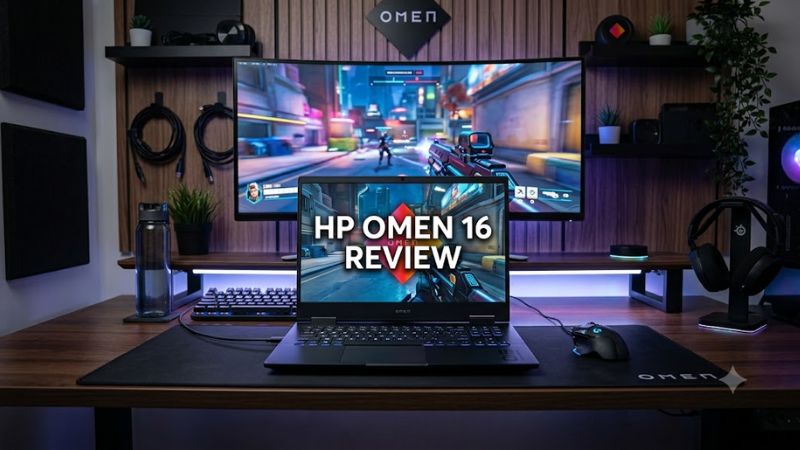
HP OMEN 16 review at a Glance
Specifications below describe selected 2025 OMEN 16 configurations, not every laptop sold under the OMEN 16 name.
| Feature | Published specifications |
| Processor options | AMD Ryzen AI 5 340, Ryzen AI 7 350, Ryzen AI 9 365, among other options across the range |
| Graphics options | NVIDIA GeForce RTX 5060 or RTX 5070 Laptop GPU on selected configurations |
| Memory | Up to 32GB DDR5 on the cited 2025 configurations |
| Storage | PCIe Gen 4 NVMe SSD; capacity varies by configuration |
| Display | Up to 16-inch, 2560 × 1600 IPS, 240Hz on selected models |
| Operating system | Windows 11 |
| Memory upgrade | Two accessible SO-DIMM slots on the documented AMD models |
| Battery | 83Wh on the cited HP retail configurations |
| Best suited for | PC gaming, esports, and everyday productivity |
HP’s official specifications confirm these options, but the available graphics card, panel, and memory depend on the specific model.
Initial verdict: The OMEN 16 looks most compelling when configured with a capable dedicated GPU, a good-quality high-refresh-rate display, and sufficient RAM at a competitive price. A cheaper configuration with a lower-resolution panel may still be sensible, but it should not be judged by the capabilities of a more expensive version.
Design and Build Quality
The OMEN 16 follows the traditional gaming-laptop approach: a 16-inch screen, a full-size keyboard, dedicated graphics, and a chassis designed to accommodate active cooling. It prioritizes gaming capability and practical connectivity over the smallest possible footprint.
The 2025 AMD models are available in Shadow Black and Ceramic White, according to HP’s specifications. Exact exterior details and features can differ between generations, so shoppers should check the specific configuration rather than assuming every OMEN 16 has the same finish or keyboard.
Portability and everyday use
The 16-inch format gives you more room for gaming and multitasking than a compact 14-inch laptop, but it is less convenient for frequent travel. An independent review of a 2025 OMEN 16 configuration lists its weight at approximately 2.4 kg (5.3 pounds), before accounting for the power adapter.
That makes it reasonable for moving between a home desk, classroom, and occasional gaming sessions elsewhere. It is not the best choice if you need a lightweight laptop for carrying around campus all day.
The keyboard includes a numeric keypad on selected configurations, and HP advertises four-zone RGB lighting on the applicable models. These features are useful for players who prefer customizable lighting and a full-size layout, although keyboard lighting is a convenience rather than a performance advantage.
HP OMEN 16 Specifications Explained
The OMEN 16 family includes multiple configurations, so these components deserve separate consideration before buying.
Processor: AMD Ryzen or Intel Core
HP has offered the OMEN 16 with AMD Ryzen AI processors and Intel processors, including Core Ultra and earlier Core i7 and Core i9 options across different model generations.
For gaming, the processor matters, but the graphics card and its power configuration are also important. A stronger CPU can help with CPU-intensive games, simulation, multitasking, and some content-creation workloads. It does not automatically make a laptop with a weaker GPU faster in every game.
For most buyers, a modern midrange processor paired with a capable dedicated GPU is a better starting point than paying a large premium for the highest-tier CPU.
Graphics: Choose the GPU for your games
The graphics processor is one of the most important purchasing decisions.
- GeForce RTX 5060 Laptop GPU: A sensible starting point for buyers targeting mainstream PC gaming, provided the price and display resolution are appropriate.
- GeForce RTX 5070 Laptop GPU: Worth considering for players who want more graphics headroom, particularly at higher resolutions or with demanding visual settings.
- Higher-tier GPUs in older OMEN configurations: Evaluate these by their exact model, power limits, condition, and price rather than assuming an older flagship automatically outperforms a newer midrange GPU in every workload.
These are general purchasing guidelines, not a substitute for comparable benchmarks. Laptop GPUs with the same name can perform differently depending on power limits, cooling, and system configuration.
Memory: Is 16GB enough?
Sixteen gigabytes of RAM is a reasonable starting point for gaming, while 32GB offers more headroom for demanding games, background applications, development tools, and content creation.
HP’s documented 2025 AMD OMEN 16 models provide two accessible SO-DIMM slots and list configurations up to 32GB. That makes memory upgrades a useful advantage, but the maximum supported capacity should be checked against the precise model’s specifications before purchasing a larger kit.
If you choose a 16GB configuration, confirm whether the memory is installed as one module or two. The difference can affect upgrade planning and memory-channel operation.
Storage: 512GB or 1TB?
A 512GB SSD can work for a smaller game library, but a 1TB SSD is a more practical starting point for players who regularly install large games alongside Windows and productivity software.
HP lists PCIe Gen 4 NVMe storage options, with capacities varying by configuration.
Before buying, confirm the number of available M.2 slots and whether an upgrade would require replacing the existing SSD. Do not assume that every OMEN 16 generation has the same storage layout.
Display Quality: 165Hz vs. 240Hz
The screen can make a substantial difference to the gaming experience, especially for competitive players.
HP’s 2025 OMEN 16 specifications include panels ranging from 1920 × 1200 at up to 165Hz to 2560 × 1600 at up to 240Hz, depending on the model. HP also lists a higher-end IPS option with up to 500 nits of brightness and 100% sRGB coverage.
| Display feature | Practical benefit | What to consider |
| 1920 × 1200 | Lower rendering workload | Less detail than 2560 × 1600 |
| 2560 × 1600 | Sharper image and more workspace | Requires more GPU performance |
| 165Hz refresh rate | Smooth motion in fast games | The GPU must deliver enough frames to take full advantage |
| 240Hz refresh rate | Additional smoothness at high frame rates | Less valuable when a game runs well below the refresh rate |
| 100% sRGB coverage | Useful color range for everyday creative work | Does not independently establish color accuracy |
For competitive games such as VALORANT, a 165Hz or 240Hz display can be useful if the laptop consistently delivers high frame rates. For visually demanding single-player games, resolution, graphics quality, and stable performance may matter more than maximizing the refresh rate.
A 240Hz panel is not automatically better for every buyer. If choosing it requires a significant price increase or a weaker GPU elsewhere in the configuration, a balanced 165Hz model may offer better value.
Gaming Performance: What the Evidence Shows
The HP OMEN 16 has demonstrated competitive gaming performance in independent reviews, but published results from older and newer configurations should not be mixed.
A particularly relevant independent review is Notebookcheck’s testing of the 2025 HP OMEN 16-ap0091ng with an AMD Ryzen 9 8940HX and NVIDIA GeForce RTX 5060 Laptop GPU. The publication reports results for individual games and rendering workloads, including Cyberpunk 2077 and Baldur’s Gate 3. Its results are specific to the tested machine and settings.
Separately, Digital Trends reviewed a 2023 OMEN 16 configuration with an RTX 4070 and compared its gaming results against other laptops with similarly named GPUs. Its testing found that the OMEN 16 trailed the Lenovo Legion Pro 5 in the tested comparisons, illustrating why matching GPU names alone does not guarantee equal gaming performance.
These reviews establish useful context, but they do not provide a direct performance comparison between every 2025 or 2026 OMEN configuration.
What should you expect in actual games?
The following is a configuration-based assessment, not a set of measured Real Gaming News benchmark results.
- Competitive esports: Games with relatively modest graphics requirements are generally a good fit for a dedicated-GPU OMEN 16. The exact frame rate depends on the game, CPU, graphics settings, and power mode.
- Modern AAA games: An RTX 5060 or RTX 5070 configuration is a more appropriate starting point than an integrated-graphics model. Demanding games may still require reduced settings or upscaling at 2560 × 1600.
- Ray tracing: Performance varies substantially by title and settings. Enabling ray tracing can increase the rendering workload, so it should be evaluated alongside the GPU and available upscaling features.
- Streaming and multitasking: A modern CPU and sufficient RAM can help run a game alongside streaming, voice chat, and other applications. The specific workload and software determine the overall result.
The practical takeaway is to match the GPU to your preferred games and resolution. Do not buy a high-refresh-rate display expecting every demanding game to run at 240 frames per second.
Cooling, Fan Noise, and Sustained Performance
Cooling is an important consideration for any gaming laptop because the CPU and GPU share a compact chassis and power budget.
HP advertises its OMEN Tempest Cooling architecture on the OMEN 16 range. The company also describes an Unleashed Mode with up to 170W total platform power on the applicable models. That figure refers to total platform power, not the GPU’s TGP alone. Actual power allocation and performance depend on the configuration and operating mode.
Independent testing of an older OMEN 16 with an RTX 4070 found that its performance mode could be loud, while balanced mode offered more acceptable noise levels. This is a useful warning about gaming-laptop trade-offs, not proof that every newer OMEN 16 behaves identically.
For buyers, the practical considerations are:
- Expect the fans to become more noticeable during demanding games.
- Use a firm, flat surface so the cooling intakes are not obstructed.
- Compare performance and noise reviews for the exact configuration.
- Keep the laptop connected to its power adapter for demanding gaming sessions when possible.
- Avoid assuming that a brief benchmark represents sustained performance over a long gaming session.
Ports, Connectivity, and External Displays
The documented 2025 OMEN 16 configurations offer a useful selection of connections. HP lists USB-C with DisplayPort 1.4 and USB Power Delivery support, USB-A ports, HDMI 2.1, wired Ethernet, and a combined headphone/microphone jack on applicable models.
This selection is practical for players who use a wired network, external monitor, mouse, headset, or controller. However, USB-C capabilities and the physical port layout should be checked for the exact model.
If you plan to connect an external high-refresh-rate monitor, verify the supported display output, resolution, and refresh rate. The presence of HDMI 2.1 or DisplayPort support alone does not establish that every combination of resolution and refresh rate will work.
Battery Life: A Gaming Laptop First
Battery life is a potential compromise rather than a primary reason to choose the OMEN 16.
HP lists an 83Wh battery on selected 2025 retail configurations, including the Ryzen AI 7 350 model.
Actual runtime depends on screen brightness, refresh rate, workload, power profile, GPU activity, and battery condition. Gaming on battery also introduces performance and runtime trade-offs compared with operating from the supplied adapter.
For students or commuters, the OMEN 16 can serve as a general-purpose Windows laptop, but it is less appealing if long unplugged work sessions and low carry weight are priorities.
HP OMEN 16 Price and Value
There is no single reliable price for the entire OMEN 16 family. The processor, GPU, screen, memory, storage, generation, and retailer all influence the price. An older model on clearance should not be compared directly with a newer configuration without accounting for these differences.
HP’s official US listings establish the specifications of individual configurations, but a listed product page is not sufficient evidence that a particular price is currently available or that the laptop is in stock. I could not establish a dependable, current US street price for one consistently specified OMEN 16 configuration as of October 20, 2026, so I am not assigning it an unverified price.
Use the following checklist when evaluating a listing:
- Confirm the full model number. Make sure the CPU, GPU, display, and other specifications match the actual configuration.
- Compare the graphics card first. A lower-priced model with a weaker GPU may not offer the gaming performance you want.
- Check the display resolution. A 1920 × 1200 panel and a 2560 × 1600 panel provide different experiences.
- Compare memory and storage. Include any planned upgrades in the total cost.
- Check warranty and condition. New, refurbished, and used laptops should not be treated as equivalent purchases.
- Compare competing models at the same price. The OMEN 16 is only a good value if its configuration compares favorably with similarly equipped alternatives.
A sale can make an OMEN 16 attractive, but the discount percentage alone does not establish value.
HP OMEN 16 Pros and Cons
Pros
- Dedicated NVIDIA graphics options for gaming and GPU-accelerated applications.
- Available high-refresh-rate displays, including 2560 × 1600 at up to 240Hz on selected configurations.
- Up to 32GB of memory on the documented 2025 models.
- Accessible SO-DIMM memory slots on the cited AMD configurations.
- HDMI and wired Ethernet on applicable models.
- A 16-inch display that provides useful screen space for gaming and productivity.
Cons
- Performance and features vary considerably across generations and configurations.
- Higher-resolution displays place more demand on the GPU.
- Gaming performance, fan noise, and power consumption depend on the selected operating mode.
- The chassis and power adapter make it less portable than many productivity-focused laptops.
- Battery runtime under gaming workloads is a limitation.
- Current value is difficult to judge without a verified price for the exact configuration.
HP OMEN 16 Alternatives Worth Considering
The OMEN 16 should be compared against gaming laptops with similar GPUs, display specifications, and prices rather than against entire product families without regard to configuration.
Lenovo Legion 5
A strong comparison candidate for buyers who want a gaming-focused laptop. Compare the exact GPU, display, cooling behavior, and upgrade options before choosing between the two.
Acer Nitro 16
Worth considering if your priority is gaming performance per dollar. Check the specific GPU power limits, panel quality, and chassis features rather than assuming a lower price means a better deal.
HP Victus 16
An alternative for shoppers who want to compare HP’s gaming-laptop options at different price points. Check whether the savings justify any differences in graphics performance, screen quality, and features.
These are comparison candidates, not a verified price ranking. The better purchase depends on the exact configurations and current offers.
Is the HP OMEN 16 Worth Buying?
The HP OMEN 16 is worth considering if you want a gaming laptop with dedicated NVIDIA graphics, a relatively spacious display, and upgrade potential on supported configurations. The strongest reason to buy it is the possibility of getting a well-balanced combination of GPU performance, display quality, memory, and storage at a competitive price.
It is less compelling if portability and long battery life are your highest priorities, or if a particular configuration costs substantially more than comparable gaming laptops.
Before buying, confirm the full model number, GPU, screen resolution and refresh rate, memory configuration, SSD capacity, warranty, and actual selling price. Those details matter more than the OMEN branding alone.
Frequently Asked Questions
1. Is the HP OMEN 16 good for gaming?
Yes, the HP OMEN 16 is a suitable gaming laptop when configured with a capable dedicated GPU. The RTX 5060 and RTX 5070 versions are relevant options for mainstream gaming, but achievable frame rates depend on the game, settings, resolution, and laptop power limits.
2. How much does the HP OMEN 16 cost?
The price depends on the generation, processor, graphics card, display, memory, and retailer. A reliable current US price should be tied to an exact model and a dated listing; no unverified price should be treated as the current market price.
3. Can you upgrade the RAM and SSD in the HP OMEN 16?
Memory upgrades are supported on the documented 2025 AMD models, which have two accessible SO-DIMM slots and list up to 32GB of RAM. SSD upgrade options depend on the exact model and its available M.2 slots, so confirm the service documentation before purchasing replacement parts.
4. Is the HP OMEN 16 good for college students?
The HP OMEN 16 can work well for students who need a Windows laptop for gaming, coursework, and demanding applications. Its weight and gaming-focused power requirements make it less suitable for students who prioritize lightweight portability and long battery life over graphics performance.
Final verdict
The HP OMEN 16 can be a sensible gaming-laptop purchase, but the recommendation depends on the specific configuration. Favor a balanced GPU-and-display combination over headline specifications, and buy only when the verified price makes sense against comparable alternatives.









