Our Top Picks
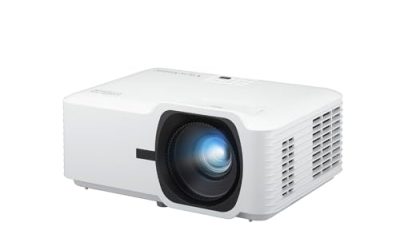
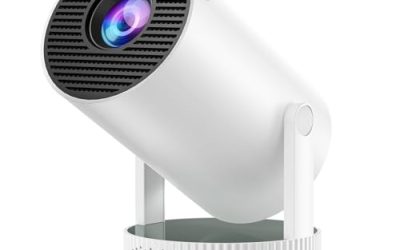
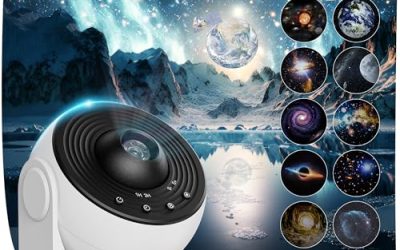
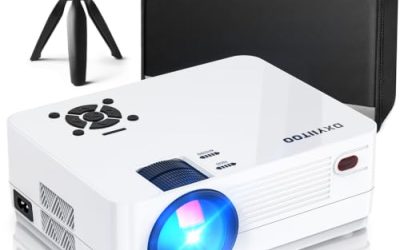
 Mini Projector with Wifi and Bluetooth95 × 95 × 157 mm3.8 x 3.8 x 6.2 inches0.77 poundsCheck on Amazon
A projector under 100 dollars is a different product from the projectors that cost several times more, and the gap is mostly honesty about what the specs mean. At this tier, “1080P supported” or “4K support” usually describes the highest signal the box will accept, not the resolution of the lamp and lens inside. Brightness is modest, focus is usually manual or semi-automatic, and the built-in speaker is a small afterthought. What you are really deciding with “best projectors under 100” is which compromises you can live with: a dark-room-only picture, a screen size that is large but soft, and a smart-TV layer that may or may not carry the apps you want.
These projectors are for bedroom movie nights, kids’ rooms, dorm walls, backyard screenings after dusk, and anyone who wants a big image without a television. They are not replacements for a living-room TV in a bright room, and nobody should expect cinema sharpness. The eight listings below split into models with Wi-Fi and a built-in operating system, models that mirror a phone through a cable, and one with Roku built in. As of 2026, the cheapest projectors still do best when the room is dark and the wall or screen is a clean, light surface.
Quick Picks

HOMPOW Mini Projector, 1080P Supported Portable Bluetooth projector | Mini & Portable, Built-in Bluetooth/Speaker, Home Theater, Outdoor/Indoor, HDMI/USB Compatible Phone & Laptop(Orange)
One of the consumer electronics options compared in this guide.
View on Amazon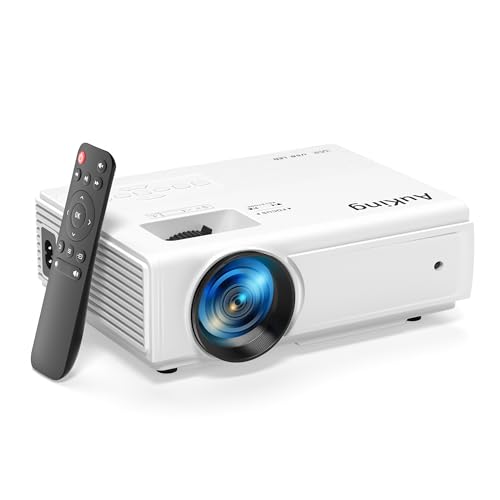
AuKing Projector, 2024 Upgraded Mini Projector, Full HD 1080P Home Theater Video Projector, Compatible with HDMI/USB/AV/Smartphone/TV Box/Laptop
One of the consumer electronics options compared in this guide.
View on Amazon
Magcubic 2026 Upgraded HY300PRO Mini Projector with WiFi and Bluetooth, Portable Projector 4K Support, Auto Keystone, 180 Degree Rotation, Smart Proyector for Home Outdoor
One of the consumer electronics options compared in this guide.
View on AmazonMini Projector with Wifi and Bluetooth, Portable 4K Support, Android 14/ Auto Keystone, HY300Pro Small Smart Proyector for Bedroom Movie Outdoor, Compatible With HDMI/USB/TV Stick/Smartphone/Laptop
One of the consumer electronics options compared in this guide.
View on Amazon
Mini Projector with WiFi and Bluetooth, AKIYO 2026 Upgraded Projector 1080P | Support Auto Keystone, 360° Rotating, Portable Projector for Home Theater/Outdoor, Compatible with iOS/Android/Laptop/PS5
One of the consumer electronics options compared in this guide.
View on Amazon
Wireless Mini Projector with WIFI 6 and Bluetooth, 4K 1080P Support Portable Projector 180° Rotatable. 17"-130" Screen Video Projector. Compatible for Smartphone, Laptop, PC(Q5 mate)
One of the consumer electronics options compared in this guide.
View on Amazon
Aurzen Roku TV E1R Smart Portable Mini Projector with WiFi and Bluetooth | Roku TV Built-in, Upgraded Sound Base, 180° Rotation, Auto Vertical Keystone, Zoom, Portable for Home Movie/Bedroom/Outdoor
One of the consumer electronics options compared in this guide.
View on Amazon
Native 1080P Mini Projector Bluetooth, Type-C Wired Mirroring for Netflix | Included Type-C Cable Smartphone Mirroring, Bluetooth Projector, E Focus, Auto Keystone, Indoor/Outdoor Projector
One of the consumer electronics options compared in this guide.
View on Amazon| Product | Best for | Key spec from the listing |
|---|---|---|
| HOMPOW Mini Projector | Simple portable movie nights | 1080P supported, built-in Bluetooth and speaker, HDMI |
| AuKing Mini Projector | Plugging in a laptop or TV box | Full HD 1080P input, HDMI/USB/AV |
| Magcubic HY300PRO | Smart features on a budget | WiFi, Bluetooth, auto keystone, 180° rotation |
| HY300Pro Android 14 Mini Projector | Streaming apps without a stick | Android 14, WiFi, Bluetooth, auto keystone |
| AKIYO Mini Projector | Flexible aiming on a ceiling or wall | WiFi, Bluetooth, auto keystone, 360° rotation |
| Wireless WiFi 6 Mini Projector | Faster wireless streaming | WiFi 6, Bluetooth, 17 to 130-inch screen |
| Aurzen Roku TV E1R | Easy Roku-based streaming | Roku TV built in, upgraded sound base |
| Native 1080P Type-C Mini Projector | Phone mirroring by cable | Native 1080P, Type-C wired mirroring, electronic focus |
How to Choose
Native resolution versus “supported” resolution
This is the most important filter. A listing that says “1080P supported” or “4K support” means the projector will accept that signal, then scale it to whatever its panel actually is, often a lower-resolution chip. Only one listing here states “Native 1080P,” and that wording is the one to prefer if you care about sharpness. For everything else, assume the real image is softer than the label suggests, and that text and small UI elements will look fuzzy on a large screen. For movies and cartoons from a normal viewing distance, the softness is acceptable; for spreadsheets it is not.
Brightness, room light, and screen size
Under 100 dollars, brightness is the weak point, and most listings avoid quoting a real measured figure. Plan to use the projector in a dark room, after sunset, or with the curtains closed. A bigger image spreads the same light thinner, so a 100-inch picture looks dimmer than a 60-inch one; the 17 to 130-inch range listed on one model is a throw-distance range, not a recommendation to fill the largest size. A white wall works, though a cheap screen or smooth white sheet improves contrast.
Smart platform, Wi-Fi, and cables
Some of these run Android or a similar operating system with Wi-Fi and Bluetooth, so you can open streaming apps directly. App support varies, and certain services restrict playback on uncertified devices, so a streaming stick plugged into the HDMI port is often more reliable. Roku TV, as in the Aurzen model, gives a familiar menu. If you plan to use a phone, look for wired mirroring through USB-C or an HDMI adapter, since wireless casting can lag. Check that the projector has the ports you need: HDMI for a stick or console, USB for media files, and AV for older gear.
Keystone, focus, and placement
Keystone correction squares up a trapezoid image when the projector sits at an angle. Auto keystone saves time, but heavy correction reduces sharpness, so place the projector as straight as you can first. Manual focus is common at this tier, and the focus ring usually has a narrow sweet spot. A tilting or rotating stand, such as the 180° and 360° designs in these listings, lets you aim at a wall or ceiling. Fan noise is a real trade-off in cheap projectors, so budget for a separate speaker rather than relying on the built-in one.
The 8 Best Options
HOMPOW Mini Projector
The HOMPOW lists 1080P support, portable design, built-in Bluetooth and speaker, and HDMI and other inputs for home theater and outdoor or indoor use. It suits someone who wants a small unit for the bedroom or a backyard evening, with the option to use it as a Bluetooth speaker.
- Strength: portable size and built-in speaker make it easy to move between rooms.
- Strength: HDMI input connects a streaming stick, console, or laptop.
- Trade-off: “1080P supported” describes the input, not native panel resolution.
Skip it if you want a built-in smart platform with apps.
AuKing Mini Projector
AuKing’s listing emphasizes Full HD 1080P playback, home theater use, and compatibility with HDMI, USB, AV, smartphones, TV boxes, and laptops. The long list of inputs is its selling point: it works with older gear as well as new devices. It suits a buyer who already has a source device.
- Strength: wide input list covers HDMI, USB, AV, and phone connections.
- Strength: straightforward design for plugging in a TV box or laptop.
- Trade-off: the listing mentions no built-in streaming platform, so you need an external source.
Skip it if you want to stream apps directly from the projector.
Magcubic HY300PRO
The Magcubic HY300PRO lists Wi-Fi, Bluetooth, 4K support, auto keystone, 180-degree rotation, and a smart system. This is a typical budget smart projector, aimed at users who want to watch movies without extra hardware. The 4K wording again refers to input support.
- Strength: auto keystone and 180-degree rotation make setup quicker.
- Strength: Wi-Fi and Bluetooth reduce the need for cables.
- Trade-off: the 4K label does not mean a 4K image, and app availability may be limited.
Skip it if you want guaranteed access to every streaming service.
HY300Pro Android 14 Mini Projector
This unbranded model uses the same HY300Pro name and adds Android 14, Wi-Fi, Bluetooth, auto keystone, and 4K support, for bedroom, movie, and outdoor use. A recent Android version is a plus for app compatibility, though a projector-specific build is not the same as a full tablet OS.
- Strength: Android 14 listing suggests a newer software base than older budget models.
- Strength: auto keystone and Wi-Fi with Bluetooth cover common setup needs.
- Trade-off: the unbranded seller means support and warranty details need checking.
Skip it if you want a recognized brand behind the product.
AKIYO Mini Projector
AKIYO lists 1080P support, Wi-Fi, Bluetooth, auto keystone, and 360-degree rotation. The rotating design lets you aim at a wall, a ceiling, or a different corner without changing the table setup. It fits a user who wants flexible placement for bedroom viewing.
- Strength: 360-degree rotation gives more placement choices.
- Strength: Wi-Fi and Bluetooth in a portable package.
- Trade-off: as with other budget models, brightness is limited, and 1080P refers to the supported input.
Skip it if your room cannot be darkened.
Wireless Mini Projector with WiFi 6
This listing stands out for Wi-Fi 6 and Bluetooth, support for 4K and 1080P, a 180-degree rotatable design, and a 17 to 130-inch screen size range. Wi-Fi 6 can improve streaming stability on a modern router, which matters when you stream video from a phone.
- Strength: Wi-Fi 6 helps wireless stability on a compatible router.
- Strength: a wide screen size range gives placement flexibility.
- Trade-off: truncated listing details leave questions about inputs and focus.
Skip it if you plan to rely on cables only, since the wireless feature would go unused.
Aurzen Roku TV E1R Smart Portable Projector
Aurzen’s E1R has Roku TV built in, Wi-Fi and Bluetooth, an upgraded sound base, 180-degree rotation, and auto vertical keystone. Roku TV gives a familiar, app-oriented menu without a separate stick, which makes this the easiest one to hand to a non-technical user.
- Strength: Roku TV built in provides a polished interface and app access.
- Strength: an upgraded sound base aims to improve the built-in audio.
- Trade-off: the listing leaves brightness unspecified, and a Roku-based system ties you to that platform’s apps.
Skip it if you only need a plain video input for a laptop.
Native 1080P Mini Projector with Type-C Mirroring
This is the only listing that says “Native 1080P.” It includes Bluetooth, Type-C wired mirroring for Netflix, an included Type-C cable, and an electronic focus. Wired mirroring avoids the lag and streaming-app restrictions of wireless casting, though only phones with compatible video output will work.
- Strength: the native 1080P wording points to a sharper panel than the supported-only listings.
- Strength: a Type-C cable is included for wired phone mirroring.
- Trade-off: wired mirroring needs a phone that supports video output over Type-C.
Skip it if you use an iPhone or a phone without Type-C video output.
Which One Fits Your Situation
You want the sharpest image at this tier
Look first at the Native 1080P Mini Projector, since it is the only one claiming native resolution. Pair it with a dark room and a white wall for best results.
You want the easiest streaming setup
The Aurzen Roku TV E1R keeps the experience simple, with Roku built in. For an Android-style experience, the HY300Pro Android 14 model offers a different interface.
You already own a stick, console, or laptop
The AuKing, with HDMI, USB, and AV inputs, is the plain-source option. The HOMPOW is similar and adds a built-in Bluetooth speaker for portability.
You need to aim at a ceiling or odd angle
The AKIYO’s 360-degree rotation and the Magcubic HY300PRO’s 180-degree rotation make off-angle placement easier, helpful for bedrooms where you watch lying down.
Common Mistakes
- Reading “4K support” as a 4K picture and being disappointed by a soft image.
- Using the projector in a bright room, then blaming the brightness.
- Over-relying on keystone correction instead of placing the projector squarely.
- Assuming every streaming app will run on an uncertified built-in system.
- Skipping a separate speaker and living with a tinny built-in one.
Related guides
- External Hard Drive For Xbox Series X
- How To Check Gpu Temperature While Gaming
- 7.1 Surround Sound Gaming Headsets
Frequently Asked Questions
Can a projector under 100 dollars replace a TV?
Not in a bright room. It works as a dark-room or backyard screen, with soft focus and limited brightness. Think of it as a second screen for movies rather than a daily TV.
What does auto keystone do?
It digitally squares up the image when the projector is tilted. It helps with quick setup, but heavy correction reduces sharpness, so aim the projector as straight as possible first.
Do I need a screen?
A smooth, light-colored wall works. A cheap projector screen or a flat white sheet can improve contrast and evenness, especially on textured walls.
Is Wi-Fi 6 important on a projector?
It can help wireless streaming stability with a modern router, but the projector’s processor and app support matter more. A wired HDMI stick avoids the issue altogether.