Our Top Picks
Shopping for a BenQ projector means choosing within a brand that spreads across very different jobs: a short throw living-room unit, a 4K laser gaming model, a pocket-sized smart projector, and a classroom workhorse. The brand name narrows the field, but it does not tell you which of those jobs a given model was built for. The decision usually turns on three things: the resolution you want, the lumens you need for your room, and whether the projector can run streaming apps on its own or needs an external box.
This guide is for buyers who prefer BenQ and want to match a specific model to a room and a use. The eight options below run from a 500 lumen portable to a 4000 lumen meeting-room unit, with several 4K HDR models for movies and console play in between. In 2026 most of the home-oriented models include a streaming platform, so the real differences are brightness, input lag, throw distance, and light source. Use the quick table to shortlist, then read the buying checks before committing.
Quick Picks

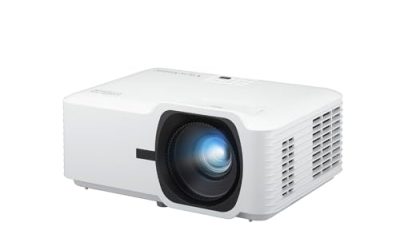
BenQ TH671ST 3000 Lumens 1080p Short Throw Home Entertainment Projector | 3000 Lumens Low Input Lag, Auto Vertical Keystone, Dual HDMI, Built-In Speaker, Console Gaming, short throw, 3 year warranty
One of the consumer electronics options compared in this guide.
View on Amazon
BenQ TH575i 1080p Home Projector, 3800lm, Google TV, 16.7ms Input Lag | 3800lm High Brightness, Licensed Google TV Dongle, 16.7ms Low Input Lag for Gaming, Auto Vertical Keystone, 3 year warranty
One of the consumer electronics options compared in this guide.
View on Amazon
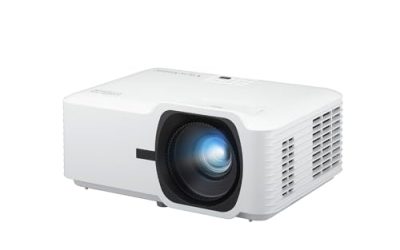
BenQ TK710 4K HDR Laser 3200 Lms Home Entertainment Movie& Gaming Projector | 3200 Lms, 4ms Input Lag, 240Hz Refresh Rate, HDR10, eARC Support, Lens Shift, 1.3x Zoom, 240HZ Refresh Rate, 3 year warranty
One of the consumer electronics options compared in this guide.
View on Amazon
BenQ MW560C WXGA Business Projector for meeting rooms 4000 Lumens | 4000 Lumens, 20,000:1 Contrast, HDMI & VGA, Auto Keystone, SmartEco Technology, Meeting Room Ready, 3 yr warranty
One of the consumer electronics options compared in this guide.
View on Amazon
BenQ TK710STi 3200 Lumens 4K HDR Short Throw Home Entertainment Projector | 3200 Lumens, Laser Light Source, 4ms Input Lag, 240Hz Gaming, Android TV, Netflix, AirPlay, Home Entertainment, HDR10/HLG
One of the consumer electronics options compared in this guide.
View on Amazon
BenQ TK700 4K HDR Home Entertainment Gaming & Movie Projector 4.2ms Latency | 3200 Lumens, 16ms Input Lag, HDMI 2.0, Enhanced Black Detail, Dolby Atmos Speaker, PS5 & Xbox Ready, 3 yr warranty
One of the consumer electronics options compared in this guide.
View on Amazon
BenQ TK705i 4K HDR Home Entertainment 3000 lms Projector | 3000 Lumens, Google TV, HDMI 2.1, Bluetooth, MEMC, HDR10+, Auto Image Adjustment, 150" Screen, 3 yr warranty
One of the consumer electronics options compared in this guide.
View on Amazon
BenQ GV50 1080P Portable Laser Smart Projector 500 Lumens 4k supported | 500 Lumens, Native 1080p, Google TV, Netflix Certified, Ceiling Projection, Wi-Fi , Bluetooth, Deep Woofer, 3 yr warranty
One of the consumer electronics options compared in this guide.
View on Amazon| Product | Best for | Key spec taken from the product title |
|---|---|---|
| BenQ TH671ST | Small rooms and casual gaming | 1080p short throw, 3000 lumens, dual HDMI |
| BenQ TH575i | Bright rooms with built-in streaming | 1080p, 3800lm, Google TV, 16.7ms input lag |
| BenQ TK710 | 4K laser gaming and movies | 4K HDR laser, 3200 lumens, 4ms input lag, 240Hz |
| BenQ MW560C | Meeting rooms and classrooms | WXGA, 4000 lumens, HDMI and VGA |
| BenQ TK710STi | Short throw 4K with apps | 4K HDR short throw, laser, 4ms input lag, Android TV |
| BenQ TK700 | 4K gaming at a lower tier | 4K HDR, 3200 lumens, HDMI 2.0, Dolby Atmos |
| BenQ TK705i | Movie lovers wanting HDMI 2.1 | 4K HDR, 3000 lms, Google TV, HDMI 2.1, MEMC, HDR10+ |
| BenQ GV50 | Portable and bedroom use | Native 1080p portable laser, 500 lumens, Google TV |
How to Choose
Lumens against room lighting
Lumens describe how much light a projector can push, and your room decides how many you need. A dark dedicated room can work with 500 to 1500 lumens, particularly with a smaller picture. A living room with some ambient light usually wants 3000 lumens or more, and a meeting room with the lights on often needs 4000. Higher lumen counts help in bright spaces, but they do not fix poor black levels. Projectors with a laser or LED light source also tend to hold their brightness over time better than lamp-based designs, which dim with age.
Resolution and HDR
Native 1080p is enough for most casual viewing at screen sizes under about 100 inches. Projectors that advertise 4K support may use a pixel-shifting method to build the image, which is common at this tier and still looks sharper than 1080p. For movies, HDR10 support and HDR10+ matter only if the projector is bright enough to show highlights; in a lit room, the effect shrinks. WXGA, listed on the meeting-room model, is below Full HD and fits slides and spreadsheets rather than films.
Input lag, refresh rate, and gaming
If you play on a projector, look at input lag. A figure near 16ms is acceptable for most games, while 4ms is the kind of figure competitive players prefer. Some listings also quote a 240Hz mode, which usually applies at 1080p rather than at 4K. For a console, check HDMI version: HDMI 2.1 supports higher refresh rates at 4K, whereas HDMI 2.0 caps you lower. Ignore any claim that does not specify the resolution it applies to.
Throw distance, setup, and smart features
Short throw models can fill a large picture from a few feet away, which suits small rooms and avoids shadows from people walking in front of the beam. Standard throw models need more distance. Lens shift and auto keystone ease alignment, while auto image adjustment reduces fiddling after a move. Built-in Google TV or Android TV removes the need for a streaming stick, but a few apps may still need certification checks. Do not spend extra for built-in speakers if you plan to connect a soundbar anyway.
Finally, budget for the screen and mounting. A projector’s picture is only as good as the surface it lands on, and a smooth white wall can work for casual viewing, while a dedicated screen improves contrast and uniformity. Ceiling mounts, cable runs, and a power outlet near the projector all add to the cost and the installation effort, so decide where the unit will live before you choose between a short throw and a standard throw model.
The 8 Best Options
BenQ TH671ST
This model is the entry point for a short throw home setup. The listing shows a 1080p projector with 3000 lumens, low input lag, auto vertical keystone, dual HDMI inputs, and a built-in speaker. It targets small to medium rooms where a long throw is impractical.
- Strength: short throw design fits a smaller room without placing the projector far back.
- Strength: dual HDMI ports allow a console and a streaming device to stay connected.
- Trade-off: the title does not mention a built-in streaming platform, so you need an external device.
Skip it if you want 4K resolution or an all-in-one smart experience.
BenQ TH575i
The TH575i adds a licensed Google TV dongle to a bright 1080p projector. BenQ lists 3800 lumens and a 16.7ms input lag, which positions it as a flexible option for gaming and daytime viewing in a living room.
- Strength: 3800 lumens helps in rooms with some ambient light.
- Strength: the licensed Google TV dongle reduces the need for separate streaming hardware.
- Trade-off: native resolution is 1080p, so it does not reach 4K detail.
Skip it if you are building a dark-room home theater where HDR and 4K matter most.
BenQ TK710
A step up for gamers and film fans, the TK710 is a 4K HDR laser projector with 3200 lumens, a 4ms input lag, a 240Hz refresh rate, HDR10, and eARC support. The laser light source and low lag figure give it a gaming-first profile.
- Strength: 4ms input lag and 240Hz refresh claim suit fast-paced console and PC play.
- Strength: eARC support helps send high-quality audio to a compatible soundbar or receiver.
- Trade-off: it appears to be a standard throw design, so it needs room depth for placement.
Skip it if your room is too small or you do not need laser-grade brightness.
BenQ MW560C
The MW560C is the outlier, built for work rather than movies. BenQ lists WXGA resolution, 4000 lumens, 20,000:1 contrast, HDMI and VGA inputs, auto keystone, and SmartEco technology. It fits meeting rooms, small offices, and classrooms.
- Strength: 4000 lumens helps with presentations while the lights are on.
- Strength: HDMI and VGA inputs support both new laptops and older equipment.
- Trade-off: WXGA resolution is low for movies and game graphics.
Skip it if you want a home entertainment projector or 1080p-plus detail.
BenQ TK710STi
This variant takes the 4K laser formula and shortens the throw. The listing shows 3200 lumens, 4K HDR, a laser light source, 4ms input lag, 240Hz gaming, and Android TV. It suits a moderately sized room where the projector sits closer to the wall.
- Strength: short throw means a large picture without a far-back mounting spot.
- Strength: Android TV and low input lag give you apps and gaming in one box.
- Trade-off: it sits at the premium end of the group.
Skip it if you have a long room and prefer a standard throw alternative.
BenQ TK700
The TK700 is the 4K gaming projector that came before the TK710. The listing shows 4K HDR, 3200 lumens, a 4.2ms latency claim alongside a 16ms input lag figure, HDMI 2.0, enhanced black detail, and Dolby Atmos support. Treat the dual latency numbers with caution and verify which mode they apply to.
- Strength: 4K HDR at 3200 lumens suits both movies and games.
- Strength: enhanced black detail aims to help dark scenes in games.
- Trade-off: HDMI 2.0 limits 4K refresh rates compared with HDMI 2.1.
Skip it if you own a console that needs HDMI 2.1 for 4K at 120Hz.
BenQ TK705i
The TK705i leans toward movie lovers who also play games. BenQ lists 4K HDR, 3000 lumens, Google TV, HDMI 2.1, Bluetooth, MEMC, HDR10+, auto image adjustment, and support for a 150 inch screen. It is a feature-rich family projector.
- Strength: HDMI 2.1 and HDR10+ cover modern consoles and streaming content.
- Strength: MEMC smooths motion in films and sports.
- Trade-off: 3000 lumens is slightly below some peers for lit rooms.
Skip it if you want laser brightness or the lowest listed input lag.
BenQ GV50
The GV50 is the compact outlier. It is a portable laser smart projector with a native 1080p resolution, 500 lumens, 4K input support, Google TV, Netflix certification, and ceiling projection. It suits bedrooms, dorms, and travel.
- Strength: Google TV and Netflix certification make setup simple.
- Strength: ceiling projection is useful for lying-in-bed viewing.
- Trade-off: 500 lumens needs a dark room and a moderate screen size.
Skip it if you plan to use it in a bright living room or want true native 4K.
Which One Fits Your Situation
You want a dark-room home theater with 4K
The BenQ TK705i is a balanced option, with HDMI 2.1, HDR10+, and MEMC. If you prefer a laser light source and have a short room, step up to the TK710STi.
You game on a console or PC
The BenQ TK710 is the pick for gamers, thanks to its 4ms input lag and 240Hz mode. For a lower tier, the TK700 delivers 4K at 3200 lumens.
You have a small living room with ambient light
The BenQ TH575i offers 3800 lumens and a Google TV dongle, which is a good fit for rooms that never go fully dark. The TH671ST suits tighter rooms where short throw matters.
You need a portable screen or a meeting-room projector
The BenQ GV50 handles bedrooms and trips, while the BenQ MW560C is the right call for presentations and classrooms. The GV50 trades brightness for portability, so plan on drawn curtains and a picture size well under what the larger models can fill. The MW560C goes the other way: it gives up cinema-grade resolution in exchange for the output needed to keep slides legible with the lights on.
Common Mistakes
- Choosing by lumens alone without considering the room’s ambient light and screen size.
- Assuming a 4K supported label means native 4K resolution, especially on portable models.
- Overlooking throw distance and buying a standard throw model for a room that is too short.
- Ignoring HDMI version when pairing a projector with a current-generation console.
- Buying a business projector for movies, then being disappointed by the lower resolution and contrast.
Related guides
- External Hard Drive For Xbox Series X
- How To Check Gpu Temperature While Gaming
- 7.1 Surround Sound Gaming Headsets
Frequently Asked Questions
Do I need a laser projector instead of a lamp model?
Not necessarily. A laser source holds brightness longer and turns on faster, but a lamp-based model can be cheaper and perfectly fine for casual use. It depends on how many hours per week you watch.
Can a BenQ projector replace a TV?
For movies and big-screen gaming, yes, as long as the room is dark enough for your model’s brightness. For daytime news and sports in a bright room, a TV is still the easier option unless you pick one of the high-lumen models.
Is 240Hz meaningful on a projector?
It applies in specific modes, usually at 1080p, and benefits fast games. At 4K the refresh rate is lower, so check the details before assuming you get 240Hz at full resolution.
What screen size should I plan for?
Many buyers choose between 100 and 120 inches for a living room. The TK705i listing mentions support for a 150 inch screen, but larger pictures need more brightness and a darker room.