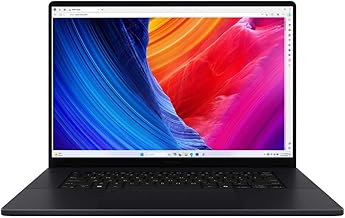
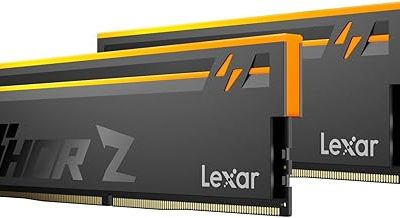
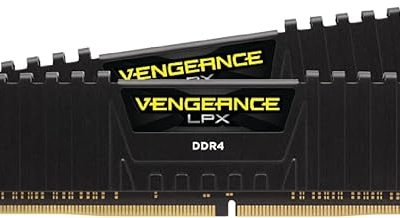
Is 16GB RAM enough for gaming? Learn when 16GB delivers smooth gameplay, which games benefit from 32GB, and how to choose the right upgrade.
Yes, 16GB of RAM is enough for many PC games in 2026, especially if you play popular competitive titles, older games, or single-player games that do not demand large amounts of memory. However, 32GB is a better choice for newer, memory-intensive games, heavy multitasking, and gaming alongside streaming or content creation.
The right amount of RAM depends on the games you play, your other running applications, and whether your computer uses DDR4 or DDR5 memory. More RAM does not automatically produce higher frame rates, either: once a game has enough available memory, performance may be limited by your CPU, graphics card, storage, or settings instead.
This guide explains when 16GB is sufficient, when 32GB makes sense, how to identify a RAM bottleneck, and what to consider before upgrading.
Is 16GB RAM Enough for Gaming?
For most everyday gaming setups, 16GB remains a reasonable starting point. It can handle many competitive games and a wide range of mainstream titles, provided the rest of the system meets their requirements.
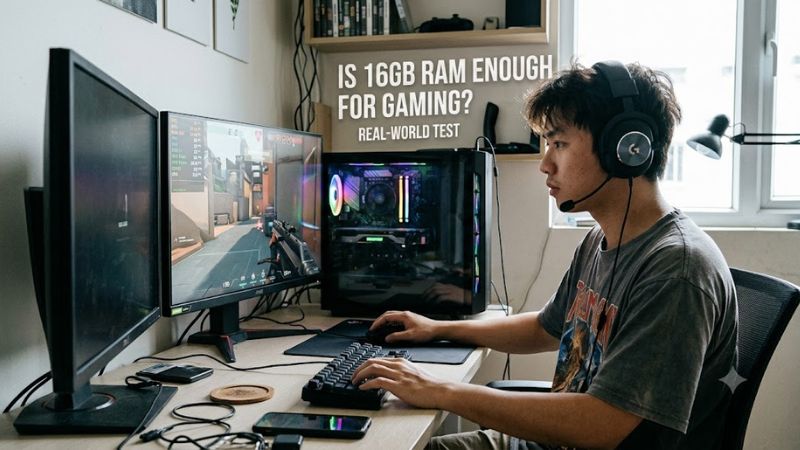
The main limitation is memory headroom. Windows, background applications, browser tabs, game launchers, voice-chat software, and the game itself all compete for available RAM. A game that runs comfortably with minimal background activity may stutter when several applications are open.
Use these guidelines to decide whether 16GB suits your setup:
- Competitive gaming: 16GB is generally sufficient for games such as Valorant, League of Legends, and Counter-Strike 2, assuming compatible hardware and appropriate settings.
- Single-player gaming: 16GB can work well for many games, but demanding open-world titles and newer releases may benefit from additional memory.
- Gaming and multitasking: 32GB provides more headroom when you keep numerous browser tabs, Discord, recording software, or other applications running.
- Streaming and content creation: 32GB is a more comfortable starting point for many setups that combine gaming with encoding, editing, or other memory-intensive tasks.
- Heavily modded games: 32GB can help when large mod collections, high-resolution assets, and other applications increase memory use, although the benefit depends on the game and mods.
These are practical guidelines, not guarantees. A well-optimized game can run well on 16GB, while a demanding game or a memory-heavy mod configuration can exceed what that capacity handles comfortably.
16GB vs. 32GB vs. 64GB RAM for Gaming
The difference between these capacities is primarily how much memory your system can use before it has to manage competing demands. Intel’s gaming guidance recommends 16GB for a general gaming setup and suggests considering 32GB for streaming and multitasking. Recent independent testing also supports 32GB as a useful target while recognizing that 16GB remains viable for many games.
| RAM capacity | Best suited for | Main limitation |
| 16GB | Budget gaming PCs, competitive games, general gaming | Less room for demanding games and background apps |
| 32GB | Most new gaming builds, AAA games, gaming with multitasking | Costs more and may not improve FPS in every game |
| 64GB | Heavy modding, demanding simulators, gaming plus professional workloads | Often unnecessary for gaming alone |
When 16GB makes sense
Choose 16GB if you already own a capable gaming PC and your games run smoothly. It is also a sensible option for a budget build when spending more on a suitable graphics card or CPU would make a bigger difference.
For example, Counter-Strike 2 lists 8GB as its minimum system memory requirement on Windows. That does not mean 8GB is ideal for every setup, but it illustrates why 16GB can provide reasonable capacity for a competitive gaming system. Always check the current requirements for the games you actually play.
When 32GB is the better choice
Consider 32GB if you frequently play demanding releases, use extensive mods, keep many browser tabs open, or record and stream gameplay.
The extra capacity can help prevent memory pressure when several applications are active. It may also reduce stuttering caused by insufficient available RAM, provided memory pressure is actually the cause. It will not automatically fix stuttering caused by shader compilation, CPU limitations, GPU limitations, overheating, or storage problems.
When 64GB is worth considering
For gaming alone, 64GB is usually more than most people need. It becomes more useful when gaming is only one part of a memory-intensive workload, such as running virtual machines, working with large creative projects, or using particularly demanding simulation and modding setups.
Buy based on the memory requirements of your actual applications rather than assuming that more RAM always means better gaming performance.
Do Modern Games Need More Than 16GB RAM?
Some do, but minimum and recommended system requirements are more useful than blanket statements about every modern game.
Game requirements vary by release, patch, and target configuration. For example, Counter-Strike 2 lists 8GB as its Windows minimum, whereas other demanding games can specify 16GB or more. A minimum requirement is not a promise of smooth performance at every resolution, graphics preset, or background workload.
Before upgrading, check three things:
- Minimum RAM: Does your system meet the game’s stated entry requirement?
- Recommended RAM: Does the developer recommend more memory for the experience you want?
- Your actual workload: Are you running other applications or mods that increase total memory use?
If a game recommends 32GB, that is a reason to consider upgrading, not proof that it cannot run with 16GB. Performance depends on the complete configuration and the conditions under which the game runs.
Does More RAM Increase FPS?
Not necessarily. Increasing RAM capacity improves frame rates only when memory capacity or memory configuration is limiting performance.
There are three common situations.
- Enough RAM already available: Moving from 16GB to 32GB may produce little or no noticeable improvement in average FPS.
- RAM capacity is insufficient: Adding memory may reduce stuttering and improve frame-time consistency if the system was running short of available memory.
- Memory configuration is limiting performance: Moving from a single memory module to a suitable dual-channel configuration can improve performance in some systems, particularly those using integrated graphics.
Average FPS and frame-time consistency are different measurements. A game might maintain a similar average frame rate after an upgrade while experiencing fewer noticeable pauses. Conversely, a game limited by the graphics card may show little improvement in either metric.
TechSpot’s 2026 RAM testing discusses how system memory requirements and available graphics memory can interact. Its results should be interpreted within its tested hardware and workload rather than treated as a universal prediction for every PC.
What about VRAM?
VRAM is the dedicated memory on a graphics card, while system RAM is the main memory used by Windows and applications. They are not interchangeable.
A game with high-resolution textures may use substantial VRAM. When graphics memory becomes constrained, performance can suffer even if the computer has 32GB or 64GB of system RAM.
Likewise, integrated graphics typically use some system memory for graphics workloads. In those systems, memory capacity, bandwidth, and channel configuration can matter more than they do on a PC with a dedicated graphics card.
If you are experiencing poor performance, check both system memory and GPU memory usage before deciding which component needs an upgrade.
How to Tell If Your Gaming PC Needs More Than 16GB RAM
Before buying memory, check whether RAM is actually causing your performance problems. High memory usage alone does not prove that an upgrade is necessary.
Step 1: Check memory usage in Windows
- Press Ctrl + Shift + Esc to open Task Manager.
- Select Performance, then Memory.
- Note the total installed memory, memory currently in use, and available memory.
- Launch a game and play the section where you notice stuttering.
- Return to Task Manager or use a monitoring tool to check memory usage while reproducing the problem.
Windows 11 has a 4GB minimum RAM requirement, but that is an operating-system installation requirement, not a recommendation for gaming. Games and background applications can require substantially more.
Step 2: Look for signs of memory pressure
Potential warning signs include:
- Memory usage remains close to the available capacity during gameplay.
- Stuttering becomes more frequent when you open a browser or another application.
- Switching between applications causes noticeable delays.
- Performance improves when you close unnecessary background programs.
- The system shows sustained paging activity alongside high memory usage.
None of these signs proves that RAM is the only problem. CPU bottlenecks, insufficient VRAM, background updates, thermal throttling, and game-specific issues can produce similar symptoms.
Step 3: Compare performance with fewer background applications
Close unnecessary applications, save your work, and repeat the same game scenario. Keep the resolution, graphics settings, and other relevant conditions as consistent as possible.
If the stuttering improves substantially, background memory pressure may be contributing. If the problem remains, investigate GPU utilization, CPU temperatures, VRAM usage, storage activity, and game-specific performance issues before spending money on an upgrade.
How to Upgrade From 16GB to 32GB RAM
If your system regularly runs short of available memory, moving to 32GB can be a practical upgrade. However, the correct memory depends on your motherboard or laptop.
Before buying, check the following:
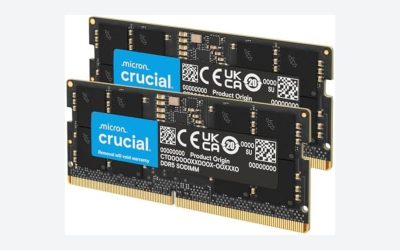
- DDR4 or DDR5: These memory generations are physically and electrically different. A motherboard designed for one does not accept the other.
- Supported capacity: Check the motherboard specifications or laptop manufacturer’s documentation for maximum supported RAM.
- Available slots: A desktop with two occupied slots may need a replacement kit rather than an additional pair of modules.
- Memory configuration: Two compatible 16GB modules can provide a 32GB dual-channel configuration on supported systems. Four modules are not automatically faster and can affect achievable memory speeds.
- Laptop upgradeability: Some gaming laptops have soldered memory, replaceable modules, or a combination of both. Check the exact model before ordering RAM.
- Memory speed and compatibility: Confirm supported speeds and any relevant XMP or EXPO requirements for your platform.
If you currently have two 8GB modules, replacing them with two compatible 16GB modules is a common path to 32GB. If you have one 16GB module, adding a compatible 16GB module may be possible, depending on the system.
For a laptop, consult the service manual before opening the chassis. Some models require specialized disassembly, and opening a device may affect warranty coverage under the manufacturer’s applicable terms.
Is 16GB RAM Enough for Gaming and Streaming?
It can be enough for lighter workloads, but 32GB is the safer choice for gaming while streaming or recording.
A gaming session may involve the game, Windows, a browser, Discord, broadcasting software, and video encoding. Their combined memory use matters more than the game’s requirement in isolation.
Your setup also determines the result. Hardware encoding on a compatible GPU, for example, can change the CPU workload compared with software encoding, but it does not eliminate the memory needs of the applications involved.
Choose based on your workflow:
- Gaming with voice chat: 16GB may be sufficient if other applications are limited.
- Gaming with several browser tabs: 16GB can work, but 32GB provides more headroom.
- Gaming with streaming and recording software: 32GB is a sensible target.
- Gaming while editing video or running other demanding applications: Consider 32GB or more based on the software’s requirements and measured usage.
Is 16GB RAM Enough for Gaming in the Long Term?
Sixteen gigabytes remains usable, but 32GB provides more flexibility for a new gaming PC intended to last several years.
A useful example is Microsoft Flight Simulator 2024. Its Steam system requirements list 16GB as the minimum and 32GB as the recommended memory capacity. That distinction illustrates why 16GB can meet a game’s entry requirement without being the preferred configuration for every player.
Game requirements can change, and future releases may demand more memory. However, upgrading purely out of fear of future requirements is not always the best use of a limited budget.
If you already own a 16GB PC and games run well, keep using it until your workload demonstrates a need for more. If you are buying or building a new system and the budget permits, 32GB is the more flexible target.
Frequently Asked Questions
1. Is 16GB RAM enough for gaming in 2026?
Yes, 16GB is enough for many games in 2026, particularly when you meet the game’s other system requirements and limit background applications. Demanding games and multitasking can make 32GB a better choice.
2. Will 32GB RAM increase FPS compared with 16GB?
Not necessarily; 32GB improves FPS or frame-time consistency mainly when insufficient memory is limiting performance. If your game already has enough available RAM, the upgrade may produce little measurable difference.
3. Is 16GB RAM enough for AAA games?
Yes, for some AAA games, but not every title or workload benefits equally from that capacity. Check the individual game’s minimum and recommended requirements, then consider your graphics settings, VRAM, mods, and background applications.
4. Should I upgrade from 16GB to 32GB RAM?
Upgrade if you regularly encounter memory pressure, stuttering associated with insufficient RAM, or workloads that benefit from additional capacity. If your games run smoothly and memory is not a bottleneck, you may get more value from addressing another hardware limitation.
Final Verdict
16GB RAM is still enough for many gaming PCs, but 32GB is the better all-around target for a new gaming setup in 2026.
Keep 16GB if your current games perform well and you mainly play without heavy multitasking. Choose 32GB if you play demanding releases, use extensive mods, stream gameplay, or want more room for applications running alongside games.
Before upgrading, monitor memory usage during the actual situations where performance suffers. The goal is not to maximize the amount of RAM installed; it is to provide enough memory for your games and applications without spending money on capacity you do not need.