The Gigabyte AORUS 15 is a gaming laptop worth considering if you want dedicated NVIDIA graphics, a high-refresh-rate display, and strong 1080p or 1440p gaming performance. However, the exact configuration matters more than the AORUS 15 name alone: different generations ship with different processors, graphics cards, screens, and memory configurations.
This review focuses primarily on the 2023 AORUS 15 with an Intel Core i7-13700H, NVIDIA GeForce RTX 4070 Laptop GPU, and 1440p high-refresh-rate display, a configuration independently reviewed by WePC. It uses published specifications and third-party test results rather than claiming firsthand testing by Real Gaming News.
The short verdict: the RTX 4070 configuration is a compelling option for plugged-in PC gaming, but battery life, fan noise, input-device quality, and the price of older stock all deserve consideration. Buyers should also compare the exact configuration against newer gaming laptops before committing.
Gigabyte AORUS 15 specifications
GIGABYTE sold the AORUS 15 in multiple configurations, including 2023 models with RTX 4050, RTX 4060, and RTX 4070 Laptop GPUs, as well as a 2024 version with an Intel Core Ultra processor. These should not be treated as one identical laptop.
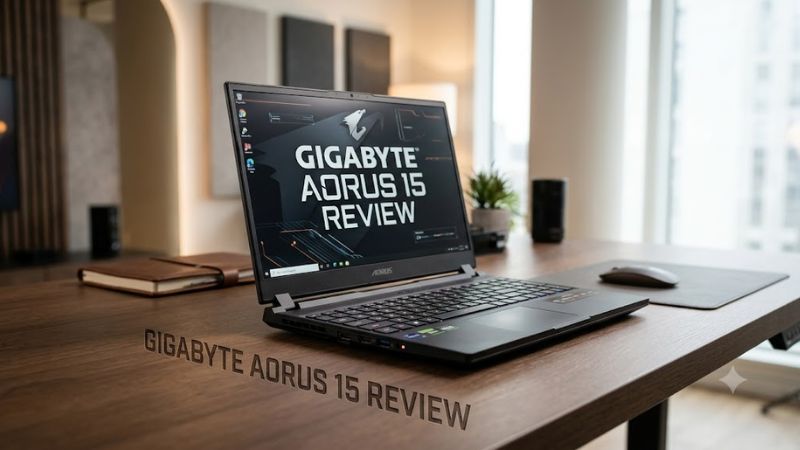
The following table summarizes the 2023 RTX 4070 configuration reviewed by WePC, alongside specifications that apply to the corresponding product family.
| Specification | AORUS 15 (2023) review configuration |
| Processor | Intel Core i7-13700H |
| Graphics | NVIDIA GeForce RTX 4070 Laptop GPU |
| GPU memory | 8GB GDDR6 |
| Maximum graphics power | Up to 140W, manufacturer-specified |
| Memory | 16GB DDR5 in the reviewed configuration |
| Storage | 1TB SSD in the reviewed configuration |
| Display | 15.6-inch QHD, 2560 × 1440, 165Hz |
| Battery | 99Wh |
| Power adapter | 240W |
| Weight | Approximately 5.27 lb |
| Operating system | Windows 11, depending on configuration |
Sources: GIGABYTE’s official specifications and WePC’s review. The reviewed configuration and manufacturer-listed options are not necessarily identical across every retail SKU.
One detail deserves particular attention: GIGABYTE’s maximum graphics power specification is not a guarantee that the GPU will continuously draw 140W in every game. Actual power consumption varies with workload, thermal conditions, firmware, and the laptop’s operating mode.
Design and build quality
The AORUS 15 has a relatively restrained appearance for a gaming laptop. Its dark finish and RGB keyboard give it a gaming identity without an especially elaborate exterior.
At approximately 5.27 pounds, it is portable enough to move between home, school, and work, but it is not an ultralight notebook. The power adapter adds more weight to a travel setup.
The 2023 chassis provides practical connectivity for a desk-based gaming setup. Depending on the configuration, the listed ports include:
- USB-A ports for a gaming mouse, keyboard, and other accessories.
- USB-C connectivity, including Thunderbolt 4 on the reviewed model family.
- HDMI 2.1 and Mini DisplayPort 1.4 for external displays.
- Gigabit Ethernet for wired networking.
- A 3.5mm audio combo jack.
Check the exact model’s port layout before purchasing, especially if you plan to connect multiple monitors. Display output capabilities can vary by port and configuration.
Is the keyboard and touchpad good?
The keyboard offers RGB backlighting, but published reviews identify input devices as an area of compromise.
WePC reported a less satisfying webcam and microphone experience, while HardwareZone’s coverage of the 2023 AORUS 15 also criticized keyboard feel and touchpad responsiveness. These are reviewer observations, not proof that every unit has the same defects.
For gaming, an external mouse will usually be preferable to the touchpad regardless. However, anyone planning to use the laptop for long writing or productivity sessions should try the keyboard and touchpad before buying when possible.
Display quality: A strong point, with one important caveat
The QHD 165Hz configuration is one of the AORUS 15’s more attractive features.
A resolution of 2560 × 1440 provides a sharper image than 1080p at the same screen size. The 165Hz refresh rate also allows compatible games to display substantially more frames per second than a standard 60Hz panel, provided the hardware can render them.
GIGABYTE lists multiple display options for the 2023 family, including QHD 165Hz and Full HD configurations with different refresh rates and color-gamut specifications. Buyers should verify the panel on the exact unit rather than assuming every AORUS 15 has the same display.
The QHD configuration makes the most sense for gamers who want a balance between image detail and responsiveness. Competitive players prioritizing very high frame rates may prefer a compatible Full HD 360Hz configuration, although that choice involves lower resolution.
Is the display suitable for content creation?
The QHD version can also suit general photo editing, video work, and other visual tasks. However, color coverage alone does not establish professional-grade color accuracy.
The specific panel, calibration, brightness, and uniformity matter. If your work depends on accurate color reproduction, check independent measurements for the exact display variant rather than relying only on a product-family specification.
Gaming performance: What can you expect?
The AORUS 15’s gaming capability depends primarily on its GPU, resolution, graphics settings, and the cooling and power profile used during gameplay.
The RTX 4070 configuration reviewed by WePC delivered strong results relative to the RTX 4060-equipped comparison systems used in its tests. Its review reported that the AORUS 15 outperformed an Acer Predator Helios 16 with an RTX 4060 in several Doom Eternal and Assassin’s Creed Valhalla test scenarios. The size of the difference varied by game, resolution, and graphics settings.
Those findings are useful directional evidence, but they should not be treated as universal FPS predictions. The published comparisons involve different laptop configurations, and the results cannot establish how the AORUS 15 will perform in every game.
1080p gaming
The RTX 4070 version has substantial graphics capability for Full HD gaming. Esports titles and less demanding games are natural candidates for high-refresh-rate play, although actual frame rates depend on the game and settings.
For demanding AAA games, higher graphics presets, ray tracing, and CPU-heavy scenes can lower performance. Reducing demanding settings or enabling supported upscaling can help balance image quality and responsiveness.
1440p gaming
QHD is a sensible target for the RTX 4070 configuration because it takes advantage of the sharper panel without pushing the system to 4K.
Performance will still vary considerably between games. Ray tracing can impose a significant additional workload, and 8GB of graphics memory may constrain some games when using high-resolution textures or demanding graphics settings.
DLSS and other supported rendering features can help in compatible games, but their availability and benefits depend on the title and implementation.
Can it run demanding modern games?
The RTX 4070 Laptop GPU is capable gaming hardware, but the laptop’s age and the game’s requirements matter when assessing a purchase in October 2026.
For a new release, check the game’s official system requirements and independent benchmarks using the same or a closely matching laptop GPU. Do not assume that a benchmark from a desktop RTX 4070 applies to the laptop version.
Benchmark limitation: The available reviewed evidence does not establish a complete, current FPS table with consistent test conditions across modern games. Rather than invent average FPS or 1% low figures, this review uses the published comparisons qualitatively.
Thermals, fan noise, and sustained performance
A gaming laptop must manage CPU and GPU heat within a compact chassis. The AORUS 15 uses active cooling, and the reviewed model was generally received positively for thermal management. WePC listed thermal performance among its strengths.
That does not mean the laptop runs silently. Fans need to move more air during demanding games, and the resulting noise can be noticeable in a quiet room.
For the best experience:
- Use the original power adapter during demanding gaming sessions.
- Keep the air intakes and exhausts unobstructed.
- Use a firm, flat surface instead of soft bedding.
- Select a suitable performance profile in GIGABYTE’s control software.
- Monitor temperatures and clock speeds if you experience unusual throttling.
Do not judge cooling performance solely from a short gaming session. Sustained performance is more informative, especially if you play for several hours or run CPU- and GPU-intensive workloads.
Battery life: Better for portability than unplugged gaming
The 99Wh battery provides substantial battery capacity on paper, but it does not make the AORUS 15 a long-running gaming machine.
Gaming places heavy demands on the processor and dedicated GPU. High refresh rates, display brightness, background applications, and power profiles can also affect runtime.
HardwareZone reported approximately four hours in its MobileMark 25 test on its 2023 unit, while gaming on battery lasted considerably less in its reported test. Those results describe that review’s particular configuration and methodology; they are not guaranteed runtimes for every AORUS 15.
For everyday tasks, battery life will depend on workload and settings. For serious gaming, plan to use the supplied power adapter.
This makes the AORUS 15 a better fit for someone who moves between locations but usually plays near an outlet than for someone who needs extended unplugged gaming.
Upgradeability and long-term usability
The 2023 AORUS 15 family offers useful upgrade options. GIGABYTE lists two DDR5 SO-DIMM memory slots and two M.2 PCIe Gen 4 SSD slots for the relevant configurations. The manufacturer specifies support for up to 64GB of memory.
These features give buyers room to expand memory and storage rather than replacing the entire laptop when their needs grow.
RAM upgrades
A configuration with 16GB of RAM can still handle many games, but 32GB is a more comfortable target for modern gaming combined with background applications, streaming, or content creation.
Before buying an upgrade, check the installed memory arrangement, supported DDR5 specifications, and the laptop’s exact model. Use compatible SO-DIMM modules and confirm whether the existing RAM needs to be replaced or can be retained.
SSD upgrades
The second M.2 slot can be useful if the laptop has a small factory SSD or a growing game library. Confirm the existing drive layout and supported capacity for your regional variant before purchasing an additional drive.
Opening the chassis may require careful handling and could affect warranty coverage if damage occurs. Consult the appropriate service documentation before attempting an upgrade.
What cannot be upgraded?
The CPU and dedicated GPU are integrated into the laptop platform and are not conventional user-replaceable desktop components. Choose a graphics configuration that meets your expected gaming needs for the next several years.
Price and value: Is the AORUS 15 worth buying in 2026?
The original review-era value proposition centered on delivering capable gaming hardware at a competitive price. However, the AORUS 15 is now an older product family, and its value depends heavily on the price and condition of the particular unit available.
A current US street price could not be reliably verified for the exact configuration as of October 22, 2026. No current price or discount is quoted here.
When comparing listings, evaluate the following:
- Exact CPU and GPU, including whether the GPU is an RTX 4050, RTX 4060, or RTX 4070 Laptop GPU.
- Display resolution, refresh rate, and color-gamut specification.
- Installed RAM and SSD capacity.
- New, refurbished, or used condition.
- Battery health, return policy, and warranty status.
- The price of a comparable newer gaming laptop.
An older RTX 4070 configuration can be attractive if it costs substantially less than a newer laptop with comparable real-world gaming performance. It is less compelling if the price approaches that of a newer model with a more capable GPU, better efficiency, or a stronger warranty.
Avoid judging value from an old launch price or an undated deal listing. The amount you actually pay today is what matters.
Pros and cons
Pros
- Capable gaming hardware: The RTX 4070 configuration provides a strong foundation for 1080p and 1440p gaming.
- High-refresh-rate display options: QHD 165Hz and other panel variants suit different gaming priorities.
- Useful upgrade options: Two memory slots and two M.2 SSD slots are available on the relevant models.
- Broad connectivity: USB, display outputs, Ethernet, and USB-C connectivity support a desk-based setup.
- Relatively understated styling: The design is suitable for mixed gaming and everyday use.
Cons
- Battery life is limited during gaming: Demanding games are best played while plugged in.
- Fan noise under load: Active cooling can become noticeable during intensive workloads.
- Input devices have reported weaknesses: Independent reviewers criticized aspects of the keyboard, touchpad, webcam, or microphone.
- Multiple configurations create buying risks: Display and hardware specifications differ between versions.
- Older hardware requires careful pricing: An attractive specification is not enough if the asking price is too close to newer alternatives.
Gigabyte AORUS 15 alternatives to consider
The best alternative depends on whether you prioritize performance, portability, or overall value.
- A newer gaming laptop with an equivalent or faster GPU: Compare independent benchmarks and total cost before choosing older AORUS stock.
- A laptop with a higher-resolution or higher-refresh-rate display: Consider this if competitive gaming or detailed visual work is your main priority.
- A productivity-focused laptop with dedicated graphics: This may be a better choice if quiet operation, portability, and battery life matter as much as gaming performance.
Compare laptop GPUs using laptop-specific benchmarks, not desktop GPU naming alone. Also consider power limits and cooling, since two laptops with the same GPU designation can deliver different results.
Frequently asked questions
Is the Gigabyte AORUS 15 good for gaming?
Yes, the RTX 4060 and RTX 4070 configurations are capable gaming laptops, with the RTX 4070 version particularly attractive for QHD gaming. Performance depends on the exact GPU, cooling profile, and game settings.
Does the Gigabyte AORUS 15 support RAM upgrades?
Yes, the relevant 2023 and 2024 models provide two DDR5 SO-DIMM slots, with GIGABYTE specifying support for up to 64GB on those configurations. Confirm the exact model before buying memory.
How long does the Gigabyte AORUS 15 battery last?
Battery life varies by workload, and gaming drains the battery much faster than light productivity tasks. HardwareZone reported about four hours in its MobileMark 25 test and substantially less during gaming on its reviewed 2023 unit.
Is the Gigabyte AORUS 15 still worth buying in 2026?
It can be worth buying at a sufficiently competitive price, particularly in an RTX 4070 configuration, but older stock should be compared against newer laptops. Verify the GPU, display, condition, warranty, and current price before deciding.
Final verdict
The Gigabyte AORUS 15 remains a potentially good gaming laptop, particularly in the 2023 configuration with an Intel Core i7-13700H, RTX 4070 Laptop GPU, and QHD 165Hz display. Its strongest advantages are gaming capability, display options, connectivity, and upgradeability.
Its weaknesses are equally important: gaming battery life is limited, fan noise is expected under heavy load, and published reviews identify shortcomings in some input devices. The older platform also makes current pricing decisive.
Buy it if you find the right configuration at a meaningful discount and primarily game while plugged in. Skip it if the price is close to a newer alternative, you need extended battery life, or you cannot verify the exact model and condition.
The most important step is to identify the complete model number and compare the actual hardware—not just the AORUS 15 name—before purchasing.