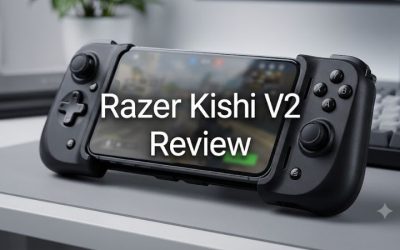
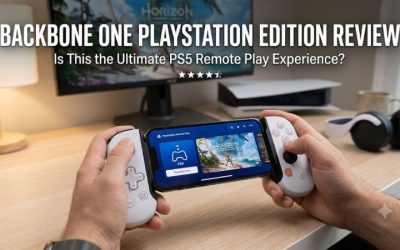
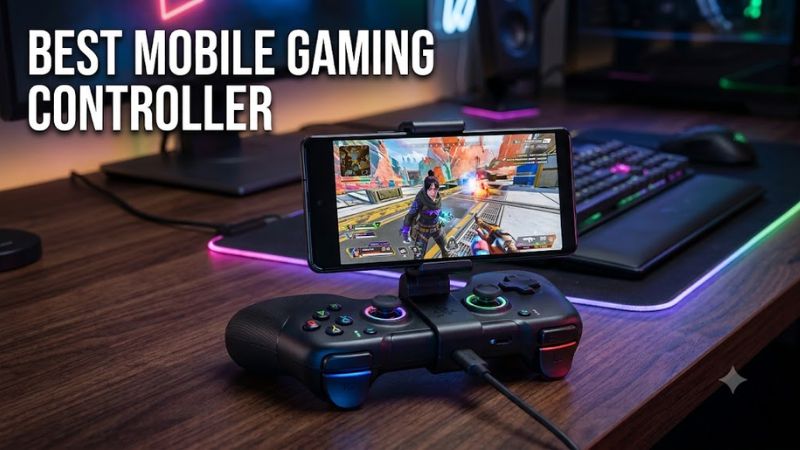
The best mobile gaming controller depends on your phone, favorite games, and preferred playing style. The Backbone One (2nd Generation) is a strong choice for portable gaming, the GameSir G8 Galileo is worth considering if you prefer larger grips, and the Razer Kishi V3 Pro targets players who want premium controls and additional customization.
Wireless alternatives such as the 8BitDo Ultimate Mobile Gaming Controller and SCUF Nomad offer more flexibility without requiring a controller to remain physically attached to your phone.
There is no single controller that works with every smartphone and mobile game. Connector type, phone dimensions, operating-system support, and native gamepad compatibility should all factor into your decision.
This guide compares five options based on published specifications and manufacturer compatibility information, with independent reviews used for additional context. These recommendations do not represent firsthand testing by Real Gaming News.
Which Mobile Gaming Controller Should You Choose?
- Best overall for portability: Backbone One (2nd Generation)
- Best for a comfortable grip: GameSir G8 Galileo
- Best premium option: Razer Kishi V3 Pro
- Best wireless alternative: 8BitDo Ultimate Mobile Gaming Controller
- Best wireless option for iPhone: SCUF Nomad
Which Mobile Gaming Controller Should You Choose?
1. Backbone One (2nd Generation) — Best Overall for Portability
The Backbone One (2nd Generation) is designed for players who want a compact controller that attaches directly to a compatible smartphone. Its telescopic design makes it suitable for travel, commuting, and gaming at home without carrying a full-size gamepad.
Key features
- USB-C and Lightning versions, depending on the phone.
- Pass-through charging.
- 3.5 mm headphone jack.
- Companion app with access to supported games and gaming services.
Advantages
- Compact design for mobile gaming.
- Direct connection without separate Bluetooth pairing.
- Convenient access to physical buttons and analog sticks.
Disadvantages
- Smaller grips may be less comfortable during long sessions.
- The correct connector version is essential.
- Phone cases and camera bumps can affect fit.
Best for: Players who prioritize portability, straightforward setup, and a dedicated mobile gaming experience.
Consider another option if: You prefer larger grips, wireless connectivity, or more extensive rear-button customization.
2. GameSir G8 Galileo — Best for Comfortable Grip
The GameSir G8 Galileo uses a larger, more substantial grip design than many compact mobile controllers. It is a suitable option for players who want a traditional gamepad feel while playing compatible games on a phone.
Key features
- Wired USB-C connection.
- Hall-effect analog sticks and triggers.
- Two programmable rear buttons.
- Pass-through charging on supported devices.
- 3.5 mm audio jack.
- Interchangeable magnetic faceplates.
Advantages
- Larger grips for a more substantial hold.
- Analog controls suited to compatible racing, action, and adventure games.
- Rear buttons provide additional control options.
Disadvantages
- Bulkier than compact alternatives.
- Phone dimensions and case thickness affect compatibility.
- Its original design is primarily aimed at Android, although certain iPhone models are also supported.
Best for: Android players who prioritize grip comfort and physical control customization.
Consider another option if: You want a lightweight travel controller or need wireless connectivity.
3. Razer Kishi V3 Pro — Best Premium Controller
The Razer Kishi V3 Pro is aimed at players who want larger controls and advanced features for mobile gaming. It connects directly through USB-C and supports compatible phones and certain small tablets.
Key features
- USB-C wired connectivity.
- Full-sized TMR thumbsticks.
- Configurable rear controls.
- Pass-through charging.
- 3.5 mm audio connection.
- Additional haptic features on supported platforms.
Advantages
- Larger control layout than many compact telescopic gamepads.
- Multiple customization options.
- Suitable for compatible native mobile games, cloud gaming, and remote-play services.
Disadvantages
- Premium positioning makes it less suitable for budget buyers.
- Its larger size is less convenient for compact travel setups.
- Some features differ between Android and iOS.
Best for: Enthusiasts who want premium controls and extensive customization.
Consider another option if: You need an inexpensive controller or prefer Bluetooth connectivity.
4. 8BitDo Ultimate Mobile Gaming Controller — Best Wireless Alternative
The 8BitDo Ultimate Mobile Gaming Controller is designed for players who prefer Bluetooth rather than a direct USB-C connection. Its separate rechargeable battery allows the controller to operate without drawing power through a wired phone connection.
Key features
- Bluetooth connectivity.
- Hall-effect joysticks and triggers.
- Two programmable rear paddles.
- Customizable controls through compatible 8BitDo software.
- Manufacturer-rated battery life of up to 13 hours.
The battery figure is a manufacturer specification, not a guarantee of runtime in every game or on every phone.
Advantages
- Wireless flexibility.
- Programmable rear controls.
- No direct cable connection required during play.
Disadvantages
- Requires separate charging and pairing.
- Phone dimensions must fall within the manufacturer’s supported range.
- Operating-system requirements may exclude older devices.
Best for: Players who want wireless gaming and configurable physical controls.
Consider another option if: You prefer a direct connection or want to avoid charging another device.
5. SCUF Nomad — Best Wireless Option for iPhone
The SCUF Nomad is a wireless mobile controller designed for Apple’s mobile ecosystem. It suits players who prefer Bluetooth connectivity over a controller that attaches directly to the phone’s charging port.
Key features
- Bluetooth wireless connectivity.
- Dedicated mobile-controller design.
- Configurable controls.
- Support for compatible iPhones and iPads.
Advantages
- Wireless operation.
- Suitable for players who prefer a separate controller.
- Designed around Apple’s mobile gaming ecosystem.
Disadvantages
- Not designed for Android phones.
- Requires separate charging.
- Compatibility with individual games and streaming services still needs to be confirmed.
Best for: iPhone players who want a wireless mobile gaming controller.
Consider another option if: You use Android or prefer a telescopic controller that attaches directly to your phone.
Mobile Gaming Controller Comparison Table
| Controller | Best For | Connection | Main Advantage | Main Limitation |
| Backbone One (2nd Gen) | Everyday mobile gaming | USB-C or Lightning | Compact design | Smaller grips |
| GameSir G8 Galileo | Comfortable grip | Wired USB-C | Larger controls | Bulkier design |
| Razer Kishi V3 Pro | Premium gaming | Wired USB-C | Advanced controls | Higher cost |
| 8BitDo Ultimate Mobile | Wireless gaming | Bluetooth | Separate wireless operation | Requires charging |
| SCUF Nomad | iPhone gaming | Bluetooth | Wireless iOS-focused design | No Android support |
These are feature-based recommendations rather than a measured performance ranking. No controlled, identical-condition latency or durability comparison is claimed.
How to Choose the Best Mobile Gaming Controller
Check phone compatibility first
Confirm the exact phone model, operating-system version, connector, and physical dimensions before purchasing.
- USB-C iPhone: Check the manufacturer’s compatibility list for your specific iPhone.
- Lightning iPhone: Choose a Lightning-compatible controller.
- Android: Confirm Android version requirements, phone dimensions, and USB-C compatibility.
- Tablets: Verify explicit tablet support rather than assuming a phone controller will fit.
Cases, camera bumps, and connector placement can prevent a controller from fitting properly.
Consider your favorite games
Different genres benefit from different controls.
- Shooters: Prioritize comfortable analog sticks and triggers.
- Racing games: Analog triggers are useful for acceleration and braking.
- Action games: Larger grips and rear buttons can improve control options.
- Platformers: A comfortable D-pad and responsive face buttons may matter more than advanced features.
- Cloud gaming: Confirm compatibility with your streaming or remote-play application.
Physical controller support is game-dependent. Touchscreen remapping is not universally supported, and competitive games may restrict certain input methods.
Choose between wired and wireless
Wired controllers connect directly to a compatible phone and avoid maintaining a separate controller battery. Wireless controllers provide greater flexibility in positioning the phone but require pairing and charging.
Neither connection type guarantees a particular input latency across every device and game.
Compare the overall cost
Consider the controller price, potential case replacement, charging accessories, and any subscription required by your chosen gaming service.
If you already own a compatible Bluetooth controller, a suitable phone mount may be sufficient for occasional gaming. A dedicated mobile controller makes more sense if you play regularly and value a handheld-style setup.
Are Mobile Gaming Controllers Worth It?
Mobile gaming controllers are worth considering if you frequently play games that benefit from physical buttons, analog sticks, and triggers.
They can be useful for compatible racing games, action titles, platformers, and streamed console games. However, a controller does not automatically improve frame rates, graphics quality, or network stability. Games designed around touchscreen controls may also remain easier to play without a gamepad.
Before buying, confirm that your main games support the controller and that your phone meets its compatibility requirements.
Frequently Asked Questions
1. What is the best mobile gaming controller overall?
The Backbone One (2nd Generation) is a strong all-around option for players who value portability and direct phone connectivity. The GameSir G8 Galileo is worth considering for a larger grip, while the Razer Kishi V3 Pro is aimed at premium users.
2. Do mobile gaming controllers work with both iPhone and Android?
Some controllers support both platforms, but compatibility varies by model. Check the connector, operating-system requirements, and manufacturer documentation before purchasing.
3. Are wired or wireless mobile controllers better?
Wired controllers provide a direct connection without a separate controller battery, while wireless models offer greater flexibility in positioning the phone. Your preferred setup and device compatibility should determine the choice.
4. Can I use a mobile gaming controller with Call of Duty: Mobile or cloud gaming?
Yes, if the specific game or streaming application supports the controller and your device meets its requirements. Check current game-specific controller support and input rules before buying.
Final Verdict
The Backbone One (2nd Generation) is a strong starting point for players who want a compact, straightforward mobile gaming controller. The GameSir G8 Galileo is better suited to those who prefer larger grips, while the Razer Kishi V3 Pro targets players seeking premium controls.
For wireless gaming, consider the 8BitDo Ultimate Mobile Gaming Controller or SCUF Nomad, depending on your phone and preferred features.
The most important rule is to check phone compatibility and gamepad support before purchasing. A controller with impressive specifications is not useful if it does not fit your phone or work with the games you play.