Key takeaways
- Front-facing ports fix the Mac mini’s awkward rear-port layout
- Integrated NVMe enclosures add cheap, fast storage
- Premium aluminum builds match the Mac mini aesthetic
- High-speed 10Gbps ports and 4K output on top models
What's inside
A dock for the Mac mini M4 solves two problems at once: it lifts the tiny computer into a tidy stand and moves ports from the awkward rear to the accessible front. The best Mac mini docks go further, integrating an NVMe SSD enclosure so you can add fast, affordable storage that Apple charges a premium for. For anyone who has bought a base-storage M4, a good dock transforms both the ergonomics and the value equation.
We tested the leading Mac mini M4 docks from UGREEN, Satechi, and specialty makers to see which best combine port expansion, SSD storage, and thoughtful design. Here’s how the standout options compare and which fits your setup.
As an Amazon Associate we earn from qualifying purchases at no extra cost to you.


🎮 Get More From Your Setup — Free
Prime Gaming gives you free PC games every month, in-game loot, and a free Twitch channel sub — plus fast free shipping on all the gear above. New members get a 30-day free trial.
Watch: Dock Mac Mini: Review & Buyer’s Guide — Video Review
Design & Build
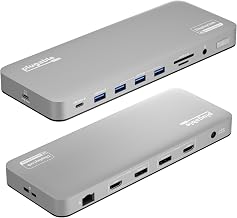
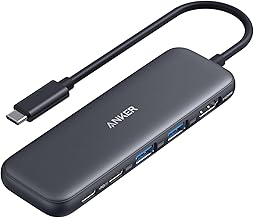
These docks are designed to match the Mac mini’s exact footprint and aesthetic. The UGREEN Mac mini M4 Dock & Stand and the Satechi Hub & Stand in silver both use premium aluminum that blends seamlessly with the Mac, adding an NVMe enclosure underneath. The Acer Gadget dock supports huge M.2 drives up to 8TB and adds 4K 144Hz HDMI. The most distinctive is the M5 Retro Dock, which adds a charming 5-inch HD display for system stats or clock functions. All prioritize front-facing access to USB-A, USB-C, and card readers, fixing the M4’s rear-port inconvenience while providing self-cooling designs to protect the SSD.
Performance
Port speed and storage support define the experience. The UGREEN docks deliver 10Gbps USB-A and USB-C data ports plus fast NVMe enclosure support, making them excellent all-rounders, with the DP hub version adding 4K 144Hz output. The Satechi matches the 10Gbps speeds with an optimized self-cooling enclosure that keeps drives running cool during sustained transfers. The Acer Gadget stands out for capacity, supporting up to 8TB drives and 4K 144Hz HDMI 2.1, ideal for creators with large media libraries. The M5 Retro balances solid 10Gbps connectivity with its novel display. Across all of them, adding an NVMe drive is far cheaper than paying Apple’s storage upgrade prices.
Pros & Cons
- Front-facing ports fix the Mac mini’s awkward rear-port layout
- Integrated NVMe enclosures add cheap, fast storage
- Premium aluminum builds match the Mac mini aesthetic
- High-speed 10Gbps ports and 4K output on top models
- SSD not usually included, adding to the total cost
- Novelty features like the retro display raise the price
- Thermals vary, so self-cooling designs matter for heavy use
Alternatives to Consider
For a clean, reliable all-rounder, the UGREEN Mac mini M4 Dock or Satechi Hub & Stand are the safe picks. Creators needing massive storage and high-refresh output should choose the Acer Gadget dock with its 8TB support and 4K 144Hz HDMI. Those who want something distinctive on their desk will enjoy the M5 Retro Dock’s built-in display. Buyers who only need a stand without storage can find simpler, cheaper options.
Frequently Asked Questions
Why do I need a dock for a Mac mini M4?
The M4’s ports are on the back, making everyday access awkward. A dock moves ports to the front and often adds an NVMe enclosure for affordable extra storage, improving both ergonomics and value.
Does the dock include an SSD?
Most docks provide the NVMe enclosure but not the drive itself, so you buy the SSD separately. This is still far cheaper than paying Apple’s premium for higher built-in storage.
Can these docks output to a 4K monitor?
Yes, several do. The Acer Gadget and UGREEN DP hub versions support 4K at 144Hz, while others offer 4K at 60Hz. Check the specific model’s HDMI or DisplayPort capabilities for your monitor.
Will adding an SSD via the dock be fast?
With a 10Gbps NVMe enclosure and a quality drive, transfer speeds are excellent for everyday use and media work. Self-cooling designs help maintain performance during long transfers.
Verdict
A Mac mini M4 dock is a smart upgrade that fixes port access and slashes storage costs. The UGREEN Mac mini M4 Dock is our overall pick for its balance of speed, storage, and design, while the Acer Gadget dock serves creators needing huge capacity. Add your own NVMe drive, and you’ll get a tidier, more capable Mac mini for far less than Apple’s storage upgrades cost.