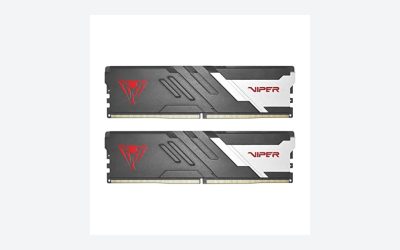
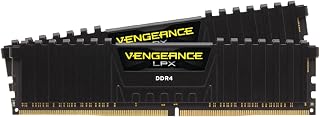
Choosing the best DDR5 RAM for gaming involves more than buying the memory kit with the highest advertised speed. Capacity, CAS latency, processor compatibility, memory profiles, and motherboard support all influence whether a kit is a sensible purchase. For most modern gaming desktops, 32GB of DDR5 in a matched 2 x 16GB configuration is a practical starting point. DDR5-6000 with CL30 timings is particularly attractive for AMD AM5 systems, while Intel users have more flexibility to consider faster memory depending on their processor and motherboard.
There is also a difference between benchmark performance and everyday gaming improvements. Faster memory can help in CPU-limited situations, but it will not automatically deliver higher frame rates in every game. This guide compares several established DDR5 product families, explains which configurations suit different gaming builds, and identifies the compatibility checks worth completing before purchasing.
Best DDR5 RAM for Gaming: Quick Comparison
The following recommendations prioritize practical configurations rather than simply ranking kits by their maximum advertised transfer rate. Exact specifications vary by product number, capacity, and revision, so buyers should verify the individual kit before ordering.
| DDR5 memory kit | Best for | Recommended configuration | Main advantage |
| G.Skill Flare X5 | AMD gaming PCs | 32GB DDR5-6000 CL30 | Low-profile design and EXPO support |
| G.Skill Trident Z5 Neo RGB | Premium AMD builds | 32GB DDR5-6000 CL30 | RGB and AMD-focused memory profiles |
| Corsair Vengeance DDR5 | All-round gaming | 32GB DDR5-6000 CL30 | Broad configuration choices |
| Kingston Fury Beast DDR5 | Compact and conventional builds | 32GB DDR5-6000 CL30 | Low-profile styling |
| TeamGroup T-Force Delta RGB | RGB gaming PCs | 32GB DDR5-6000 | Distinctive RGB lighting |
| G.Skill Trident Z5 RGB | Intel performance builds | 32GB DDR5-6400 CL32 | Higher-speed XMP configurations |
| TeamGroup T-Create Expert | Gaming and productivity | 64GB DDR5-6000 | Additional memory capacity |
These are product-family recommendations, not a claim that every version carries identical specifications or works at its advertised overclocked speed on every motherboard.
How We Selected the Best DDR5 Gaming Memory
A useful gaming memory recommendation needs to account for the complete system rather than treating RAM as an isolated component.
Capacity comes first. A 32GB kit provides a sensible balance for modern gaming, voice chat, browsers, launchers, and other background applications. A 16GB kit can still serve a budget system, but it offers less room for demanding games and multitasking. Moving to 64GB makes more sense for gaming combined with video editing, development, virtual machines, or other memory-intensive work.
Transfer rate and latency matter together. DDR5-6000 CL30 is a useful target for many AMD gaming systems. Intel systems can benefit from DDR5-6400 or faster configurations when the CPU and motherboard support them reliably. However, a higher transfer rate does not automatically mean better gaming performance.
Memory profiles affect setup. AMD EXPO and Intel XMP provide predefined memory settings that can be enabled in motherboard firmware. A kit advertised at DDR5-6000 may initially operate at a lower default JEDEC speed until its supported profile is enabled.
Physical compatibility matters too. Tall RGB memory can interfere with some large air coolers. Buyers should check module height, motherboard clearance, cooler dimensions, and the motherboard’s memory compatibility list.
1. G.Skill Flare X5: Best Overall for AMD Gaming Builds
Best overall for AMD
The G.Skill Flare X5 is a strong starting point for builders who want a straightforward memory kit without paying extra for elaborate lighting.
One particularly relevant configuration is the 32GB (2 x 16GB) DDR5-6000 CL30 version, model F5-6000J3036F16GX2-FX5. G.Skill lists its primary timings as 30-36-36-96, with a rated profile voltage of 1.35V and support for AMD EXPO and Intel XMP 3.0.
The low-profile design is another practical advantage. At approximately 33mm tall, Flare X5 is easier to accommodate beneath many large CPU air coolers than some taller RGB alternatives.
Why consider it:
- 32GB capacity in a matched dual-channel configuration.
- DDR5-6000 transfer rate with CL30 timings in the specified model.
- AMD EXPO and Intel XMP 3.0 profiles.
- Low-profile heat spreader.
- Simple appearance that suits understated gaming builds.
Main limitation: Flare X5 is not a universal guarantee of DDR5-6000 operation. The processor’s memory controller, motherboard, BIOS, and installed modules determine whether the rated profile works reliably.
Best for: AMD Ryzen AM5 gaming desktops that prioritize performance, compatibility checks, and a clean appearance over RGB lighting.
2. G.Skill Trident Z5 Neo RGB: Best Premium RGB RAM for AMD
Best premium RGB
The G.Skill Trident Z5 Neo RGB targets gamers who want attractive lighting alongside performance-oriented memory specifications.
A 32GB DDR5-6000 CL30 configuration is a sensible option to investigate for an AMD AM5 gaming PC. Buyers should distinguish between Trident Z5 Neo and regular Trident Z5 models because their memory profiles and intended platform configurations are not necessarily identical.
The Neo family is particularly relevant to AMD EXPO-based builds. This makes it easier to select a memory profile designed for supported Ryzen platforms rather than manually entering every timing value.
RGB lighting also makes this series appealing for systems with transparent side panels. However, lighting is primarily an aesthetic feature. It does not independently improve frame rates or reduce game loading times.
Advantages:
- Performance-oriented DDR5 configurations.
- AMD EXPO options.
- RGB lighting for coordinated gaming setups.
- Multiple capacities and speed configurations.
- Suitable for premium gaming desktop designs.
Main limitation: Premium RGB memory can cost more than non-RGB alternatives with similar capacity and timings. Module height should also be checked against the CPU cooler.
Best for: Gamers building an RGB-focused Ryzen desktop who want to balance appearance with a DDR5-6000 configuration.
3. Corsair Vengeance DDR5: Best All-Round Memory
Best all-rounder
The Corsair Vengeance DDR5 family is worth considering when building a gaming PC that also handles everyday productivity.
Corsair offers multiple Vengeance configurations, including different capacities, transfer rates, timings, and profile support. A 32GB DDR5-6000 CL30 matched kit is a useful target when selecting a gaming configuration, provided the exact product number supports the required motherboard and CPU.
One advantage of this product family is its variety. Buyers can find conventional heat spreader designs as well as RGB versions, making it easier to coordinate memory with other components.
For gamers who also use video editing applications, development software, or demanding multitasking workloads, 64GB configurations may be worth considering.
However, the Vengeance name alone does not identify the memory’s exact specifications. Two kits from the same family can have different timings, voltage requirements, and overclocking profiles.
Advantages:
- Multiple capacities and speed options.
- Available with and without RGB.
- Suitable for gaming and productivity desktops.
- Different configurations for AMD and Intel systems.
- Familiar product family with broad motherboard-market coverage.
Main limitation: Buyers must compare exact part numbers. Some Vengeance kits are optimized for EXPO, some for XMP, and some provide both.
Best for: Gamers who want flexible memory configurations and may use their desktop for more than gaming.
4. Kingston Fury Beast DDR5: Best Low-Profile Alternative
Best conventional design
The Kingston FURY Beast DDR5 is another practical choice for gaming systems where compatibility and physical clearance matter.
Kingston offers FURY Beast kits in multiple capacities, including 32GB and 64GB configurations. Available product specifications include transfer rates ranging from DDR5-5200 to DDR5-6800, depending on the model.
The product family also includes Intel XMP 3.0 and AMD EXPO configurations. Some kits support both, but buyers should confirm this against the specific part number rather than assuming every version has identical profiles.
Its relatively conventional heat spreader design makes it suitable for systems where large CPU coolers or a less elaborate appearance are priorities.
For a typical gaming desktop, a matched 32GB DDR5-6000 kit with CL30 timings is a reasonable configuration to look for.
Advantages:
- Multiple capacity and speed options.
- Available AMD EXPO and Intel XMP configurations.
- Conventional heat spreader design.
- Options for 32GB and 64GB systems.
- Suitable for gaming and general desktop workloads.
Main limitation: The wide product range makes exact specification checking important. A DDR5-6400 kit is not automatically a better purchase than a DDR5-6000 CL30 alternative.
Best for: Gamers who prefer a straightforward memory design and want flexibility when choosing capacity and platform-specific profiles.
5. TeamGroup T-Force Delta RGB: Best for RGB Gaming PCs
Best RGB styling
The TeamGroup T-Force Delta RGB is aimed at gaming PC builders who place considerable importance on lighting and system appearance.
Its distinctive RGB heat spreader makes it a natural fit for windowed cases and builds with coordinated motherboard, fan, and memory lighting.
The Delta RGB family includes different DDR5 speeds and capacities. For gaming, a matched 32GB DDR5-6000 configuration is a practical target, with the precise CAS latency and supported profile determined by the individual kit.
It is important to check whether the selected version supports AMD EXPO, Intel XMP, or both. This distinction becomes particularly relevant when buying memory for a system that has already been assembled.
RGB synchronization is another consideration. Buyers should check compatibility with their motherboard’s lighting software rather than assuming every lighting feature will work identically across different platforms.
Advantages:
- Distinctive RGB appearance.
- Multiple DDR5 configurations.
- Suitable for coordinated gaming builds.
- Options for different capacities and performance levels.
Main limitation: RGB adds aesthetic value rather than guaranteed gaming performance. Some configurations can also have greater physical clearance requirements than low-profile alternatives.
Best for: Gamers who want memory lighting to be a visible part of their desktop’s overall design.
6. G.Skill Trident Z5 RGB: Best for Higher-Speed Intel Builds
Best Intel performance option
The G.Skill Trident Z5 RGB is worth considering for Intel gaming desktops where the motherboard and processor can support higher memory transfer rates.
Unlike the AMD-focused Neo line, regular Trident Z5 configurations include options aimed at Intel XMP platforms. A DDR5-6400 CL32 32GB kit is one configuration buyers may encounter when comparing higher-speed memory.
Higher transfer rates can improve memory bandwidth, but they also increase the importance of CPU memory-controller capability, motherboard design, BIOS support, and module configuration.
Intel’s Core Ultra 200S desktop processors list official memory support that varies with processor and memory configuration. Intel’s published specifications should take priority over the speed printed on a memory package.
This means that an enthusiast memory kit advertised at DDR5-7200 or above may require additional tuning and is not necessarily guaranteed to operate at that speed on every system.
Advantages:
- Higher-speed DDR5 configurations.
- Intel XMP-oriented options.
- RGB lighting.
- Suitable for enthusiast desktop builds.
- Multiple capacity and timing combinations.
Main limitation: Higher memory speeds can require manual tuning and stability testing. The additional cost may not translate into noticeable improvements in GPU-limited games.
Best for: Intel desktop builders who understand memory tuning and have a motherboard capable of supporting their selected configuration.
7. TeamGroup T-Create Expert: Best 64GB DDR5 Option
Best for gaming and productivity
The TeamGroup T-Create Expert is a useful alternative for gamers who need more memory capacity than a conventional 32GB build provides.
A 64GB matched kit, typically configured as 2 x 32GB, provides additional room for demanding productivity applications, large projects, development environments, and heavy multitasking.
This capacity is not necessary for every gaming PC. Most players should consider their actual workload before paying extra for 64GB.
For example, someone who primarily plays competitive shooters and uses a browser or voice-chat application in the background may have little reason to move beyond 32GB. A gamer who simultaneously edits video, runs development tools, and streams content may benefit more from additional capacity.
The T-Create Expert family is therefore more interesting as a mixed-workload option than as a product promising substantially higher gaming FPS.
Advantages:
- 64GB capacity options.
- Matched dual-module configurations.
- Suitable for multitasking and demanding applications.
- More room for future memory-intensive workloads.
Main limitation: Additional capacity does not automatically increase gaming performance. The exact speed, timings, voltage, and XMP or EXPO support must be checked for the chosen model.
Best for: Gaming desktops that also function as productivity or content-creation workstations.
DDR5 RAM Comparison: Which Specifications Matter Most?
| Specification | Recommended starting point | Why it matters |
| Capacity | 32GB | Practical balance for gaming and multitasking |
| Module configuration | 2 x 16GB | Matched dual-channel memory |
| AMD gaming speed | DDR5-6000 | Useful AM5 performance target |
| CAS latency | CL30 | Lower latency than many looser-timing alternatives |
| Intel gaming speed | DDR5-6000 to 6400 | Depends on CPU and motherboard |
| Memory profile | EXPO or XMP | Enables supported rated memory settings |
| Voltage | Check exact kit | Rated profile may require increased voltage |
| Physical height | Check cooler clearance | Prevents installation conflicts |
DDR5-6000 CL30 vs. DDR5-6400 CL32
These two configurations are close in theoretical first-word CAS latency.
The approximate CAS latency calculation is:
Latency(ns)=CL2000MT/s
For DDR5-6000 CL30:
3020006000=10ns
For DDR5-6400 CL32:
3220006400=10ns
Both configurations therefore have an approximate CAS latency of 10 nanoseconds.
However, this does not mean they deliver identical performance. Secondary timings, memory-controller ratios, bandwidth, and platform behavior also affect real-world results.
For most AM5 gaming builds, DDR5-6000 CL30 is a sensible starting point. Intel builders should consider the motherboard’s supported memory configurations before paying extra for DDR5-6400 or faster.
How Much DDR5 RAM Do You Need for Gaming?
The right capacity depends on the games you play and what else runs while gaming.
16GB: Entry-Level Gaming
A 16GB DDR5 kit can support a budget gaming desktop, particularly when playing less demanding titles. However, modern games, browsers, launchers, and background applications can collectively consume substantial memory.
A 16GB configuration is best viewed as a budget-conscious starting point rather than the ideal long-term choice.
32GB: The Best Starting Point for Most Gamers
Recommended capacity
A 32GB kit consisting of two 16GB modules offers a practical balance between capacity and cost.
It provides room for:
- Modern AAA games.
- Competitive multiplayer games.
- Discord and other communication applications.
- Browsers and background applications.
- Moderate streaming and multitasking.
For a new gaming desktop, 32GB is the configuration worth prioritizing before spending extra on unusually high memory speeds.
64GB: Best for Heavy Multitasking
A 64GB configuration is more appropriate for users who combine gaming with demanding workloads.
Examples include:
- Video editing and rendering.
- Game development.
- Virtual machines.
- Large creative projects.
- Extensive multitasking.
It can also provide additional capacity for specialized games and heavily modified environments. However, gamers should not assume that doubling RAM from 32GB to 64GB automatically doubles performance.
AMD vs. Intel: Choosing Compatible DDR5 RAM
Platform compatibility is one of the most important considerations when purchasing memory.
AMD Ryzen AM5 Systems
AMD Ryzen 7000 and Ryzen 9000 desktop processors use the AM5 platform, which supports DDR5 memory.
For many gaming builds, DDR5-6000 CL30 with AMD EXPO is a sensible starting point.
G.Skill Flare X5 and Trident Z5 Neo are relevant product families to investigate.
Before purchasing, check:
- Your exact Ryzen processor model.
- Motherboard chipset and BIOS version.
- Supported memory configurations.
- The motherboard’s qualified vendor list (QVL).
- Whether the kit includes an AMD EXPO profile.
AMD’s official supported memory speed is not necessarily the same as the advertised overclocked speed of a memory kit. The latter depends on the complete system.
Intel Desktop Systems
Intel gaming desktops offer several DDR5 memory options, depending on the motherboard and processor generation.
For example, Intel Core Ultra 200S desktop processors officially support DDR5, with memory specifications varying by processor and configuration. Intel’s published product specifications list up to DDR5-6400 for supported models.
Corsair Vengeance and G.Skill Trident Z5 RGB are worth comparing for these systems.
Buyers should check whether the motherboard supports the selected XMP profile and whether the processor’s memory controller can handle the intended configuration.
Can You Use AMD EXPO RAM on Intel?
Sometimes, but compatibility and profile support must be checked carefully.
Some memory kits provide both AMD EXPO and Intel XMP 3.0 profiles. Others are designed around only one profile.
A DDR5 kit may still operate at a standard default speed without its preferred overclocking profile, but that does not guarantee it will reach its advertised performance.
The safest approach is to choose a kit explicitly listed as compatible with the intended platform.
How to Install and Configure DDR5 RAM Correctly
Buying suitable memory is only part of the process. Correct installation and configuration are equally important.
Step 1: Check the motherboard manual.
Identify the recommended DIMM slots for two memory modules. On many four-slot motherboards, these are A2 and B2, but the manual should determine the correct arrangement.
Step 2: Install the matched modules.
Turn off the computer, disconnect power, and install both modules in their recommended slots. Make sure each module is fully seated and its retention mechanism is secured.
Step 3: Enter the BIOS.
Restart the computer and use the motherboard’s designated BIOS entry key.
Step 4: Enable the appropriate memory profile.
Select AMD EXPO on supported AMD systems or Intel XMP on supported Intel systems. Menu names vary by motherboard manufacturer and BIOS version.
Step 5: Save and restart.
Allow the motherboard to complete memory training. The first boot after changing memory settings can take longer than usual.
Step 6: Verify the memory configuration.
Check the BIOS or a system-information utility to confirm the installed capacity and operating transfer rate.
Step 7: Test stability.
Use a reputable memory-testing utility and run your usual games and applications. Watch for unexpected restarts, crashes, or memory errors.
If the system becomes unstable, return to the BIOS and disable the memory profile or restore the previous stable settings.
Common DDR5 RAM Buying Mistakes
Even a high-quality memory kit can become a poor purchase when its specifications do not match the rest of the system.
Buying a single memory stick: A single 32GB module is not equivalent to a matched 2 x 16GB configuration. For conventional dual-channel desktop platforms, two matched modules are generally preferable.
Ignoring motherboard compatibility: A memory kit’s advertised speed does not guarantee that every motherboard can operate it at that setting.
Choosing speed over capacity: For gaming, having sufficient memory capacity is generally more useful than spending the entire budget on an exceptionally fast 16GB kit.
Mixing different memory kits: Combining separate kits can introduce differences in memory ICs, timings, and voltage requirements. Even kits with identical advertised specifications are not necessarily validated together.
Ignoring CPU cooler clearance: Tall RGB modules can interfere with certain air coolers. Check the manufacturer’s dimensions before purchasing.
Forgetting EXPO or XMP: Memory may initially operate at its default JEDEC speed instead of the advertised overclocked speed. Check the BIOS after installation.
Assuming RGB means better performance: Lighting is an aesthetic feature. Compare the actual memory specifications instead.
Frequently Asked Questions
1. What is the best DDR5 RAM speed for gaming?
DDR5-6000 CL30 is a sensible target for many AMD AM5 gaming systems. Intel systems can also use DDR5-6000 or DDR5-6400 configurations, depending on processor and motherboard compatibility.
2. Is 32GB DDR5 enough for gaming in 2026?
Yes, 32GB is a practical capacity for most gaming desktops. It provides room for modern games, communication applications, browsers, and everyday multitasking.
3. Is DDR5-6000 CL30 better than DDR5-6400 CL32?
Neither configuration is universally better. Both have approximately 10ns theoretical CAS latency, but bandwidth, secondary timings, and memory-controller behavior affect overall performance.
4. Should gamers buy 32GB or 64GB DDR5 RAM?
Most gamers should start with 32GB. A 64GB kit is more appropriate for users who combine gaming with video editing, game development, virtual machines, or other memory-intensive workloads.
Final Thoughts
The best DDR5 RAM for gaming is not necessarily the fastest or most expensive memory kit. It is the configuration that provides sufficient capacity, suitable timings, and reliable compatibility with the processor and motherboard.
For most AMD gaming desktops, G.Skill Flare X5 DDR5-6000 CL30 is an excellent starting point. G.Skill Trident Z5 Neo RGB and Corsair Vengeance are attractive alternatives for premium builds, while Kingston FURY Beast offers another practical option. Intel enthusiasts can investigate G.Skill Trident Z5 RGB, and gamers with heavier productivity workloads should consider TeamGroup T-Create Expert in a 64GB configuration.
Ultimately, prioritize a matched 32GB kit, check the exact product specifications, and verify motherboard compatibility before purchasing. Spending more on extreme memory speeds is rarely the first upgrade priority when the same budget could improve the graphics card or processor.