Key takeaways
- Desk depth matters more than width: aim for at least 24 inches for a 24-27 inch monitor and about 30 inches for 32-inch or ultrawide screens.
- A monitor arm frees roughly 8-10 inches of desk depth and makes eye-level height easy.
- Low-sensitivity FPS players need horizontal mouse room: a 90 cm wide desk mat suits most competitive sensitivities.
- Bias lighting behind the monitor reduces eye strain and looks better on camera than bright RGB in your face.
- Cable management is the cheapest upgrade with the biggest visual impact.
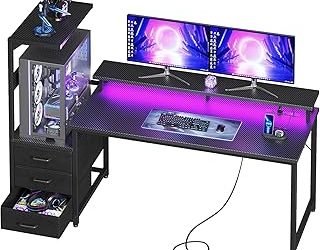
The best gaming desk setup ideas start with three things that cost little and change everything: a monitor on an arm at eye level, enough desk depth for your screen size, and indirect lighting behind the display. After that, the right layout depends on your space and budget: a compact 40-inch desk with a single arm-mounted monitor works in a bedroom corner, while an L-shaped or 60-inch-plus desk opens room for dual monitors, a streaming camera and a console. Below are 18 practical gaming desk setup ideas grouped by budget and room size, with the measurements that make them work.
Key takeaways
- Desk depth matters more than width: aim for at least 24 inches for a 24-27 inch monitor and about 30 inches for 32-inch or ultrawide screens.
- A monitor arm frees roughly 8-10 inches of desk depth and makes eye-level height easy.
- Low-sensitivity FPS players need horizontal mouse room: a 90 cm wide desk mat suits most competitive sensitivities.
- Bias lighting behind the monitor reduces eye strain and looks better on camera than bright RGB in your face.
- Cable management is the cheapest upgrade with the biggest visual impact.
Best Gaming Desk Setup Ideas Start With These Measurements
| Element | Recommended range | Why it matters |
|---|---|---|
| Desk height (seated) | About 28-30 in for most adults; elbows near 90 degrees | Prevents shoulder shrugging during long sessions |
| Desk depth | 24 in minimum (24-27 in monitors), 30 in for 32 in / ultrawide | Keeps the screen far enough to see it all without head turning |
| Desk width | 40-48 in single monitor; 55-63 in dual monitors or monitor + speakers | Room for mouse sweeps and peripherals |
| Viewing distance | Roughly 20-40 in (about arm’s length); more for larger screens | Whole screen in view, less eye movement |
| Monitor height | Top edge at or slightly below eye level | Neutral neck posture |
| Mouse space (low sens FPS) | Mat about 90 x 40 cm (35 x 16 in) | Full 180-degree turns without lifting the mouse off the mat |
| Bias light color | Neutral white around 6500K | Matches the standard display white point |
Quick mouse-space calculation
Competitive players often measure sensitivity in centimeters per 360-degree turn. If your sensitivity is 40 cm/360, a 180-degree flick needs about 20 cm in one direction, and you want margin on both sides of the resting point, so roughly 50-60 cm of clear width just for the mouse. Add a tenkeyless keyboard (about 36 cm) and you need around 90 cm of mat, which is why 90 x 40 cm desk mats are so common in competitive setups.
Small Gaming Desk Setup Ideas
- Arm-mount a single monitor on a 40-inch desk. A clamp-on arm lifts the screen off the surface, so a 24-inch-deep compact desk still fits a 27-inch monitor with keyboard and mouse room.
- Go tenkeyless or 75%. Dropping the number pad gives your mouse roughly 8-10 cm more room on a narrow desk.
- Move the PC off the desk. An under-desk CPU holder or a stand on the floor (raised off carpet for airflow) frees the most space in small rooms.
- Use the wall. Floating shelves or a pegboard above the desk hold controllers, headphones and decor without eating desk space.
- Pick wireless peripherals where it counts. A wireless mouse and headset remove the two cables that tangle most on small desks.
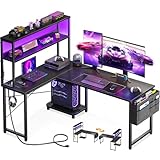
- Use a corner. A small corner or L-shaped desk turns dead space into a setup with surprisingly generous depth at the center.
Budget Gaming Setup Ideas That Look Premium
- Hide every cable. An under-desk cable tray holds the power strip and excess cable; Velcro ties and a single cable sleeve to the floor finish the job.
- Add bias lighting, not more RGB. An LED strip on the back of the monitor or a monitor light bar gives soft, even light that reduces eye strain in dark rooms.
- Use one large desk mat. A full-width mat makes mismatched gear look intentional and protects the desk surface.
- Stick to two or three colors. Black and white with one accent color looks cleaner than rainbow lighting on every device.
- Elevate the keyboard and screen line. Keep the monitor centered with the keyboard; offset setups look cluttered and cause neck twisting.
Mid-Range and Premium Gaming Desk Setup Ideas
- Dual monitors on a dual arm. Put the main gaming monitor straight ahead and the second screen angled to the side for chat, guides or streaming tools.
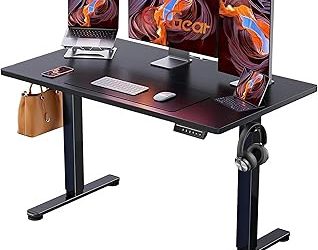
- Switch to an electric standing desk. Changing between sitting and standing during long sessions helps comfort, and memory presets make it effortless.
- Build a console-and-PC hybrid. A monitor with two HDMI inputs plus DisplayPort, or a small TV on an arm, lets one desk serve both platforms.
- Create a streaming corner. Put the webcam at eye level on top of the monitor, a boom-arm microphone out of camera frame, and a soft key light at 45 degrees to your face.
- Go ultrawide. A 34-inch ultrawide replaces two monitors with no bezel in the middle; plan for a 30-inch-deep desk.
- Add acoustic treatment. A few wall panels behind the desk reduce echo on voice chat and recordings.
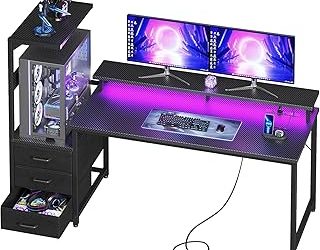
- Theme the room. Matching shelves, wall art and controlled lighting turn a desk into a full setup; keep themes on the wall rather than covering the desk itself.
Layouts by Room Type
| Room | Best desk type | Monitor plan | Watch out for |
|---|---|---|---|
| Small bedroom | 40-48 in straight desk | Single 24-27 in on an arm | Heat from the PC near the bed; keep airflow clear |
| Bedroom corner | Corner or small L-shape | Single 27 in centered in the corner | Lighting: corners get dark, add a bias light |
| Shared living room | Desk that doubles as a work desk | 27 in plus console input | Noise; use a headset and quiet fans |
| Dedicated game room | 60-72 in or L-shaped | Dual or ultrawide | Window glare; place screens perpendicular to windows |
| Home office shared with gaming | Electric standing desk | Dual arms | Cable spaghetti between two computers; label and tray cables |
Gear That Helps
- HUANUO FlowLift Single Monitor Mount – fits 13-32 inch screens · VESA mount with clamp and grommet base · height, tilt and swivel. Best for freeing desk depth on small desks.
- Quntis Computer Monitor Lamp – monitor light bar · auto-dimming · USB powered. Best for lighting the desk without screen glare.
- VIVO Extra Deep Under Desk Cable Management Tray – 16.5 in tray · holds a power strip · steel. Best for getting the power strip and cable slack off the floor.
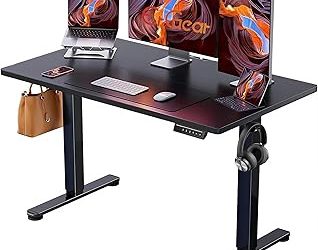
- ErGear 48 x 24 Inch Electric Standing Desk – electric height adjustment · 48 x 24 in top. Best for a compact sit-stand setup.
Three Sample Setups by Budget Tier
| Tier | Desk | Display | Upgrades that matter most |
|---|---|---|---|
| Budget | 40-48 in fixed desk, 24 in deep | 24-27 in 1080p or 1440p, high refresh | Monitor arm, desk mat, under-desk cable tray, LED bias strip |
| Mid-range | 55 in fixed or electric desk, 27-30 in deep | 27 in 1440p high refresh, optional second screen | Dual arm, monitor light bar, headphone hook, wall shelf |
| Premium | 60-72 in electric or L-shaped desk, 30 in deep | 34 in ultrawide or 27 in OLED plus side screen | Streaming corner (camera, boom mic, key light), acoustic panels, built-in power |
Notice that the upgrades that matter most at every tier are about placement, light and cables. A high-end monitor on a shallow desk with tangled cables will still feel cramped; a modest monitor on an arm, centered and well lit, feels like a finished setup.
Common Gaming Setup Mistakes to Avoid
- Monitor too close on a shallow desk. If you need to turn your head to see the minimap or chat, the screen is too close or too large for the desk depth.
- PC tower on carpet. Carpet blocks bottom intake fans and collects dust; raise the PC on a stand or a hard board.
- A window behind the monitor. Your eyes constantly adjust between bright daylight and the screen, which tires them quickly.
- Chair and desk height mismatch. Set chair height for your feet first, then the desk for your elbows; a keyboard tray or a height-adjustable desk fixes the gap.
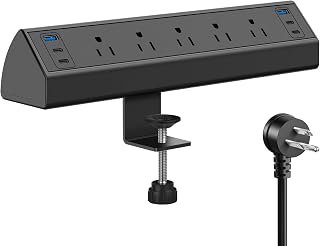
- Overloaded power strips. Use a quality surge protector, avoid daisy-chaining strips, and keep the PC and monitor on the same protected strip.
- RGB everywhere. Too many competing light sources cause glare and look busy on camera. Pick one accent zone.
Setup Order: How to Put It Together
- Place the desk away from window glare, ideally with the window to the side rather than behind the monitor.
- Mount or place the monitor first, centered, at the right height and distance, before arranging anything else.
- Route power and display cables through the tray before adding peripherals.
- Position the chair and keyboard so elbows sit near 90 degrees and wrists stay straight.
- Add lighting last, checking for reflections on the screen and how you look on camera if you stream.
Frequently Asked Questions
What is the best size desk for a gaming setup?
For a single 27-inch monitor, a desk around 47-55 inches wide and 24-30 inches deep is comfortable. Dual monitors or an ultrawide work best with 55-63 inches of width and about 30 inches of depth.
How can I make a small gaming desk setup feel bigger?
Arm-mount the monitor, move the PC off the desk, use a compact keyboard and put storage on the wall. Keeping the desk surface clear of anything you do not touch daily is the biggest single improvement.
Are L-shaped desks good for gaming?
Yes, especially for multi-monitor or PC-plus-console setups. Sit at the corner only if the desk is deep enough there; otherwise use one wing for gaming and the other for work or a second screen.
What lighting is best for a gaming desk?
Soft bias lighting behind the monitor plus a dimmable desk or light bar works best. Avoid bright light sources behind you that reflect on the screen, and keep RGB on peripherals subtle so it does not distract during play.
Is a standing desk worth it for gaming?
It is worth it if you also work or study at the same desk, or if you game for long sessions and like to change position. Choose one with a stable frame so the monitor does not wobble at standing height.
How do I hide cables on a gaming desk?
Mount a power strip in an under-desk tray, bundle cables with Velcro ties, and run a single sleeve or raceway down the desk leg to the wall outlet. Wireless peripherals remove the most visible cables.
Should my gaming setup face a wall or the room?
Facing a wall is easiest for cable management, lighting control and keeping glare off the screen. Facing the room looks good on stream but needs a clean cable path behind the desk and a background you are happy to show on camera.
Bottom Line
The best gaming desk setup ideas are less about expensive gear and more about getting the fundamentals right: correct desk depth, a monitor at eye level, room for your mouse, controlled lighting and hidden cables. Start there, then add dual monitors, a standing desk or a streaming corner as your budget grows.
Last updated: October 2026