
The best gaming laptop for Call of Duty: Warzone is one with a powerful dedicated GPU, a modern high-performance processor, at least 16GB of RAM, and a fast display. For competitive play, a laptop with an NVIDIA GeForce RTX 5070 Ti or RTX 5080, 32GB of RAM, and a 165Hz or faster screen is a strong starting point if your budget allows.
You do not necessarily need a premium laptop to enjoy Warzone. A well-configured RTX 5060 laptop can be a more sensible choice for 1080p gaming, while an RTX 5070 Ti or RTX 5080 model offers more headroom for higher resolutions and demanding graphics settings.
This guide compares gaming laptop families for different budgets and priorities, explains which specifications matter most, and highlights the limitations to check before buying. The recommendations are based on published specifications and intended use cases, not on claimed firsthand Warzone testing. Actual frame rates depend on the laptop’s GPU power limit, cooling, processor, game updates, and graphics settings.
Quick Verdict: Which Warzone Laptop Should You Choose?
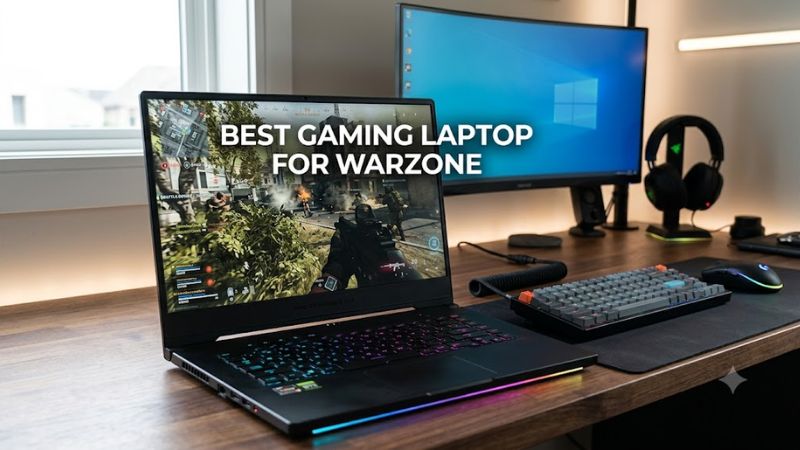
- Best overall target: Lenovo Legion Pro 7i with a high-power RTX 5070 Ti or RTX 5080 configuration.
- Best premium alternative: ASUS ROG Strix SCAR 16 with a powerful dedicated GPU and a high-refresh display.
- Best performance-focused alternative: HP OMEN MAX 16 in a suitable high-end GPU configuration.
- Best balance of cost and performance: Lenovo Legion 5 with an RTX 5060 or RTX 5070 configuration.
- Best budget-oriented option: ASUS TUF Gaming A16 with a dedicated RTX 5060 GPU, where available.
These are configuration-dependent recommendations, not a measured FPS ranking. Manufacturers sell multiple versions of several laptop families, and the GPU, memory, display, and power limits can differ substantially between them. Verify the exact configuration before purchasing.
Best Gaming Laptops for Warzone: Comparison Table
| Laptop | Best for | Configuration to look for | Main trade-off |
| Lenovo Legion Pro 7i Gen 10 | Best overall target | RTX 5070 Ti or RTX 5080, 32GB RAM | Expensive and relatively bulky |
| ASUS ROG Strix SCAR 16 (2025) | Premium competitive gaming | RTX 5070 Ti or RTX 5080, high-refresh display | High cost |
| HP OMEN MAX 16 | High-end gaming | A high-power RTX 5070 Ti or RTX 5080 configuration | Performance, noise, and weight vary by configuration |
| Lenovo Legion 5 | Balanced performance | RTX 5060 or RTX 5070, preferably 32GB RAM | Less performance headroom than flagship models |
| ASUS TUF Gaming A16 (2025) | Budget-conscious gaming | RTX 5060, 16GB or more RAM, 165Hz display where available | The GPU and screen vary across model numbers |
Important: These are recommended configuration targets, not a claim that every configuration is available in the United States today. Current prices and stock are not consistently verified across all five laptop families, so no unverified prices are included.
How We Selected These Warzone Gaming Laptops
The selection prioritizes factors that influence the actual gaming experience rather than processor branding or advertised AI performance.
- GPU capability: Warzone benefits from a capable dedicated GPU, particularly when targeting high frame rates or rendering at 1440p.
- GPU power limits: Two laptops with the same GPU name can deliver different performance because of their power budgets and cooling systems.
- Processor performance: A modern, high-performance CPU helps maintain frame rates in demanding multiplayer scenarios.
- Memory capacity: At least 16GB is a reasonable starting point; 32GB is preferable for a new gaming-focused purchase when the budget allows.
- Display responsiveness: A 144Hz or faster panel makes high frame rates more useful, provided the laptop can sustain them.
- Cooling and upgrade options: Long gaming sessions can expose thermal limitations. Accessible RAM and SSD slots also help extend a laptop’s useful life.
Activision’s Warzone PC requirements page, updated March 11, 2026, separates minimum, recommended, and competitive/Ultra 4K desktop specifications. It also warns that laptop graphics configurations can differ from desktop GPUs with similar names. Its competitive/Ultra 4K tier lists 16GB of RAM and an RTX 4080 or RTX 5070-class desktop GPU, alongside other requirements. These specifications are reference points, not a promise of equivalent performance from a laptop GPU.
1. Lenovo Legion Pro 7i Gen 10 — Best Overall Target
Best for players who want strong performance headroom for competitive settings and higher-resolution gaming.
The Lenovo Legion Pro 7i Gen 10 is the strongest overall target in this list for buyers who prioritize performance over portability. Lenovo’s published configurations include Intel Core Ultra 9 processors, RTX 5070 Ti and RTX 5080 Laptop GPUs, and 32GB of DDR5 memory.
One documented configuration includes the Core Ultra 9 275HX, RTX 5080 Laptop GPU with 16GB of GDDR7 memory, 32GB of DDR5-6400 memory, and a 1TB SSD. Lenovo also lists a 16-inch, 2560 × 1600 OLED display with a 240Hz refresh rate for its Gen 10 configurations. Exact specifications depend on the selected model.
Why it suits Warzone
- The RTX 5070 Ti and RTX 5080 configurations offer more GPU headroom than entry-level gaming laptops.
- A high-refresh display is useful when the game can deliver frame rates that approach or exceed its refresh rate.
- A 32GB memory configuration gives more capacity for the game, background applications, and voice chat.
- A fast SSD provides suitable storage for a large, frequently updated game.
Limitations
The high-performance configurations can be expensive, and a 16-inch gaming laptop is less convenient to carry than a lightweight productivity notebook. The 240Hz display also does not guarantee 240 FPS; the actual result depends on settings, the game version, and the laptop’s performance limits.
Buy it if: You want a powerful all-around gaming laptop and can afford a higher-tier configuration.
Consider an alternative if: You mainly play at 1080p with competitive settings and would rather spend less on the GPU.
2. ASUS ROG Strix SCAR 16 (2025) — Best Premium Alternative
Best for buyers seeking a high-end gaming platform with substantial GPU options.
The ASUS ROG Strix SCAR 16 (2025), model family G635, is another premium option. ASUS lists configurations with the Intel Core Ultra 9 275HX and NVIDIA GeForce RTX 5070 Ti, RTX 5080, or RTX 5090 Laptop GPUs, depending on the exact model.
The official specifications include an RTX 5080 Laptop GPU with 16GB of GDDR7 memory and a stated maximum graphics power of 175W, including Dynamic Boost, in the relevant configuration. This is a manufacturer-specified power figure, not a measured Warzone benchmark.
Why it suits Warzone
- Higher-tier GPU options provide room to increase graphics quality or resolution.
- The high-performance processor is appropriate for demanding multiplayer gaming.
- The product family offers several GPU tiers, letting buyers choose according to their budget and performance goals.
Limitations
The SCAR 16 is a premium machine, so its additional performance can be difficult to justify if you only need responsive 1080p gameplay. Its exact display, GPU, memory, and price depend on the model number. Check the specific configuration rather than assuming all SCAR 16 units have the same hardware.
Buy it if: You want a premium gaming laptop and value its available high-end GPU configurations.
Consider an alternative if: You need better value per dollar or regularly carry your laptop to school or work.
3. HP OMEN MAX 16 — Best High-End Gaming Alternative
Best for buyers comparing performance-oriented 16-inch gaming laptops.
The HP OMEN MAX 16 belongs on a high-end shortlist when configured with a powerful dedicated GPU and sufficient memory. For Warzone, prioritize an RTX 5070 Ti or RTX 5080 configuration if available within your budget, rather than selecting the machine solely because of its model name.
Its suitability comes down to the configuration and the laptop’s sustained performance. A higher GPU tier can provide more headroom, but cooling, processor limits, and graphics power still affect the result.
What to prioritize
- A dedicated GPU suited to your target resolution.
- 32GB of RAM if you want more capacity for multitasking and demanding games.
- A high-refresh display that matches your intended frame-rate target.
- Adequate SSD capacity for Warzone and other installed games.
- A return policy that allows you to check for noise, temperatures, and performance problems.
Limitations
The OMEN MAX 16 name alone is not enough to establish the GPU’s power limit, exact screen, memory configuration, or current US price. Those details need to be confirmed for the individual configuration. High-performance gaming laptops can also become loud under sustained load.
Buy it if: You find a well-specified configuration at a competitive verified price.
Consider an alternative if: The available model has a weaker GPU or costs substantially more than a similarly equipped competitor.
4. Lenovo Legion 5 — Best Balance of Performance and Cost
Best for players who want a capable Warzone laptop without paying flagship prices.
The Lenovo Legion 5 is worth considering if you want to balance gaming performance, display quality, and overall cost. Lenovo’s product listings include Legion 5 configurations with RTX 5060 and RTX 5070 Laptop GPUs, although availability varies by generation and model.
For Warzone, look for a configuration with a dedicated GPU, a modern performance-oriented CPU, at least 16GB of RAM, and a 144Hz or faster display. A 32GB configuration is preferable if the price difference is reasonable.
Why it suits Warzone
- The RTX 5060 configuration is a sensible target for 1080p gaming with adjustable graphics settings.
- An RTX 5070 configuration provides additional GPU capability for more demanding settings.
- Legion models are available in configurations with high-refresh displays and upgradeable memory, depending on the generation.
Limitations
The Legion 5 name covers several generations and hardware combinations. Display resolution, refresh rate, memory configuration, and GPU power limits can differ. Do not assume that a newer-looking product listing automatically offers better gaming performance than a discounted previous-generation model.
Buy it if: You want a practical balance of performance and cost for regular Warzone sessions.
Consider an alternative if: A similarly priced laptop offers a stronger GPU, more VRAM, or a better display in the exact configuration you’re comparing.
5. ASUS TUF Gaming A16 (2025) — Best Budget-Oriented Option
Best for budget-conscious players who want dedicated graphics and a fast screen.
The ASUS TUF Gaming A16 (2025) offers a useful starting point for buyers who want gaming-focused hardware without automatically moving to a flagship model.
ASUS lists several configurations in its official specifications. Depending on the model, the A16 can include an AMD Ryzen 7 or Ryzen 9 processor, an NVIDIA RTX 5060 or RTX 5070 Laptop GPU with 8GB of GDDR7 memory, and a 16-inch display with a refresh rate of up to 165Hz.
For a Warzone-focused purchase, the RTX 5060 configuration with a 165Hz display is worth considering. If the RTX 5070 configuration costs only modestly more, compare the complete specifications and GPU power limits before choosing.
Why it suits Warzone
- A dedicated RTX GPU is a better fit for demanding modern gaming than integrated graphics alone.
- A 165Hz display can make high-frame-rate gameplay look smoother when the system produces enough frames.
- The model family includes multiple hardware configurations, allowing buyers to prioritize price or graphics performance.
Limitations
Not every A16 configuration has the same display or GPU. ASUS lists both 144Hz and 165Hz panels and different graphics power specifications across models. The 8GB VRAM capacity is also worth considering if you plan to use demanding texture settings or target higher resolutions.
Buy it if: You want a more affordable dedicated gaming laptop for competitive settings.
Consider an alternative if: You intend to play at 1440p with demanding settings and can afford a stronger GPU configuration.
What Specifications Matter Most for Warzone?
1. GPU: Choose According to Your Resolution
The graphics card is one of the most important parts of a Warzone laptop, but its name alone does not tell the whole story.
| GPU tier | Practical buying target | Main consideration |
| RTX 5060 Laptop GPU | 1080p gaming with adjusted settings | Check GPU power limits and available VRAM |
| RTX 5070 Laptop GPU | 1080p with more performance headroom | Compare laptop implementations, not just GPU names |
| RTX 5070 Ti Laptop GPU | Higher-performance competitive gaming | Often a better fit for buyers seeking additional headroom |
| RTX 5080 Laptop GPU | Premium performance and higher-resolution gaming | Higher purchase cost and potentially greater power demands |
This is a purchasing guide, not a verified FPS ranking. These GPUs can perform differently across laptops, and no particular frame rate is guaranteed.
2. CPU: Prioritize Sustained Gaming Performance
Warzone can place significant demands on both the CPU and GPU. A modern performance-oriented processor helps support high frame rates, particularly when playing at lower resolutions with competitive graphics settings.
Do not buy a laptop solely because it has a Core Ultra 9 or Ryzen 9 label. Compare the exact processor, cooling design, and GPU configuration. A more expensive CPU will not necessarily improve your experience as much as a stronger GPU or a better-balanced system.
3. RAM: Aim for 32GB When Your Budget Allows
Sixteen gigabytes is a reasonable starting point for a gaming laptop, but 32GB offers additional capacity for background applications, voice chat, and multitasking.
Before buying, check whether the laptop uses replaceable SO-DIMM memory or soldered memory. Upgrade options vary by model. If you purchase a 16GB configuration, confirm the supported maximum capacity and whether a free memory slot is available.
4. Display: Match Refresh Rate to Your Goals
A 144Hz display is a reasonable baseline for competitive gaming. A 165Hz or 240Hz panel can be useful if your laptop can sustain higher frame rates.
Remember that refresh rate is not the same as frame rate. A 240Hz screen does not make a laptop render 240 frames per second. If the system produces substantially fewer frames, you will not receive the full benefit of that refresh rate.
Resolution also matters. A 1920 × 1200 display generally places less rendering demand on the GPU than a 2560 × 1600 display. That can make the lower-resolution screen attractive if your main goal is competitive responsiveness rather than image detail.
5. Cooling and Power Limits: Avoid Judging by Model Name Alone
Gaming laptops share their power and cooling capacity among components. Under sustained workloads, thermal and power limits can affect performance.
When comparing two laptops with the same GPU, check:
- The manufacturer’s stated maximum graphics power and whether Dynamic Boost is included.
- Independent reviews that measure sustained performance and temperatures under disclosed conditions.
- Fan noise under gaming loads.
- Whether the laptop maintains performance during extended sessions rather than only short bursts.
A laptop with a nominally stronger GPU is not automatically the better purchase if its implementation is substantially more constrained.
Best Warzone Settings for a Gaming Laptop
The best settings depend on your hardware, display resolution, and preference for image quality versus responsiveness. Start with these general guidelines, then adjust according to performance in your own matches.
- Display mode: Use fullscreen if it is supported and performs well on your system.
- Resolution: Start with the display’s native resolution, then reduce rendering demands if necessary.
- Upscaling: Try a supported NVIDIA DLSS option on compatible RTX hardware if you need more performance. Compare image clarity as well as frame rate.
- Texture quality: Adjust it according to available VRAM and whether you experience stuttering or memory-related warnings.
- Shadows and other demanding effects: Reduce them if they significantly affect performance without improving your competitive experience.
- Frame-rate limit: Set a sensible limit based on your display and the frame rates your laptop can sustain.
- Drivers: Keep Windows and your graphics drivers updated, following Activision’s current support guidance.
Avoid copying another player’s settings without considering the hardware they use. A configuration that works well on a high-power RTX 5080 laptop may not suit an RTX 5060 model.
Warzone System Requirements and Compatibility
Activision’s published PC requirements are useful for checking basic compatibility, but they are not a laptop shopping list for guaranteed high-FPS gameplay.
The requirements page updated March 11, 2026 lists the following desktop reference specifications:
| Requirement tier | GPU reference | RAM | Storage |
| Minimum | GTX 970/1060, RX 470, or Intel Arc A580 | 8GB | SSD with 116GB available at launch |
| Recommended | RTX 3060, RX 6600 XT, or Intel Arc B580 | 12GB | SSD with 116GB available at launch |
| Competitive / Ultra 4K | RTX 4080 / 5070 or RX 9070 XT | 16GB | SSD with 116GB available at launch |
These figures reflect the cited requirements page and may change with updates. The competitive/Ultra 4K tier combines different performance targets, and its desktop GPU references should not be treated as direct equivalents to laptop GPUs.
Activision also specifies Windows compatibility, DirectX 12 support, a broadband internet connection, and TPM 2.0 and Secure Boot requirements. Check the current requirements before installing the game, especially if you use an older system.
The game needs substantial storage, and mandatory updates can increase the space required. A 1TB SSD is a useful target if you expect to install several large games alongside Warzone.
Common Mistakes When Buying a Warzone Laptop
Choosing a laptop by GPU name alone. Check the exact GPU, graphics power limit, VRAM, and independent performance results.
Buying only 16GB of RAM without checking upgrades. Sixteen gigabytes can be a reasonable starting point, but upgradeability matters if you plan to keep the laptop for several years.
Paying extra for a 240Hz screen without enough GPU performance. A high refresh rate is most useful when the system can produce sufficiently high frame rates.
Assuming advertised FPS applies to every match. Performance varies with game updates, map conditions, graphics settings, and the test configuration. Require benchmark details before relying on a specific FPS claim.
Ignoring network conditions. A powerful laptop cannot eliminate server-side problems, high ping, or unstable Wi-Fi. If your gameplay feels delayed despite good frame rates, investigate network performance separately.
Ignoring the complete cost. Include any necessary RAM or SSD upgrades, a suitable gaming mouse, and a cooling-friendly desk setup in your budget.
Frequently Asked Questions
1. What is the best gaming laptop for Warzone?
The Lenovo Legion Pro 7i Gen 10 is a strong overall target when configured with an RTX 5070 Ti or RTX 5080 and 32GB of RAM. The best choice for your budget may differ, especially if a less expensive laptop meets your desired resolution and frame-rate goals.
2. Is an RTX 5060 laptop good enough for Warzone?
Yes, an RTX 5060 laptop is a reasonable option for 1080p Warzone gaming with appropriate graphics settings. Actual performance depends on GPU power limits, cooling, CPU capability, memory, and the current game version.
3. Is 16GB RAM enough for Warzone?
Sixteen gigabytes is a reasonable starting point, but 32GB is preferable if your budget allows. More memory can provide additional room for background applications and multitasking, although it does not guarantee a particular FPS increase.
4. Do I need a 240Hz gaming laptop for Warzone?
No, you do not need a 240Hz display to play Warzone competitively. A good 144Hz or 165Hz panel is a sensible starting point, while 240Hz is worth considering if your hardware can sustain higher frame rates and you value the additional responsiveness.
Final Verdict: Which Warzone Laptop Is Worth Buying?
For players who want a powerful long-term gaming setup, the Lenovo Legion Pro 7i Gen 10 with an RTX 5070 Ti or RTX 5080 and 32GB of RAM is the best overall target in this selection. The ASUS ROG Strix SCAR 16 and HP OMEN MAX 16 are compelling premium alternatives, while the Lenovo Legion 5 and ASUS TUF Gaming A16 are more practical places to start when balancing performance and cost.
Before purchasing, verify the exact model number, GPU power limit, VRAM, RAM configuration, display refresh rate, SSD capacity, and current US price. Those details matter more than a broad laptop family name.
Most importantly, choose a laptop that matches your actual target. For competitive 1080p play, a balanced midrange system can be a better use of money than an expensive flagship. If you want higher-resolution gaming and more performance headroom, investing in a stronger GPU makes more sense.









