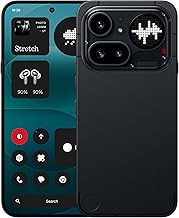
The best gaming phone under $500 should offer strong graphics performance, a responsive display, reliable cooling, and enough battery life for extended sessions without sacrificing everyday usability.
For most performance-focused buyers, the POCO X7 Pro is a compelling value option, while the OnePlus 13R is worth considering if you find a qualifying US-compatible model within budget. The REDMAGIC 11 Air is another option for players who prioritize gaming-specific features such as shoulder triggers and active cooling.
However, choosing a phone in this price range requires more than comparing processor names. US availability, cellular-band compatibility, warranty coverage, software support, and the difference between advertised and sustained gaming performance can change which phone represents the best purchase.
This guide compares the strongest candidates based on published specifications and available independent reviews. It does not present unverified FPS figures or claim that Real Gaming News personally tested these devices.
Price note: All prices are in US dollars. The $500 limit refers to the phone itself before tax. Promotional prices, import costs, and local availability can change; confirm the final price and exact configuration before purchasing.
Quick Comparison: Best Gaming Phones Under $500
| Phone | Best for | Key gaming features | Main trade-off |
| POCO X7 Pro | Gaming value | Dimensity 8400-Ultra, 120Hz AMOLED, 6,000mAh battery | US warranty and carrier compatibility require attention |
| REDMAGIC 11 Air | Dedicated mobile gaming | Snapdragon 8 Elite, 144Hz AMOLED, built-in cooling fan, shoulder triggers | Gaming-focused design and weaker camera versatility |
| OnePlus 13R | Gaming and everyday use | Snapdragon 8 Gen 3, 120Hz LTPO AMOLED, 6,000mAh battery | Regular US pricing can exceed the budget |
| POCO F7 | Performance on a tighter budget | Snapdragon 8s Gen 4, 120Hz AMOLED, 6,500mAh battery | Import and network compatibility concerns |
| Google Pixel 10a | Casual gaming and long-term everyday use | Tensor G4, 120Hz display, Google’s software support | Less compelling for buyers prioritizing maximum GPU performance |
These recommendations are based on different priorities rather than a single universal performance ranking. In particular, the POCO models are import-oriented choices for many US buyers, while the Pixel is a more conventional US-market option.
1. POCO X7 Pro — Best Overall Value for Gaming
Best for: Players who want strong gaming hardware without spending the entire budget.
The POCO X7 Pro is one of the most attractive options for performance-focused buyers who can safely purchase and use an imported phone. Its MediaTek Dimensity 8400-Ultra processor, fast memory, high-resolution AMOLED screen, and large battery make it a strong specification-based gaming choice.
POCO lists the phone with a 6.67-inch AMOLED display at 2712 × 1220 resolution and up to 120Hz, alongside LPDDR5X memory and UFS 4.0 storage. The battery is rated at 6,000mAh, with support for 90W wired charging. These specifications are published by the manufacturer, not measurements conducted by Real Gaming News.
Why it stands out
- Capable processor: The Dimensity 8400-Ultra provides a substantial hardware foundation for demanding Android games.
- Fast display: The 120Hz panel can make compatible games and interface animations appear smoother than on a 60Hz screen.
- Fast storage: UFS 4.0 storage is a useful advantage for loading games and managing large installations.
- Large battery: The 6,000mAh rated capacity provides a generous starting point for mobile gaming.
- Fast wired charging: The manufacturer supports 90W charging with a compatible charger.
What to consider
A 120Hz display does not mean every game runs at 120 frames per second. The game’s frame-rate cap, graphics settings, operating temperature, and firmware all influence the experience. Heavy workloads can also reduce performance as a phone heats up.
The bigger concern for American buyers is availability. POCO’s global specification page is not proof that a particular US retailer carries an officially supported US model. Before importing one, verify the exact regional variant, supported LTE and 5G bands, carrier acceptance, warranty terms, and return policy.
Choose it if: You prioritize hardware value, demanding Android games, and battery capacity.
Consider another phone if: You need straightforward US warranty service, guaranteed carrier compatibility, or a locally supported retail purchase.
2. REDMAGIC 11 Air — Best for Dedicated Mobile Gaming
Best for: Competitive players who want gaming-specific hardware and better control over sustained cooling.
The REDMAGIC 11 Air takes a more specialized approach than a conventional midrange smartphone. Its Snapdragon 8 Elite processor, built-in cooling fan, and pressure-sensitive gaming triggers are designed around extended gaming sessions rather than just everyday smartphone use.
REDMAGIC’s published specifications list a 6.85-inch OLED display with a resolution of 2688 × 1216 pixels and a refresh rate of up to 144Hz. The phone also includes a 24,000 RPM cooling fan and an IP54 dust-and-splash-resistance rating.
Independent coverage from TechRadar identifies gaming performance as a major strength while noting weaknesses in camera quality and the software experience.
Why it stands out
- Dedicated cooling: The internal fan actively moves air through the cooling system. This is a meaningful hardware difference from phones that rely entirely on passive heat dissipation.
- Gaming triggers: Remappable shoulder controls can make supported games easier to play without covering as much of the screen with your thumbs.
- High-refresh-rate display: The 144Hz panel supports smoother output when a game can render at a matching frame rate.
- Flagship-class processor: The Snapdragon 8 Elite is a strong foundation for demanding games and graphics-heavy workloads.
- Gaming-focused controls: REDMAGIC’s gaming interface provides dedicated options for managing supported game settings and controls.
What to consider
A cooling fan can help manage heat, but it cannot guarantee that a game will maintain its maximum frame rate. Software restrictions, game optimization, ambient temperature, and processor limits still matter.
The IP54 rating also means this phone should not be treated as waterproof. Its gaming-focused appearance and software may appeal less to buyers who want a discreet everyday phone, while camera performance is not its primary selling point.
The advertised starting price reported by TechRadar was $499. That leaves almost no room under a strict $500 budget for sales tax or additional accessories. Confirm the current US configuration and final checkout price before choosing it.
Choose it if: Gaming is your main smartphone priority and you value physical gaming controls and active cooling.
Consider another phone if: You prioritize photography, understated design, or keeping the entire purchase under $500 after tax.
3. OnePlus 13R — Best for Gaming and Everyday Use
Best for: Buyers who want a balanced Android phone that can also handle demanding games.
The OnePlus 13R is a good candidate for people who game regularly but do not necessarily want a phone designed exclusively for gaming. Its Snapdragon 8 Gen 3 processor provides substantial processing power, while its large display and battery suit extended entertainment sessions.
Android Authority’s gaming-phone coverage highlights the 13R’s performance, battery life, and general usability, while identifying limitations in its ultrawide camera and lack of wireless charging.
Why it stands out
- Powerful processor: The Snapdragon 8 Gen 3 is a capable platform for demanding Android titles.
- 120Hz AMOLED display: The high-refresh-rate panel offers a responsive viewing experience in compatible games.
- Large battery: The 6,000mAh rated capacity is suitable for users who alternate between gaming, streaming, and daily tasks.
- General-purpose design: Unlike a specialized gaming phone, the 13R emphasizes a more conventional smartphone experience.
- Gaming without extra hardware: It can appeal to players who prefer a standard phone design rather than built-in shoulder triggers and a cooling fan.
What to consider
The 13R’s price is the key limitation. Android Authority lists its original US MSRP at $599.99, so it qualifies for this roundup only when a legitimate offer brings the exact model within the budget. A price seen in an old article or a sale that has ended is not sufficient evidence of a current deal.
It also lacks wireless charging, and its ultrawide camera is less impressive than its main camera. If gaming is the only priority, a more specialized phone may offer more gaming-focused hardware for a similar purchase price.
Choose it if: You want a balanced phone for games, communication, video, and everyday photography, and can verify a price below $500.
Consider another phone if: You cannot find a qualifying offer or want built-in triggers and active cooling.
4. POCO F7 — Best Alternative for Performance and Battery Capacity
Best for: Buyers who want newer processor hardware and a large screen.
The POCO F7 is another import-oriented option worth investigating. Its Snapdragon 8s Gen 4 processor, 6.83-inch AMOLED display, and 6,500mAh rated battery give it a strong specification sheet for gaming and entertainment.
According to POCO’s official specifications, the phone supports a display refresh rate of up to 120Hz, LPDDR5X memory, UFS 4.1 storage, and 90W wired charging. Its published network specifications include multiple LTE and 5G bands, but those specifications alone do not guarantee full compatibility with every US carrier.
Why it stands out
- Modern processor platform: The Snapdragon 8s Gen 4 is designed to deliver high performance without requiring a top-tier flagship phone.
- Large display: The 6.83-inch panel provides ample space for games with detailed interfaces and on-screen controls.
- Large rated battery: Its 6,500mAh capacity is attractive for gaming away from a charger.
- Fast memory and storage: LPDDR5X and UFS 4.1 support the phone’s performance-oriented design.
- Fast charging: The phone supports 90W HyperCharge, although actual charging times depend on conditions and the compatible charging equipment.
What to consider
The F7 weighs approximately 215.7g according to POCO’s published specifications. Its size and weight may be less comfortable for extended handheld sessions, particularly for users with smaller hands.
As with other imported POCO phones, check the exact variant and seller before ordering. Confirm US network compatibility, warranty coverage, return costs, and whether the advertised charger is included. A specification advantage is less valuable if the phone cannot be reliably used with your carrier.
Choose it if: You want a large display, a generous battery, and modern gaming-oriented hardware.
Consider another phone if: You prefer a lighter device or want an officially supported US-market purchase.
5. Google Pixel 10a — Best for Everyday Use and Casual Gaming
Best for: Players who value software support, cameras, and everyday usability alongside gaming.
The Google Pixel 10a is a different kind of recommendation. Rather than focusing on gaming-specific controls or active cooling, it combines a mainstream smartphone experience with a 120Hz display and Google’s Tensor G4 processor.
Google’s published specifications list a 6.3-inch pOLED display with a 60–120Hz refresh rate, 8GB of RAM, storage options of 128GB or 256GB, and a 5,100mAh typical battery capacity. Google also lists a one-year US warranty for the device.
Why it stands out
- Compact size: The smaller display makes the Pixel easier to carry than several large gaming-focused alternatives.
- High-refresh-rate display: Its refresh rate reaches 120Hz, although the game must support higher frame rates to benefit.
- Mainstream software experience: It is designed for daily communication, photography, navigation, and apps as well as gaming.
- Camera versatility: The published dual-camera system includes a 48MP main camera and a 13MP ultrawide camera.
- Practical storage choices: Buyers can choose between 128GB and 256GB configurations, depending on their needs.
What to consider
The Pixel 10a is not the first phone I would choose if maximum gaming performance per dollar is the primary goal. Its Tensor G4 platform and mainstream design serve a broader range of uses rather than prioritizing dedicated gaming hardware.
Price is another complication. Google’s current product page lists the phone starting at $524, so it is not a qualifying under-$500 pick at that listed price. It belongs on this list only if a current, legitimate offer brings the exact configuration below $500 before tax.
Choose it if: You want a conventional everyday phone and play mostly casual or moderately demanding games.
Consider another phone if: You regularly play graphics-intensive titles and want the strongest gaming hardware possible within the budget.
How to Choose the Best Gaming Phone Under $500
The right choice depends on the games you play, how long you play them, and whether you need a phone that works reliably on a US carrier.
1. Prioritize sustained performance over peak specifications
A powerful processor is important, but peak performance does not tell the whole story. During long gaming sessions, heat can cause a phone to reduce its CPU or GPU performance.
Look for independent reviews that report sustained performance, thermal behavior, and repeated benchmark results. A single benchmark score or a manufacturer’s performance claim cannot establish how well a phone performs after an hour of gaming.
For demanding games such as Genshin Impact and Honkai: Star Rail, cooling and sustained GPU performance deserve particular attention. Competitive titles such as Call of Duty: Mobile and PUBG Mobile also depend on the game’s frame-rate options and device support.
2. Understand what a 120Hz or 144Hz display actually means
A high-refresh-rate screen can make compatible games look smoother, but it does not automatically increase game performance.
- 60Hz: Adequate for casual gaming and games capped at 60 FPS.
- 120Hz: A useful target for players who enjoy supported high-frame-rate games.
- 144Hz: Potentially useful for compatible competitive games, although not every title offers a 144 FPS mode.
Also consider screen size, touch responsiveness, brightness, and whether the phone remains comfortable to hold. A larger screen can improve visibility, but it may add weight and make some controls harder to reach.
3. Check battery capacity and charging
A larger battery can provide more operating time, but battery capacity alone does not establish gaming endurance. Screen brightness, processor workload, wireless connectivity, cooling, and game settings all affect consumption.
For gaming, compare:
- Rated battery capacity in mAh.
- Independent gaming battery tests, when available.
- Charging power supported by the phone.
- Whether the appropriate charger is included.
- Whether the phone becomes uncomfortably warm while charging and gaming.
Avoid treating manufacturer charging-time claims as guaranteed real-world results.
4. Verify US carrier compatibility before buying an import
This is one of the most important steps when considering a POCO device or another phone primarily sold in international markets.
Before paying, confirm:
- The exact model number and regional variant.
- Support for your carrier’s required LTE and 5G bands.
- Carrier approval or compatibility for the particular device.
- VoLTE and other relevant calling features.
- Warranty coverage, return terms, and repair availability in the United States.
A phone can support several US frequency bands without offering the same coverage or carrier features as an officially sold US model. Do not rely solely on a seller’s claim that a device is “unlocked.”
5. Choose enough storage for your games
Large mobile games, downloaded assets, screenshots, recordings, and updates can consume storage quickly.
For most gaming-focused buyers, 256GB is a sensible target if the price fits the budget. A 128GB phone can still work, particularly for someone who plays only a few games, but it requires more storage management.
Check whether the phone supports expandable storage rather than assuming a microSD slot is available. None of the recommendations above should be purchased on the assumption that internal storage can be upgraded later.
6. Consider software support and daily usability
A phone used for gaming is still a phone you may rely on for banking, messaging, photography, navigation, and work.
Compare the manufacturer’s software-support commitment, update delivery, warranty, camera performance, speakers, and charging options. A gaming-specific model can offer better controls or cooling, while a mainstream phone may be more convenient for everyday use.
Which Gaming Phone Is Best for Each Type of Player?
| Your priority | Best candidate | Why |
| Gaming hardware for the money | POCO X7 Pro | Strong processor, fast storage, and 120Hz display |
| Dedicated gaming controls | REDMAGIC 11 Air | Built-in cooling fan and remappable triggers |
| Gaming and everyday versatility | OnePlus 13R | Powerful processor and conventional smartphone design |
| Large display and battery | POCO F7 | 6.83-inch screen and 6,500mAh rated battery |
| Casual gaming and daily use | Google Pixel 10a | Compact design and mainstream software experience |
These are use-case recommendations, not a measured performance ranking. The POCO and OnePlus recommendations depend on obtaining a compatible model at a qualifying price, while the Pixel 10a currently exceeds the stated budget at Google’s listed starting price.
Common Mistakes When Buying a Gaming Phone
- Buying based on processor name alone: Cooling and game-specific optimization affect real performance.
- Assuming every game supports 120 FPS: Frame-rate limits differ by title, device, and software version.
- Confusing battery capacity with endurance: A larger battery does not guarantee more gaming hours.
- Ignoring the final price: Shipping, import fees, taxes, and required accessories can push a phone beyond $500.
- Skipping network checks: An imported phone may lack important carrier features even when some bands match.
- Overlooking software support: A cheap device with limited remaining updates may be a poor long-term purchase.
- Treating advertised specifications as independent test results: Manufacturer claims and measured performance are different forms of evidence.
Frequently Asked Questions
1. What is the best gaming phone under $500 in 2026?
The POCO X7 Pro is a strong value candidate for gaming-focused buyers who can verify US carrier compatibility and acceptable warranty terms. The REDMAGIC 11 Air is worth considering if you prefer dedicated gaming controls and active cooling.
2. Can a gaming phone under $500 run Genshin Impact?
Yes, suitable phones in this price range can run Genshin Impact, but performance depends on the device, game version, graphics settings, and thermal conditions. Check independent benchmarks for the exact model before expecting a particular frame rate.
3. Is a 120Hz phone better than a 60Hz phone for gaming?
A 120Hz phone can display smoother motion when a game supports higher frame rates, but it is not automatically faster in every game. Processor performance, touch responsiveness, cooling, and the game’s frame-rate cap also matter.
4. Should I buy an imported gaming phone in the US?
An imported phone can offer attractive hardware for the money, but verify the exact regional model, cellular bands, carrier support, warranty, and return policy first. If you want simpler after-sales support, consider an officially supported US-market device instead.
Final Verdict
For buyers seeking the best gaming phone under $500, the POCO X7 Pro is the strongest starting point for hardware value, provided the imported model is compatible with the buyer’s carrier and the purchase terms are acceptable.
Choose the REDMAGIC 11 Air if gaming-specific controls and active cooling are more important than camera versatility. Consider the OnePlus 13R when a legitimate offer brings it within budget, or the POCO F7 if you prefer its larger screen and battery. The Pixel 10a makes more sense for everyday usability than maximum gaming performance, and its currently listed starting price puts it outside this budget unless discounted.
Before purchasing, compare the exact model, current price, sustained-performance evidence, carrier compatibility, and warranty. Those details matter more than a high refresh-rate number or a headline benchmark score alone.