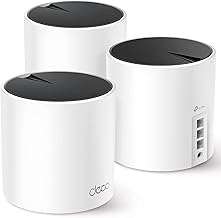
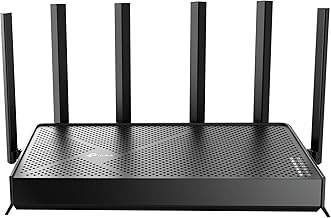
Our Top Picks
 TP-Link AC1200 Gigabit Dual Band WiFi RouterWi-Fi 5 AC12008.46 x 4.92 x 1.81 inches0.71 poundsCheck on Amazon
If your internet plan is rated at 1 Gbps, the router is the first place your speed can quietly disappear. A router with 100 Mbps Ethernet ports, an underpowered processor, or a weak Wi-Fi radio will cap you far below what you pay for. A gigabit router, in the sense this guide uses, means one with gigabit Ethernet on both the WAN (internet) port and the LAN ports, plus Wi-Fi fast enough that your phone or laptop is not the bottleneck. The decision is how much extra you need on top: Wi-Fi 6 or Wi-Fi 7, 2.5G ports for a multi-gig plan, or a wired business-style router for a rack or a home office.
This guide is for households with a fast fiber or cable plan, gamers who want low-latency wired connections, and anyone replacing an aging router that tops out at 100 Mbps wired. The eight picks range from a plain Wi-Fi 5 router to Wi-Fi 7 models with multi-gig ports, plus one wired-only VPN router. Comparisons use the specs in each title, so you can match ports, coverage, and device capacity against how your home actually looks in 2026.
Quick Picks

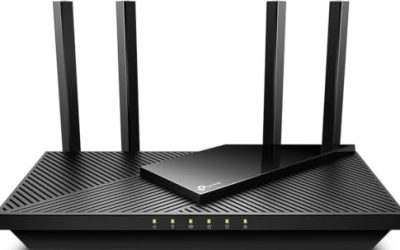
TP-Link AX1800 WiFi 6 Router (Archer AX21 V5) | Dual Band Wireless Internet, Gigabit, Easy Mesh, Works with Alexa - A Certified for Humans Device
One of the consumer electronics options compared in this guide.
View on AmazonTP-Link AC1200 Gigabit Dual Band WiFi Router (Archer A6) | MU-MIMO Wireless Internet Router, 4 x Antennas, OneMesh and AP Mode, Long Range Coverage
One of the consumer electronics options compared in this guide.
View on Amazon
TP-Link BE6500 Dual-Band WiFi 7 Router (BE400) | Dual 2.5Gbps Ports, USB 3.0, Covers up to 2,400 sq. ft., 90 Devices, Quad-Core CPU, HomeShield, Private IoT
One of the consumer electronics options compared in this guide.
View on Amazon
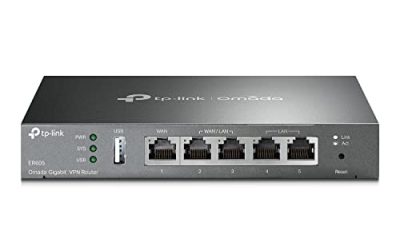
TP-Link ER605, Wired Gigabit VPN Router | Up to 3 WAN Ethernet Ports + 1 USB WAN, SPI Firewall SMB Router, Omada SDN Integrated, Load Balance, Lightning Protection
One of the consumer electronics options compared in this guide.
View on Amazon
NETGEAR Nighthawk WiFi 6 Router R6700AX, Up to 1,500 sq ft, 1.8 Gbps | Reliable Performance, Easy Set Up, 20 devices, 4× Gigabit Port, Dual Band, AX1800
One of the consumer electronics options compared in this guide.
View on Amazon
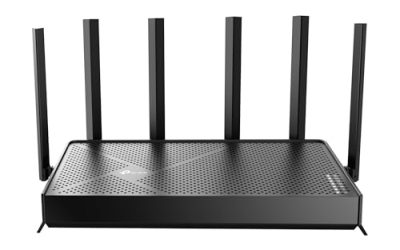
TP-Link Dual-Band BE3600 Wi-Fi 7 Router, Archer BE230 | 4-Stream | 2×2.5G + 3×1G Ports, USB 3.0, 2.0 GHz Quad Core, 4 Antennas | VPN, EasyMesh, HomeShield, MLO, Private IOT
One of the consumer electronics options compared in this guide.
View on Amazon
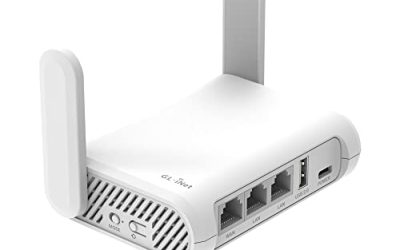
GL.iNet GL-MT6000 Flint 2 Wi-Fi 6 Gaming Router Dual 2.5G Ports | 8-stream Wi-Fi6 at 6 Gbps, dual 2.5G multi-gig ports, Up to 1148 Mbps and 4804 Mbps, pre-installed OpenWrt, OpenVPN WireGuard
One of the consumer electronics options compared in this guide.
View on Amazon
NETGEAR Nighthawk WiFi 7 Router RS140, Up to 2,250 sq ft, 5 Gbps | Reliable Performance, Easy Set Up, 80 devices, 1× 2.5G + 3× Gigabit Ports, Dual Band, BE5000
One of the consumer electronics options compared in this guide.
View on Amazon| Product | Best for | Key spec from the title |
|---|---|---|
| TP-Link Archer AX21 | Everyday Wi-Fi 6 on a gigabit plan | AX1800 Wi-Fi 6, Gigabit, EasyMesh |
| TP-Link Archer A6 | Basic gigabit on a smaller budget | AC1200, Gigabit, MU-MIMO, 4 antennas |
| TP-Link BE400 | Multi-gig upgrade path | BE6500 Wi-Fi 7, dual 2.5Gbps ports, USB 3.0 |
| TP-Link ER605 | Wired home office or small business | Gigabit VPN router, up to 3 WAN ports, SPI firewall |
| NETGEAR Nighthawk R6700AX | Simple Wi-Fi 6 setup | 1.8 Gbps, 4 gigabit ports, up to 1,500 sq ft |
| TP-Link Archer BE230 | Wi-Fi 7 with more ports | BE3600, 2×2.5G + 3x1G, 2.0 GHz quad core |
| GL.iNet Flint 2 (GL-MT6000) | Tinkerers and gamers | Wi-Fi 6, dual 2.5G ports, 6 Gbps combined |
| NETGEAR Nighthawk RS140 | Larger homes with many devices | Wi-Fi 7, 1×2.5G + 3x Gigabit, up to 2,250 sq ft |
How to Choose
Check the Ethernet ports, not just the Wi-Fi label
A gigabit router needs gigabit Ethernet on the WAN port and the LAN ports, which is a specific spec on the product page. Several routers here add 2.5G ports, which matter if your plan is faster than 1 Gbps or you have a NAS or a gaming PC that can use more than gigabit speed on the wire. If your plan is 1 Gbps or below, a single 2.5G port is a nice bonus, but four standard gigabit ports are plenty. Count the wired devices you own, such as consoles, a desktop, and a printer, and make sure there are enough LAN ports.
Match Wi-Fi generation to your devices
Wi-Fi 5 (AC) is still adequate for a gigabit wired connection and basic wireless, but it is the oldest standard on this list. Wi-Fi 6 (AX) handles many devices at once and is the practical middle. Wi-Fi 7 (BE) adds wider channels and multi-link features, but you only see the full benefit if your phone and laptop also support it. Ignore the combined speed number printed on the box, such as 6 Gbps or 5 Gbps. It is a sum of separate bands, and no single device will reach it. Judge a router by the band speeds and your own device support instead.
Consider coverage and device count honestly
Square footage claims, such as 1,500 or 2,400 sq ft, assume open layouts and few obstacles. Brick, concrete, and multiple floors cut that sharply. If you live in a larger home, favor a model that supports mesh add-ons such as EasyMesh or OneMesh, so you can expand later with a second unit. Placement matters as much as the spec sheet: put the router high and central, away from microwaves, thick walls, and metal shelving, and keep it out of a closet if you can. Device capacity claims, such as 20, 80, or 90 devices, tell you how many connections the manufacturer expects the router to manage, which matters in a house full of phones, cameras, and smart speakers.
Know where budget routers cut corners
Low-cost routers usually save on the processor, memory, and antennas. That shows up as slowdowns when many devices are active or when you turn on features like a firewall or VPN. USB ports on these models are often modest, and security updates may stop sooner than on premium products. Look for a quad-core processor, a stated number of antennas, and a track record of firmware updates. If you only need wired performance and security features, a dedicated wired router can serve you better than a cheap all-in-one. Also check whether basic security tools, like parental controls and network protection, are included or sold as a subscription, because that changes the real cost of ownership over several years.
The 8 Best Options
TP-Link Archer AX21
This AX1800 Wi-Fi 6 router suits households that want a modern wireless upgrade without paying for Wi-Fi 7. The title lists dual-band wireless, Gigabit ports, EasyMesh support, and Alexa compatibility.
- Strength: Wi-Fi 6 handles a crowded household of phones and streamers.
- Strength: EasyMesh support gives you a path to expand coverage later.
- Trade-off: The title lists gigabit ports only, so it is not a multi-gig solution.
Skip it if you have a plan faster than 1 Gbps and want wired speeds beyond gigabit.
TP-Link Archer A6
The Archer A6 is a Wi-Fi 5 AC1200 router with Gigabit ports, MU-MIMO, four antennas, OneMesh, and AP mode. It is aimed at smaller homes and basic needs.
- Strength: Four antennas and MU-MIMO support help with long-range coverage in a modest space.
- Strength: AP mode lets it serve as an access point in a larger setup.
- Trade-off: Wi-Fi 5 is the oldest standard here and offers the lowest wireless speed.
Skip it if you own many Wi-Fi 6 devices and want the newer standard.
TP-Link BE400
A BE6500 Wi-Fi 7 router with dual 2.5Gbps ports, USB 3.0, coverage up to 2,400 sq ft, 90 devices, and a quad-core CPU. It also lists HomeShield for security features.
- Strength: Dual 2.5Gbps ports cover a multi-gig plan or a fast wired device.
- Strength: A quad-core CPU and 90-device rating suit busy households.
- Trade-off: Wi-Fi 7 benefits only appear when your client devices support it.
Skip it if your plan and devices are all gigabit-class and you want to save.
TP-Link ER605
This is not a Wi-Fi router at all. The ER605 is a wired gigabit VPN router with up to 3 WAN Ethernet ports plus a USB WAN, an SPI firewall, load balancing, and Omada SDN integration.
- Strength: Multiple WAN ports let you combine or fail over between connections.
- Strength: An SPI firewall and VPN support suit a home office.
- Trade-off: It has no Wi-Fi, so you must pair it with a separate access point.
Skip it if you want one box that provides wireless coverage.
NETGEAR Nighthawk R6700AX
A Wi-Fi 6 AX1800 router with up to 1,500 sq ft of coverage, 20 devices, 4 gigabit ports, and dual-band wireless. The title emphasizes easy setup and reliable performance.
- Strength: Four gigabit LAN ports give you room for wired gear.
- Strength: Easy setup suits first-time router buyers.
- Trade-off: A 20-device rating is modest for a smart-home-heavy household.
Skip it if you have dozens of connected devices or a very large home.
TP-Link Archer BE230
A dual-band BE3600 Wi-Fi 7 router with 4 streams, 2×2.5G plus 3x1G ports, USB 3.0, a 2.0 GHz quad-core processor, 4 antennas, VPN support, EasyMesh, and HomeShield.
- Strength: Five wired ports with two at 2.5G give you flexibility for a NAS and a PC.
- Strength: Quad-core hardware and VPN support make it capable for security features.
- Trade-off: BE3600 is lower-rated than the BE6500 model above, so wireless peak speeds are smaller.
Skip it if you want the highest Wi-Fi 7 speed class in the list.
GL.iNet Flint 2 (GL-MT6000)
A Wi-Fi 6 gaming router with dual 2.5G ports and 8-stream wireless at 6 Gbps combined, with listed band speeds of 1148 Mbps and 4804 Mbps. It targets enthusiasts.
- Strength: Dual 2.5G ports and strong band speeds suit demanding setups.
- Strength: The gaming positioning suggests attention to low latency.
- Trade-off: Enthusiast-oriented firmware can take more setup effort than plug-and-play models.
Skip it if you want a simple app-guided setup with no tinkering.
NETGEAR Nighthawk RS140
A Wi-Fi 7 router rated at up to 2,250 sq ft and 5 Gbps, supporting 80 devices, with 1×2.5G and 3x Gigabit ports. It keeps the easy-setup approach of the Nighthawk line.
- Strength: An 80-device rating and 2,250 sq ft claim suit larger homes.
- Strength: One 2.5G port is useful for a single fast wired device.
- Trade-off: Only one 2.5G port, so it is not ideal for several multi-gig devices.
Skip it if you need two or more multi-gig ports.
Which One Fits Your Situation
You have a 1 Gbps plan and a moderate-size home
The TP-Link Archer AX21 or NETGEAR Nighthawk R6700AX gives you Wi-Fi 6 and gigabit ports with simple setup.
You are upgrading to a multi-gig plan
Choose the TP-Link BE400 for dual 2.5Gbps ports, or the GL.iNet Flint 2 if you are comfortable with a more involved configuration process and want room to grow. Either one leaves you with fast wired ports for a desktop, a console, or a network storage box, and both fit a household that is moving to a plan faster than gigabit.
You run a home office with a VPN and want strong network control
The TP-Link ER605 is the wired router to pick, paired with a separate Wi-Fi access point.
You have a large house with many devices
Look at the NETGEAR Nighthawk RS140 for its 80-device rating and 2,250 sq ft claim, or the TP-Link BE400 for its 90-device rating.
Common Mistakes
- Assuming a Wi-Fi router has gigabit ports without checking the WAN and LAN specs.
- Trusting the combined Gbps number on the box as the speed any one device will see.
- Buying Wi-Fi 7 when none of your devices support it yet.
- Ignoring coverage limits in multi-floor or masonry homes.
- Using a long, old Ethernet cable that is only rated for 100 Mbps and then blaming the router for slow wired speeds.
Related guides
- External Hard Drive For Xbox Series X
- How To Check Gpu Temperature While Gaming
- Record Player Bluetooth Speakers
Frequently Asked Questions
Do I need a 2.5G port for a 1 Gbps plan?
No. A 1 Gbps plan fits within a gigabit port. A 2.5G port helps with a faster plan or a fast local device like a NAS.
Is Wi-Fi 6 good enough?
For most homes, yes. Wi-Fi 6 handles many devices and fast plans well, and Wi-Fi 7 adds benefits mainly when your devices also support it.
What does mesh support mean on a router?
It lets you add compatible units to expand coverage under one network name. EasyMesh and OneMesh are mesh standards listed on some of these models.
Why would I choose a wired router like the ER605?
It suits a home office or small business that wants VPN, firewall, and load-balancing control, and it lets you pick your own Wi-Fi access point.