Our Top Picks
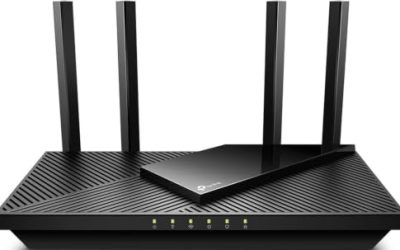
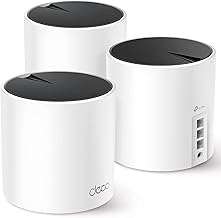
 TP-Link AC1200 Gigabit Dual Band WiFi RouterWi-Fi 5 AC12008.46 x 4.92 x 1.81 inches0.71 poundsCheck on Amazon
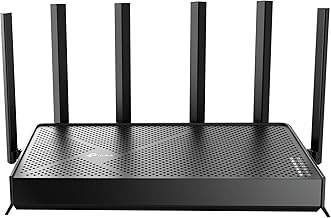
 ASUS RT-AX1800S Dual Band WiFi 6 Extendable RouterRouter9.06 x 5.28 x 2.2 inches0.82 PoundsCheck on Amazon
An apartment is a strange place to buy a router. The space is small, so you rarely need the huge coverage claims printed on the box, but the airwaves are crowded: a dozen neighboring networks overlap yours on the same channels, walls shared with other units add interference, and a thin partition can leave the bedroom with half the signal of the living room. The decision behind “best routers for apartments” is not raw range. It is how well a router handles congestion, how many devices it can serve at once, and whether it can grow into a mesh if one unit does not cover a long, narrow floor plan.
This guide is for renters and condo owners with a fast internet plan, a stack of phones, laptops, streaming sticks, and smart plugs, and not much room to hide equipment. Whether you stream in one room or game in another, the standards and ports matter more than headline speed totals. In 2026, Wi-Fi 6 is the sensible default for most apartments, Wi-Fi 7 is for people with fast plans and new devices, and plain AC models remain viable for small units on modest plans. The seven routers below span all three tiers.
Quick Picks

TP-Link AX1800 WiFi 6 Router (Archer AX21 V5) | Dual Band Wireless Internet, Gigabit, Easy Mesh, Works with Alexa - A Certified for Humans Device
One of the consumer electronics options compared in this guide.
View on Amazon
NETGEAR Nighthawk WiFi 6 Router R6700AX, Up to 1,500 sq ft, 1.8 Gbps | Reliable Performance, Easy Set Up, 20 devices, 4× Gigabit Port, Dual Band, AX1800
One of the consumer electronics options compared in this guide.
View on AmazonTP-Link AC1200 Gigabit Dual Band WiFi Router (Archer A6) | MU-MIMO Wireless Internet Router, 4 x Antennas, OneMesh and AP Mode, Long Range Coverage
One of the consumer electronics options compared in this guide.
View on AmazonASUS RT-AX1800S Dual Band WiFi 6 Extendable Router, Subscription-Free Network Security, Parental Control, Built-in VPN, AiMesh Compatible, Gaming & Streaming, Smart Home
One of the consumer electronics options compared in this guide.
View on Amazon
TP-Link Dual-Band BE3600 Wi-Fi 7 Router, Archer BE230 | 4-Stream | 2×2.5G + 3×1G Ports, USB 3.0, 2.0 GHz Quad Core, 4 Antennas | VPN, EasyMesh, HomeShield, MLO, Private IOT
One of the consumer electronics options compared in this guide.
View on Amazon
TP-Link Smart WiFi 6 Dual Band Router 4 Gigabit LAN Ports | 802.11AX Router, Beamforming, OFDMA, MU-MIMO, Parental Controls, Dual-Core 900MHz Processor, Works with Alexa (Archer AX10)
One of the consumer electronics options compared in this guide.
View on Amazon
TP-Link BE6500 Dual-Band WiFi 7 Router (BE400) | Dual 2.5Gbps Ports, USB 3.0, Covers up to 2,400 sq. ft., 90 Devices, Quad-Core CPU, HomeShield, Private IoT
One of the consumer electronics options compared in this guide.
View on Amazon| Product | Best for | Key spec from the listing |
|---|---|---|
| TP-Link Archer AX21 (AX1800) | Everyday Wi-Fi 6 on a modest plan | Wi-Fi 6, dual band, gigabit, EasyMesh |
| NETGEAR Nighthawk R6700AX | Small to mid-size apartments | Up to 1,500 sq ft, 20 devices, 4 gigabit ports |
| TP-Link Archer A6 (AC1200) | Small units and tight budgets | AC1200, MU-MIMO, OneMesh and AP mode |
| ASUS RT-AX1800S | Security and parental controls | Wi-Fi 6, built-in VPN, AiMesh compatible |
| TP-Link Archer BE230 | Fast plans and wired devices | Wi-Fi 7 BE3600, 2x 2.5G ports, USB 3.0 |
| TP-Link Smart WiFi 6 Router | Wired gear plus Wi-Fi 6 | 4 gigabit LAN ports, OFDMA, dual-core 900MHz |
| TP-Link Archer BE400 | Large or crowded households | Wi-Fi 7 BE6500, dual 2.5Gbps, up to 2,400 sq ft, 90 devices |
How to Choose
Match the standard to your plan and devices
Wi-Fi 5 (AC) routers handle small units with a modest plan and a few devices. Wi-Fi 6 (AX) adds OFDMA and better handling of many simultaneous devices, which is the key benefit in a crowded building. Wi-Fi 7 (BE) adds wider channels and multi-link operation, but you only see the benefit if your phone or laptop also supports it and your internet plan exceeds a gigabit or you move large files across the network. If your devices are mostly older, a Wi-Fi 6 router is the efficient choice and a Wi-Fi 7 router is a future-proofing purchase.
Coverage numbers are optimistic
Listed coverage such as 1,500 or 2,400 square feet assumes open space. Interior walls, concrete, and metal door frames cut it sharply. Most apartments under about 1,200 square feet are well served by one decent router placed centrally and high on a shelf, not tucked behind the TV. Use the 5 GHz band for streaming and gaming near the router, and keep 2.4 GHz for smart plugs and far rooms, since it penetrates walls better but is slower and more crowded. A free channel-scanner app on a phone shows which channels your neighbors occupy, and most modern routers can pick a clear channel automatically if left on auto. If your floor plan is long and narrow or has thick walls between the router and the far bedroom, look for mesh support, such as EasyMesh, OneMesh, or AiMesh, so you can add a satellite later without replacing the router.
Ports, speed, and wired devices
Count the wired devices you have: a work PC, a console, a TV box, a network drive. Gigabit LAN ports are the minimum, and 2.5-gigabit ports matter if your plan exceeds one gigabit or if you move data between a desktop and a fast network drive. A USB port allows basic file sharing from an external drive. Make sure the WAN port also supports your plan speed; an ISP plan above one gigabit needs a 2.5G WAN or you will cap it. Ignore combined “AX1800” or “BE3600” totals as a measure of real speed, as they add the speeds of both bands.
Security, apps, and ISP gear
Look for automatic firmware updates, a guest network, parental controls, and a manufacturer that offers security without a mandatory subscription. The ASUS listing highlights subscription-free network security, while the TP-Link BE-series lists HomeShield. Check if your landlord or ISP controls the modem, since you may need to put it in bridge mode to avoid double NAT. A built-in VPN client helps if you use a work VPN on every device. Also confirm that the router app lets you set up everything from a phone without creating a cloud account you do not want, and that you can disable features such as remote management if you never use them. Apartment networks are shared airspace, so a strong, unique Wi-Fi password and a separate guest network for visitors are basic habits worth keeping.
The 7 Best Options
TP-Link Archer AX21 (AX1800)
The Archer AX21 is a Wi-Fi 6 dual-band router with gigabit ports, EasyMesh support, and Alexa compatibility. It is a good-value choice for a small to medium apartment on a standard internet plan, with enough modern features for a handful of devices without paying for Wi-Fi 7.
- Strength: Wi-Fi 6 with OFDMA helps in crowded buildings.
- Strength: EasyMesh support lets you add coverage later.
- Trade-off: gigabit-only ports cap wired speed at one gigabit.
Skip it if your plan is faster than a gigabit and you want multi-gig ports.
NETGEAR Nighthawk R6700AX
The Nighthawk R6700AX lists Wi-Fi 6, coverage up to 1,500 square feet, 1.8 Gbps combined speed, 20 devices, four gigabit ports, and dual-band operation. The device count and square-footage figures give a clear idea of the target: one household in a mid-size unit.
- Strength: four gigabit ports handle a few wired devices.
- Strength: a clear device-count and coverage target for an apartment.
- Trade-off: 20 devices is a modest ceiling for smart-home-heavy households.
Skip it if you have dozens of smart devices.
TP-Link Archer A6 (AC1200)
This is the budget-tier Wi-Fi 5 option, with gigabit ports, dual band, MU-MIMO, four antennas, OneMesh and AP mode, and long-range coverage. It suits a small apartment on a modest plan where simplicity and cost matter more than a new standard.
- Strength: MU-MIMO and four antennas support several devices at once.
- Strength: AP mode and OneMesh offer flexibility.
- Trade-off: Wi-Fi 5 lacks OFDMA, so congestion handling is weaker than Wi-Fi 6.
Skip it if you have many devices or neighbors on every channel.
ASUS RT-AX1800S
The ASUS RT-AX1800S lists dual-band Wi-Fi 6, subscription-free network security, parental controls, a built-in VPN, AiMesh compatibility, and gaming and streaming optimization. It suits households that want strong controls without paying a monthly fee.
- Strength: subscription-free security and parental controls.
- Strength: AiMesh compatibility allows mesh expansion with other ASUS units.
- Trade-off: it is an AX1800-class router, so it does not offer 2.5-gigabit ports.
Skip it if you need multi-gig wired connections.
TP-Link Archer BE230 (BE3600)
The Archer BE230 is the entry Wi-Fi 7 option, with a dual-band BE3600 design, 4 streams, two 2.5G ports plus three 1G ports, USB 3.0, a 2.0 GHz quad-core processor, four antennas, VPN support, EasyMesh, and HomeShield. It suits an apartment with a fast plan.
- Strength: 2.5G ports support plans above a gigabit and fast wired devices.
- Strength: Wi-Fi 7 and a quad-core processor offer headroom for new devices.
- Trade-off: you need Wi-Fi 7 clients to benefit from the standard.
Skip it if your devices and plan are modest.
TP-Link Smart WiFi 6 Router (4 LAN Ports)
This listing emphasizes four gigabit LAN ports, 802.11ax, beamforming, OFDMA, MU-MIMO, parental controls, and a dual-core 900MHz processor. For an apartment with several wired devices, such as a console and a work PC, the extra LAN ports are useful.
- Strength: four gigabit LAN ports for wired devices.
- Strength: OFDMA and MU-MIMO help in busy environments.
- Trade-off: a dual-core 900MHz processor sits below the faster chips in the Wi-Fi 7 models.
Skip it if you plan to run a 2.5G network or a USB drive share.
TP-Link Archer BE400 (BE6500)
The BE400 is the top-tier pick here: Wi-Fi 7 BE6500, dual 2.5Gbps ports, USB 3.0, coverage up to 2,400 square feet, support for 90 devices, a quad-core CPU, and HomeShield. It suits larger apartments, shared households, and buyers with a fast plan and Wi-Fi 7 devices.
- Strength: dual 2.5G ports and a quad-core CPU provide headroom.
- Strength: a 90-device figure suits heavy smart-home use.
- Trade-off: it is overkill for a small unit with few devices.
Skip it if you live in a one-bedroom with modest needs.
Which One Fits Your Situation
You live in a small studio or one-bedroom
The TP-Link Archer AX21 is a sensible balance. If budget is tight and your plan is modest, the Archer A6 does the job with Wi-Fi 5.
You work from home with a PC and console plugged in
The TP-Link Smart WiFi 6 Router offers four gigabit LAN ports for wired devices, and the NETGEAR Nighthawk R6700AX gives four ports as well.
You have a fast plan and new Wi-Fi 7 devices
The TP-Link Archer BE230 is the efficient entry to Wi-Fi 7 with 2.5G ports, and the BE400 is for bigger or busier homes.
You want parental controls and security without a subscription
The ASUS RT-AX1800S lists subscription-free security, parental controls, and a built-in VPN, and AiMesh lets you expand later. That suits roommates who want to limit certain devices and keep a work laptop on a VPN without paying monthly fees.
If your apartment has thick walls or a long layout, prioritize mesh support. The Archer AX21 lists EasyMesh, the Archer A6 lists OneMesh, and the ASUS lists AiMesh, so each can grow into a two-unit setup later. If you would rather cover the space with one stronger unit, the Archer BE400 lists the largest coverage figure of the group, though real-world range will be lower than the box suggests.
Common Mistakes
- Hiding the router in a closet or behind a TV, then blaming the router for weak signal.
- Paying for Wi-Fi 7 when none of your devices support it.
- Reading combined speed totals as real per-device speed.
- Forgetting the modem is the landlord’s or ISP’s, and leaving double NAT in place.
- Leaving the default channel and network name, which keeps you on the same crowded channel as neighbors.
Related guides
- External Hard Drive For Xbox Series X
- How To Check Gpu Temperature While Gaming
- 7.1 Surround Sound Gaming Headsets
Frequently Asked Questions
Do I need a mesh system in an apartment?
Usually not. One good router placed centrally covers most units. Mesh makes sense for long floor plans or thick walls, and several routers here support adding a satellite later.
Is Wi-Fi 6 enough?
For most apartments, yes. It handles many devices well. Wi-Fi 7 helps if you have compatible devices and a very fast plan.
What is OFDMA and why does it matter?
It lets a router serve several devices in one transmission slot, reducing delays in crowded networks. It matters most in apartments with many devices and overlapping neighbor networks.
Can I use my ISP’s modem and still add a router?
Yes. Put the ISP gateway in bridge mode if possible, or connect the router to it and accept a double NAT. Bridge mode gives the cleanest setup.