The best motherboard for Ryzen 7 7800X3D does not have to be an expensive flagship model. AMD’s Ryzen 7 7800X3D uses the AM5 platform, supports DDR5 memory, and delivers excellent gaming performance with a properly configured midrange motherboard. For most gaming builds, a quality B650 or B850 board provides everything necessary without taking money away from the graphics card, memory, or storage.
The right choice depends on your budget, case size, expansion requirements, networking preferences, and future upgrade plans. Some builders need only a reliable ATX motherboard with Wi-Fi and several M.2 slots, while others may benefit from PCIe 5.0 graphics support, USB4, or a compact Micro-ATX design.
This guide compares seven motherboard options across different budgets and build types, explains their advantages and limitations, and highlights the compatibility details worth checking before purchasing.
What to Look for in a Ryzen 7 7800X3D Motherboard
Before choosing a motherboard, understand what the Ryzen 7 7800X3D requires.
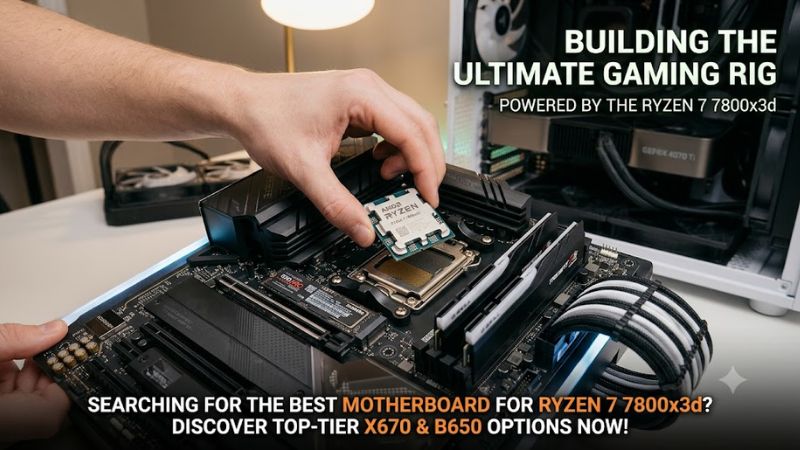
AMD specifies the processor with an AM5 socket, eight cores, 16 threads, a 120W default TDP, and DDR5 memory support. It is compatible with several AM5 chipset families, including B650, B650E, X670, X670E, B850, X870, and X870E.
For gaming, motherboard chipset selection does not automatically increase processor frame rates. A more expensive motherboard may provide additional connectivity and expansion, but it does not make the 7800X3D inherently faster.
The most important selection criteria are:
- CPU compatibility: Confirm AM5 socket support and the motherboard’s CPU-support list.
- BIOS compatibility: Check the installed BIOS version and whether BIOS Flashback is available.
- Memory: Choose DDR5 memory and check supported configurations.
- Power delivery: Look for a properly designed VRM and adequate heatsinks.
- Storage: Count the M.2 slots and check which PCIe generations they support.
- Connectivity: Consider Wi-Fi, Ethernet, USB-C, and USB4 requirements.
- Form factor: Make sure the motherboard fits your ATX, Micro-ATX, or Mini-ITX case.
A well-equipped B650 motherboard is sufficient for many single-GPU gaming systems. B850 offers a newer chipset generation, while X870 and X870E make more sense when their additional connectivity and expansion features are genuinely useful.
The 7 Best Motherboards for Ryzen 7 7800X3D
The following recommendations cover different purchasing priorities, from affordable gaming builds to premium enthusiast systems. They are based on published specifications and independent motherboard research rather than claimed firsthand testing.
1. MSI MAG B850 Tomahawk MAX WiFi – Best Overall
The MSI MAG B850 Tomahawk MAX WiFi is a strong all-around choice for a new Ryzen 7 7800X3D gaming PC. It combines modern connectivity, extensive storage support, and a feature set suitable for midrange and high-end gaming systems.
Its B850 chipset supports Ryzen 7000, 8000, and 9000 desktop processors through the AM5 socket. The motherboard includes four DDR5 memory slots, AMD EXPO support, a PCIe 5.0 x16 graphics slot, and four M.2 storage connections.
Networking is another advantage. The board provides Wi-Fi 7, Bluetooth 5.4, and 5Gb Ethernet. Its rear I/O includes multiple USB connections, while BIOS Flashback and diagnostic features can simplify firmware updates and troubleshooting.
Key advantages:
- AM5 socket with Ryzen 7000-series compatibility.
- Four DDR5 DIMM slots with AMD EXPO support.
- PCIe 5.0 graphics connectivity.
- Wi-Fi 7 and 5Gb Ethernet.
- Four M.2 storage connections.
- BIOS Flashback and diagnostic indicators.
Main limitation: It costs more than many B650 alternatives, and its newer connectivity will not improve gaming frame rates by itself.
This motherboard is best for builders who want a modern platform, fast networking, and room for multiple SSDs without moving into an expensive X870E configuration.
2. MSI MAG B650 Tomahawk WiFi – Best Value for Most Gaming Builds
The MSI MAG B650 Tomahawk WiFi remains a practical choice for gamers who want dependable AM5 features without paying for newer chipset extras.
The board supports Ryzen 7000 desktop processors, including the 7800X3D, and features four DDR5 memory slots with AMD EXPO support. Its storage configuration includes three PCIe 4.0 M.2 slots and six SATA connections, providing flexibility for a gaming library and additional files.
Networking includes Wi-Fi 6E, Bluetooth, and 2.5Gb Ethernet. MSI also provides a rear USB 20Gbps Type-C connection, multiple fan headers, and a Flash BIOS button.
Its ATX layout is suitable for conventional midtower gaming cases, although buyers should still check case compatibility.
Key advantages:
- Good balance of essential gaming features.
- Four DDR5 memory slots.
- Three PCIe 4.0 M.2 slots.
- Wi-Fi 6E and 2.5Gb Ethernet.
- Six SATA connections.
- BIOS Flashback support.
Main limitation: It does not offer the newer Wi-Fi 7, 5Gb Ethernet, or PCIe 5.0 graphics connectivity found on some B850 alternatives.
For a single-GPU gaming PC with conventional storage requirements, these limitations are unlikely to matter. The B650 Tomahawk is particularly attractive when discounted below newer midrange boards.
3. Gigabyte B650 AORUS Elite AX – Best for a Balanced ATX Build
The Gigabyte B650 AORUS Elite AX is another sensible pairing for the Ryzen 7 7800X3D. It targets gamers who want an ATX motherboard with DDR5 support, integrated wireless networking, and useful storage expansion.
The board supports Ryzen 7000, 8000, and 9000 desktop processors through AM5. Its four DDR5 DIMM slots support dual-channel memory and AMD EXPO profiles. Gigabyte advertises memory speeds up to 8000 MT/s through overclocking, although the achievable speed depends on the processor, memory kit, BIOS, and module configuration.
The motherboard also provides multiple M.2 connections, 2.5Gb Ethernet, and integrated Wi-Fi. Its expansion layout is suitable for a conventional gaming system with one primary graphics card and additional storage.
One detail buyers should not overlook is the hardware revision. Gigabyte publishes separate specification and support information for different revisions of the B650 AORUS Elite AX. Check the exact revision printed on the motherboard before selecting a BIOS file or checking supported features.
Key advantages:
- AM5 compatibility with Ryzen 7000 processors.
- Four DDR5 memory slots.
- AMD EXPO support.
- Integrated wireless networking.
- 2.5Gb Ethernet.
- Practical ATX expansion.
Main limitation: It uses the older B650 platform, and PCIe 5.0 graphics support is not its main selling point. Features and specifications should also be checked against the exact board revision.
This is a good option for builders who prioritize a balanced feature set rather than premium connectivity.
4. ASRock B850 Steel Legend WiFi – Best White Gaming Motherboard
The ASRock B850 Steel Legend WiFi is worth considering for gamers building a white-themed PC around the Ryzen 7 7800X3D.
Its white and silver styling provides a different aesthetic from predominantly black gaming motherboards. More importantly, its specifications offer a useful combination of modern connectivity and expansion.
ASRock lists support for Ryzen 7000, 8000, and 9000 processors, four DDR5 DIMM slots, and AMD EXPO memory profiles. The board includes a PCIe 5.0 x16 graphics slot and four M.2 connections, including a PCIe 5.0 storage connection.
Networking includes Wi-Fi 7, Bluetooth 5.4, and 2.5Gb Ethernet. It also provides four SATA connections for conventional storage devices.
One configuration detail deserves attention: occupying the fourth M.2 connection disables the secondary PCIe expansion slot. Builders using additional expansion cards should review the motherboard’s bandwidth-sharing documentation before installation.
Key advantages:
- White-themed ATX design.
- PCIe 5.0 graphics slot.
- Four M.2 connections.
- Wi-Fi 7 and Bluetooth 5.4.
- Four DDR5 DIMM slots.
- BIOS Flashback support.
Main limitation: The secondary PCIe slot has a storage-related limitation, and its white appearance may not justify a higher purchase price for every builder.
It is a strong candidate when appearance, modern networking, and multiple SSD connections matter alongside gaming performance.
5. ASRock B650M-HDV/M.2 – Best Budget Motherboard
The ASRock B650M-HDV/M.2 demonstrates why a simpler B650 option can make sense for budget-conscious gaming systems.
Independent testing from TechSpot identified this motherboard as a strong entry-level B650 choice after evaluating a large selection of AM5 boards. Its appeal is straightforward: it provides essential platform compatibility without charging for features that many gaming systems never use.
The Micro-ATX design is smaller than a conventional ATX motherboard, making it suitable for compatible compact cases. It supports DDR5 memory and Ryzen 7000 processors while providing M.2 storage and a primary graphics expansion slot.
However, its budget positioning means fewer expansion options than more expensive ATX boards. Buyers should pay particular attention to the memory-slot count, available fan headers, rear I/O, and wireless networking requirements.
A separate Wi-Fi adapter may be necessary if wireless networking is required.
Key advantages:
- Affordable B650 platform.
- AM5 and Ryzen 7000 compatibility.
- DDR5 memory support.
- Compact Micro-ATX format.
- Suitable for a straightforward single-GPU gaming system.
Main limitation: Its reduced expansion and connectivity options make it less suitable for complicated builds with multiple expansion cards and extensive storage.
For a gaming PC with one graphics card, one or two SSDs, and basic connectivity requirements, it is a sensible way to keep motherboard spending under control.
6. MSI MAG X870 Tomahawk WiFi – Best for Advanced Connectivity
The MSI MAG X870 Tomahawk WiFi targets users who want more connectivity than a conventional B650 gaming motherboard provides.
Its X870 chipset supports Ryzen 7000 desktop processors, including the 7800X3D. The motherboard features a PCIe 5.0 x16 graphics slot, DDR5 memory support, and several M.2 connections.
Its most important advantage is connectivity. MSI specifies Wi-Fi 7, 5Gb Ethernet, and two rear USB4 Type-C ports supporting up to 40Gbps. These features can be useful for external storage, high-speed networking, and compatible professional peripherals.
The motherboard also includes a Flash BIOS button and multiple diagnostic features. These are useful considerations for builders who regularly upgrade or troubleshoot their systems.
There is one important expansion trade-off: installing an SSD in the third M.2 slot affects the bandwidth available to the secondary PCIe expansion slot. MSI documents this limitation, so buyers using additional expansion cards should review the motherboard manual before installation.
Key advantages:
- X870 chipset and AM5 compatibility.
- USB4 Type-C connectivity.
- Wi-Fi 7 and 5Gb Ethernet.
- PCIe 5.0 graphics support.
- Multiple M.2 connections.
- BIOS Flashback.
Main limitation: It is unnecessary for gaming-only builds that do not need USB4 or faster networking.
Choose it when the additional I/O features will actually be used rather than expecting a higher gaming FPS result.
7. ASRock X870E Taichi – Best Premium Enthusiast Motherboard
The ASRock X870E Taichi is designed for enthusiasts who want extensive expansion, high-end connectivity, and a premium AM5 platform.
Its 24+2+1-phase power design uses 110A smart power stages, while four DDR5 DIMM slots support memory configurations up to 256GB according to the manufacturer’s specifications.
Storage is a major strength. The board includes one PCIe 5.0 M.2 connection, three PCIe 4.0 M.2 connections, and six SATA ports. It also provides two PCIe 5.0 x16 expansion slots, with the available lane configuration depending on the installed processor and motherboard configuration.
Networking includes Wi-Fi 7, Bluetooth 5.4, and 5Gb Ethernet. Two rear USB4 Type-C connections provide up to 40Gbps connectivity.
The premium feature set is useful for systems combining gaming with demanding storage, external-device, and expansion requirements.
However, the X870E Taichi uses an E-ATX form factor. Buyers must confirm that their PC case supports its physical dimensions and that the motherboard does not interfere with cable routing or other components.
Key advantages:
- Extensive power-delivery hardware.
- Four DDR5 DIMM slots.
- Four M.2 connections.
- Dual PCIe 5.0 x16 expansion slots.
- Dual USB4 Type-C ports.
- Wi-Fi 7 and 5Gb Ethernet.
Main limitation: Its premium positioning and E-ATX dimensions make it excessive for a conventional gaming-only PC.
The Taichi is best for enthusiasts who need its expansion and connectivity options, not gamers simply looking for the highest possible 7800X3D frame rates.
Quick Comparison: Which Motherboard Should You Buy?
| Motherboard | Chipset | Form Factor | Best For |
| MSI B850 Tomahawk MAX WiFi | B850 | ATX | Overall gaming build |
| MSI B650 Tomahawk WiFi | B650 | ATX | Value |
| Gigabyte B650 AORUS Elite AX | B650 | ATX | Balanced build |
| ASRock B850 Steel Legend WiFi | B850 | ATX | White gaming PC |
| ASRock B650M-HDV/M.2 | B650 | Micro-ATX | Budget |
| MSI X870 Tomahawk WiFi | X870 | ATX | Advanced connectivity |
| ASRock X870E Taichi | X870E | E-ATX | Premium enthusiast build |
The MSI B850 Tomahawk MAX WiFi is the most balanced recommendation for a new build, while the MSI B650 Tomahawk WiFi offers a compelling alternative when its price is considerably lower.
The budget ASRock B650M-HDV/M.2 is appropriate for simpler configurations. At the opposite end, the X870 and X870E models are intended for people who need their additional connectivity rather than additional gaming performance.
How to Choose the Right Motherboard for the Ryzen 7 7800X3D
The seven recommendations cover different budgets, but a few technical considerations deserve attention before purchasing.
B650 vs. B850 vs. X870: Which Chipset Makes Sense?
| Chipset | Main Advantage | Recommended Buyer |
| B650 | Affordable AM5 functionality | Budget and mainstream gamers |
| B650E | More extensive PCIe 5.0 support | Gamers wanting additional expansion flexibility |
| B850 | Newer connectivity and PCIe 5.0 graphics support | New gaming PC builds |
| X870 | USB4 and expanded connectivity | Enthusiasts and advanced users |
| X870E | Extensive expansion and premium features | High-end workstation and gaming builds |
The Ryzen 7 7800X3D is compatible with additional AM5 chipsets, including A620, B840, X670, and X670E. However, the five categories above cover the most relevant choices for this roundup.
A B650 motherboard remains a perfectly reasonable purchase in 2026. Paying more for X870E does not automatically improve gaming performance.
Memory Compatibility and AMD EXPO
The Ryzen 7 7800X3D uses DDR5 memory. You cannot install DDR4 modules on an AM5 motherboard.
For most gaming builds, a 32GB DDR5 kit consisting of two 16GB modules is a practical starting point. DDR5-6000 is a commonly recommended configuration for Ryzen 7000 systems, although actual stability depends on the CPU’s memory controller, motherboard BIOS, and memory kit.
AMD EXPO simplifies memory configuration by allowing supported memory profiles to be selected in the BIOS.
Before buying RAM:
- Check the motherboard’s memory QVL.
- Prefer a matched two-module kit.
- Confirm the supported capacity and module configuration.
- Update the BIOS when necessary.
- Test memory stability after enabling EXPO.
Do not assume that a motherboard’s advertised maximum memory speed is guaranteed with every processor and memory configuration.
BIOS Compatibility and Installation
Although the listed boards support the Ryzen 7 7800X3D at the platform level, the installed BIOS version still matters.
A motherboard manufactured before a particular processor-support update may need a BIOS update before the system can boot successfully.
Look for BIOS Flashback or an equivalent firmware-update feature. Follow the manufacturer’s instructions carefully, use the correct motherboard model and revision, and avoid interrupting the update.
BIOS updates can also reset memory profiles, fan curves, and other custom settings. Check these configurations after the update finishes.
Cooling, Case Size, and Expansion
Motherboard selection is only one part of a successful gaming PC build.
The Ryzen 7 7800X3D has a specified 120W TDP and a maximum operating temperature of 89°C. Choose an appropriate CPU cooler and ensure the case has sufficient airflow.
Check these details before ordering:
- ATX, Micro-ATX, or E-ATX case compatibility.
- CPU cooler clearance and memory height.
- Graphics card length and thickness.
- Available fan and pump headers.
- M.2 heatsink clearance.
- SATA and PCIe lane-sharing limitations.
For the ASRock X870E Taichi, E-ATX case compatibility is particularly important. For the MSI X870 Tomahawk and ASRock B850 Steel Legend, review the documented M.2 and secondary expansion-slot restrictions.
Frequently Asked Questions
1. What is the best motherboard for Ryzen 7 7800X3D?
The MSI MAG B850 Tomahawk MAX WiFi is a strong overall choice because it combines modern connectivity, PCIe 5.0 graphics support, and multiple storage connections. The MSI B650 Tomahawk WiFi is a better-value alternative when discounted.
2. Is B650 enough for Ryzen 7 7800X3D?
Yes, a good B650 motherboard is sufficient for most Ryzen 7 7800X3D gaming builds. It provides AM5 compatibility, DDR5 support, and the necessary expansion for a conventional single-GPU system.
3. Does the Ryzen 7 7800X3D support DDR4 RAM?
No, the Ryzen 7 7800X3D requires DDR5 memory. It uses the AM5 socket, which does not support DDR4 motherboard configurations.
4. Is an X870E motherboard worth buying for the 7800X3D?
An X870E motherboard is worthwhile when you need its additional connectivity, storage expansion, or enthusiast features. For gaming alone, a more affordable B650 or B850 motherboard generally makes better financial sense.
Final Thoughts
Choosing the best motherboard for Ryzen 7 7800X3D is primarily about finding the right balance between price, compatibility, connectivity, and expansion.
The MSI MAG B850 Tomahawk MAX WiFi is the strongest all-around recommendation for a new AM5 gaming build. The MSI MAG B650 Tomahawk WiFi is a sensible alternative for buyers who want to save money without sacrificing essential functionality.
For budget builds, the ASRock B650M-HDV/M.2 provides a more affordable starting point. Meanwhile, the MSI X870 Tomahawk WiFi and ASRock X870E Taichi make more sense for users who need advanced connectivity and additional expansion.
Ultimately, the 7800X3D does not require a flagship motherboard to deliver its gaming potential. Choose a compatible board with the features your system actually needs, and put the remaining budget toward a stronger GPU, sufficient DDR5 memory, and quality cooling.