
The ASUS ROG Zephyrus G14 (2025) is a strong all-around choice for shoppers looking for the best thin and light gaming laptop. It combines a compact 14-inch design, dedicated NVIDIA graphics options, and an OLED display. The Razer Blade 14 (2025) is a premium alternative, while the ASUS ROG Zephyrus G16 (2026) suits buyers who prefer a larger screen and more powerful graphics configurations.
Thin gaming laptops balance portability against cooling, noise, and sustained performance. A slim chassis is easier to carry, but it can limit how much power a laptop sustains during demanding games. Two laptops with the same GPU name may therefore deliver different results.
This guide compares four portable gaming-capable computers, explains their strengths and weaknesses, and identifies the specifications worth checking before buying. Recommendations are based on published specifications and reviews, not firsthand testing by Real Gaming News.
Quick Verdict
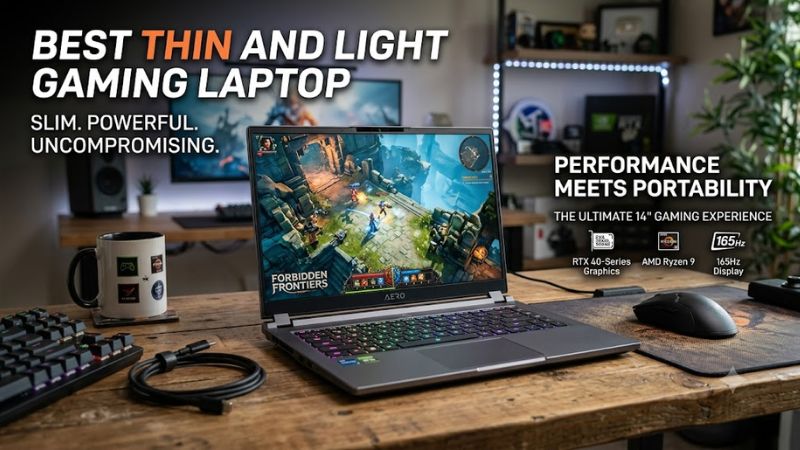
- Best overall: ASUS ROG Zephyrus G14 (2025).
- Best premium 14-inch laptop: Razer Blade 14 (2025).
- Best larger-screen option: ASUS ROG Zephyrus G16 (2026).
- Best convertible design: ASUS ROG Flow Z13 (2025).
The best option depends on your budget, preferred screen size, and gaming requirements. Exact specifications vary by configuration and region, so verify the full model number and hardware before purchasing.
Quick Comparison Table
| Laptop | Best For | Key Hardware | Main Trade-Off |
| ASUS ROG Zephyrus G14 (2025) | Portable everyday gaming | Up to RTX 5080 Laptop GPU, depending on configuration | Soldered memory |
| Razer Blade 14 (2025) | Premium compact gaming | Up to RTX 5070 Laptop GPU | High price and limited upgrades |
| ASUS ROG Zephyrus G16 (2026) | Gaming on a larger screen | Multiple GPU options, depending on configuration | Higher weight and potential cost |
| ASUS ROG Flow Z13 (2025) | Tablet-style portability | Integrated Radeon 8060S graphics in the Ryzen AI Max+ 395 configuration | Not a conventional dedicated-GPU gaming laptop |
1. ASUS ROG Zephyrus G14 (2025) — Best Overall
The ASUS ROG Zephyrus G14 (2025) is a strong choice for people who want gaming performance in a compact laptop that is practical for commuting, studying, and travel.
Key Specifications
- Processor: Up to AMD Ryzen AI 9 HX 370, depending on configuration.
- Graphics: NVIDIA GeForce RTX 5070, RTX 5070 Ti, or RTX 5080 Laptop GPU options.
- Display: 14-inch, 2880 × 1800 OLED, 120Hz.
- Memory: Soldered LPDDR5X; capacity varies by configuration.
- Storage: PCIe 4.0 NVMe SSD; expansion options depend on the configuration.
- Weight: Approximately 3.3–3.5 pounds.
Consult ASUS’s official specifications for the exact model and regional configuration.
Why It Stands Out
The G14 balances portability with dedicated graphics. Its 14-inch display makes it easier to carry than a typical large gaming laptop, while its OLED panel offers high contrast and a 120Hz refresh rate.
The laptop can also serve as a productivity machine for programming, content creation, and general multitasking. Its compact design makes it suitable for people who need one computer for work or school and gaming.
Limitations
The memory is soldered, so buyers cannot replace RAM modules to increase capacity later. Choosing the appropriate memory configuration at purchase is important.
The highest GPU option also does not guarantee desktop-class performance. Laptop graphics processors operate within mobile power and cooling limits, and sustained performance depends on the specific configuration.
Buy it if: You want a compact laptop for gaming, school, travel, and everyday work.
Consider an alternative if: You need upgradeable RAM, a larger screen, or a lower-cost gaming system.
2. Razer Blade 14 (2025) — Best Premium 14-Inch Laptop
The Razer Blade 14 (2025) targets buyers who value a premium aluminum chassis, a compact design, and a high-quality display.
Key Specifications
- Processor: AMD Ryzen AI 9 365.
- Graphics: Up to NVIDIA GeForce RTX 5070 Laptop GPU.
- Display: 14-inch OLED, 2880 × 1800, 120Hz.
- Memory: 32GB LPDDR5X in the reviewed configuration; soldered.
- Storage: 1TB SSD in the reviewed configuration.
- Weight: Approximately 3.5 pounds.
Specifications can vary by configuration and region.
Why It Stands Out
The Blade 14 has a restrained design that fits professional and academic settings. Its compact dimensions make it suitable for carrying between home, work, and campus.
The OLED display is well suited to games with detailed environments and high-contrast scenes. Its dedicated graphics also support modern games and GPU-accelerated creative workloads.
Limitations
The Blade 14 is a premium-priced option, and the cost may be difficult to justify if your priority is maximum gaming performance per dollar. Its soldered memory also limits future upgrades.
Fans can become audible under demanding workloads, as expected from a compact high-performance laptop. Use the supplied power adapter when gaming to access the intended performance modes.
Buy it if: Build quality, portability, and a premium display are your main priorities.
Consider an alternative if: You want better value, upgradeable memory, or a higher graphics-performance ceiling.
3. ASUS ROG Zephyrus G16 (2026) — Best Larger-Screen Option
The ASUS ROG Zephyrus G16 (2026) is suitable for gamers who prefer a larger display without moving to a much thicker gaming laptop.
Key Specifications
- Processor: Intel Core Ultra 9 386H in listed configurations.
- Graphics: Options ranging from RTX 5060 to RTX 5090 Laptop GPU, depending on the model.
- Display: 16-inch, 2560 × 1600 OLED, 240Hz.
- Memory: Soldered LPDDR5X; configurations vary.
- Storage: PCIe 4.0 NVMe SSD, with expansion options listed by ASUS.
- Weight: Approximately 4.1 pounds.
The available GPUs, memory capacities, and power limits differ across configurations. Check the manufacturer’s specifications for the exact model before comparing performance.
Why It Stands Out
The 16-inch display provides more space for immersive games, multitasking, and creative applications. Its 16:10 aspect ratio is also useful for programming, spreadsheets, and video-editing timelines.
The G16 family offers a wider range of graphics configurations than the compact 14-inch alternatives discussed here. Higher-end models may suit buyers who want more graphics capability while retaining a relatively slim design.
Limitations
At approximately 4.1 pounds before adding accessories, the G16 is heavier than the 14-inch models. Its power adapter adds more weight to a travel bag.
Memory is soldered, and higher-end GPU configurations can significantly increase the purchase cost. The model name alone is not enough to determine performance; the precise GPU and its power limit matter.
Buy it if: You want a larger display and more graphics options in a relatively portable laptop.
Consider an alternative if: Minimum weight, affordability, or user-upgradeable RAM matters more.
4. ASUS ROG Flow Z13 (2025) — Best Convertible Design
The ASUS ROG Flow Z13 (2025) is a gaming-capable Windows tablet with a detachable keyboard. It is designed for buyers who value flexibility and portability more than a conventional gaming laptop format.
Key Specifications
- Processor: Up to AMD Ryzen AI Max+ 395.
- Graphics: Integrated AMD Radeon 8060S graphics in the Ryzen AI Max+ 395 configuration.
- Display: 13.4-inch, 2560 × 1600 touchscreen, 180Hz.
- Memory: Soldered LPDDR5X; configuration-dependent.
- Storage: M.2 2230 PCIe 4.0 SSD.
- Weight: Approximately 2.65 pounds for the tablet without its keyboard cover.
- Battery: 70Wh.
Why It Stands Out
The Flow Z13 combines a touchscreen, kickstand, detachable keyboard, and Windows compatibility in a compact format. It can function as a tablet for reading or note-taking and as a small computer for productivity and gaming.
Its Ryzen AI Max+ platform uses integrated Radeon graphics and shared system memory. This design can deliver capable graphics performance without a separate discrete GPU, depending on the game and settings.
Limitations
The integrated GPU is not equivalent to a dedicated NVIDIA RTX Laptop GPU. Demanding games may require lower graphics settings or resolution, and actual performance varies by workload.
The advertised tablet weight excludes the keyboard cover. Buyers should consider the weight of the complete setup, as well as the ergonomics of using a detachable keyboard for extended typing sessions.
Buy it if: You want a portable Windows tablet that can also handle gaming.
Consider an alternative if: Dedicated graphics performance is your highest priority, especially for demanding AAA games.
How to Choose the Best Thin and Light Gaming Laptop
1. Prioritize Weight and the Complete Travel Setup
For frequent commuting, a 14-inch laptop weighing around 3.5 pounds is a practical target. A 16-inch model weighing about 4.1 pounds can still be portable, but its larger chassis and power adapter add to the total load.
Consider the laptop, charger, and accessories together. Some models support USB-C charging, but a USB-C power adapter may not supply enough power for maximum gaming performance. Confirm supported charging wattage and limitations before relying on a compact charger.
2. Compare GPU Models and Power Limits
The graphics processor is one of the most important components for gaming, but its name alone does not tell you how fast a laptop will be.
Check these factors:
- GPU model and VRAM: These affect graphics capability and the ability to handle demanding games and high-resolution textures.
- GPU power limit: Mobile GPUs operate within power constraints that vary by laptop.
- Cooling design: Cooling capacity affects sustained performance during extended gaming.
- Resolution and settings: Higher resolutions and demanding graphics options increase GPU workload.
- Upscaling and frame generation: Supported technologies can improve performance or perceived smoothness, but their benefits depend on the game and configuration.
Never assume that a laptop GPU performs like a desktop GPU with a similar name. They have different power and thermal requirements.
3. Match the Display to Your Games
A high-refresh-rate display is useful for competitive games where smooth motion matters. OLED panels are appealing for cinematic games because of their contrast and color reproduction.
Resolution is equally important. A 2560 × 1600 or 3K display requires more graphics processing than a 1080p display at comparable settings. If you prioritize high frame rates, you may need to reduce resolution, adjust graphics settings, or use supported upscaling features.
A 14-inch screen generally favors portability, while a 16-inch screen offers more workspace for gaming and productivity.
4. Choose Enough Memory and Storage
Many thin gaming laptops use soldered memory to save space. If RAM is not replaceable, the initial configuration determines how much memory you will have for the life of the device.
For gaming alongside a browser, communication apps, and other everyday programs, 32GB is a sensible target when the budget allows. More demanding creative workloads or virtual machines may benefit from additional memory.
Storage capacity also matters. A 1TB SSD is a practical starting point for many gaming libraries, but large modern games can consume substantial space.
Check the number and size of supported M.2 slots before planning storage upgrades. The SSD form factor matters, particularly in compact devices such as the Flow Z13.
5. Check Sustained Performance, Temperatures, and Noise
Thin chassis have less room for cooling hardware than many larger gaming laptops. During extended gaming, fan noise, temperatures, and power limits can affect the experience.
Look for independent reviews that disclose their test conditions and report sustained gaming performance, temperatures, and noise levels. A short benchmark or a manufacturer’s maximum clock speed does not establish how well a laptop performs during a long gaming session.
Keep the cooling vents unobstructed and use the supplied power adapter for demanding games. Gaming on battery usually involves compromises in performance and runtime.
6. Compare the Exact Configuration and Price
The best value is not always the laptop with the highest GPU specification. A lower-priced model may be sufficient for your games, while an expensive premium machine may offer features you rarely use.
Before buying, compare:
- Exact processor and GPU.
- GPU power limits and VRAM.
- RAM capacity and upgrade options.
- SSD capacity and expansion slots.
- Display resolution and refresh rate.
- Warranty coverage and regional configuration.
- Current US price for the exact model.
Prices and availability change frequently. A manufacturer’s starting price may not reflect the configuration with the GPU, memory, and storage you actually want.
This roundup is based on published specifications and reviews, not a standardized set of current retailer prices or original benchmark testing by Real Gaming News. Verify current pricing and configuration details before purchasing.
Frequently Asked Questions
Are thin and light gaming laptops worth buying?
Yes, thin and light gaming laptops are worth buying if portability is important and you accept potential trade-offs in cooling, noise, upgradeability, and sustained performance. They are particularly useful for students, commuters, and travelers who want one computer for gaming and everyday work.
Can a thin gaming laptop run AAA games?
Yes, a thin gaming laptop with a suitable GPU can run many modern AAA games, although performance depends on the GPU, power limit, game, resolution, and graphics settings. More demanding games may require reduced settings or upscaling to reach a preferred frame rate.
Do thin gaming laptops have poor battery life?
Not necessarily, but gaming usually drains the battery much faster than light productivity tasks. Battery life depends on the laptop, display brightness, power profile, workload, and battery capacity, so consult independent tests that match your intended use.
Is a 14-inch or 16-inch gaming laptop better?
A 14-inch gaming laptop is generally better for portability, while a 16-inch model provides more screen space and may offer higher-performance GPU configurations. Choose based on how often you carry the laptop and whether screen size or minimum weight matters more.
Final Verdict
The ASUS ROG Zephyrus G14 (2025) is the strongest all-around choice in this roundup for buyers who want a compact gaming laptop that can also handle school, work, and travel.
The Razer Blade 14 (2025) is worth considering for its premium design, while the ROG Zephyrus G16 (2026) suits gamers who prefer a larger screen and more powerful graphics options. The ROG Flow Z13 (2025) is the specialist choice for those who want a gaming-capable Windows tablet.
Before making a purchase, verify the exact GPU, graphics power limit, memory capacity, storage configuration, and current US price. These details have a greater impact on value and gaming performance than thinness or a product-family name alone.









