Our Top Picks
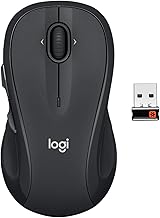
 Logitech G502 X Plus Wireless RGB Gaming MouseWireless7.1 x 4.6 x 2.7 inches0.84 poundsCheck on Amazon
Choosing the best wireless gaming mouse means balancing sensor accuracy, connection stability, weight, comfort, and battery life. The right choice depends on your favorite games and grip style, not simply the highest DPI specification. This guide compares four distinct options for competitive FPS, versatile gaming, and tighter budgets.
How to Choose a Wireless Gaming Mouse
A good wireless mouse should feel comfortable during extended sessions while delivering consistent tracking and responsive clicks. Before comparing individual models, consider how you play, how much weight you prefer, and whether additional buttons or longer battery life matter more than specialized competitive features.
1. Sensor Accuracy and Wireless Performance
Sensor specifications provide a useful starting point, but maximum DPI is not a direct measurement of gaming accuracy. A high-resolution sensor can support precise sensitivity adjustments, yet tracking consistency, motion handling, and click latency matter more during actual gameplay.
For competitive shooters, prioritize a reliable 2.4GHz wireless connection and a responsive sensor. Bluetooth is useful for general computing and conserving receiver ports, but a dedicated gaming receiver is generally the better choice when responsiveness is important.
2. Weight, Shape, and Grip Style
Mouse weight influences how quickly you can reposition the device and how much effort repeated movements require. Lightweight designs are particularly attractive for FPS players who frequently make large mouse movements, while heavier ergonomic models can provide additional controls and a more substantial feel.
Shape is equally important. Palm-grip users often prefer a supportive body, whereas claw and fingertip users may favor shorter or lower-profile designs. Check the mouse dimensions and side-button placement rather than assuming that a lightweight model will automatically fit your hand.
3. Battery Life and Charging
Manufacturers commonly advertise maximum battery life under particular operating conditions. RGB lighting, polling rate, wireless mode, and usage patterns can change actual runtime, so advertised figures should be treated as estimates rather than guaranteed results.
Consider whether the mouse uses a rechargeable battery or replaceable AA batteries. USB-C charging is convenient, while replaceable batteries can be useful when you want to resume gaming without waiting for a recharge.
4. Buttons, Software, and Compatibility
A competitive FPS mouse rarely needs a large collection of additional buttons. However, MMO, MOBA, strategy, and simulation players may benefit from programmable inputs, adjustable scroll wheels, and onboard profiles.
Check the manufacturer’s operating-system requirements and configuration software before purchasing. Also consider receiver placement, available USB ports, and whether a higher polling rate requires a separately supplied receiver or compatible accessory.
Top Wireless Gaming Mouse Picks for Different Players
These recommendations cover four different buying priorities rather than treating every gaming mouse as interchangeable. The selection includes a premium competitive model, a lightweight FPS alternative, a feature-rich ergonomic option, and a more affordable wireless design. Specifications are manufacturer-listed unless otherwise stated.
| Product | Best For | Key Spec | Compatibility | Watch Out For |
| Logitech G PRO X3 SUPERSTRIKE | Best Overall | 59g, HITS clicks, up to 8,000Hz | PC, LIGHTSPEED USB receiver | Premium price |
| Razer Viper V4 Pro | Best for FPS | 49g, 50K DPI, up to 8,000Hz | PC, HyperSpeed Wireless | Minimal additional controls |
| Logitech G502 X PLUS | Best for Versatility | HERO sensor, LIGHTFORCE switches, programmable buttons | PC, LIGHTSPEED USB receiver | Heavier construction |
| Logitech G305 LIGHTSPEED | Best Value | HERO sensor, 12,000 DPI, 250-hour advertised battery life | PC, LIGHTSPEED USB receiver | AA battery and older design |
1. Logitech G PRO X3 SUPERSTRIKE – Best Overall
Premium competitive gaming
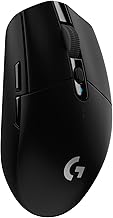
The Logitech G PRO X3 SUPERSTRIKE is a strong choice for players who want advanced click customization alongside a lightweight design. Its Haptic Inductive Trigger System replaces conventional microswitches with adjustable actuation and reset points, giving competitive players more control over how clicks register.
Its manufacturer-listed specifications include a 59-gram weight, up to 8,000Hz polling in both wireless and wired modes, and more than 135 hours of advertised battery life. It also supports USB-C charging and Logitech POWERPLAY wireless charging, although the POWERPLAY accessory is sold separately.
Logitech G+1
The main disadvantage is its premium positioning. At a listed US price of $199.99, it is difficult to justify for someone who primarily plays casual games or does not need adjustable click behavior. Players who simply want a lightweight competitive mouse should also consider the Razer Viper V4 Pro.
Who should buy it: Competitive FPS players and enthusiasts interested in adjustable click actuation.
2. Razer Viper V4 Pro – Best for FPS Gaming
Lightweight competitive performance
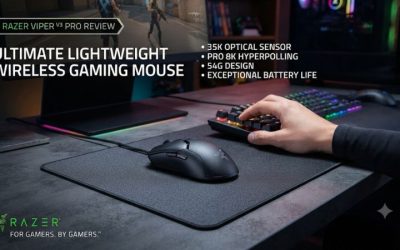
The Razer Viper V4 Pro focuses on fast directional movement and a symmetrical shape. At approximately 49 grams for the black version, it is considerably lighter than traditional multi-button gaming mice. Its shape is designed around competitive play, particularly claw and fingertip grips.
Razer specifies a Focus Pro 50K Optical Sensor Gen-3, optical switches, six programmable controls, and HyperSpeed Wireless Gen-2 connectivity. The mouse supports up to 8,000Hz polling and advertises up to 180 hours of battery life at 1,000Hz, compared with up to 45 hours at 8,000Hz.
Razer United States+1
The trade-off is its specialized design. It does not provide the extensive side controls or ergonomic thumb support found on larger mice. Higher polling rates also increase battery consumption, so running at the maximum setting is not necessarily the best everyday configuration.
Who should buy it: FPS players who prioritize low weight, a responsive sensor, and a symmetrical shape.
3. Logitech G502 X PLUS – Best for Versatile Gaming
Logitech G502 X Plus Wireless RGB Gaming Mouse - Black | Optical Switches, RGB, 13 Buttons , Infinite Scroll Toggle, <130 hr Battery, USB-C, Wireless Charging Capable, for PC/MacOS
Chosen because it specifies Black and Optical Switches.
View on AmazonErgonomic, multi-purpose gaming
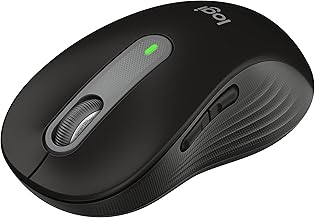
The Logitech G502 X PLUS is better suited to players who want one mouse for several gaming genres. Its right-handed ergonomic shape, programmable controls, and scroll-wheel functionality make it useful for games that involve frequent ability changes, inventory management, and navigation.
Important specifications include Logitech’s HERO gaming sensor, LIGHTFORCE hybrid optical-mechanical switches, LIGHTSPEED wireless connectivity, and LIGHTSYNC RGB lighting. The combination prioritizes customization and versatility rather than minimizing weight.
Logitech G+1
Its biggest limitation is its relatively substantial construction compared with dedicated FPS mice. Players who make frequent, wide mouse movements may prefer the lighter Viper V4 Pro. The G502 X PLUS is also more expensive than basic wireless alternatives, so its additional controls should be features you genuinely intend to use.
Who should buy it: Players who alternate between RPGs, MOBAs, strategy games, simulation titles, and everyday desktop work.
4. Logitech G305 LIGHTSPEED – Best Value

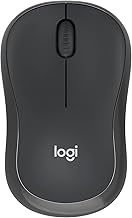
Logitech G305 LIGHTSPEED Wireless Gaming Mouse, Hero 12K Sensor - Black | 12,000 DPI, lightweight, 6 programmable buttons, 250h battery life, on-board memory, PC/Mac, lightweight gaming mouse
Chosen because it specifies Hero 12K Sensor and Black.
View on AmazonAffordable wireless gaming
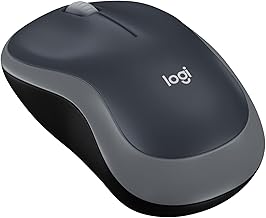
The Logitech G305 LIGHTSPEED remains a practical entry point for PC gamers who want a dedicated wireless connection without paying for premium competitive features. Its compact, symmetrical design suits several grip styles, particularly claw and fingertip users who prefer a smaller mouse.
The G305 uses Logitech’s HERO optical sensor with an adjustable range of 200–12,000 DPI. It includes six programmable buttons and uses a single AA battery, with Logitech advertising up to 250 hours of operation. Its LIGHTSPEED USB receiver provides the dedicated wireless connection needed for gaming.
Logitech+1
Its limitations are its battery-dependent design and approximately 99-gram weight. It also lacks some newer conveniences, such as USB-C rechargeable power and the advanced polling features of premium competitors. Nevertheless, it offers a straightforward combination of wireless functionality and gaming-oriented tracking.
Who should buy it: Budget-conscious gamers, students, and players upgrading from a basic office mouse.
FAQ
1. Are wireless gaming mice as good as wired gaming mice?
Yes, modern wireless gaming mice can deliver highly responsive tracking and reliable connections suitable for competitive gaming. Dedicated 2.4GHz receivers are generally preferable to Bluetooth for gaming because they are designed for low-latency communication.
For most players, the practical differences between a good wireless and wired mouse are smaller than differences in shape, weight, sensor quality, and personal comfort. Wireless models also provide more freedom of movement without a cable dragging across the desk.
2. What DPI should I use for gaming?
A DPI setting between 800 and 1,600 is a reasonable starting point for many PC gamers, although the ideal sensitivity depends on personal preference and the game.
Competitive FPS players often prefer lower sensitivity because it allows larger physical mouse movements for precise aiming. MOBA and strategy players may prefer higher sensitivity for navigating larger areas quickly. Experiment with DPI and in-game sensitivity together rather than choosing a mouse based exclusively on its maximum DPI rating.
3. Is a lightweight wireless gaming mouse better for FPS?
A lightweight mouse can make repeated movements and rapid repositioning easier, which is useful in competitive shooters. However, lower weight does not automatically produce better aim or improve every player’s performance.
Consider the mouse’s shape, grip compatibility, sensor behavior, and balance alongside its weight. Some players prefer a slightly heavier device because it feels more controlled during slower movements. The best wireless gaming mouse for FPS is ultimately the one that supports consistent movement without causing discomfort.
4. How long should a wireless gaming mouse battery last?
Battery life varies considerably, but some gaming mice advertise dozens or hundreds of hours depending on their design and operating settings. For example, Logitech advertises up to 250 hours for the G305, while Razer advertises up to 180 hours at 1,000Hz for the Viper V4 Pro.
Higher polling rates, lighting, and usage patterns can reduce runtime. Check the manufacturer’s battery estimates and charging method before purchasing, particularly if you regularly play long sessions.
Final Thoughts
The best wireless gaming mouse depends on your preferred games, grip style, and budget. The Logitech G PRO X3 SUPERSTRIKE suits competitive enthusiasts, while the Razer Viper V4 Pro favors lightweight FPS play. The G502 X PLUS offers versatility, and the G305 provides an affordable starting point. Choose based on comfort and features you will actually use.
More from Amazon
Programs that pair well with the guide above. Offers and eligibility are set by Amazon and may change.
Free shipping on eligible items, Prime Video and more. Eligible new members can start with a free trial.
Start a Prime free trialAd-free music streaming. Eligible new subscribers can start with a free trial.
Try Music Unlimited freeA Prime membership for ages 18-24 with a trial period. Eligibility is set by Amazon.
See Prime for Young AdultsAudiobooks and podcasts to listen to on the go. Eligible new members can start with a free trial.
Try Audible freeAs an Amazon Associate we earn from qualifying purchases.