Key takeaways
- Weight capacity: Check the rating; standard chairs often support around 300 to 330 lbs, while big-and-tall models like the GTPLAYER 400lbs version are built for larger frames.
- Seat width and depth: A seat that is too narrow or too shallow will feel cramped no matter how many features it has.
- Height range: Make sure the chair adjusts so your feet rest flat and your knees sit at roughly a right angle.
- Your height: Taller gamers should confirm the backrest and headrest reach high enough to actually support them.
What's inside
- Watch: Gaming Chair Buying Guide — Video Review
- Ergonomics and Lumbar Support Come First
- Get the Size and Weight Rating Right
- Materials and Build Quality
- Adjustability, Armrests, and Extras
- Matching the Chair to Your Desk and Space
- Tips
- Related Guides
- Frequently Asked Questions
- Conclusion
- Related Articles
- Related Guides
You can build the fastest PC in the world, but if you are hunched over in an uncomfortable chair, long sessions will leave you sore, distracted, and tired. A good gaming chair supports your posture, takes pressure off your lower back, and lets you stay focused through marathon raids and late-night competitive queues. It is one of the few upgrades that pays off every single time you sit down, not just when the graphics get demanding.
- Watch: Gaming Chair Buying Guide — Video Review
- Ergonomics and Lumbar Support Come First
- Get the Size and Weight Rating Right
- Materials and Build Quality
- Adjustability, Armrests, and Extras
- Matching the Chair to Your Desk and Space
- Tips
- Related Guides
- Frequently Asked Questions
- Conclusion
- Related Articles
- Related Guides
This guide covers what actually makes a gaming chair worth owning, from ergonomics and build quality to sizing and adjustability. By the end you will know how to match a chair to your body and your desk, and how to avoid the flashy-but-flimsy models that look great in photos and fall apart in months.
As an Amazon Associate we earn from qualifying purchases at no extra cost to you.


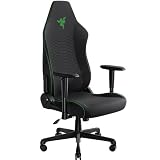
The chairs above range from comfortable value picks to heavy-duty big-and-tall models, and they represent the styles and support features we most often recommend for gamers who spend real hours in the seat.
⚡ Save on Your Next PC — Amazon Prime
Prime members get fast free shipping on the systems above, plus early access to Prime Day & Black Friday PC deals. New members get a 30-day free trial.
Watch: Gaming Chair Buying Guide — Video Review
Ergonomics and Lumbar Support Come First
The single most important job of a gaming chair is protecting your lower back. Look for genuine lumbar support, either a built-in curve or an adjustable cushion, like the systems found on the WOTSTA and many GTPLAYER models. A supportive headrest helps keep your neck neutral during long sessions, and a backrest that reclines lets you shift positions to relieve pressure. Chairs marketed as ergonomic with 7-point support are designed around these principles, aiming to keep your spine aligned rather than just looking aggressive.
Get the Size and Weight Rating Right
- Weight capacity: Check the rating; standard chairs often support around 300 to 330 lbs, while big-and-tall models like the GTPLAYER 400lbs version are built for larger frames.
- Seat width and depth: A seat that is too narrow or too shallow will feel cramped no matter how many features it has.
- Height range: Make sure the chair adjusts so your feet rest flat and your knees sit at roughly a right angle.
- Your height: Taller gamers should confirm the backrest and headrest reach high enough to actually support them.
Materials and Build Quality
The cover material affects both comfort and longevity. PU leather, used on chairs like the Kslysuty white leather model, wipes clean easily and looks sleek but can run warm in hot rooms. Fabric breathes better and stays cooler over long sessions but is harder to clean. Underneath the upholstery, the padding matters just as much: pocket-spring cushions and high-density foam hold their shape far longer than cheap thin padding that flattens within weeks. A sturdy metal frame and a quality gas lift are signs a chair will last rather than sag.
Adjustability, Armrests, and Extras
The more a chair adjusts, the better you can dial it in to your body. Armrests are a frequently overlooked feature; look for at least height-adjustable arms, since they take strain off your shoulders and wrists while typing and gaming. A generous recline range lets you lean back to rest between matches, and a smooth 360-degree swivel plus reliable casters keep you mobile at your desk. Extras like a footrest, found on models such as the N-GEN and several GTPLAYER chairs, or built-in massage as on the WOTSTA, are nice bonuses but should never come at the expense of core support and build quality.
Matching the Chair to Your Desk and Space
A chair does not exist in isolation, it has to work with your desk and room. Before buying, confirm the seat can rise or lower enough that your elbows sit level with your desktop and your forearms rest comfortably. Measure your available floor space, since some gaming chairs have a wide base and a large recline footprint. If you share a room or want a cleaner look, neutral colors like pearl white, grey, or black blend in more easily than bold racing patterns, which is why understated finishes have become so popular.
Tips
- Prioritize real lumbar support and adjustable armrests over flashy styling and RGB lighting.
- Check the weight rating and seat dimensions against your own body before buying.
- Favor pocket-spring or high-density foam cushions, which keep their shape far longer than thin padding.
- Set the height so your feet are flat and your elbows are level with your desk to protect your back and wrists.
Frequently Asked Questions
Are gaming chairs actually good for your back?
A well-designed one with proper lumbar support and correct adjustment can absolutely help, since it encourages a neutral spine during long sessions. The benefit depends far more on choosing a supportive model and setting it up correctly than on the gaming label itself.
Leather or fabric, which should I choose?
PU leather is easy to clean and looks sleek but can feel warm, while fabric breathes better and stays cooler over long sessions but is harder to wipe down. Pick based on your room temperature and how much cleaning convenience matters to you.
Do I need a footrest or massage function?
They are pleasant extras, not essentials. A footrest is handy for reclining breaks and a massage function adds comfort, but neither substitutes for solid lumbar support, good padding, and a sturdy frame, which should always come first.
What weight capacity should I look for?
Choose a chair rated comfortably above your weight for durability and stability. Many standard models handle around 300 to 330 lbs, while big-and-tall options rated to 400 lbs suit larger frames and simply last longer under everyday use.
Conclusion
A gaming chair is a long-term investment in your comfort and health, so choose one built around real ergonomics, the right size for your body, and quality materials that will not sag after a few months. Get the support and adjustability right first, treat features like footrests and massage as bonuses, and match the chair to your desk and space. Do that and you will feel the difference in every session, no matter what you are playing.