Key takeaways
- Drivers, codecs, and gaming tools work out of the box
- Excellent Proton and Lutris integration for a huge library
- Frequent updates that track Fedora closely
- Friendly Welcome app that removes first-day friction
What's inside
Nobara Linux has quickly become one of the most talked-about distributions for gamers who want SteamOS-style convenience on their own desktop hardware in 2026. Built on Fedora but stripped of the rough edges that usually trip up newcomers, it bundles the drivers, codecs, and gaming tweaks that most people spend an evening installing by hand. The result is a system that feels ready to play the moment the first boot finishes.
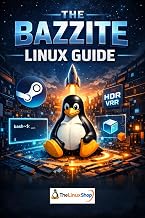
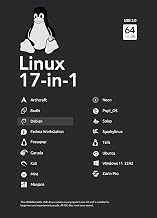
In this review we look at how Nobara actually holds up for day-to-day gaming, what its custom tooling adds over vanilla Fedora, and where it still asks something of the user. If you are weighing the switch and want a few reference books on your shelf while you learn the ropes, titles like Linux Essentials and Nobara 43 Linux Bootable USB Flash Drive (Official) pair nicely with the hands-on experience.
As an Amazon Associate we earn from qualifying purchases at no extra cost to you.


⚡ Save on Your Next PC — Amazon Prime
Prime members get fast free shipping on the systems above, plus early access to Prime Day & Black Friday PC deals. New members get a 30-day free trial.
Watch: Nobara Linux Review — Video Review
Design & Build
Nobara ships with a lightly customized GNOME or KDE Plasma desktop, and the polish shows immediately. The Nobara Welcome app walks you through installing NVIDIA or AMD drivers, enabling third-party repositories, and pulling in media codecs with a couple of clicks. For anyone who found Fedora’s licensing purity frustrating, this alone justifies the distro. The layout stays clean and familiar, so a Windows switcher leaning on a primer like Mastering Linux: A Beginner’s Guide to Command Line and System Administration will not feel lost.
Performance
Where Nobara earns its reputation is gaming throughput. Proton, Wine, and the latest Mesa builds come pre-tuned, GameMode is wired in, and the kernel carries patches aimed at reducing stutter. In practice, popular titles launch through Steam and Lutris with little manual fiddling, and frame pacing feels close to what you would get on Windows for the same GPU. Handheld and living-room setups benefit from the included controller support and gamescope integration.
Pros & Cons
- Drivers, codecs, and gaming tools work out of the box
- Excellent Proton and Lutris integration for a huge library
- Frequent updates that track Fedora closely
- Friendly Welcome app that removes first-day friction
- Smaller team means occasional update hiccups
- Fedora base moves fast, which can surprise stability seekers
- Documentation is thinner than mainstream distros
Alternatives to Consider
If Nobara’s rolling pace worries you, Linux Mint offers a calmer, more predictable ride and pairs well with a reference such as Linux for Beginners: Why You’re Not Using Linux Yet and How to Overcome Command Line Fear. Bazzite is another gaming-focused option built on an immutable base, while a laminated Linux: QuickStudy Reference Guide is handy no matter which distro you land on.
Frequently Asked Questions
Is Nobara good for beginners?
Yes, largely because the Welcome app automates the setup steps that intimidate first-timers. A gentle book like Nobara 43 Linux Bootable USB Flash Drive (Official) covers the small amount of terminal knowledge you may still want.
Does Nobara run anti-cheat games?
Many titles with EAC or BattlEye support work, but a handful of competitive shooters still block Linux entirely. Check ProtonDB before committing to a specific game.
How often should I update Nobara?
Weekly is a reasonable cadence. Because it tracks Fedora, updates arrive often, so read release notes before large jumps.
Do I need to know the command line?
Not for basic use. For troubleshooting, a quick-reference guide such as the Linux QuickStudy card makes the occasional terminal task painless.
Verdict
Nobara Linux is one of the easiest ways to build a genuine gaming PC on Linux in 2026. It trades a little stability for speed and freshness, but for most players the tradeoff is worth it. Keep a beginner reference nearby, update thoughtfully, and Nobara will reward you with a fast, low-friction gaming desktop.