Our Top Picks
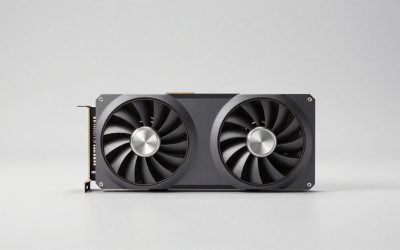
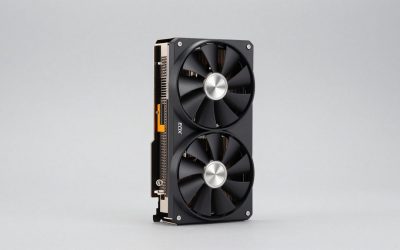
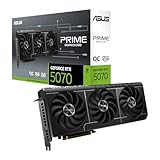
 ASUS Prime GeForce RTX 5060 Ti 8GB GDDR7RTX5060Ti|OC|8GB12 x 4.7 x 2 inches2.6 PoundsCheck on Amazon
For 1440p gaming and long-term use, the RX 6800 is the better card: it matches or slightly beats the RTX 5060 Ti 8GB in average raster performance and its 16 GB of VRAM avoids the severe slowdowns the 8 GB card suffers in memory-hungry games. The RTX 5060 Ti 8GB is the better pick only for 1080p players who want a new card with a warranty, stronger ray tracing, DLSS 4 Multi Frame Generation and roughly 70 W lower power draw.
This comparison is a near tie on average frame rates that turns into a clear win for one side or the other depending on how much video memory a game needs. Understanding that split is the key to choosing well.

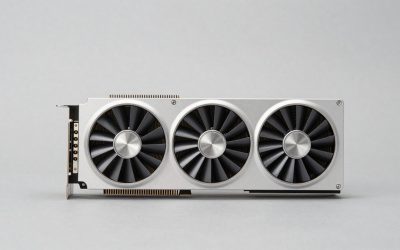
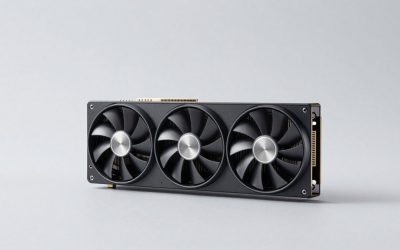
GIGABYTE AORUS Radeon RX 6800 Master 16G Graphics Card, MAX-Covered Cooling, 16GB 256-bit GDDR6, GV-R68AORUS M-16GD Video Card
Chosen because it specifies MAX-Covered Cooling and 16GB 256-bit GDDR6.
View on Amazon
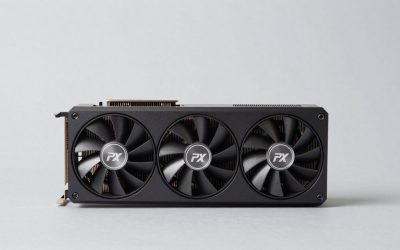
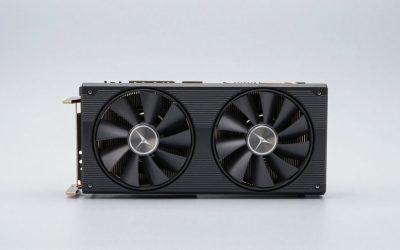
PowerColor Red Dragon AMD Radeon RX 6800 Gaming Graphics Card with 16GB GDDR6 Memory, Powered by AMD RDNA 2, Raytracing, PCI Express 4.0, HDMI 2.1, AMD Infinity Cache (Renewed)
Chosen because it specifies Powered by AMD RDNA 2 and Raytracing.
View on Amazon
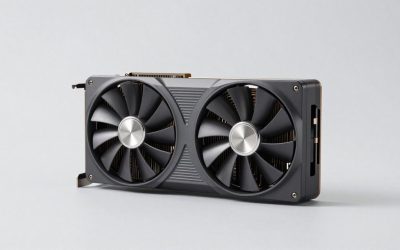
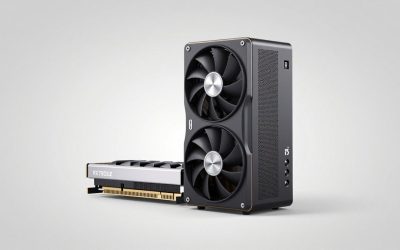
PNY NVIDIA GeForce RTX™ 5060 Ti 8GB OC Dual-Fan Graphics Card | 8GB G7, 128-bit, Boost Speed: 2692 MHz, SFF-Ready, PCIe® 5.0, HDMI®/DP 2.1, 2-Slot, NVIDIA Blackwell Architecture, DLSS 4.5
Chosen because it specifies 8GB G7 and 128-bit.
View on AmazonASUS Prime GeForce RTX 5060 Ti 8GB GDDR7 OC Edition Gaming Graphics Card | SFF-Ready, PCIe 5.0, HDMI/DP 2.1, 2.5-slot, Axial-tech Fans, Dual BIOS
Chosen because it specifies SFF-Ready and PCIe 5.0.
View on AmazonSpec Comparison
| Specification | RX 6800 | RTX 5060 Ti 8GB |
|---|---|---|
| Architecture | RDNA 2 | Blackwell |
| Release date | 28 October 2020 | 16 April 2025 |
| Launch MSRP | $579 | $379 |
| Shader units | 3,840 stream processors | 4,608 CUDA cores |
| Boost clock | 2,105 MHz | 2,572 MHz |
| Process node | 7 nm | 5 nm |
| VRAM | 16 GB GDDR6 | 8 GB GDDR7 |
| Memory bus | 256-bit | 128-bit |
| Memory bandwidth | 512.0 GB/s | 448.0 GB/s |
| Cache | 4 MB L2 + 128 MB Infinity Cache | 32 MB L2 |
| TDP | 250 W | 180 W |
| PCIe interface | PCIe 4.0 x16 | PCIe 5.0 x8 |
| Power connectors | 2x 8-pin | 1x 8-pin |
| Reference length | 267 mm | 241 mm |
| Slot width | 2-slot | 2-slot |
| Display outputs | 1x HDMI, 2x DP, 1x USB Type-C | 1x HDMI 2.1b, 3x DP 2.1b |
The RX 6800 has twice the memory, a wider bus and a 128 MB Infinity Cache. The RTX 5060 Ti 8GB answers with a newer architecture, faster GDDR7 memory, a large 32 MB L2 cache and much better power efficiency.
Average Performance: A Near Tie
Aggregated benchmark data places the RX 6800 roughly 1–5% ahead of the RTX 5060 Ti 8GB at 1440p on average, close enough that the two are effectively in the same performance tier when VRAM is not a limiting factor. The RTX 5060 Ti wins some individual titles by around 5–10%, while the RX 6800 wins others by similar margins.
For a typical AAA game at 1440p high settings, expect both cards to sit roughly in the 60–80 FPS range when memory use stays below 8 GB. At 1080p high, both often run 80–110 FPS in the same kind of game. All of these figures shift with settings, CPU and patch level.
When 8 GB Runs Out
The near-tie collapses in memory-hungry games. Hardware Unboxed was strongly critical of the RTX 5060 Ti 8GB in its coverage, showing that games which exceed the 8 GB buffer at high settings can suffer severe frame-time spikes, texture streaming problems or dramatically lower averages compared with the 16 GB version of the same GPU. Published comparison data also includes newer titles at 1440p ultra where the RX 6800 delivers two to three times the 5060 Ti 8GB’s frame rate because the NVIDIA card has exhausted its memory.
The PCIe interface makes this worse on older systems. The RTX 5060 Ti uses a PCIe 5.0 x8 link. On PCIe 4.0 boards that is adequate, but on a PCIe 3.0 motherboard, overflowing VRAM must travel over a link with a quarter of PCIe 5.0 x8’s bandwidth. The RX 6800’s 16 GB and full x16 link make it much less sensitive to platform age.
VRAM needs by resolution (rule of thumb)
| Scenario | Typical VRAM use | RTX 5060 Ti 8GB | RX 6800 16GB |
|---|---|---|---|
| 1080p high | 6–9 GB | Usually OK | Comfortable |
| 1080p ultra + RT + frame generation | 9–11 GB | Often too much | Comfortable |
| 1440p high | 9–12 GB | Texture cuts needed in new games | Comfortable |
| 4K with upscaling | 11–15 GB | Not recommended | Workable |
Ray Tracing: NVIDIA’s Clear Advantage
When ray tracing is enabled, the RTX 5060 Ti 8GB moves ahead. Blackwell’s fourth-generation RT cores are far stronger than RDNA 2’s first-generation ray accelerators, and the gap grows with heavier RT effects. The catch is again memory: RT increases VRAM use, so the 5060 Ti 8GB often needs lower texture settings to run RT smoothly at 1440p.
Upscaling and Frame Generation
- RTX 5060 Ti 8GB: DLSS 4 Super Resolution with the transformer model, DLSS Frame Generation and DLSS 4 Multi Frame Generation, plus Reflex. DLSS has the widest support and best image quality of current upscalers.
- RX 6800: FSR 3.1 upscaling and frame generation in supported games, plus AMD Fluid Motion Frames at the driver level. It does not support FSR 4, which requires RDNA 4 hardware.
DLSS 4 is a genuine advantage: in many games the 5060 Ti can render internally at a lower resolution with better image quality than the RX 6800 gets from FSR 3, which also reduces VRAM pressure. Multi Frame Generation is impressive for smoothing motion, but it adds memory overhead and works best from a base frame rate around 50–60 FPS.
Power Draw and PSU
PSU sizing using GPU TDP + CPU + roughly 150 W headroom, with a 120 W-class gaming CPU:
- RX 6800: 250 + 120 + 150 = about 520 W, so a quality 650 W unit
- RTX 5060 Ti 8GB: 180 + 120 + 150 = about 450 W, so a quality 550 W unit
The RX 6800 needs two 8-pin connectors; the RTX 5060 Ti needs one. The 70 W difference in rated power also means less heat, which matters in small cases. Over a year, at three hours a day and $0.15 per kWh, the gap is roughly $11–$12 in electricity.
Case Fit
The reference RX 6800 is 267 mm long and the reference RTX 5060 Ti is 241 mm, both dual-slot. Many RTX 5060 Ti partner cards are compact dual-fan designs, while RX 6800 partner cards are frequently longer triple-fan models above 300 mm. For Mini-ITX builds, the NVIDIA card is easier to fit.
Value Check: New 5060 Ti 8GB vs Used RX 6800
The RX 6800 is a previous-generation card that now sells mostly used, usually in the roughly $250–$320 range. The RTX 5060 Ti 8GB launched at $379 new. Here is a cost-per-performance comparison with performance indexed to the RTX 5060 Ti 8GB at 100 and the RX 6800 at about 103 (the midpoint of its 1–5% lead):
- RTX 5060 Ti 8GB at $379: about $3.79 per point
- Used RX 6800 at $280: about $2.72 per point
A used RX 6800 offers about 28% better cost per frame in this example, with double the VRAM, but no warranty and higher power draw. When buying used, ask for a stress-test video, check fan noise and temperatures, and confirm the card has not been heavily modified.
Pick Your Card
| Priority | Pick |
|---|---|
| 1440p with high textures | RX 6800 |
| Longevity in new AAA releases | RX 6800 |
| Older PCIe 3.0 motherboard | RX 6800 |
| Ray tracing at 1080p | RTX 5060 Ti 8GB |
| DLSS 4 and Multi Frame Generation | RTX 5060 Ti 8GB |
| Small case or 550 W PSU | RTX 5060 Ti 8GB |
| Want a new card with warranty | RTX 5060 Ti 8GB (or consider the 16 GB version) |
Frequently Asked Questions
Is the RX 6800 faster than the RTX 5060 Ti 8GB?
On average they are very close, with the RX 6800 roughly 1–5% ahead at 1440p in aggregated benchmark data. In games that exceed 8 GB of VRAM, the RX 6800 can be far ahead. With ray tracing enabled, the RTX 5060 Ti usually wins.
Should I buy the RTX 5060 Ti 16GB instead of the 8GB?
If you are set on the RTX 5060 Ti, the 16 GB version is the safer long-term choice. Hardware Unboxed’s coverage showed the 8 GB model suffering badly in memory-heavy games where the 16 GB card runs smoothly. The price difference is usually worth it for 1440p.
Does the RX 6800 support FSR 4?
No. FSR 4 is limited to RDNA 4 RX 9000 series cards. The RX 6800 supports FSR 3.1 upscaling and frame generation, plus AMD Fluid Motion Frames through the driver.
Will the RTX 5060 Ti 8GB work well in a PCIe 3.0 motherboard?
It works, but it runs at PCIe 3.0 x8, which limits bus bandwidth. When a game stays within 8 GB the impact is small. When VRAM overflows, performance drops more than it would on a PCIe 4.0 or 5.0 board.
What PSU does the RX 6800 need?
A quality 650 W power supply with two PCIe 8-pin connectors is a safe recommendation for most systems. The card is rated at 250 W. High-power CPUs or overclocked partner cards justify extra headroom.