Key takeaways
- Connectivity: Decide between pure Bluetooth or a hybrid model that also includes a USB receiver for maximum compatibility.
- Multi-device support: If you switch between a laptop, tablet, and desktop, look for a mouse that pairs with two or three devices at once.
- Ergonomics: Match the shape and size to your hand and grip style, and consider a palm rest for long sessions.
- Battery: Choose between rechargeable convenience and the long life of replaceable-battery models that last many months.
- Click noise: Quiet or silent clicks are ideal for shared spaces, offices, and video calls.
What's inside
A great Bluetooth mouse frees your laptop from dongles and clutter, letting you pair directly and switch seamlessly between devices. The best models combine reliable wireless connectivity with comfortable ergonomics, quiet clicks, and long battery life, whether you are working across a Mac and a Windows laptop or simply want a tidy travel setup. But the market is crowded, and not every Bluetooth mouse delivers the responsiveness and reliability that make a real difference day to day.
In this roundup we compare the top Bluetooth mice for productivity and everyday use, spanning Logitech’s compact M240 and versatile MX lineup to multi-device travelers and budget-friendly rechargeable options. Whichever you choose, the goal is a mouse that pairs instantly, tracks smoothly, and feels good in the hand for hours on end.
As an Amazon Associate we earn from qualifying purchases at no extra cost to you.


🎮 Get More From Your Setup — Free
Prime Gaming gives you free PC games every month, in-game loot, and a free Twitch channel sub — plus fast free shipping on all the gear above. New members get a 30-day free trial.
Watch: Best Bluetooth Mice — Video Review
How to Choose the Best Bluetooth Mouse
- Connectivity: Decide between pure Bluetooth or a hybrid model that also includes a USB receiver for maximum compatibility.
- Multi-device support: If you switch between a laptop, tablet, and desktop, look for a mouse that pairs with two or three devices at once.
- Ergonomics: Match the shape and size to your hand and grip style, and consider a palm rest for long sessions.
- Battery: Choose between rechargeable convenience and the long life of replaceable-battery models that last many months.
- Click noise: Quiet or silent clicks are ideal for shared spaces, offices, and video calls.
The Best Bluetooth Mice Reviewed
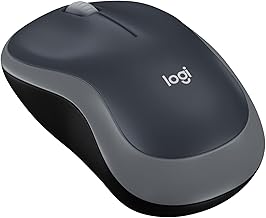
Logitech M240 Compact Silent
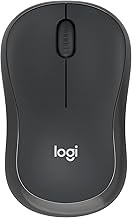
The M240 is a superb everyday pick, offering true Bluetooth connectivity with no receiver, quiet clicks, and an impressive 18-month battery life. Its compact shape suits travel and smaller hands, and it works across PC and Mac with ease, making it a reliable, no-fuss choice.
Logitech MX Master 3S
The MX Master 3S is the flagship for power users, featuring an 8K DPI sensor, ultra-fast MagSpeed scrolling, and near-silent clicks. It tracks even on glass, pairs with multiple devices, and its sculpted shape is exceptionally comfortable for full workdays across Mac, Windows, and Linux.
Logitech MX Anywhere 2S
For portable power, the MX Anywhere 2S packs hyper-fast scrolling and multi-device control into a compact, rechargeable body. It works on virtually any surface and controls up to three computers, making it a favorite for professionals who work on the move.
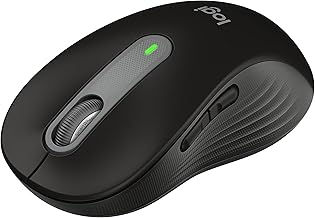
Logitech Signature M850
The Signature Comfort Plus M850 L targets comfort with a cushioned palm rest and a remarkable 24-month battery life. Its customizable buttons and reliable Bluetooth connection make it a strong pick for those who value ergonomics during long stints at the desk.
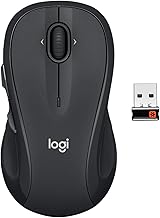
Logitech M720 Triathlon
The M720 Triathlon shines for flexibility, connecting via Bluetooth or its included USB receiver and pairing with up to three devices. With six customizable buttons and Logitech Flow support, it is a versatile choice for multi-computer workflows.
Frequently Asked Questions
Are Bluetooth mice as responsive as wired ones?
For productivity and everyday use, modern Bluetooth mice feel smooth and responsive. Competitive gamers may still prefer wired or low-latency wireless, but for work the difference is negligible.
Can one Bluetooth mouse work with multiple devices?
Yes. Models like the MX Master 3S, MX Anywhere 2S, and M720 pair with two or three devices and let you switch between them with a button press.
Do Bluetooth mice need a USB receiver?
Pure Bluetooth models like the M240 need no receiver, freeing a USB port. Hybrid models such as the M720 include a receiver as an optional backup for compatibility.
How long do Bluetooth mouse batteries last?
It varies widely. Replaceable-battery models like the M850 can last up to 24 months, while rechargeable models like the MX series typically run for weeks per charge.
Final Thoughts
The best Bluetooth mouse depends on your priorities. The Logitech MX Master 3S is the standout for power users who want premium ergonomics and features, the M240 is the ideal compact everyday companion, and the MX Anywhere 2S is the top choice for professionals who work on the move. Any of these will deliver a clean, reliable, dongle-free experience.