Our Top Picks
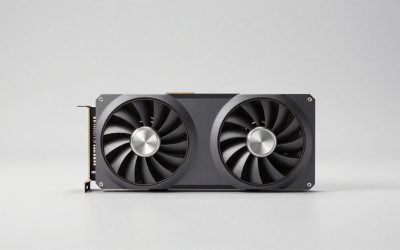
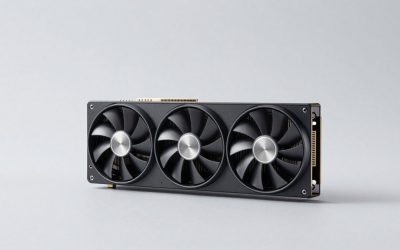
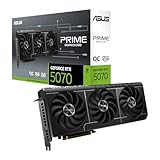
 ASUS TUF Gaming GeForce RTX 5060 8GB GDDR7RTX5060|8GB|OC11.9 x 5.3 x 2.4 inches2.5 poundsCheck on Amazon
If you play at 1440p or want a card that will handle heavy textures for years, a used RX 6800 at a similar price to an RTX 5060 is the better pick, thanks to its 16 GB of VRAM and roughly 10–20% higher raster performance. Buy the RTX 5060 instead if you want a new card with warranty, lower power draw, DLSS 4 with Multi Frame Generation, and better ray tracing for 1080p gaming. The basic difference is memory and raw speed on the AMD side, and efficiency and newer features on the Nvidia side.
The Key Differences at a Glance
- VRAM: 16 GB on the RX 6800 vs 8 GB on the RTX 5060. This is the biggest practical difference.
- Raster speed: the RX 6800 is ahead, by more at 1440p than at 1080p.
- Features: the RTX 5060 has DLSS 4, Multi Frame Generation and stronger ray tracing.
- Power: 250 W for the RX 6800 vs 145 W for the RTX 5060.
- Age: the RX 6800 is a 2020 card that you will mostly find used. The RTX 5060 is current generation.
Full Specification Table
| Spec | AMD Radeon RX 6800 | Nvidia GeForce RTX 5060 |
|---|---|---|
| Architecture | RDNA 2.0 | Blackwell 2.0 |
| Release date | 28 October 2020 | 19 May 2025 |
| Launch MSRP | $579 | $299 |
| Shaders | 3840 stream processors | 3840 CUDA cores |
| Boost clock | 2105 MHz | 2497 MHz |
| Process | 7 nm | 5 nm |
| VRAM | 16 GB GDDR6 | 8 GB GDDR7 |
| Bus / bandwidth | 256-bit / 512.0 GB/s | 128-bit / 448.0 GB/s |
| Cache | 4 MB L2 + 128 MB L3 | 32 MB L2 |
| Interface | PCIe 4.0 x16 | PCIe 5.0 x8 |
| TDP | 250 W | 145 W |
| Power connectors | 2x 8-pin | 1x 8-pin |
| Length / width | 267 mm, 2-slot | 241 mm, 2-slot |
| Outputs | 1x HDMI, 2x DP, 1x USB Type-C | 1x HDMI 2.1b, 3x DP 2.1b |
The shader counts are identical at 3840, but they are not directly comparable. The cards come from different architectures, and the RTX 5060 runs higher clocks with fast GDDR7 memory.

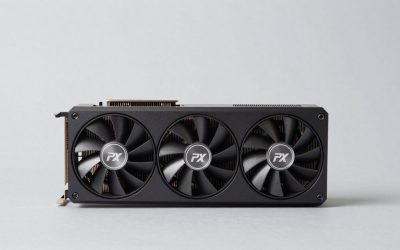
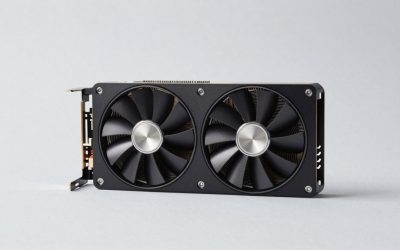
GIGABYTE AORUS Radeon RX 6800 Master 16G Graphics Card, MAX-Covered Cooling, 16GB 256-bit GDDR6, GV-R68AORUS M-16GD Video Card
Chosen because it specifies MAX-Covered Cooling and 16GB 256-bit GDDR6.
View on Amazon
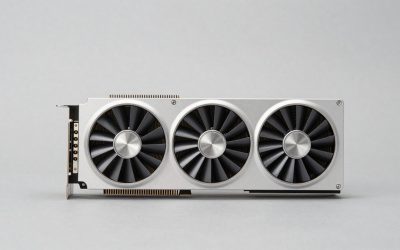
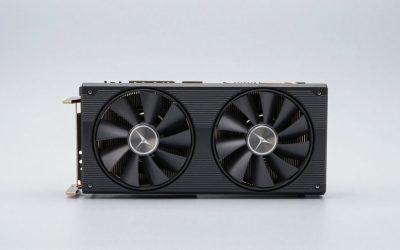
PowerColor Red Dragon AMD Radeon RX 6800 Gaming Graphics Card with 16GB GDDR6 Memory, Powered by AMD RDNA 2, Raytracing, PCI Express 4.0, HDMI 2.1, AMD Infinity Cache (Renewed)
Chosen because it specifies Powered by AMD RDNA 2 and Raytracing.
View on Amazon
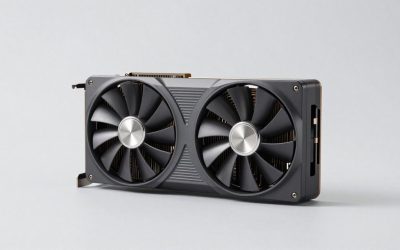
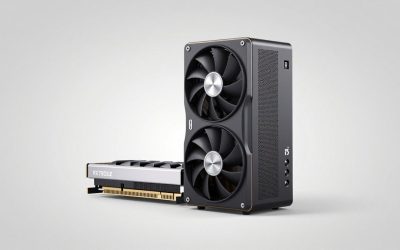
ASUS Prime GeForce RTX 5060 8GB GDDR7 Gaming Graphics Card | PCIe 5.0, HDMI/DP 2.1, 2.5-slot, Axial-tech Fans, Dual BIOS
Chosen because it specifies PCIe 5.0 and HDMI/DP 2.1.
View on AmazonASUS TUF Gaming GeForce RTX 5060 8GB GDDR7 OC Edition Gaming Graphics Card | PCIe 5.0, HDMI/DP 2.1, 3.1-slot, Military-grade Components, Protective PCB Coating, Axial-tech Fans
Chosen because it specifies PCIe 5.0 and HDMI/DP 2.1.
View on AmazonRaster Performance by Resolution
Published comparisons consistently put the RX 6800 ahead in traditional rasterized games, though the size of the lead depends on the dataset. Aggregated benchmark suites put it roughly 7–18% ahead overall. One large 150-game 1440p dataset shows about a 9% average lead, and per-game results such as Cyberpunk 2077 at 1440p show gaps in the mid-teens. Other compilations place the RTX 5060 roughly level with the RX 6750 XT, which is one step below the RX 6800.
A fair way to summarize it:
- 1080p: the RX 6800 is roughly 10–15% faster in most games.
- 1440p: roughly 10–20% faster on average, and much more in games that go beyond 8 GB of VRAM, where the RTX 5060 can stutter or need lower texture settings.
For example, a demanding 1440p high-settings game that runs around 55–65 FPS on the RTX 5060 might run around 62–75 FPS on the RX 6800. That is an approximate range that shifts with CPU, settings and patches.
Ray Tracing and DLSS: Where the RTX 5060 Wins
RDNA 2 was AMD’s first ray tracing architecture and loses ground quickly as RT effects get heavier. Blackwell’s RT cores are several generations newer, so in ray-traced games the RTX 5060 typically closes the raster gap or moves ahead, especially with DLSS on. In path-traced modes neither card is truly suited, but the 5060 is the only one where it is even an option with heavy upscaling.
The software side widens the gap:
- RTX 5060: DLSS 4 transformer upscaling, ray reconstruction, Frame Generation and Multi Frame Generation (up to 4x), plus Reflex. With MFG, high-refresh 1080p and 1440p displays can be filled even in heavy games, as long as the base frame rate is reasonable.
- RX 6800: FSR 3.1 upscaling and frame generation, plus driver-level AFMF. AMD announced FSR 4.1 upscaling for RX 6000 cards in mid-2026, which should improve image quality once it reaches your games.
An important nuance: DLSS and frame generation also use VRAM. On an 8 GB card in a memory-heavy game, enabling frame generation can push usage over the limit, so the RTX 5060’s features work best at 1080p or with moderate textures.
VRAM Requirements, Worked Out
Rough memory needs in current AAA games:
| Resolution and settings | Typical VRAM use | RX 6800 (16 GB) | RTX 5060 (8 GB) |
|---|---|---|---|
| 1080p medium-high | about 6–8 GB | Comfortable | OK in most games |
| 1080p ultra textures | about 8–10 GB | Comfortable | Borderline in newer games |
| 1440p high | about 8–11 GB | Comfortable | Often needs lower textures |
| 1440p ultra + RT | about 10–14 GB | Fits, GPU-limited by RT | Over budget in many games |
These are typical ranges, not guarantees, and some titles go higher. The overall message is clear: for 1440p with high textures, 16 GB gives far more breathing room.
Why GDDR7 does not close the gap
The RTX 5060 uses fast GDDR7 memory on a 128-bit bus, which delivers 448 GB/s, close to the RX 6800’s 512 GB/s on a 256-bit bus. Bandwidth is not the problem. The issue is capacity: once a game needs more than 8 GB, data has to move across the PCIe bus, and no amount of memory speed can make up for that. The RTX 5060’s 32 MB L2 cache and the RX 6800’s 128 MB Infinity Cache both help with bandwidth, but neither adds capacity. This is why the two cards behave so differently at 1440p.
Power Draw, PSU and Case Fit
The RTX 5060 draws about 105 W less. Using the GPU TDP + CPU + ~150 W headroom rule with a 105 W-class CPU:
- RX 6800: 250 + 105 + 150 = 505 W, so a quality 600–650 W PSU with two 8-pin cables
- RTX 5060: 145 + 105 + 150 = 400 W, so a quality 450–550 W PSU with one 8-pin
Length is similar, at 267 mm for the RX 6800 figure and 241 mm for the RTX 5060, and both are 2-slot designs. Most mid-towers fit either one, but check the length of the specific model in compact cases.
Platform note: the RTX 5060 uses an x8 PCIe link. On PCIe 3.0 motherboards that halves the bandwidth again, which hurts most when 8 GB fills up. The RX 6800’s x16 link is more forgiving on older systems.
Value: New vs Used
At launch, the RX 6800’s $579 MSRP and the RTX 5060’s $299 put them in different classes. Today the real choice is a used RX 6800 against a new RTX 5060. Used RX 6800 cards usually sell for roughly $260–$330.
| Option | Example price | Relative raster performance | Cost per point |
|---|---|---|---|
| New RTX 5060 | $299 (launch MSRP) | 100 | $2.99 |
| Used RX 6800 | ~$300 (used range midpoint) | ~115 | ~$2.61 |
At similar money, the RX 6800 gives about 13–15% better raster value and double the memory. The RTX 5060 offsets that with warranty, about 105 W lower power draw, DLSS 4 and better ray tracing.
Pick the RX 6800 If / Pick the RTX 5060 If
| Pick the RX 6800 if… | Pick the RTX 5060 if… |
|---|---|
| You game at 1440p with high textures | You game at 1080p and want a new card |
| You find a clean used card around RTX 5060 money | You want DLSS 4 and Multi Frame Generation |
| You have a 600 W+ PSU with two 8-pin cables | You have a smaller 450–550 W PSU |
| You care most about raster speed and VRAM | You enjoy ray tracing at modest settings |
| You run Linux with open-source drivers | You want lower heat and noise |
Frequently Asked Questions
Is the RX 6800 faster than the RTX 5060?
Yes, in rasterized games it is usually around 10–20% faster, with a larger lead at 1440p and in VRAM-heavy titles. With ray tracing and DLSS enabled, the RTX 5060 can match or beat it.
Is 8 GB of VRAM on the RTX 5060 a problem?
At 1080p with medium-to-high textures it is mostly fine. At 1440p, or with ultra textures in newer games, 8 GB often forces lower settings. The RX 6800’s 16 GB avoids that.
What PSU do I need for the RX 6800?
A quality 600–650 W unit with two 8-pin PCIe connectors is the safe range with mainstream CPUs. The card is rated at 250 W.
Does the RX 6800 support FSR 4?
FSR 4 launched as an RX 9000 exclusive. AMD announced FSR 4.1 upscaling support for RX 6000 and RX 7000 cards in mid-2026, so keep your drivers updated. Game support depends on developers.
Which card is better for streaming?
The RTX 5060. Nvidia’s latest NVENC encoder supports AV1 and generally gives better quality at streaming bitrates. The RX 6800’s encoder is older and does not support AV1 encoding.