
The best budget gaming laptop balances graphics performance, cooling, memory, and price without charging extra for features you do not need. For most buyers, a laptop with a dedicated NVIDIA GeForce RTX 4050, RTX 5050, or RTX 5060 GPU, 16GB of RAM, and an SSD is a sensible starting point.
The right choice depends on your budget and the games you play. An RTX 4050 laptop can offer good value at a substantial discount, while an RTX 5050 or RTX 5060 configuration may be worth paying more for if you want newer graphics hardware.
This guide compares four budget-friendly gaming laptop configurations, explains their main trade-offs, and covers what to check before buying. Recommendations are based on published specifications, not firsthand testing by Real Gaming News. Prices and availability can change, so verify the exact configuration before purchasing.
Quick Verdict: Which Budget Gaming Laptop Should You Choose?
-
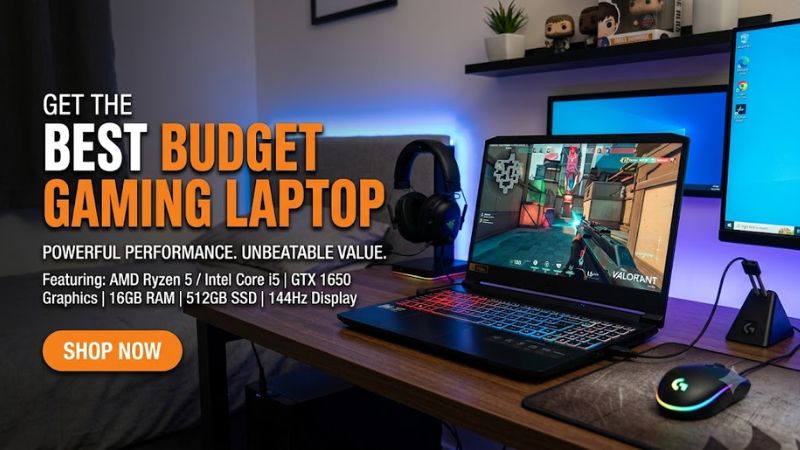
Which Budget Gaming Laptop Should You Choose? Best starting point for value: Lenovo LOQ 15AHP10 with RTX 5050.
- Best for a larger screen on a budget: Acer Nitro V 16 with RTX 4050.
- Best for upgrade flexibility: ASUS TUF Gaming A16 with RTX 4050.
- Best for stronger graphics performance: Acer Nitro V 16 with RTX 5060.
These recommendations reflect different hardware configurations and use cases, not a definitive price ranking. Current prices have not been established for all four exact configurations, so the best value depends on the price and availability at the time you shop.
Best Budget Gaming Laptops
1. Lenovo LOQ 15AHP10 — Best Starting Point for Value
The Lenovo LOQ 15AHP10 is a strong starting point for budget-conscious gamers who want a modern dedicated GPU without moving into premium gaming laptop territory.
One documented US configuration, model 83JG000JUS, includes an AMD Ryzen 5 220 processor, NVIDIA GeForce RTX 5050 Laptop GPU with 8GB of GDDR7 memory, 16GB of DDR5-5600 RAM, and a 512GB PCIe 4.0 SSD. Its 15-inch-class display has a 1920 × 1080 resolution, a 144Hz refresh rate, and a stated 300-nit brightness rating.
Why it stands out
- The RTX 5050 offers a newer entry-level GPU option than many discounted RTX 4050 laptops.
- The 8GB of graphics memory provides more capacity than the 6GB found on the RTX 4050 configurations covered below.
- The 16GB RAM configuration is a reasonable baseline for mainstream gaming and multitasking.
- The 144Hz display is suitable for competitive games when the hardware can deliver sufficiently high frame rates.
Limitations
The 512GB SSD may fill quickly if you install several large games. The laptop’s actual gaming performance also depends on graphics power limits, cooling, drivers, and game settings.
Buy if: You find the 16GB configuration at a competitive price and primarily play at 1080p.
Consider an alternative if: You need more storage out of the box or can find an RTX 5060 laptop for a small additional cost.
2. Acer Nitro V 16 ANV16-41-R2R4 — Best for a Larger Screen
The Acer Nitro V 16 ANV16-41-R2R4 is worth considering if you prefer a larger screen for gaming, studying, and everyday productivity.
Its documented configuration includes an AMD Ryzen 5 8645HS processor, NVIDIA GeForce RTX 4050 Laptop GPU with 6GB of GDDR6 memory, a 512GB SSD, and a 16-inch 1920 × 1200 IPS display with a 165Hz refresh rate.
The 16:10 display provides additional vertical workspace compared with a conventional 16:9 screen. That can be useful for documents, web browsing, coding, and other productivity tasks.
Why it stands out
- The RTX 4050 is suitable for entry-level dedicated-GPU gaming.
- The 1200p resolution provides extra vertical screen space.
- The 165Hz refresh rate can benefit competitive gaming when frame rates are sufficiently high.
Limitations
The documented configuration has 8GB of RAM, which is less attractive for a new gaming laptop in 2026. Check the memory layout and upgrade options before buying. The 6GB GPU memory capacity can also restrict texture settings in some demanding games.
Buy if: You find a discounted configuration with adequate memory or a worthwhile upgrade path.
Consider an alternative if: A newer GPU-equipped laptop with 16GB of RAM costs only slightly more.
3. ASUS TUF Gaming A16 FA607NUG — Best for Upgrade Flexibility
The ASUS TUF Gaming A16 is worth comparing if you want a gaming laptop with room for future memory and storage upgrades.
The documented FA607NUG configuration includes an AMD Ryzen 7 7445HS processor, NVIDIA GeForce RTX 4050 Laptop GPU with 6GB of GDDR6 memory, 16GB of DDR5 RAM, a 512GB PCIe 4.0 SSD, and a 16-inch 1920 × 1200 display rated at 144Hz.
This configuration supports up to 64GB of RAM and includes two M.2 storage slots, making it easier to plan for additional memory or storage capacity.
Why it stands out
- Two memory slots and two M.2 storage slots provide upgrade flexibility.
- The 16:10 display is useful for gaming and productivity.
- The Ryzen 7 processor offers a capable platform for everyday multitasking and compatible creative workloads.
Limitations
The RTX 4050 has 6GB of VRAM, which may limit graphics settings in some newer games. This is also an older GPU generation, so its value depends heavily on the discount compared with newer alternatives.
Buy if: You want upgrade flexibility and find this configuration at a substantially lower price than comparable newer systems.
Consider an alternative if: You can afford a newer GPU without sacrificing memory, display quality, or warranty coverage.
4. Acer Nitro V 16 ANV16-72-70F4 — Best for Stronger Graphics Performance
The Acer Nitro V 16 ANV16-72-70F4 is the more performance-oriented option in this shortlist. Its documented configuration combines an Intel Core 7 240H processor, NVIDIA GeForce RTX 5060 Laptop GPU with 8GB of GDDR7 memory, 16GB of DDR5 RAM, and a 512GB PCIe 4.0 SSD.
The 16-inch 1920 × 1200 IPS display has a 180Hz refresh rate. Acer lists the GPU’s maximum graphics power at up to 85W, an important detail when comparing this laptop against other RTX 5060 models.
Why it stands out
- The RTX 5060 is a higher-tier option than the RTX 4050 and RTX 5050 configurations discussed above.
- The 8GB of GDDR7 memory provides useful capacity for modern gaming workloads.
- The 180Hz display can suit fast-paced games when the system produces sufficiently high frame rates.
- The 16GB RAM configuration is a reasonable starting point for mainstream gaming.
Limitations
The GPU’s 85W maximum graphics power means its performance should not automatically be equated with that of higher-powered RTX 5060 laptops. The 512GB SSD may also require expansion if you maintain a large game library.
Buy if: You want a stronger GPU and find the configuration at a price that fits your budget.
Consider an alternative if: Another RTX 5060 laptop offers better cooling, a higher GPU power limit, more storage, or a better warranty for similar money.
Quick Comparison: Budget Gaming Laptop Specifications
| Laptop | Best for | Graphics | Memory and storage | Display |
| Lenovo LOQ 15AHP10 | Mainstream value | RTX 5050, 8GB GDDR7 | 16GB RAM, 512GB SSD | 1920 × 1080, 144Hz |
| Acer Nitro V 16 ANV16-41-R2R4 | Larger screen on a budget | RTX 4050, 6GB GDDR6 | 8GB RAM, 512GB SSD | 1920 × 1200, 165Hz |
| ASUS TUF Gaming A16 FA607NUG | Upgrade flexibility | RTX 4050, 6GB GDDR6 | 16GB RAM, 512GB SSD | 1920 × 1200, 144Hz |
| Acer Nitro V 16 ANV16-72-70F4 | Stronger graphics | RTX 5060, 8GB GDDR7 | 16GB RAM, 512GB SSD | 1920 × 1200, 180Hz |
Specifications apply to the named configurations, not every laptop in the same product family. Display refresh rate alone does not establish image quality or gaming performance.
How to Choose the Best Budget Gaming Laptop
1. Prioritize the Graphics Card
The GPU is one of the most important factors when choosing a gaming laptop because it has a major influence on performance in graphically demanding games.
- RTX 4050: Worth considering for affordable 1080p gaming, especially when discounted.
- RTX 5050: A newer entry-level option that may offer a better balance of graphics capability and price.
- RTX 5060: Worth considering if you play demanding games or want additional graphics headroom.
GPU names alone do not determine performance. Laptop cooling, graphics power limits, CPU performance, drivers, and game settings can all affect results. Compare independent benchmarks from the exact laptop configuration when available.
2. Aim for 16GB of RAM
For most new budget gaming laptops, 16GB is a sensible starting point. It gives Windows, a game, and background applications more memory than an 8GB configuration.
Before purchasing an 8GB model, check whether the memory is replaceable, how many slots are available, and what capacity the laptop supports. Do not assume every gaming laptop can be upgraded.
If you frequently run demanding games alongside development tools, virtual machines, or creative applications, 32GB may be worth considering.
3. Choose Enough SSD Storage
A 512GB SSD can be adequate for a modest game library, but modern games can occupy substantial storage space.
A 1TB SSD is preferable if it fits your budget. If you choose a 512GB configuration, check whether the laptop has a spare M.2 slot or whether replacing the existing drive would be necessary.
Also verify the supported SSD interface and drive dimensions before purchasing an upgrade.
4. Balance Resolution and Refresh Rate
A 144Hz, 165Hz, or 180Hz display can provide smoother motion than a conventional 60Hz panel, but only if the laptop can render enough frames to make use of the higher refresh rate.
For a budget gaming laptop, consider:
- 1080p: A practical choice for balancing visual quality and performance.
- 1200p: Offers additional vertical workspace on a 16:10 display.
- Brightness and color coverage: Important for use in bright rooms and creative applications.
- Response time and adaptive sync: Relevant to motion clarity and screen tearing.
Do not pay extra for a high-resolution display if doing so forces you to choose a significantly weaker GPU for the games you play.
5. Check Cooling and GPU Power Limits
Two laptops with the same GPU designation can deliver different sustained performance because their cooling systems and configured graphics power differ.
Look for independent reviews that disclose the exact laptop model, game, resolution, graphics settings, and power profile. Check temperatures and fan noise as well as frame rates.
For sustained gaming, expect to use the supplied AC adapter. Gaming on battery generally reduces performance and drains the battery much faster than light productivity tasks.
6. Consider Ports, Warranty, and Upgrade Costs
Before buying, verify that the laptop provides the connections you need, including HDMI, USB-A, suitable USB-C display support, and Ethernet if required.
Factor in the total cost of ownership:
- RAM upgrades if the original configuration is insufficient.
- Additional SSD storage.
- External monitor and peripherals if needed.
- Warranty coverage, return terms, and any upgrade restrictions.
A laptop with a lower advertised price may not be the best deal once required upgrades are included.
What Is a Good Budget for a Gaming Laptop in 2026?
There is no single price that defines the best budget gaming laptop. The right spending level depends on the GPU, memory, display, storage, and current promotions.
Use these categories when comparing offers:
- Entry-level: Discounted RTX 4050 laptops with sufficient RAM.
- Mainstream value: RTX 5050 laptops with 16GB of RAM and a suitable 1080p display.
- Higher-performance budget: RTX 5060 laptops when the price premium is reasonable.
Always compare the exact configuration and current US selling price. Do not treat a past deal or an advertised discount as proof that the laptop is currently available at that price.
Common Budget Gaming Laptop Buying Mistakes
- Buying 8GB of RAM without checking upgrade options: An upgrade may add to the total cost.
- Assuming all laptops with the same GPU perform alike: Power limits and cooling affect sustained performance.
- Prioritizing refresh rate over GPU capability: A fast display cannot compensate for insufficient graphics performance.
- Ignoring storage requirements: A small SSD can become restrictive after installing several games.
- Choosing by product family alone: The same model family may include different processors, GPUs, displays, and memory configurations.
- Trusting unqualified FPS claims: Performance varies with the game, settings, resolution, drivers, and laptop configuration.
Frequently Asked Questions
1. What is the best budget gaming laptop for most people?
The Lenovo LOQ 15AHP10 with RTX 5050 is a sensible starting point among the configurations covered in this guide. Its cited configuration includes 16GB of RAM and an 8GB RTX 5050, but its value depends on the current selling price.
2. Is an RTX 4050 gaming laptop still worth buying in 2026?
Yes, an RTX 4050 gaming laptop can still be worth buying if it costs substantially less than a comparable newer model. Compare its configuration, cooling, memory, and independent performance results before deciding.
3. How much RAM should a budget gaming laptop have?
Aim for 16GB of RAM for mainstream gaming. Consider 32GB if you regularly run demanding applications alongside games, and verify memory upgrade support before buying an 8GB configuration.
4. Can a budget gaming laptop run modern AAA games?
Yes, budget gaming laptops with dedicated GPUs can run many modern AAA games, although the required settings vary by title. You may need to reduce graphics quality, use 1080p resolution, or enable supported upscaling features to maintain playable frame rates.
Final Verdict
The best budget gaming laptop is the one that balances GPU performance, cooling, memory, display quality, and total cost.
Start by comparing the Lenovo LOQ 15AHP10 with RTX 5050 against discounted RTX 4050 alternatives. If your budget allows, consider the Acer Nitro V 16 with RTX 5060 for its higher-tier graphics hardware.
Before buying, confirm the exact model number, RAM configuration, GPU power limit, current US price, availability, and return policy. These details matter more than the product-family name or advertised discount alone.









