
The best gaming laptop for VALORANT is one that combines a fast display, strong CPU performance, stable frame rates, and responsive controls. You do not need a flagship GPU to enjoy Riot Games’ tactical shooter, but choosing the right screen and processor matters if you want to take full advantage of a 144Hz, 180Hz, or 240Hz display.
For most players, a well-configured midrange gaming laptop is the sensible starting point. The Acer Nitro V series is worth considering for value, the Lenovo Legion series for a more balanced gaming setup, and the ASUS ROG Zephyrus G14 for players who prioritize portability. Premium HP OMEN configurations are another option for competitive players who want a high-refresh-rate screen.
These recommendations focus on model families and configurations rather than assuming every laptop with the same product name has identical hardware. Exact displays, processors, graphics chips, and memory vary by model number and regional configuration.
Quick Verdict: Which VALORANT Laptop Should You Choose?
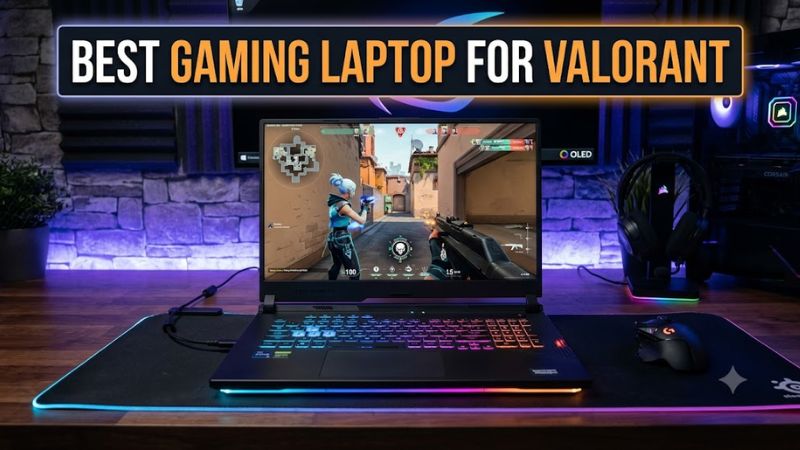
Recommendations are based on published specifications and use-case fit, not firsthand testing by Real Gaming News. Configuration and pricing vary.
| Laptop | Best for | Display to look for | Main trade-off |
| Acer Nitro V 16 AI | Best overall value | 16-inch, 1920 × 1200, up to 180Hz | Bulkier than ultraportables |
| Lenovo Legion 5 | Balanced competitive gaming | High-refresh-rate configuration | Specs differ substantially by generation |
| HP OMEN 16 | Competitive-focused setup | 165Hz or faster, where offered | Higher-tier configurations can cost more |
| ASUS ROG Zephyrus G14 | Portability and premium build | 14-inch OLED, 120Hz on the 2025 model | Costs more; screen refresh rate is lower than 180Hz options |
The Acer Nitro V 16 AI has a particularly straightforward specification match: Acer lists configurations with a 16-inch 1920 × 1200 display running at up to 180Hz, an RTX 5060 or RTX 5070 Laptop GPU on selected models, and 16GB of DDR5 memory in the cited configurations. The ASUS ROG Zephyrus G14 (2025), by contrast, offers a 3K OLED panel at 120Hz, making it more appealing for portability and image quality than for maximizing refresh rate.
How We Selected the Best Laptops for VALORANT
VALORANT is less demanding than many modern AAA games, so the most expensive gaming laptop is not automatically the best choice. Riot’s official PC specifications list a high-end target of 144 FPS or more, with a GTX 1050 Ti, Radeon R7 370, or Intel Arc A310 among the listed GPU options. Those are reference requirements, not guarantees of a particular frame rate on every system.
The recommendations prioritize:
- Display refresh rate: A 144Hz or faster panel is a sensible target for competitive play.
- CPU performance: VALORANT can become CPU-limited at high frame rates, especially when graphics settings are low.
- Sustained performance: Cooling and power limits matter during longer sessions.
- Memory: 16GB is a practical baseline for a new gaming laptop; 32GB is useful for multitasking and streaming.
- Portability and price: A compact laptop may be more useful for students or players who travel, while a larger chassis can offer more room for cooling.
We also considered current specialist laptop coverage for context. Recent gaming-laptop roundups highlight the Legion 5 for its display options and value, and the Zephyrus G14 for its compact design. These are general laptop assessments, not direct VALORANT benchmark comparisons.
1. Acer Nitro V 16 AI — Best Overall Value for VALORANT
Best value pick
The Acer Nitro V 16 AI is a strong starting point for players who want a fast internal display without paying for an ultra-premium gaming laptop. Its appeal comes from the combination of a 180Hz screen on selected configurations, modern dedicated graphics, and a 16-inch chassis.
Key specifications
- Display: 16-inch IPS, 1920 × 1200, up to 180Hz, depending on configuration.
- Graphics: NVIDIA GeForce RTX 5060 or RTX 5070 Laptop GPU on selected models.
- Memory: Some configurations ship with 16GB DDR5; maximum supported memory depends on the exact model.
- Storage: PCIe 4.0 NVMe SSD on the cited configurations.
- Operating system: Windows 11 on the cited US models.
Why it suits VALORANT
A 180Hz screen can display up to 180 refreshes per second, provided the system delivers enough frames and the game is configured appropriately. This gives the Nitro V 16 AI a useful competitive-oriented feature without requiring a high-resolution 3K or 4K panel.
Its RTX graphics options also leave room for more demanding games beyond VALORANT. However, the GPU alone does not establish how many frames the laptop will produce in a CPU-sensitive competitive title.
Limitations
The Nitro V line is designed around value, so buyers should inspect the particular configuration rather than assume every model includes the same GPU, memory, or screen. Acer lists different graphics power limits across its Nitro models, and those differences can affect performance in GPU-heavy games.
Buy it if: You want a 180Hz-class screen, modern gaming hardware, and a laptop that can handle games beyond VALORANT.
Consider an alternative if: You need a particularly light laptop, premium materials, or a smaller screen for travel.
2. Lenovo Legion 5 — Best for a Balanced Gaming Setup
The Lenovo Legion 5 is worth considering for players who want a laptop that serves as both a competitive gaming machine and an everyday computer. Its suitability depends on the generation and configuration, so the display specification should be checked before purchase.
What to look for
- A 144Hz or faster display, ideally 165Hz or above.
- A modern Intel Core or AMD Ryzen processor suited to sustained gaming.
- At least 16GB of RAM.
- A dedicated GPU if you also play more demanding titles.
- A cooling system and performance mode that can sustain gaming loads while plugged in.
Recent gaming-laptop coverage identifies the Legion 5 as a notable option for its combination of display quality and value, but those general assessments should not be treated as proof of a particular VALORANT frame rate.
Why it suits competitive players
A balanced CPU, responsive display, and consistent cooling are more useful than simply choosing the highest GPU tier. For VALORANT, spending extra on a stronger graphics chip may have diminishing returns if the processor or display becomes the limiting factor.
The Legion 5 can also make sense if you use the same laptop for school, work, voice chat, and other PC games.
Limitations
Legion 5 specifications vary across model years and regional SKUs. Do not assume that a review of one generation describes another generation’s screen, GPU power, keyboard, or cooling. Confirm the exact machine’s refresh rate, processor, memory configuration, and upgrade options.
Buy it if: You want an all-around gaming laptop and find a configuration with a suitable high-refresh-rate screen.
Consider an alternative if: You are choosing purely on portability or want the most affordable hardware that meets VALORANT’s needs.
3. HP OMEN 16 — Best for a Competitive-Focused Setup
The HP OMEN 16 is another model family to consider if gaming performance is a priority and you prefer a larger screen. The right configuration matters more than the OMEN name itself: display refresh rates, processors, and GPUs vary across generations.
What makes it worth considering
Look for a configuration with:
- A 165Hz-or-faster display.
- A strong modern CPU rather than choosing solely by GPU tier.
- 16GB or more of RAM.
- Adequate cooling and a performance mode for plugged-in gaming.
- The ports you need for a wired mouse, headset, and external monitor.
A high-refresh-rate screen is particularly relevant for VALORANT because the game emphasizes rapid target acquisition and precise mouse control. The screen’s refresh rate is only one part of the experience, however; frame-time consistency and input latency also matter.
Limitations
A larger or more expensive OMEN configuration does not automatically deliver better VALORANT performance than a less expensive laptop with a capable CPU and a similar display. Before buying, confirm the exact model number and panel specifications rather than relying on the product family’s headline features.
Current prices and availability can change quickly, and no specific US street price is included here because a matching, current retailer listing has not been verified.
Buy it if: You want a larger gaming laptop and find a configuration with a fast display and suitable CPU.
Consider an alternative if: Your budget is tight or you would rather prioritize portability over screen size.
4. ASUS ROG Zephyrus G14 (2025) — Best Portable Premium Option
The ASUS ROG Zephyrus G14 (2025) is a compact gaming laptop aimed at people who want gaming performance in a smaller chassis. ASUS lists a 14-inch 3K OLED display with a 120Hz refresh rate, and selected configurations offer up to an NVIDIA GeForce RTX 5080 Laptop GPU.
Key specifications
- Display: 14-inch, 2880 × 1800 OLED, 120Hz.
- Processor: Up to AMD Ryzen AI 9 HX 370, depending on configuration.
- Graphics: Up to NVIDIA GeForce RTX 5080 Laptop GPU, depending on configuration.
- Memory: Some configurations use onboard LPDDR5X memory, which is not user-upgradeable.
Why it suits VALORANT
The G14 makes sense for players who carry their laptop between home, school, tournaments, or other locations. Its OLED panel and high resolution are also useful for general entertainment and creative work.
For a competitive player, though, the 120Hz refresh rate is a meaningful compromise compared with a 165Hz, 180Hz, or 240Hz display. A more powerful GPU does not remove that display limitation.
Limitations
This is a premium option that may be excessive if VALORANT is your only game. The cited 2025 model also uses onboard memory in the listed configurations, so you should buy enough RAM at the outset rather than plan on upgrading it later.
Buy it if: You want a compact gaming laptop with a premium OLED display and broader gaming capability.
Consider an alternative if: Your main goal is maximizing refresh rate per dollar for competitive VALORANT.
Quick Comparison: What Matters Most?
| Feature | Budget-conscious player | Competitive player | Portable premium player |
| Display | 144Hz or faster | 165–240Hz, depending on budget | 120Hz may be an acceptable trade-off |
| CPU | Modern entry-level or midrange gaming CPU | Strong single-thread performance and sustained clocks | High-performance mobile CPU |
| GPU | Integrated graphics may suffice for basic play; dedicated GPU offers more headroom | Dedicated GPU is useful for other games, too | Dedicated GPU suited to wider workloads |
| RAM | 16GB recommended | 16GB minimum practical target; 32GB for heavier multitasking | Check onboard capacity before buying |
| Main priority | Total cost | Frame delivery and responsiveness | Weight, display quality, and portability |
The refresh-rate ranges above are buying guidelines, not guarantees of frame rate. The ideal specification depends on your budget, other games, and whether you plan to use an external monitor.
How Much Performance Does VALORANT Actually Need?
Riot’s official requirements provide three reference tiers: minimum specifications for 30 FPS, recommended specifications for 60 FPS, and high-end specifications for 144 FPS or more. Its current published page lists Windows 10 64-bit (Build 19041 or newer) or Windows 11 64-bit, 4GB RAM, and 1GB VRAM in the general requirements. Windows 11 also requires TPM 2.0 and UEFI Secure Boot.
These requirements are a useful baseline, but they do not establish the real-world frame rate of a specific laptop. The result depends on the exact CPU, power settings, cooling, game settings, drivers, and background processes.
For a new purchase, these are practical targets:
- Casual play: Prioritize a reliable Windows laptop with a responsive display and at least 16GB of RAM.
- Ranked play: Look for a 144Hz or faster screen and a CPU capable of sustaining high frame rates.
- High-refresh competitive play: Consider a 165Hz, 180Hz, or 240Hz display, then verify that independent testing of the exact configuration supports your performance expectations.
- Streaming while playing: Favor 32GB of RAM if your budget allows, particularly if you run broadcasting software, browsers, and other applications at the same time.
A 240Hz panel is not automatically better value than a 165Hz panel. If the laptop cannot consistently deliver a high enough frame rate, or if other latency sources dominate, the extra refresh rate may have limited practical value.
How to Choose a VALORANT Laptop Without Overspending
1. Choose the screen before chasing GPU specifications
For competitive play, a 144Hz panel is a sensible starting point. A 165Hz or 180Hz display offers a useful step up, while 240Hz can appeal to players who prioritize high-refresh-rate gameplay.
Check the actual panel specification. A product listing may offer several displays under the same laptop name, and a high-resolution OLED option may have a lower refresh rate than a more gaming-oriented panel.
2. Prioritize a capable CPU
VALORANT can become CPU-limited at high frame rates. A stronger GPU will not necessarily improve performance if the processor is already the bottleneck.
Compare the exact processor generation and independent results from the same laptop configuration. Avoid choosing a laptop solely because its GPU number looks higher.
3. Treat 16GB of RAM as a practical baseline
Riot’s published general requirement is only 4GB, but that is not an ideal buying target for a new gaming laptop in 2026. Sixteen gigabytes provides a more practical starting point for Windows, the game, voice chat, and ordinary multitasking. Consider 32GB for streaming or heavier workloads.
Also verify whether memory is soldered or replaceable. The Zephyrus G14 configurations cited above illustrate why this matters: some onboard-memory configurations cannot be upgraded after purchase.
4. Consider cooling and sustained performance
A laptop may perform differently when plugged in, operating in a performance mode, or running on battery. Thin designs also have less physical room for cooling than many larger gaming laptops.
For competitive sessions, use the manufacturer’s recommended power adapter and performance settings, keep the ventilation unobstructed, and check independent reviews for sustained-load behavior. Do not treat a brief peak benchmark as proof of performance throughout a long session.
5. Check external monitor support if you plan to compete at a desk
If you already own a 240Hz or 360Hz monitor, verify the laptop’s display output, the port’s supported bandwidth, and the cable requirements. A USB-C port does not necessarily support every display mode, and HDMI capabilities depend on the specific laptop implementation.
An external monitor can be a better investment than paying a premium for a laptop’s built-in panel, particularly if you mainly play at a desk.
6. Compare complete configurations and total cost
Before purchasing, confirm:
- Exact model or SKU and CPU.
- GPU model and laptop power limit where disclosed.
- Internal display resolution and refresh rate.
- Installed RAM and upgradeability.
- SSD capacity.
- Warranty and return policy.
- Any required external monitor, mouse, headset, or Ethernet adapter.
Prices change frequently, so compare the same configuration across US retailers and check the date and condition of the listing. Do not compare the price of a base configuration with the performance of a more expensive version.
Common Mistakes When Buying a Laptop for VALORANT
- Buying a high-end GPU but ignoring the screen. A powerful graphics chip is less compelling if the panel is limited to 60Hz or 120Hz for your intended use.
- Assuming every configuration has the advertised display. Product families often include multiple panels and hardware options.
- Expecting a guaranteed FPS number. Manufacturer specifications alone cannot establish the frame rate of a specific game configuration.
- Buying too little memory for multitasking. The game’s minimum requirement does not account for every application you may run alongside it.
- Ignoring the keyboard and mouse setup. Competitive players often benefit from a comfortable external mouse and a stable desk setup.
- Playing on battery and expecting plugged-in performance. Power and thermal policies can reduce sustained performance away from the charger.
Frequently Asked Questions
Is a gaming laptop necessary to play VALORANT?
No, a dedicated gaming laptop is not strictly necessary because VALORANT has relatively modest published minimum requirements. However, a laptop with a high-refresh-rate screen and suitable CPU is a better fit for competitive play.
Is 144Hz enough for VALORANT?
Yes, 144Hz is a reasonable starting point for competitive VALORANT. A 165Hz, 180Hz, or 240Hz display can provide additional refresh headroom, but the laptop must also deliver enough frames to benefit.
Is an RTX 4050 or RTX 5060 necessary for VALORANT?
No, neither GPU is required by Riot’s published high-end specification. A dedicated RTX GPU can provide more headroom for other games, but CPU performance and display refresh rate should remain part of the buying decision.
Is 16GB RAM enough for VALORANT?
Yes, 16GB is a practical amount for VALORANT and everyday multitasking. Choose 32GB if you regularly stream, edit video, or run several memory-intensive applications at once.
Final Verdict
For most buyers, the Acer Nitro V 16 AI is the most straightforward option in this shortlist if you find a configuration with its 180Hz display and suitable CPU. It combines a competitive-oriented screen with hardware capable of handling games beyond VALORANT.
The Lenovo Legion 5 and HP OMEN 16 are worth comparing when you find a clearly specified high-refresh-rate configuration. The ASUS ROG Zephyrus G14 (2025) is the better fit for players who value portability and OLED image quality more than maximizing refresh rate.
Before choosing, verify the exact configuration, panel refresh rate, and memory upgrade options. For VALORANT, buying a balanced laptop with a responsive screen is generally a smarter use of your budget than paying for the most powerful GPU available.









