
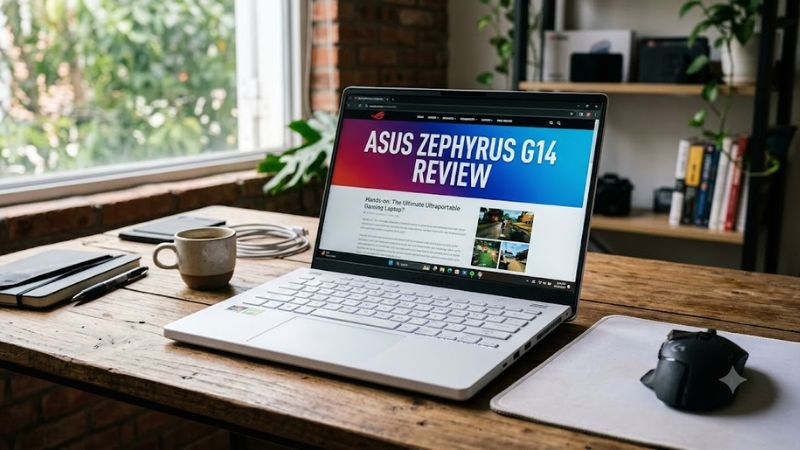
The ASUS ROG Zephyrus G14 review is worth considering if you want a portable Windows laptop that combines gaming performance, a premium OLED display, and enough processing power for everyday productivity and creative work. Its main advantage is packing dedicated graphics into a 14-inch chassis; its biggest trade-offs are premium pricing, limited memory upgrades, and less room for cooling than larger gaming laptops.
For 2026, buyers need to distinguish between the 2026 Zephyrus G14 models and discounted 2025 configurations. ASUS lists both AMD-based GA403 and Intel-based GU405 versions for 2026, with different processors and graphics configurations. The exact model number matters because the G14 name alone does not identify its hardware.
This review examines the specifications, published product information, value, and practical limitations of the Zephyrus G14. Performance conclusions are based on documented hardware capabilities and cited independent reviews, not firsthand testing by Real Gaming News.
ASUS Zephyrus G14: Quick Verdict
Best suited for
Portable gaming and creative work
Main strengths
Compact design, high-resolution OLED display, dedicated NVIDIA graphics
Main drawbacks
Premium price, soldered memory, limited upgrade flexibility
Buying priority
Verify GPU, RAM, and exact configuration before paying
The G14 makes the most sense for students, professionals, and gamers who carry their laptop regularly but still want discrete GPU performance. It is less compelling for buyers who prioritize the lowest price, maximum sustained gaming performance, or extensive hardware upgrades.
The 2026 lineup includes AMD configurations with GeForce RTX 5060 graphics and Intel configurations with newer high-end hardware options. However, availability and pricing depend on the specific configuration and market.
ASUS Zephyrus G14 specifications
The 2026 Intel-based GU405 and AMD-based GA403 are distinct platforms. The following table focuses on the documented 2026 GU405 family and illustrates why checking the exact configuration is essential.
| Specification | 2026 Zephyrus G14 GU405 |
| Processor | Intel Core Ultra 9 386H |
| Graphics options | NVIDIA GeForce RTX 5060, RTX 5070, RTX 5070 Ti, or RTX 5080 Laptop GPU, depending on SKU |
| Display | 14-inch, 2880 × 1800 OLED |
| Refresh rate | 120Hz |
| Memory | 16GB or 32GB LPDDR5X, depending on configuration |
| Memory upgrades | Soldered memory; no expansion slots |
| Storage | 1TB PCIe 4.0 NVMe M.2 SSD on listed configurations |
| Operating system | Windows 11 Home or Pro, depending on SKU |
| Weight | Approximately 3.48 pounds, according to ASUS |
| Price | $3,599.99 listed by ASUS US for a GU405 configuration |
Sources: ASUS’s official 2026 GU405 product and specification pages. Graphics, memory, operating system, and pricing vary by configuration; the listed price is not a universal price for every G14 model.
One particularly important detail is GPU power. ASUS lists the RTX 5070 Ti at up to 115W in Turbo mode and 130W in Manual mode, including Dynamic Boost. Those are different operating profiles, not guaranteed sustained power draw in every game. Performance comparisons should account for the laptop’s power limits and cooling implementation.
Design and portability
The Zephyrus G14 is designed for people who want gaming hardware without carrying a traditional bulky gaming laptop. Its 14-inch format makes it easier to fit into a backpack and use in classrooms, offices, and shared workspaces.
ASUS lists the 2026 GU405 at approximately 0.72 inches thick and 3.48 pounds. That is a useful size for frequent travel, although the power adapter adds to the weight of the complete setup.
The compact chassis also involves compromises. A smaller laptop has less room for heat dissipation than a larger gaming system, and fan noise can become noticeable when the CPU and GPU are under sustained load. Buyers should assess independent testing of the precise configuration rather than assume that a premium chassis will run silently during gaming.
Design verdict: The G14 is appealing if portability is a priority, but a 15- or 16-inch gaming laptop may offer a better fit for someone who rarely travels and wants more sustained performance per dollar.
Display quality: 3K OLED at 120Hz
The 2026 GU405 uses a 14-inch OLED panel with a 2880 × 1800 resolution, a 16:10 aspect ratio, and a 120Hz refresh rate. ASUS also advertises 100% DCI-P3 color coverage and a peak brightness of up to 1,100 nits for the ROG Nebula HDR display. The brightness figure is a manufacturer specification, not a guarantee that the entire screen reaches that level in every usage mode.
The display suits several workloads:
- Single-player games: OLED contrast can make dark scenes and highlights more distinctive.
- Competitive gaming: A 120Hz refresh rate offers smoother motion than a conventional 60Hz screen, although esports players may prefer a faster panel.
- Creative applications: The high resolution and advertised wide color gamut are useful for photo editing, video work, and design.
- Productivity: The 16:10 layout provides more vertical workspace than a 16:9 display of comparable width.
There are limitations. Running demanding games at the native 3K resolution places a greater load on the GPU than playing at 1080p. Some titles will benefit from reduced render resolution or supported upscaling technologies.
OLED also requires sensible long-term use. Static interface elements displayed for extended periods can contribute to image retention or burn-in over time. This is a consideration for people who leave the same editing timeline or desktop interface visible for many hours each day.
Gaming performance: What should you expect?
The G14’s gaming capability depends heavily on its graphics configuration. The RTX 5060, RTX 5070, RTX 5070 Ti, and RTX 5080 versions should not be treated as interchangeable merely because they share the same laptop family.
ASUS lists the 2026 GU405 with up to an RTX 5080 Laptop GPU and 16GB of GDDR7 memory. Lower configurations include GPUs with less graphics memory.
Here is how to approach the available configurations:
| Gaming workload | What to consider |
| Competitive games such as Valorant | An RTX 5060 configuration may be sufficient for many players, depending on resolution and settings |
| Modern AAA games | Compare the exact GPU and its power limits; demanding titles may require adjusted settings |
| Ray tracing | Higher-tier graphics configurations provide more headroom, but results depend on the game and settings |
| 3K gaming | Expect a greater GPU workload than at 1080p; supported upscaling may help |
| Gaming and streaming | Consider GPU encoder support, memory capacity, and the combined CPU/GPU workload |
These are workload-based recommendations, not benchmark results. No specific FPS figure is presented here because a reliable, directly comparable test result for each exact 2026 configuration and a consistent test setup has not been established in the sources used for this review.
Is the RTX 5080 configuration worth it?
The RTX 5080 version is the more appropriate option to investigate if you want higher graphics settings, more demanding creative workloads, or additional graphics memory headroom. Its 16GB of GDDR7 is also more generous than the 8GB offered by the listed RTX 5060 and RTX 5070 versions.
However, a higher-tier GPU does not automatically make the laptop the best value. Its real-world performance depends on cooling, power limits, game optimization, and the price difference between configurations.
For buyers who mostly play esports games at moderate settings, paying a substantial premium for the RTX 5080 may be difficult to justify. For graphically demanding games and GPU-intensive creative work, the additional headroom can be more relevant.
CPU performance and productivity
The Intel-based 2026 GU405 uses the Core Ultra 9 386H, which ASUS specifies with 16 cores, 16 threads, and boost frequencies up to 4.9GHz. The AMD-based GA403 is a separate 2026 option, listed with the Ryzen AI 9 465 processor.
Both platforms target more than gaming. A suitably configured G14 can handle everyday office applications, multitasking, programming, and supported creative workloads. The precise experience depends on memory capacity, application requirements, and whether the work is CPU- or GPU-limited.
For heavier workloads, consider the following:
- Video editing: Prioritize the GPU configuration, RAM capacity, SSD space, and compatibility with your editing software.
- Programming: Check the memory requirement of your IDE, virtual machines, containers, and local development tools.
- 3D rendering: Compare GPU rendering support and graphics memory requirements for your specific application.
- Large multitasking workloads: Choose 32GB rather than 16GB when the budget allows and your workload benefits from it.
The main upgrade limitation is memory. ASUS specifies soldered LPDDR5X with no memory expansion on the listed GU405 configurations. That means the RAM capacity selected at purchase is effectively the capacity you will keep for the life of the machine.
For this reason, 32GB is the more flexible choice for users who expect to keep the laptop for several years or regularly work with large projects.
Cooling, fan noise, and battery life
A thin gaming laptop must balance performance, temperature, noise, and battery consumption. The G14’s compact design makes those trade-offs particularly important.
ASUS advertises a cooling system featuring heat pipes and, on applicable 2026 GU405 configurations, Tri-Fan Technology. The exact cooling implementation can vary by SKU.
In practical terms, buyers should expect different behavior depending on the workload:
- Light productivity: Web browsing, documents, and video playback place less demand on the discrete GPU than gaming.
- Long gaming sessions: The CPU and GPU share a limited thermal and power budget, and fans may become audible.
- Battery-powered gaming: Performance and runtime can differ substantially from plugged-in operation.
- Creative workloads: Sustained rendering or encoding is more demanding than short bursts of everyday multitasking.
The battery’s advertised capacity alone cannot establish real-world runtime. Screen brightness, refresh rate, power profile, application load, and GPU activity all influence battery consumption.
For a fair battery comparison, look for independent tests that identify the exact configuration, display settings, workload, and power mode. Without directly comparable measurements, it would be misleading to assign the G14 a specific number of gaming or productivity hours.
Ports, connectivity, and upgrade options
The G14 is a compact computer, so buyers should check its physical connections before purchasing.
The relevant questions are whether the selected configuration provides the display output, USB connectivity, charging support, and wireless capabilities required by your setup. If you plan to use an external gaming monitor, confirm the exact port’s supported resolution, refresh rate, and display-output capabilities rather than assuming all USB-C connections behave identically.
For a desk-based setup, also consider whether you need:
- An external monitor and compatible display cable.
- A USB hub or docking station for additional peripherals.
- An external SSD for large game libraries or video projects.
- A wired network connection through a supported adapter if Wi-Fi is unsuitable.
The SSD is a more promising upgrade consideration than the memory, but the exact storage-slot arrangement and service requirements should be checked against the applicable model’s technical documentation before buying replacement hardware.
ASUS Zephyrus G14 price and value in 2026
Price is one of the most important considerations in this review because the G14 is positioned as a premium compact gaming laptop.
ASUS’s US website lists a $3,599.99 price for a 2026 GU405 configuration. This is the manufacturer’s listed price for that configuration, not a claim that every G14 costs that amount or that it represents the lowest available retail price.
The 2025 GA403 generation is also worth considering when discounted. ASUS’s US specification page lists several 2025 configurations, including models with the Ryzen AI 9 HX 370 and RTX 5070 Ti or RTX 5080 graphics. These older configurations should be evaluated on their own merits rather than assumed to perform identically to the 2026 models.
Use these buying rules:
- Choose the 2026 model if you want its specific hardware generation and the price difference is reasonable for your needs.
- Consider the 2025 model if a verified discount makes its GPU, memory, and overall specifications more attractive.
- Avoid paying for graphics you will not use. Competitive games and everyday productivity rarely justify every premium GPU configuration.
- Do not compromise on RAM capacity casually. Soldered memory makes the initial configuration particularly important.
Prices and stock can change. Before buying, compare the exact model number, GPU, RAM, storage, warranty, and return policy. A product-family name alone is not enough to establish that two listings represent the same machine.
Pros and cons
Pros
- Compact 14-inch design suited to travel and everyday use.
- High-resolution 3K OLED display with a 120Hz refresh rate.
- Dedicated NVIDIA graphics options extending to the RTX 5080 on the 2026 GU405.
- Suitable hardware options for gaming, programming, and creative applications.
- Multiple configurations allow buyers to prioritize price, graphics performance, or memory capacity.
Cons
- Premium pricing, particularly for higher-tier configurations.
- Soldered memory cannot be upgraded later.
- Compact cooling can involve fan noise and sustained-load trade-offs.
- Native 3K gaming is demanding for the GPU.
- Performance, ports, and specifications vary by model number, making comparisons more complicated.
ASUS Zephyrus G14 alternatives
If the G14’s price or size does not fit your needs, compare it with other gaming laptops in the same general category.
| Alternative | Why to consider it | Main trade-off |
| ASUS ROG Zephyrus G16 | A larger screen and chassis for gaming and productivity | Larger footprint |
| Lenovo Legion gaming laptops | Worth comparing for performance and configuration-specific value | Model dimensions and portability vary |
| Razer Blade 14 | Another compact premium gaming-laptop category to investigate | Price and configuration value need careful comparison |
| A larger gaming laptop with similar graphics | Potentially better sustained performance and a more spacious display | Less convenient to carry |
These are comparison candidates, not a verified ranking of current deals. Compare models from the same hardware generation where possible, and use independent benchmarks with matching resolutions and graphics settings before drawing performance conclusions.
Who should buy the ASUS Zephyrus G14?
The G14 is a good candidate for buyers who want one portable computer for gaming, study, and creative work. Its high-resolution OLED display and discrete graphics options make it more versatile than a conventional productivity laptop, while the 14-inch format is easier to transport than many larger gaming systems.
It is less suitable for buyers who need inexpensive hardware, user-upgradeable RAM, or the highest possible sustained performance regardless of size. A larger laptop or desktop may offer better value for someone who games primarily at home.
Before choosing a configuration, make sure the graphics card, memory, storage, display, and price match your actual workload. Those details matter more than the Zephyrus name alone.
Frequently asked questions
1. Is the ASUS Zephyrus G14 worth buying in 2026?
Yes, it is worth considering if portability, OLED display quality, and dedicated graphics matter to you. Whether it is good value depends on the exact configuration and its current price.
2. Can the ASUS Zephyrus G14 run demanding AAA games?
Yes, the G14 has configurations designed for demanding games, including versions with RTX 5070 Ti and RTX 5080 Laptop GPUs. Actual performance depends on the GPU, power limits, resolution, and graphics settings.
3. Can you upgrade the RAM in the ASUS Zephyrus G14?
No, the listed 2026 GU405 configurations use soldered LPDDR5X memory with no memory expansion slots. Choose the capacity you need before purchasing.
4. Should you buy the 2025 or 2026 ASUS Zephyrus G14?
Choose based on the exact specifications and price rather than the year alone. A discounted 2025 model may provide better value, while a 2026 model may suit buyers who want its newer hardware and available configuration options.
Final verdict
The ASUS ROG Zephyrus G14 remains a compelling category of laptop for gamers who value portability without giving up dedicated graphics. The 2026 lineup includes configurations ranging from the RTX 5060 to the RTX 5080 on the Intel-based GU405, paired with a high-resolution 120Hz OLED display.
Its key weaknesses are the premium price, soldered memory, and the practical cooling limitations associated with a compact chassis. Those factors make configuration selection essential.
Our recommendation: Consider a 32GB configuration if you multitask heavily or plan to keep the laptop for years, and choose the GPU based on the games and applications you actually use. If you can find a properly discounted 2025 G14 with suitable specifications, compare it carefully before paying a premium for the newer generation.









