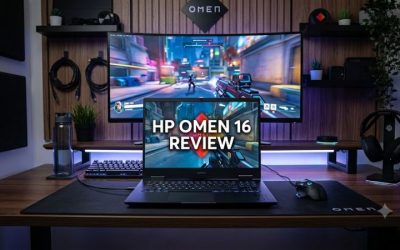
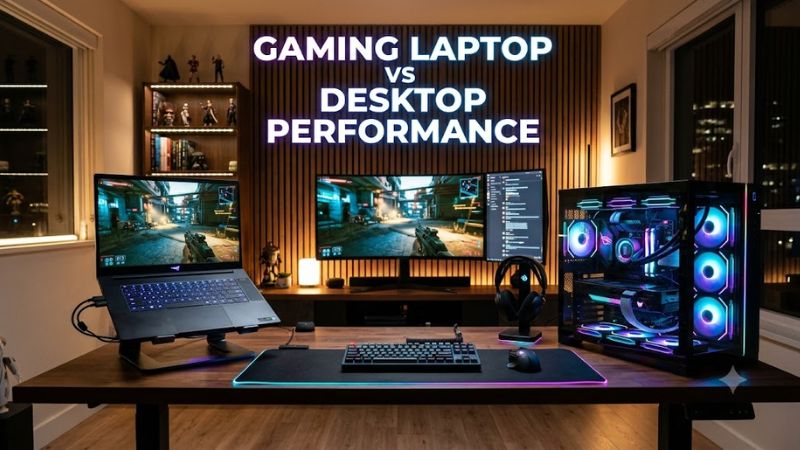
A gaming desktop generally delivers better gaming performance than a gaming laptop with similarly positioned hardware. Desktop graphics cards can use more power, larger cooling systems help sustain performance, and desktop components offer more room for upgrades. Gaming laptops, however, provide portability and combine the computer, display, keyboard, and battery in one device.
The difference depends on the exact CPU, GPU, power limits, cooling design, game, and graphics settings. A high-end gaming laptop can outperform a budget desktop, so comparing prices and model names alone will not tell you which machine is faster.
For most gamers who play at home and prioritize maximum FPS, a desktop is the stronger choice. A laptop makes more sense if you need to carry your gaming system between home, school, work, or tournaments.
Gaming Laptop vs Desktop: Quick Comparison
| Factor | Gaming Laptop | Gaming Desktop |
| Gaming performance | Strong, but limited by mobile hardware and cooling | Generally higher with comparable hardware tiers |
| Maximum FPS | Depends heavily on GPU power limits | Usually offers more performance headroom |
| Sustained performance | Can be constrained by heat and chassis size | Larger cooling systems offer more thermal headroom |
| 1080p gaming | Excellent on suitable configurations | Excellent, with more performance headroom at similar tiers |
| 1440p and 4K gaming | Possible with higher-end GPUs and suitable settings | Generally stronger for demanding high-resolution gaming |
| Ray tracing | Depends on GPU capability and power configuration | Usually more performance headroom at comparable product tiers |
| Portability | Built for travel | Requires transporting separate components |
| Upgrades | Usually limited to selected components | CPU, GPU, RAM, and storage may be replaceable |
| Power use | Usually lower for the complete system, but varies | Often higher under gaming loads |
| Space required | Compact, with a built-in screen | Requires a tower and usually separate peripherals |
| Long-term flexibility | Limited by the original chassis and motherboard | More options for repairs and component upgrades |
These are general platform differences, not guarantees for every configuration. A powerful laptop can beat an entry-level desktop, and a poorly configured desktop can underperform its potential.
1. Gaming Performance: How Big Is the Difference?
The desktop advantage is most noticeable when comparing high-end graphics cards from the same generation. However, the gap changes with the laptop’s power limit, cooling system, game, and resolution.
A useful example comes from the GeForce RTX 5090 generation. The desktop RTX 5090 and RTX 5090 Laptop GPU are different products, despite sharing the same model number. The laptop version has 10,496 CUDA cores and 24GB of GDDR7 memory, while the desktop version has 21,760 CUDA cores and 32GB of GDDR7 memory. These specifications illustrate why the names alone do not establish equivalent performance.
Independent testing has also found substantial performance differences between the mobile flagship and its desktop counterpart in graphics benchmarks. Laptop results vary depending on the power configuration and cooling implementation.
This evidence supports two practical conclusions:
- A flagship gaming laptop does not automatically match a desktop with the same GPU model number.
- A well-cooled, higher-power laptop can outperform a thinner laptop carrying the same mobile GPU.
These findings do not establish a universal FPS ratio. Synthetic benchmark results should not be treated as equivalent to frame rates in a particular game.
For a fair gaming comparison, look for the same game version, resolution, graphics preset, ray-tracing configuration, and upscaling settings. Compare average FPS and 1% lows when both systems have measurements under equivalent conditions. Without those details, a single percentage can be misleading.
Which Platform Is Better at Different Resolutions?
1080p gaming
Both platforms can deliver high frame rates. Competitive games may become CPU-limited, so a desktop’s stronger GPU will not always translate into a proportional FPS increase. A laptop can be a sensible choice for competitive players who need portability.
1440p gaming
Desktop systems generally have an advantage in demanding games because they can accommodate higher-performance graphics cards and more substantial cooling. A capable gaming laptop can still provide a strong 1440p experience, depending on its GPU and power configuration.
4K gaming and demanding ray tracing
A desktop is usually the better option for maximizing native rendering performance at high resolutions. Its greater GPU power and upgrade flexibility are especially useful for demanding ray-traced games. Laptop upscaling and frame generation can improve perceived smoothness, but generated frames are not the same as natively rendered frames.
2. Why Desktop Hardware Usually Performs Better
GPU Power and Thermal Limits
Graphics performance depends on more than the GPU’s name. Power limits, clock speeds, cooling, and the manufacturer’s system design all influence the performance a graphics processor can sustain.
A desktop graphics card can use a much larger cooling assembly and, depending on the model, draw substantially more power than a mobile GPU. A laptop must fit its CPU, GPU, memory, cooling hardware, and power delivery into a compact chassis.
For example, the RTX 5080 Laptop GPU has a specified GPU subsystem power range of 80–150 watts, depending on the laptop implementation. Not every laptop carrying this GPU operates at the same power limit.
A desktop’s cooling advantage does not guarantee a specific FPS improvement. Ambient temperature, case airflow, cooler quality, fan curves, and the graphics card itself still matter.
CPU Performance and Gaming Workloads
Desktop CPUs often have more room for sustained power consumption and cooling. This can benefit games that depend heavily on CPU performance, high-refresh-rate gaming, simulation workloads, and CPU-intensive background tasks.
However, CPU model names and core counts are not enough to predict gaming performance. Architecture, cache, memory configuration, power limits, and the game engine also influence results.
At 1080p with low graphics settings, a game may become CPU-limited. At 1440p or 4K with demanding visual settings, the GPU is more likely to become the limiting component. This is a general pattern rather than a rule for every game.
Memory and Storage
RAM capacity and SSD performance affect both laptops and desktops. A system with insufficient RAM can experience stuttering when games and background applications compete for memory, while slow storage can affect loading times.
Neither platform automatically wins because of its form factor. Compare the actual configuration:
- RAM: Capacity, memory speed, channel configuration, and whether the memory is upgradeable.
- VRAM: Capacity and bandwidth appropriate for the games and resolution.
- SSD: Interface, capacity, and available expansion slots.
- CPU and GPU balance: Avoid paying for a powerful GPU that is held back by a significant CPU limitation in your primary games.
For many modern gaming systems, 16GB of RAM can be workable, while 32GB provides more headroom for demanding games, multitasking, and content creation. Actual requirements vary by title and workload.
3. Gaming Laptop vs Desktop: Cost and Value
The cheaper purchase is not necessarily the better value. A laptop includes its display, keyboard, trackpad, battery, and speakers. A desktop comparison needs to account for the peripherals required to make the system usable.
| Cost Factor | Gaming Laptop | Gaming Desktop |
| Initial system | One integrated purchase | Tower or complete prebuilt system |
| Display and keyboard | Usually included | Often purchased separately |
| Performance per dollar | Depends on configuration and discounts | Often stronger when prioritizing raw gaming performance |
| Cooling and repairs | More model-specific and compact | Usually easier to access and service |
| Upgrades | Limited by the model | Broader component replacement options |
| Future performance | May require replacing the laptop | Can often be improved by replacing selected components |
Prices change with configuration, retailer, and promotions, so there is no reliable universal price difference. Compare the total cost of a complete setup using current prices rather than comparing a laptop’s sticker price with the price of a desktop graphics card alone.
Which Gives You More FPS per Dollar?
If your priority is maximum gaming performance and you already own a monitor and peripherals, a desktop is generally the better starting point.
If you need a computer for classes, travel, work, and gaming, the laptop’s integrated hardware can justify its cost even if it delivers fewer frames per second.
Also consider the resolution and refresh rate of the display you intend to use. Paying extra for hardware that substantially exceeds your monitor’s needs may offer less practical value than investing in a balanced system.
4. Cooling, Noise, and Sustained Gaming Performance
Cooling affects how consistently a system performs during long gaming sessions. Both platforms can experience thermal throttling, but their physical designs create different constraints.
A gaming laptop has limited space for heatsinks, fans, and airflow channels. Under a demanding workload, its fans may become loud, and its CPU or GPU may reduce clock speeds when thermal or power limits are reached.
A desktop has more room for larger air coolers, additional case fans, and liquid-cooling solutions. This gives builders more options for managing heat and noise, particularly with high-power components.
That does not mean every desktop runs cooler or quieter than every laptop. An undersized desktop cooler, restricted case airflow, or aggressive fan curve can create its own problems.
To compare two systems, look for independent testing that records sustained performance, temperatures, noise levels, and power consumption under comparable conditions. Peak FPS from a short benchmark does not necessarily show how a system behaves after an hour of gaming.
5. Upgradeability and Long-Term Performance
Desktop upgradeability is one of its biggest advantages. A compatible desktop can often receive a new graphics card, more RAM, additional SSD storage, or a replacement CPU without replacing the entire computer.
Laptop upgrades are more restricted. Depending on the model, RAM and storage may be replaceable, but the CPU and GPU are generally not user-upgradeable. Some laptops have soldered RAM, making the original memory configuration particularly important.
Before upgrading a desktop, verify the following:
- Motherboard compatibility: CPU socket, chipset, and BIOS support for the intended processor.
- Power supply: Adequate capacity and the correct GPU power connectors.
- Physical clearance: Graphics card length, thickness, and case space.
- Cooling: Sufficient airflow and cooler capacity for the replacement hardware.
- Memory: Supported DDR4 or DDR5 type, capacity, and motherboard configuration.
For laptops, check the manufacturer’s service documentation and specifications before buying replacement RAM or an SSD. Confirm the supported capacity, form factor, interface, and number of available slots.
A desktop can therefore offer a better upgrade path over several years. However, future upgrades are not free, and a laptop may still be the better purchase if portability is essential or the original system meets your needs for its entire useful life.
6. Which Should You Choose for Your Gaming Setup?
The best choice depends on how you play, the games you run, and whether you need a portable computer.
Choose a Gaming Desktop If:
- You prioritize maximum FPS and graphics quality.
- You mainly play at home.
- You want to play demanding games at 1440p or 4K.
- You want more options for upgrading the CPU, GPU, RAM, and storage.
- You already own a monitor, keyboard, and mouse.
Choose a Gaming Laptop If:
- You regularly travel between home, school, or work.
- You need one computer for gaming and everyday tasks.
- You have limited space for a desktop setup.
- You want a built-in screen, keyboard, and battery.
- Your gaming requirements do not justify the additional size of a desktop system.
How to Compare Two Systems Before Buying
Use this checklist to make an informed decision:
- Identify the exact CPU and GPU model, including whether the GPU is a laptop or desktop version.
- Check the laptop’s maximum GPU power specification and available performance modes.
- Find benchmarks for the games you actually play at your intended resolution and graphics settings.
- Compare average FPS and 1% lows when equivalent results are available.
- Check RAM, VRAM, cooling, storage, and the display’s resolution and refresh rate.
- Compare the total cost of the laptop or desktop, including any monitor and peripherals you need.
- Decide whether portability or future upgrades matter more to you.
If a benchmark comparison does not disclose its test conditions, treat it as a rough indication rather than a definitive performance ranking.
Frequently Asked Questions
Is a gaming laptop as powerful as a desktop?
A gaming laptop can be powerful, but a desktop with comparable hardware positioning generally delivers higher gaming performance. The exact gap depends on the GPU, power limits, cooling, CPU, and game.
How much faster is a gaming desktop than a laptop?
There is no single percentage that applies to all gaming desktops and laptops. High-end desktop GPUs can substantially outperform mobile GPUs with similar model names, but the difference varies by workload and configuration.
Do gaming laptops get lower FPS because they overheat?
Not always. Gaming laptops can reduce performance when thermal or power limits are reached, but lower FPS can also result from GPU limitations, CPU bottlenecks, driver issues, or game settings. Sustained benchmark results help distinguish these causes.
Is a gaming desktop cheaper than a gaming laptop?
A desktop often offers better gaming performance per dollar, but the answer depends on the components, sales, and required peripherals. Compare the complete cost of each setup rather than the laptop price against the desktop tower alone.
Final Verdict: Gaming Laptop vs Desktop Performance
For gamers who prioritize maximum FPS, demanding graphics, sustained performance, and long-term hardware upgrades, a gaming desktop is generally the better choice. Its cooling capacity, desktop-class components, and upgrade options give it more performance headroom.
A gaming laptop is the better choice when portability matters. It can deliver excellent gaming performance while combining the screen, keyboard, and computer into one device.
The most important rule is to compare the exact hardware configuration rather than the product name. A high-end laptop can outperform a budget desktop, but a laptop GPU and a desktop GPU with the same model number should never be assumed to offer equivalent gaming performance.