
The Acer Nitro 5 can still be a worthwhile budget gaming laptop, but its value depends on the exact model, graphics card, condition, and asking price. The Nitro 5 name covers multiple generations and configurations, ranging from older GeForce GTX and RTX 30-series laptops to versions equipped with NVIDIA GeForce RTX 40-series graphics.
For example, Acer’s US specification page for the Nitro 5 AN515-58-781P lists a 12th-generation Intel Core i7-12650H, GeForce RTX 4060 with 8GB of VRAM, 16GB of DDR5 memory, a 1TB SSD, and a 15.6-inch Full HD 144Hz display. That configuration offers a substantially different starting point from an older Nitro 5 with an RTX 3050 or RTX 3060.
This review examines the Nitro 5’s hardware, published gaming-performance evidence, display and cooling trade-offs, upgrade considerations, and value in the US market. Because Acer sells numerous versions under the same family name, the conclusions are based on documented specifications and attributed independent reviews rather than a claim of firsthand testing.
Acer Nitro 5 Gaming Laptop Review: Quick Verdict
Assessment based on published specifications and independent reviews, not firsthand testing by Real Gaming News.
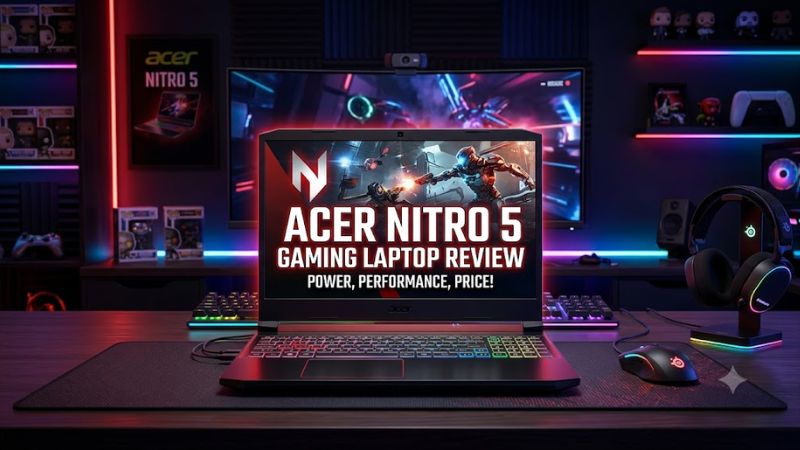
The Acer Nitro 5 is worth considering when a specific configuration offers the graphics performance, memory, and storage you need at a competitive price. Its main appeal is gaming hardware in a relatively affordable chassis; its compromises can include a bulky design, mediocre battery life, loud fans under load, and display quality that varies by configuration.
Best for
Budget-conscious PC gamers who prioritize 1080p gaming and can verify the laptop’s exact hardware.
Biggest advantage
Multiple configurations offer dedicated NVIDIA graphics, high-refresh-rate displays, and upgradeable laptop memory or storage, depending on the model.
Biggest trade-off
Noise, heat, portability, battery endurance, and screen quality can be less impressive than the gaming specifications suggest.
Buying recommendation
Prioritize a well-priced RTX 4060 configuration when available, but compare it with newer gaming laptops before paying a premium for older Nitro 5 hardware.
Acer Nitro 5 Specifications
There is no single specification sheet for every Acer Nitro 5. Buyers should identify the model number and full configuration before using a review to judge performance or value.
The following table uses documented configurations to illustrate the differences between Nitro 5 generations.
| Specification | Nitro 5 AN515-58-781P | Nitro 5 AN517-42-R85S | Nitro 5 AN517-55-5552 |
| Processor | Intel Core i7-12650H | AMD Ryzen 7 6800H | Intel Core i5-12500H |
| Graphics | RTX 4060 Laptop GPU, 8GB | RTX 3060 Laptop GPU | RTX 4050 Laptop GPU |
| Memory | 16GB DDR5 | 16GB | Verify exact unit |
| Storage | 1TB PCIe NVMe SSD | 1TB PCIe NVMe SSD | Verify exact unit |
| Display | 15.6-inch, 1080p, 144Hz | 17.3-inch, 1080p, 144Hz on reviewed unit | 17.3-inch class |
| Best fit | 1080p gaming with newer GPU features | Budget gaming on a larger screen | 1080p gaming with newer-generation graphics |
Sources: Acer’s published specifications and the identified PCWorld and Notebookcheck review configurations. The table combines distinct models; it is not a controlled performance comparison. Some details of the AN517-55-5552 configuration should be confirmed against its exact regional SKU before purchase.
Why the exact model number matters
Acer’s model identifiers generally distinguish different generations, screen sizes, and hardware configurations. A Nitro 5 with an RTX 3050 does not offer the same graphics capabilities as one with an RTX 4060, even when their exterior designs look similar.
Before buying, check:
- The complete model number, including its suffix.
- The exact processor and dedicated GPU.
- The GPU’s dedicated video memory (VRAM).
- Whether the installed RAM is DDR4 or DDR5.
- The display’s resolution, refresh rate, and panel specifications.
- The SSD capacity and available expansion options.
- The included power adapter, warranty, and return policy.
These checks are particularly important when buying refurbished or used laptops, where marketplace listings sometimes combine details from multiple configurations.
Design and Build Quality
The Nitro 5 prioritizes gaming hardware over a slim, lightweight design. Many versions use a black plastic chassis with angular styling, gaming-oriented keyboard accents, and substantial rear or side ventilation.
This design is practical for a laptop that needs to cool a dedicated GPU and a relatively powerful mobile processor. However, it is not ideal for everyone.
Size and portability
The 15.6-inch versions are easier to accommodate in a backpack than the larger 17.3-inch models, but the Nitro 5 is still a gaming laptop rather than an ultralight notebook.
For perspective, PCWorld measured its reviewed 17.3-inch Nitro 5 AN517 at approximately 6.6 pounds for the laptop, with a separate power adapter weighing around 1.67 pounds. Those figures apply to that specific review unit, not every Nitro 5.
That extra weight matters if you carry your laptop between classes, work, and home every day. If portability is a priority, compare the dimensions and total carrying weight of the exact Nitro 5 with slimmer alternatives.
Keyboard and touchpad
Nitro 5 configurations commonly include a full keyboard with a numeric keypad on many 15.6-inch and 17.3-inch models. Some versions also offer RGB keyboard lighting, while others have more limited backlighting.
The layout is useful for gaming and everyday work, although keyboard feel and lighting features vary by generation. In its review of the 17.3-inch AN517, PCWorld criticized the keyboard’s feel and the relatively small touchpad.
For competitive games, an external gaming mouse is generally a more suitable choice than a laptop touchpad. The built-in touchpad remains useful for browsing, studying, and general navigation.
Gaming Performance: What Can You Expect?
The GPU is the most important specification when estimating gaming performance, but the processor, GPU power limit, cooling system, memory configuration, game settings, and display resolution also matter.
A Nitro 5 with an RTX 3050 is primarily a budget 1080p gaming option. An RTX 3060 model can provide stronger graphics performance, while an RTX 4050 or RTX 4060 version adds newer GPU architecture and support for newer NVIDIA features.
These are broad hardware distinctions, not guaranteed frame rates. Actual results vary between laptop implementations.
RTX 3050 and RTX 3060 configurations
Older Nitro 5 laptops can remain useful for established PC games, esports titles, and many single-player games at 1080p. However, the RTX 3050’s limited VRAM in common laptop configurations can restrict texture settings in demanding games.
An RTX 3060 configuration can offer more graphics headroom, depending on its power limit and cooling implementation. It is worth considering on the used market when the laptop is in good condition and priced below comparable newer hardware.
PCWorld’s review of the Ryzen 7 6800H and RTX 3060 Nitro 5 AN517-42-R85S reported the following results:
| Game benchmark | Resolution and settings | Reported average |
| Rise of the Tomb Raider | 1920 × 1080, Very High, DX11 | 107 FPS |
| Shadow of the Tomb Raider | 1920 × 1080 | 106 FPS |
| Metro Exodus | 1920 × 1080, Extreme preset | 31 FPS |
Source: PCWorld’s 2022 review of the specific Ryzen 7 6800H/RTX 3060 system. The Shadow of the Tomb Raider result is reported at 1080p; the review excerpt does not specify its preset in the cited results. These figures should not be treated as predictions for other Nitro 5 configurations.
The results illustrate why settings matter. The reviewed laptop delivered high frame rates in the two Tomb Raider benchmarks but a much lower average in the more demanding Metro Exodus Extreme test.
Do not use these older benchmark results to predict performance in current games. They demonstrate what one particular RTX 3060 configuration achieved in its review period, not how every Nitro 5 performs today.
RTX 4050 configurations
The RTX 4050 Laptop GPU is a more recent option in some Nitro 5 models. It supports NVIDIA DLSS features, including frame generation in compatible games, and is generally suited to Full HD gaming.
Notebookcheck reviewed the Acer Nitro 5 AN517-55-5552 with an Intel Core i5-12500H and RTX 4050. Its June 2023 report found that the laptop could handle demanding games at Full HD while offering a quieter operating mode with a performance trade-off.
Notebookcheck reported that its tested games lost approximately 5–6% of frame rate in Quiet mode compared with the higher-performance setting, while fan noise decreased substantially. This is a result for that particular system and test suite, not a universal result for all RTX 4050 laptops.
For buyers, the practical takeaway is that an RTX 4050 Nitro 5 can be a reasonable 1080p gaming machine, but its cooling and power configuration still matter. Check independent reviews of the exact model rather than relying on the GPU name alone.
RTX 4060 configurations
The RTX 4060 is an attractive option among older Nitro 5 models because it combines 8GB of VRAM in the documented AN515-58-781P configuration with a 1080p, 144Hz display. Acer lists a maximum graphics power of up to 140W for that specific model.
That maximum is a manufacturer specification, not a promise that every game will sustain that power level or that all Nitro 5 RTX 4060 configurations use the same limit.
For a buyer choosing between similarly priced Nitro 5 laptops, an RTX 4060 model may be preferable to an RTX 3050 or RTX 4050 version when the rest of the configuration, condition, and warranty are comparable. Still, compare newer laptops before paying a high price for an older design.
Competitive games versus demanding AAA games
The Nitro 5’s capabilities depend on the title:
- Competitive games: Titles such as Valorant and League of Legends are generally less demanding than modern graphics-heavy AAA games, making them sensible targets for budget configurations.
- Battle royale games: Fortnite and similar games can benefit from lower graphics settings when high frame rates are the priority.
- Demanding single-player games: Newer AAA releases may require reduced settings, upscaling, or compromises in ray tracing, especially on older GPUs.
- Ray tracing: Results depend on the GPU generation and game. Do not assume an RTX badge guarantees smooth ray tracing at maximum settings.
- High-refresh-rate gaming: A 144Hz screen can display up to 144 refreshes per second, but the laptop must render frames quickly enough to take full advantage of it.
A higher refresh rate does not automatically make a laptop faster. It improves the display’s potential responsiveness when the game can supply sufficiently high frame rates.
Display Quality: Is 144Hz Enough?
A 144Hz display remains useful for gaming, especially in competitive titles. However, refresh rate is only one part of display quality.
The Nitro 5 has shipped with different screen sizes, resolutions, refresh rates, and panel characteristics. A Full HD 144Hz panel may be a sensible match for an RTX 3050, RTX 3060, or RTX 4050 configuration, while higher-end models may benefit from a higher-resolution display.
Brightness and color reproduction
Display quality is one area where buyers should be cautious. PCWorld found that its reviewed 17.3-inch Full HD Nitro 5 had a dim display and relatively dull colors. That finding applies to the tested panel, not every Nitro 5 screen.
For gaming, a panel with good motion handling and sufficient brightness can be more important than a high resolution alone. For photo editing, video production, or color-sensitive work, color coverage and accuracy become more important.
Before purchasing, check whether the exact display has:
- Full HD or a higher native resolution.
- A 144Hz or higher refresh rate, if needed.
- Sufficient brightness for your room or workspace.
- Good measured color coverage if you create visual content.
- A suitable response time for fast-paced games.
Do not assume that two laptops advertised with a 144Hz IPS display will have identical image quality.
Cooling, Fan Noise, and Thermals
Gaming laptops must dissipate heat from both the CPU and GPU. The Nitro 5’s relatively substantial chassis provides space for cooling hardware, but its performance and noise levels depend on the particular model and power profile.
Notebookcheck’s RTX 4050 Nitro 5 review is a useful example. The publication found that its laptop could operate much more quietly in Quiet mode, with a roughly 5–6% frame-rate reduction in the tested games. Its measurements also showed lower component power consumption in that mode.
That does not mean every Nitro 5 runs quietly or stays cool under sustained gaming. Different processors, GPU power limits, fan profiles, ambient temperatures, and dust buildup can change the outcome.
What to expect during gaming
- Performance mode: Fans may become noticeably louder when the CPU and GPU are under heavy load.
- Quiet mode: Reduced fan activity may make the laptop more comfortable in shared rooms, but can limit performance.
- Long gaming sessions: Sustained workloads may produce more heat than short benchmark runs.
- Dust and aging: Used laptops can have reduced cooling efficiency if the fans and heatsinks are clogged.
If buying a used unit, inspect its vents and listen for unusual fan noises. Check for crashes, severe performance drops, or unexpected shutdowns under load. A single high temperature reading is not enough to diagnose a fault; CPU and GPU limits differ by model.
Battery Life and Everyday Use
The Acer Nitro 5 is best treated as a gaming laptop that can also handle everyday work, rather than a machine chosen primarily for all-day battery life.
Its dedicated GPU, performance-oriented processor, and cooling system can consume substantial power during gaming. Playing demanding games away from the charger is generally less practical than browsing or writing documents, and performance may be restricted on battery power.
Battery life also varies considerably by generation and battery condition.
PCWorld measured more than eight hours in its video-playback battery test on the 17.3-inch Ryzen 7 6800H/RTX 3060 model. The test looped a 4K video in Windows 11 with Airplane mode enabled and screen brightness set to approximately 250–260 nits. This is a controlled video-playback result, not a prediction of gaming runtime.
For a used Nitro 5, check battery health rather than relying on the original advertised runtime. An older battery may hold substantially less charge than it did when new.
The laptop can also serve as a general-purpose Windows computer for web browsing, schoolwork, programming, and productivity applications. The exact processor and RAM capacity determine how well it handles heavier workloads, while the dedicated GPU can help with supported graphics and creative applications.
Upgrade Options: RAM and SSD Storage
Upgradeability is one reason to consider certain Nitro 5 configurations, particularly if you find an older model at a favorable price.
However, memory type, slot count, maximum supported capacity, and SSD expansion depend on the exact model. Do not assume every Nitro 5 has the same internal layout.
RAM upgrades
Acer has published guidance for upgrading RAM in supported Nitro 5 models, including instructions for removing the bottom panel and installing memory modules. The company also notes that the physical layout varies by laptop model.
Before purchasing memory, confirm:
- Whether the laptop uses DDR4 or DDR5.
- The number of installed and available memory slots.
- The maximum supported capacity for the exact model.
- Whether an upgrade would require replacing existing modules.
- The memory specifications supported by the laptop.
For a gaming laptop that will also handle multitasking, 16GB is a practical starting point. A compatible 32GB configuration can be useful for demanding games, content creation, virtual machines, or workloads that use substantial memory.
More RAM will not automatically increase gaming frame rates if the GPU is already the main bottleneck.
SSD upgrades
A PCIe NVMe SSD provides fast storage for Windows, games, and applications. Some Nitro 5 models also provide an additional M.2 storage slot, but the availability and supported interfaces must be verified for the exact machine.
For example, PCWorld found an unused M.2 slot in its reviewed AN517-42-R85S configuration. That finding should not be generalized to all Nitro 5 laptops.
A larger SSD is useful if you regularly install multiple large games. Before upgrading, check the required SSD form factor, interface, slot availability, and any manufacturer restrictions.
Price and Value: How Much Should You Pay?
There is no single reliable current price for the Acer Nitro 5 as a product family. It includes discontinued and older configurations, as well as systems that may be available through refurbished sellers or remaining retail inventory.
As of October 20, 2026, I could not establish a sufficiently reliable, current US price for the exact AN515-58-781P configuration to quote it as an available deal. An old review price should not be treated as today’s market price.
The best way to judge value is to compare the full configuration against current alternatives, not simply the Nitro 5 name or its original MSRP.
Which configuration offers the best value?
Nitro 5 with RTX 3050
Entry-level / used
Consider it if your main games are relatively undemanding and the laptop is substantially cheaper than newer options. Check VRAM capacity and performance requirements for the games you play.
Nitro 5 with RTX 3060
Potential used-market value
Worth considering when the system is in good condition, has adequate RAM and storage, and costs less than a comparable newer laptop. Inspect battery health and cooling carefully.
Nitro 5 with RTX 4050
Modern 1080p gaming
A candidate for buyers who want newer NVIDIA features without moving into a more expensive GPU tier. Check the GPU power limit, screen quality, and price relative to current models.
Nitro 5 with RTX 4060
Preferred older configuration
An attractive choice if its price is competitive. The documented AN515-58-781P includes 8GB of VRAM, 16GB DDR5, a 1TB SSD, and a 144Hz Full HD screen. Confirm the precise SKU before buying.
These categories are buying guidance, not claims about current prices or a measured ranking across every configuration.
Compare it with newer Acer gaming laptops
Acer’s current US store listings include Nitro V 16 AI configurations with RTX 5060 graphics. For example, the ANV16-61-R2QY is listed with a Ryzen 5 340, 16GB DDR5, a 512GB SSD, and a 16-inch 1920 × 1200 180Hz display. The listing showed a price of $1,299.99 when checked for this article.
That is a different product family and configuration, not a direct benchmark comparison with the older Nitro 5. However, it illustrates why buyers should compare older Nitro 5 hardware against newer laptops before committing to a high price.
A newer machine may offer a newer GPU generation, a higher-refresh-rate display, or a different screen aspect ratio. An older Nitro 5 may still win on value if it is significantly cheaper or meets your needs without requiring upgrades.
The decision should account for the complete system, including memory, storage, screen quality, warranty, and the cost of any necessary repairs.
Pros and Cons
Pros
- Dedicated NVIDIA graphics: Multiple configurations provide enough GPU capability for 1080p gaming.
- High-refresh-rate screens: Many versions offer 144Hz displays suitable for competitive gaming.
- Multiple configuration choices: Buyers can select from different processors, GPUs, display sizes, and storage capacities.
- Potential upgradeability: Supported models allow RAM or SSD upgrades, subject to the exact hardware design.
- Useful connectivity: Many versions include USB ports, HDMI, and Ethernet, although exact port specifications vary.
Cons
- Confusing model lineup: The Nitro 5 name covers substantially different hardware generations.
- Variable screen quality: Some reviewed configurations have relatively dim panels and limited color performance.
- Gaming noise: Fans can become loud during demanding workloads.
- Limited portability: Larger models and their power adapters add considerable carrying weight.
- Older configurations can be poor value: A discounted older laptop is not automatically a good deal if newer hardware costs only slightly more.
- Battery performance varies: Gaming runtime is limited, and used batteries may have deteriorated.
Who Should Buy the Acer Nitro 5?
The Acer Nitro 5 makes the most sense for buyers who know which games they want to play and can identify the exact configuration being sold.
Buy it if:
- You want a gaming laptop for 1080p gaming.
- You find a competitively priced model with an appropriate dedicated GPU.
- You mostly play esports titles or games that do not require maximum graphics settings.
- You value the possibility of upgrading supported RAM or SSD configurations.
- You are comfortable with a relatively bulky laptop and gaming-oriented cooling.
Skip it if:
- The seller cannot verify the exact CPU, GPU, or model number.
- Its price approaches that of a newer laptop with stronger or more recent hardware.
- You need a bright, color-accurate display for professional creative work without checking panel specifications.
- You frequently travel and want a lightweight laptop with long battery life.
- You expect demanding new games to run at maximum settings without compromises on an older GPU.
Acer Nitro 5 Alternatives
Before buying an older Nitro 5, compare it with these gaming laptop families. Their exact configurations and prices still need to be checked individually.
- Acer Nitro V: A related budget-oriented gaming laptop family with newer configurations available through Acer’s US store.
- Lenovo LOQ: Worth comparing for entry-level and midrange gaming configurations, particularly when both laptops have similar GPUs and memory.
- ASUS TUF Gaming: Another family to consider if you want to compare cooling, display quality, build, and graphics power.
- Lenovo Legion: Worth evaluating if you can spend more for a better display, cooling implementation, or overall feature set.
Do not choose between these families based on branding alone. Compare the actual GPU, its power limit, the processor, memory, display, warranty, and total price. A laptop with a newer GPU can still be a poor purchase if its screen, cooling, or price is unfavorable.
Frequently Asked Questions
1. Is the Acer Nitro 5 good for gaming?
Yes, the Acer Nitro 5 can be a good gaming laptop when its GPU and price match your needs. RTX 3050 models are more appropriate for budget gaming, while RTX 3060, RTX 4050, and RTX 4060 configurations offer different levels of graphics capability. Check independent benchmarks for the exact model before buying.
2. Can the Acer Nitro 5 run modern AAA games?
Yes, many Nitro 5 configurations can run modern AAA games, but performance depends on the specific GPU and the game’s requirements. Older GPUs may need reduced graphics settings, lower texture quality, or upscaling to maintain playable frame rates. An RTX 4050 or RTX 4060 model generally provides a more suitable starting point than an older entry-level configuration.
3. Can you upgrade the RAM and SSD in an Acer Nitro 5?
Many Acer Nitro 5 models support RAM and SSD upgrades, but the available slots and supported capacities vary by model. Verify the manufacturer’s specifications and service documentation for your exact laptop before buying components or opening the chassis.
4. Is the Acer Nitro 5 still worth buying in 2026?
Yes, it can still be worth buying in 2026 if you find a suitable configuration at a competitive price. Older RTX 3060 models may appeal to budget buyers, while RTX 4050 and RTX 4060 versions can be attractive when priced below comparable newer systems. Compare current alternatives and inspect the laptop’s condition before making a decision.
Final Verdict
The Acer Nitro 5 remains a reasonable budget gaming laptop option, but its value depends on the configuration rather than the product name.
For buyers considering an older model, the RTX 3060 can be worth investigating on the used market, while an RTX 4050 or RTX 4060 configuration may be preferable when the price difference is small. The RTX 4060 AN515-58-781P is a particularly clear example of the hardware available in the family, with 8GB of VRAM, 16GB DDR5, a 1TB SSD, and a 144Hz Full HD screen listed in Acer’s specifications.
The drawbacks are equally important: display quality varies, cooling can be audible, and older hardware can lose its value when newer alternatives are competitively priced.
Our recommendation: Buy the Acer Nitro 5 only after verifying the full model number, graphics configuration, display specifications, condition, and current asking price. If the price is close to a newer gaming laptop with better overall specifications, compare those alternatives before committing.









