Our Top Picks
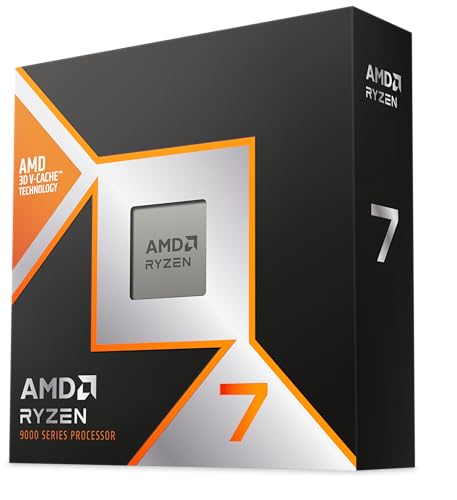
AMD RYZEN 7 9800X3D 8-Core, 16-Thread Desktop Processor
Chosen because it specifies 16-Thread Desktop Processor.
View on Amazon

Micro Center AMD 9800X3D Processor with MSI B850 Gaming Plus WF Motherboard | CPU Motherboard Combo, Ready for AI PC, Ryzen 7, ATX, AM5, DDR5, PCIe 5.0, M.2 Gen5, Wi-Fi 7, 5G LAN
Chosen because it specifies CPU Motherboard Combo and Ready for AI PC.
View on AmazonChoosing the best CPU for gaming and streaming means finding a processor that can deliver high frame rates without struggling when OBS, Discord, browsers, and other applications run in the background. The fastest gaming processor is not automatically the best streaming processor, especially if you also record gameplay, edit videos, or use CPU-based encoding.
For most dedicated gaming and streaming setups, AMD’s Ryzen X3D processors are excellent starting points. The Ryzen 7 9850X3D and Ryzen 7 9800X3D prioritize gaming performance, while the Ryzen 9 9950X3D offers more processing resources for demanding multitasking and content creation. Intel’s Core Ultra processors are also worth considering, particularly for users who combine gaming with productivity workloads.
This guide compares the leading desktop CPU options using published specifications and independent benchmark information available as of November 2, 2026. It also explains which processor makes sense for different streaming workloads, budgets, and PC configurations.
What Makes a CPU Good for Gaming and Streaming?
A gaming and streaming processor needs to handle two different types of workloads. Gaming benefits from strong per-core performance, low memory latency, and sufficient cache. Streaming introduces additional work through encoding, scene management, audio processing, browser sources, and background applications.
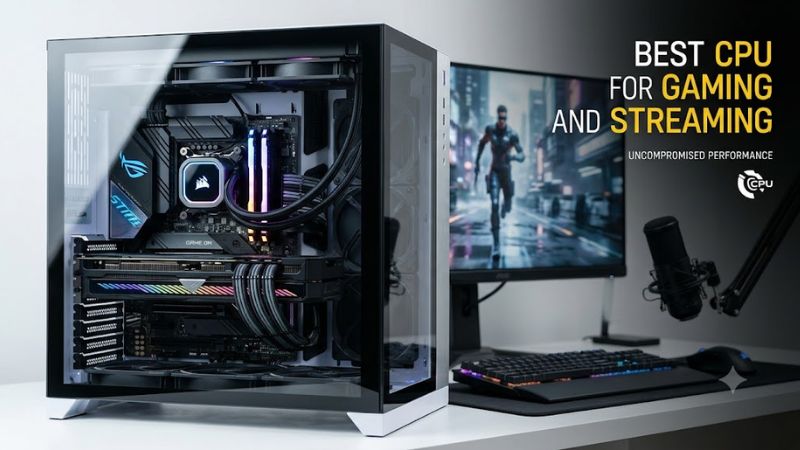
The importance of each component depends on how the stream is encoded.
Hardware encoding reduces CPU workload. Modern NVIDIA graphics cards provide NVENC, AMD graphics cards offer AMD hardware encoding, and supported Intel platforms provide Quick Sync. OBS can use these technologies to encode video without relying entirely on the CPU.
Software encoding requires more CPU resources. OBS x264 encoding uses the processor to compress video. Higher-quality encoding presets can increase CPU utilization considerably, particularly when gaming simultaneously.
This distinction changes the buying decision. Someone streaming with NVENC may get excellent results from an eight-core gaming processor. Someone recording, streaming with x264, and running demanding applications may benefit from a 12-core or 16-core CPU.
Other important factors include:
- Core and thread count: More processing resources can help with encoding and multitasking, although additional cores do not automatically improve gaming performance.
- Cache: Large L3 cache can improve performance in games that frequently access stored data.
- Clock speed: Strong boost performance helps games and applications that depend heavily on individual cores.
- Thermal performance: Sustained workloads require appropriate cooling to avoid thermal throttling.
- Platform compatibility: The motherboard, BIOS, memory, and cooler must support the selected processor.
The recommendations below prioritize gaming performance first, then consider streaming workloads, platform requirements, and overall versatility.
Best CPUs for Gaming and Streaming in 2026
Recommendations based on published specifications, independent benchmark results, and intended workloads. Prices and retail availability are not treated as fixed because they change frequently.
1. AMD Ryzen 7 9850X3D — Best Overall for Gaming-Focused Streamers
Best overall gaming choice
The AMD Ryzen 7 9850X3D is the strongest choice for gamers who want exceptionally high frame rates while running a typical streaming setup.
Its Zen 5 architecture combines eight cores, 16 threads, a maximum boost clock of 5.6 GHz, and 96MB of L3 cache. AMD specifies a 120W default TDP and AM5 socket compatibility. The processor supports DDR5 memory and does not include a bundled thermal solution.
AMD+1
Its main advantage is gaming performance. Tom’s Hardware’s October 2026 CPU hierarchy places the 9850X3D at the top of its tested gaming rankings, with the Ryzen 7 9800X3D and Ryzen 9 9950X3D also performing strongly. Its gaming test platform uses an NVIDIA RTX 5090 FE, so the ranking reflects a high-end GPU environment rather than every possible gaming configuration.
Tom’s Hardware
For streaming, eight cores and 16 threads provide resources for the game, OBS, communication applications, and background tasks. With NVENC or another supported hardware encoder, the processor does not need to handle the entire video-encoding workload.
However, the 9850X3D is not the best choice for every creator. Its eight-core configuration is less suitable than a 16-core processor for heavy CPU-based encoding, video rendering, and simultaneous production workloads.
An independent GamersNexus review also found that its gaming advantage over the 9800X3D was relatively small in many tests, reaching up to approximately 4% in its tested scenarios. That makes the less expensive predecessor worth considering when the price difference is substantial.
GamersNexus
Choose it if: Gaming performance is your priority and you plan to use GPU-based streaming encoding.
Consider an alternative if: You regularly use demanding x264 presets, render videos while streaming, or run several CPU-intensive applications.
2. AMD Ryzen 7 9800X3D — Best Value for Gaming and Streaming
Best gaming value
The AMD Ryzen 7 9800X3D remains one of the most sensible choices for a high-performance gaming and streaming PC.
It features eight cores, 16 threads, a maximum boost clock of 5.2 GHz, and 96MB of L3 cache. Its default TDP is 120W, and it uses AMD’s AM5 platform with DDR5 memory. The processor supports compatible AM5 chipsets, although motherboard BIOS support should be checked before installation.
AMD+1
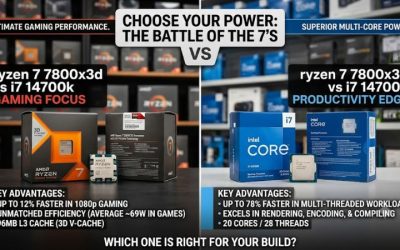
The reason to choose this processor over the 9850X3D is straightforward: the gaming performance gap is relatively small in the independent testing discussed above.
For streamers using hardware encoding, the 9800X3D has enough processing capacity for many conventional single-PC configurations. You can play a game, manage OBS scenes, communicate through Discord, and keep ordinary background applications running without automatically needing a 16-core processor.
Its limitation is the same eight-core configuration that makes it attractive for gaming. If your workflow involves software encoding, complex production scenes, multiple simultaneous recordings, or frequent video editing, additional cores can be useful.
Another important consideration is the complete platform cost. The AM5 motherboard, DDR5 memory, cooler, and processor should be evaluated together rather than comparing CPU prices alone.
Choose it if: You want excellent gaming performance without paying extra for a small performance increase from the newer 9850X3D.
Consider an alternative if: Your streaming and production workloads regularly use most of the available CPU resources.
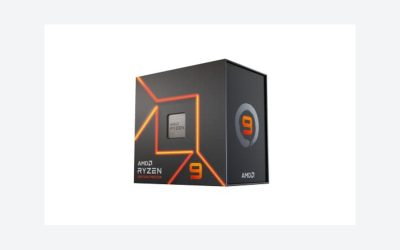
3. AMD Ryzen 9 9950X3D — Best Premium CPU for Gaming and Multitasking
Best enthusiast all-rounder
The AMD Ryzen 9 9950X3D is a more versatile option for people who treat streaming as part of a broader content-production workflow.
It has 16 cores, 32 threads, a maximum boost clock of 5.7 GHz, and 128MB of L3 cache. AMD specifies a 170W default TDP and AM5 socket compatibility. It supports DDR5 memory and requires a separately purchased CPU cooler.
AMD
Unlike the eight-core X3D processors, this model combines AMD’s gaming-oriented 3D V-Cache technology with substantially more processing resources.
That matters when you are simultaneously:
- Playing CPU-intensive games.
- Running OBS with multiple scenes and browser sources.
- Recording separate gameplay footage.
- Editing or rendering video.
- Managing additional production applications.
The 9950X3D also performs strongly in gaming. Tom’s Hardware’s October 2026 hierarchy places it close to the leading gaming processors, while its multi-threaded application ranking places it near the top of the tested processors. These are separate benchmark categories, not a direct measurement of streaming performance.
Tom’s Hardware
The main disadvantage is cost and platform requirements. Its 16 cores and high power rating make it more demanding to cool than an eight-core gaming processor. A quality motherboard, appropriate cooling solution, and well-ventilated case are important considerations.
It is also unnecessary for streamers who primarily use NVENC and play games that do not heavily depend on additional CPU resources.
Choose it if: You stream, record, edit, render, and game on the same computer.
Consider an alternative if: Your main objective is maximizing gaming FPS rather than accelerating production workloads.
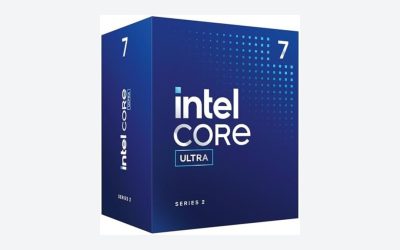
4. Intel Core Ultra 7 270K Plus — Best Intel Option for Multitasking
Best Intel alternative
The Intel Core Ultra 7 270K Plus is a compelling alternative for users who prefer Intel’s current desktop platform.
Its hybrid architecture combines eight Performance cores and 16 Efficient cores, providing 24 cores and 24 threads. Intel specifies a maximum turbo frequency of 5.5 GHz, 36MB of Intel Smart Cache, a 125W processor base power, and 250W maximum turbo power.
Intel+1
This configuration gives the processor considerable resources for mixed workloads. Background applications, recording software, and production tools can benefit from the additional Efficient cores while the Performance cores handle demanding foreground tasks.
The integrated Intel graphics also support hardware encoding and decoding, including H.264, HEVC, and AV1. Intel Quick Sync can be useful in compatible workflows, particularly when the discrete GPU is occupied with gaming. Actual encoder availability depends on the software, driver, and configuration.
Intel+1
Tom’s Hardware’s 2026 benchmark hierarchy shows Intel’s newer Arrow Lake Refresh processors competing strongly in application performance, although the AMD X3D lineup remains ahead in its gaming rankings.
Tom’s Hardware+1
The major trade-off is power and cooling. The 250W maximum turbo power specification means you should not treat this as a low-power CPU. A suitable cooler, motherboard power delivery, and case airflow matter.
It also requires an LGA1851 motherboard and DDR5 memory. Existing LGA1700 motherboards are not compatible.
Choose it if: You want an Intel-based PC for gaming, streaming, and productivity, with Quick Sync available as an additional encoding option.
Consider an alternative if: Gaming FPS is your overriding priority and the Ryzen X3D platform offers better value.
5. AMD Ryzen 9 9950X3D2 — Best for High-End Gaming and Heavy Production
The AMD Ryzen 9 9950X3D2 Dual Edition targets users who want a high-end processor for both gaming and demanding professional workloads.
Released on April 22, 2026, it combines 16 Zen 5 cores and 32 threads with dual second-generation 3D V-Cache technology. Its specifications include a maximum boost clock of 5.6 GHz, 192MB of L3 cache, 208MB of total cache, and a 200W default TDP. It uses the AM5 socket and DDR5 memory.
AMD Newsroom+1
The additional cache and 16-core configuration make it an interesting option for developers, creators, and users with demanding applications. AMD specifically positions it for development and content-creation workloads.
For streaming, the advantage is having substantial CPU resources available for demanding simultaneous tasks. A creator who streams, records, edits, compiles software, and renders projects may find this configuration more useful than a gaming-only processor.
However, there is an important purchasing distinction: a larger cache and higher core count do not guarantee proportionally better gaming or streaming performance.
Tom’s Hardware lists the 9950X3D2 at the top of its October 2026 multi-threaded ranking, but its gaming ranking does not make it the automatic first choice for gaming-focused buyers. Its $899 suggested launch price also places it in an enthusiast category rather than a mainstream upgrade.
Tom’s Hardware+1
Its 200W TDP also calls for serious attention to cooling. AMD does not include a bundled cooler, and its official product specifications recommend liquid cooling for optimal performance.
Choose it if: You need a premium gaming and production workstation with extensive multitasking capacity.
Consider an alternative if: You mainly play games and stream through a hardware encoder. A less expensive X3D processor may make more financial sense.
CPU Comparison: Which Processor Should You Buy?
The following table summarizes the main specifications and intended workloads.
| CPU | Cores / Threads | Max Boost | Default TDP | Best For |
| Ryzen 7 9850X3D | 8 / 16 | 5.6 GHz | 120W | Gaming-focused streaming |
| Ryzen 7 9800X3D | 8 / 16 | 5.2 GHz | 120W | Gaming value |
| Ryzen 9 9950X3D | 16 / 32 | 5.7 GHz | 170W | Gaming and production |
| Core Ultra 7 270K Plus | 24 / 24 | 5.5 GHz | 125W* | Intel multitasking |
| Ryzen 9 9950X3D2 | 16 / 32 | 5.6 GHz | 200W | High-end production |
*Intel lists 125W processor base power and 250W maximum turbo power. AMD figures are default TDP, not directly equivalent measurements of maximum system power. Specifications are manufacturer-rated rather than independent performance scores.
How to Choose a CPU Based on Your Streaming Setup
The right processor depends heavily on how you encode your stream. Before spending extra money on a 16-core CPU, identify whether OBS will use hardware encoding or software encoding.
Streaming with NVIDIA NVENC
If your graphics card supports NVIDIA NVENC, you can use its dedicated encoding hardware to reduce the CPU workload.
This is particularly useful for single-PC streamers who want to maintain gaming performance while broadcasting. OBS supports NVENC and recommends hardware encoding as a way to move video-encoding work away from the CPU.
OBS
For this setup:
- Ryzen 7 9800X3D is a strong gaming-focused option.
- Ryzen 7 9850X3D is suitable for buyers prioritizing the highest gaming performance.
- Ryzen 9 9950X3D is preferable when additional production applications run alongside the stream.
Remember that hardware encoding does not eliminate CPU usage. OBS still needs processing resources for scene composition, browser sources, audio filters, plugins, and other tasks.
Streaming with AMD AMF
AMD graphics cards support the Advanced Media Framework (AMF) hardware encoder through compatible software.
The same buying principle applies: you do not necessarily need a 16-core CPU simply because you stream while gaming.
A Ryzen 7 processor can be sufficient for many conventional streaming configurations, while a Ryzen 9 becomes more attractive when recording, rendering, and editing are part of the workflow.
Check the encoder options available in your installed OBS version and GPU driver before choosing your streaming configuration.
Streaming with Intel Quick Sync
Intel Quick Sync Video provides another hardware-encoding option through supported Intel integrated graphics.
The Core Ultra 7 270K Plus includes Intel graphics with H.264, HEVC, and AV1 encoding support. This can provide flexibility when using a separate graphics card for gaming.
However, Quick Sync is not automatically better than NVENC or AMF. The best choice depends on the available encoder generation, streaming platform, codec support, bitrate, and desired image quality.
Streaming with OBS x264 Software Encoding
Software encoding is different because the CPU performs the video compression work.
If you use x264, especially with more demanding encoding presets, CPU resources become much more important.
A 16-core processor such as the Ryzen 9 9950X3D can provide more room for simultaneous gaming, encoding, and background workloads.
The Ryzen 9 9950X3D2 is another option for users with particularly demanding production requirements, although its additional cache and price are difficult to justify for ordinary streaming.
One important point: adding CPU cores does not guarantee better stream quality. The encoder preset, output resolution, bitrate, frame rate, and available processing headroom all influence the result.
CPU Compatibility: What to Check Before Buying
Even the best processor can become an expensive mistake if it does not match the rest of your PC.
Motherboard socket and chipset
AMD Ryzen 9000 desktop processors use the AM5 socket. Compatible motherboard families include B650, B850, X670, X870, and other supported AM5 chipsets.
However, socket compatibility alone is not sufficient. Check the motherboard manufacturer’s CPU support list and required BIOS version before installation.
The Intel Core Ultra 7 270K Plus uses the LGA1851 socket. It requires a compatible LGA1851 motherboard rather than an older LGA1700 model.
Memory requirements
The recommended AMD processors in this guide use DDR5 memory.
Intel’s Core Ultra 7 270K Plus also supports DDR5. Its official specification lists memory speeds up to DDR5-7200 MT/s, depending on the memory configuration.
For a streaming PC, 32GB of RAM is a sensible starting point. Consider 64GB if you regularly edit video, use many browser sources, or run several demanding applications simultaneously.
Check motherboard memory compatibility rather than assuming every high-speed memory kit will operate at its advertised speed.
CPU cooling and power
Cooling requirements should influence the total upgrade budget.
The eight-core Ryzen X3D models have a 120W default TDP, while the Ryzen 9 9950X3D is rated at 170W and the 9950X3D2 at 200W.
The Intel Core Ultra 7 270K Plus has a 250W maximum turbo power specification.
Choose a cooler that can handle the processor under sustained workloads. Also verify cooler mounting compatibility, case clearance, radiator dimensions, and motherboard support.
Do not select a power supply based only on CPU TDP. The graphics card usually represents a major part of total gaming system power consumption. Account for the complete configuration and the GPU manufacturer’s power recommendations.
Common CPU Buying Mistakes Among Streamers
Several purchasing mistakes can result in spending more money without improving the actual streaming experience.
Buying too many cores for GPU-encoded streaming: If NVENC or AMF handles encoding, a premium 16-core CPU may provide little practical benefit compared with a strong eight-core gaming processor.
Ignoring GPU limitations: At 1440p and 4K, the graphics card can become the primary performance limitation. A more expensive CPU will not necessarily produce higher frame rates when the GPU is already fully occupied.
Choosing a CPU without checking motherboard compatibility: AM5 and LGA1851 are different platforms. Verify the socket, BIOS, memory type, and motherboard support list before purchasing.
Ignoring cooling costs: High-performance CPUs can require substantial cooling capacity. Include the cooler and any necessary case upgrades in the total budget.
Assuming core count determines gaming performance: Games respond differently to clock speed, cache, architecture, memory latency, and engine optimization. A processor with more cores is not automatically faster in every game.
Frequently Asked Questions
1. Is AMD or Intel better for gaming and streaming?
AMD currently has a strong advantage in high-end gaming performance through its Ryzen X3D processors. Intel remains competitive for mixed workloads, particularly with its newer hybrid processors. Your encoding method and application requirements should determine the final choice.
2. Is an 8-core CPU enough for gaming and streaming?
Yes, an eight-core, 16-thread processor is sufficient for many single-PC gaming and streaming setups. Hardware encoding through NVENC, AMF, or Quick Sync can reduce the amount of CPU processing required.
3. Do I need a Ryzen 9 or Core Ultra 9 for streaming?
No. Most streamers do not need a flagship processor. A Ryzen 7 X3D CPU can provide excellent gaming performance while handling conventional OBS workloads. Consider a higher-core-count CPU when using demanding software encoding, video rendering, or simultaneous production applications.
4. What is more important for streaming, CPU or GPU?
Both matter, but the GPU is especially important for gaming performance and can also handle hardware video encoding. The CPU manages game logic, background applications, and software encoding when selected. The ideal balance depends on the games, resolution, streaming settings, and encoding method.
Final Thoughts: Which CPU Is the Best for Gaming and Streaming?
The best CPU for gaming and streaming in 2026 depends on how much work you expect your computer to perform beyond running games.
The Ryzen 7 9850X3D is the leading gaming-focused recommendation based on current published gaming rankings. However, the Ryzen 7 9800X3D offers a compelling alternative when the price difference makes the newer model difficult to justify.
For creators who stream, record, edit, and render on one PC, the Ryzen 9 9950X3D offers a more balanced combination of gaming and multi-threaded processing capability. Intel’s Core Ultra 7 270K Plus is worth considering for users who prefer Intel’s platform and want substantial multitasking resources.
Finally, the Ryzen 9 9950X3D2 is aimed at enthusiasts with demanding production workloads and a much larger hardware budget.
For most single-PC streamers, the smartest purchase is not necessarily the processor with the most cores or the highest price. It is the CPU that matches the games you play, the encoder you use, and the applications you run simultaneously.
More from Amazon
Programs that pair well with the guide above. Offers and eligibility are set by Amazon and may change.
Free shipping on eligible items, Prime Video and more. Eligible new members can start with a free trial.
Start a Prime free trialAd-free music streaming. Eligible new subscribers can start with a free trial.
Try Music Unlimited freeA Prime membership for ages 18-24 with a trial period. Eligibility is set by Amazon.
See Prime for Young AdultsAudiobooks and podcasts to listen to on the go. Eligible new members can start with a free trial.
Try Audible freeAs an Amazon Associate we earn from qualifying purchases.