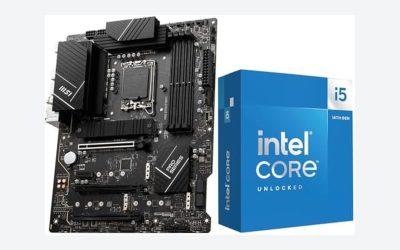
Choosing the best motherboard for Intel i5-14600K requires balancing processor compatibility, power delivery, memory support, connectivity, and overall system cost. Intel’s Core i5-14600K is a capable desktop processor with 14 cores, 20 threads, and a maximum turbo frequency of 5.3 GHz, making it suitable for gaming, streaming, and demanding productivity workloads.
However, not every motherboard offers the same features. Z790 models provide CPU multiplier overclocking and extensive connectivity, while B760 boards can deliver a more affordable platform for gamers who intend to use standard CPU settings. Memory compatibility is another important consideration because the i5-14600K supports both DDR4 and DDR5, depending on the motherboard.
For most new gaming builds, the MSI MAG Z790 Tomahawk MAX WiFi is a strong overall choice because of its connectivity, storage expansion, and DDR5 support. The ASUS TUF Gaming Z790-Pro WiFi and Gigabyte Z790 AORUS Elite AX are compelling alternatives. Meanwhile, the MSI MAG B760 Tomahawk WiFi is a practical option for users who do not need CPU overclocking.
This guide compares five motherboards, explains their advantages and limitations, and helps you select the right platform for your gaming PC.
What to Look for in a Motherboard for the i5-14600K
Before comparing individual models, understand the platform requirements and features that matter most.
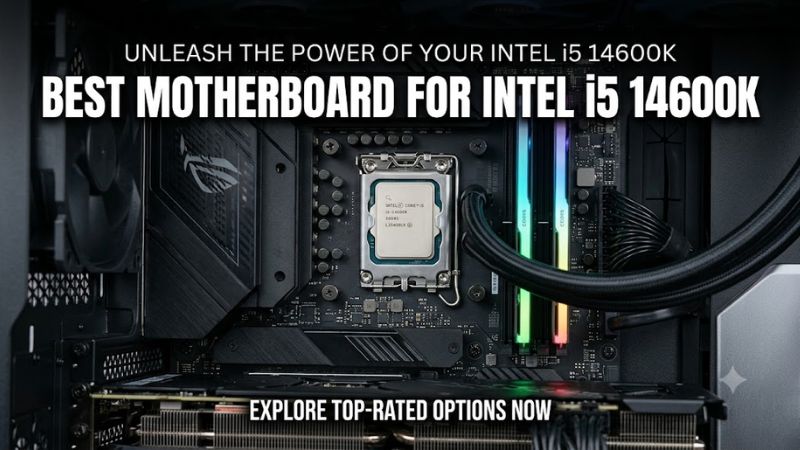
Socket and chipset compatibility
The Intel Core i5-14600K uses the LGA1700 socket and belongs to Intel’s 14th-generation Raptor Lake Refresh desktop processor family.
Compatible motherboard options include Intel 700-series models such as Z790, B760, and H770, along with selected 600-series motherboards that have appropriate BIOS support.
For most new builds, Z790 and B760 are the practical choices.
Z790 is designed for enthusiasts who want CPU multiplier overclocking, memory tuning, and extensive expansion options. B760 supports memory overclocking but does not offer CPU multiplier overclocking.
This distinction matters because the 14600K is an unlocked processor. If you intend to manually adjust CPU multipliers, a Z790 motherboard is the more appropriate choice. If you plan to use standard processor settings, a good B760 board can be sufficient.
DDR4 versus DDR5 memory
The i5-14600K officially supports two memory standards:
- DDR4-3200.
- DDR5-5600.
These are Intel’s official memory specifications. Actual operating speeds depend on the motherboard, memory configuration, BIOS, and individual memory kit.
DDR5 is generally the better option for a new gaming PC because it provides a newer memory platform and greater bandwidth potential.
DDR4 remains useful if you already own a compatible memory kit and want to reduce upgrade costs.
Remember that DDR4 and DDR5 motherboards are separate products. You cannot install DDR4 memory in a DDR5 motherboard or combine both memory types on the same board.
Power delivery and cooling
Intel specifies 125W processor base power and 181W maximum turbo power for the i5-14600K.
This makes motherboard power delivery important, particularly during sustained gaming, rendering, compiling, and other demanding workloads.
Look for a motherboard with appropriately designed VRM components and substantial heatsinks around the power delivery area.
CPU cooling is equally important. A capable dual-tower air cooler or suitable liquid cooler can help manage processor temperatures, although actual results depend on case airflow, ambient temperature, BIOS settings, and power configuration.
BIOS support and processor stability
BIOS compatibility deserves particular attention when purchasing a motherboard for a 13th- or 14th-generation Intel processor.
Intel’s guidance recommends installing the latest motherboard BIOS containing Microcode 0x12F or later and following Intel Default Settings to address the Vmin Shift instability issue affecting certain processors.
Older motherboard inventory may require a BIOS update before the i5-14600K can operate correctly.
Check the manufacturer’s CPU support list and firmware information before purchasing.
Best Motherboards for Intel i5-14600K: Comparison Table
These five recommendations cover different building priorities, from enthusiast gaming systems to more affordable DDR4 configurations.
| Motherboard | Best For | Memory | Chipset | Main Advantage |
| MSI MAG Z790 Tomahawk MAX WiFi | Best overall | DDR5 | Z790 | Connectivity and expansion |
| ASUS TUF Gaming Z790-Pro WiFi | Feature-rich gaming | DDR5 | Z790 | Four M.2 slots |
| Gigabyte Z790 AORUS Elite AX | Balanced gaming builds | DDR5 | Z790 | Four M.2 slots and Wi-Fi 6E |
| MSI MAG B760 Tomahawk WiFi | Value-focused gaming | DDR5 | B760 | Good features without CPU overclocking |
| MSI PRO Z790-P WiFi DDR4 | Existing DDR4 systems | DDR4 | Z790 | Reuses existing memory |
1. MSI MAG Z790 Tomahawk MAX WiFi – Best Overall
The MSI MAG Z790 Tomahawk MAX WiFi is the strongest all-around recommendation for an Intel i5-14600K gaming PC.
It combines Z790 functionality, DDR5 support, storage expansion, and modern networking. This makes it suitable for gamers who want a flexible motherboard without moving into expensive flagship territory.
Key specifications
- Intel Z790 chipset.
- LGA1700 socket.
- Four DDR5 memory slots.
- Up to 256GB supported memory capacity.
- PCIe 5.0 x16 graphics slot.
- Four M.2 storage slots.
- Eight SATA 6Gb/s ports.
- Intel 2.5Gb Ethernet.
- Wi-Fi 7.
- Bluetooth 5.4.
- ATX form factor.
- Realtek ALC4080 audio.
One particularly useful feature is its storage configuration. The motherboard provides four M.2 slots, including a PCIe 5.0 x4 connection for compatible SSDs.
However, installing an SSD in the primary PCIe 5.0 M.2 slot reduces the primary graphics slot to PCIe 5.0 x8. Builders should consider this lane-sharing arrangement before planning a high-end GPU and multiple NVMe drives.
Wi-Fi 7 is another advantage for users with compatible networking equipment. It provides a more modern wireless platform than Wi-Fi 6E solutions found on several competing models.
Why it works well with the i5-14600K
The 14600K does not require an extremely expensive motherboard to deliver good gaming performance. Nevertheless, Z790 gives builders more flexibility with CPU tuning, memory configuration, and expansion.
The Tomahawk MAX WiFi provides those capabilities while offering a useful selection of rear and internal USB connections.
Its Flash BIOS button is also valuable when updating firmware or recovering from certain BIOS-related problems.
Main limitation: Its feature set may be unnecessary for someone who only wants to install the processor, enable XMP, and play games. The DDR5-only design also makes it unsuitable for builders who want to reuse DDR4 memory.
Verdict: Choose this motherboard if you are building a new DDR5 gaming PC and want a strong combination of connectivity, storage, and enthusiast features.
2. ASUS TUF Gaming Z790-Pro WiFi – Best Feature-Rich Gaming Motherboard
The ASUS TUF Gaming Z790-Pro WiFi is another excellent option for the i5-14600K, particularly for builders who prioritize expansion and motherboard connectivity.
It uses Intel’s Z790 chipset and supports 12th-, 13th-, and 14th-generation Intel desktop processors through its LGA1700 socket.
Key specifications
- Intel Z790 chipset.
- Four DDR5 DIMM slots.
- Up to 192GB supported memory.
- DDR5 speeds up to 7800+ MT/s (OC), depending on configuration.
- One PCIe 5.0 x16 graphics slot.
- Four PCIe 4.0 M.2 slots.
- Four SATA 6Gb/s ports.
- Intel 2.5Gb Ethernet.
- Wi-Fi 6E.
- Bluetooth 5.3.
- Realtek S1220A audio codec.
- ATX form factor.
One of its biggest strengths is the four-M.2 configuration. This gives users considerable flexibility when installing operating-system drives, game libraries, and additional storage.
The board also includes a USB 20Gbps Type-C rear connection and a front USB-C header supporting up to 30W Power Delivery when paired with a compatible case connection.
Its networking configuration combines Wi-Fi 6E and 2.5Gb Ethernet, providing flexibility for wireless and wired gaming setups.
Why choose it over the MSI Tomahawk?
The ASUS TUF Z790-Pro WiFi is worth considering if its USB arrangement, audio implementation, BIOS interface, and expansion configuration better match your system.
Its four M.2 slots are particularly useful for people who maintain large game libraries or work with substantial media files.
However, it does not include Wi-Fi 7, and its published memory capacity is lower than that of the MSI Tomahawk MAX WiFi.
Main limitation: It is a DDR5-only motherboard, and its Z790 feature set may be unnecessary for a standard gaming build that does not use CPU overclocking.
Verdict: A strong alternative for gamers who want a well-equipped Z790 motherboard with extensive SSD expansion and useful connectivity.
3. Gigabyte Z790 AORUS Elite AX – Best Balanced Z790 Option
The Gigabyte Z790 AORUS Elite AX offers a practical balance of enthusiast features and everyday gaming functionality.
It supports Intel’s 12th-, 13th-, and 14th-generation desktop processors and uses four DDR5 memory slots.
Key specifications
- Intel Z790 chipset.
- LGA1700 socket.
- Four DDR5 DIMM slots.
- Up to 256GB memory capacity.
- DDR5 speeds up to 7600 MT/s (OC).
- PCIe 5.0 x16 graphics slot.
- Four PCIe 4.0 M.2 connectors.
- 2.5Gb Ethernet.
- Wi-Fi 6E.
- USB-C connectivity.
- ATX form factor.
A notable feature is its advertised 16+2+1-phase digital VRM design. Gigabyte also includes extended thermal coverage around the voltage regulation components and M.2 storage areas.
For an i5-14600K gaming build, these features provide a useful foundation for running the processor under demanding workloads.
The four M.2 connectors are another advantage. Unlike entry-level motherboards that provide fewer storage expansion options, this model accommodates several NVMe drives.
Gigabyte also includes Q-Flash Plus, allowing users to update the BIOS without installing the CPU, memory, or graphics card.
That is particularly useful when dealing with older motherboard inventory or preparing a system for a processor that requires newer firmware.
Where it makes sense
The AORUS Elite AX is a sensible choice for gamers who want a full-size Z790 motherboard without paying for unnecessary premium extras.
Wi-Fi 6E is sufficient for many home networks, while 2.5Gb Ethernet is useful for compatible wired networking equipment.
The main difference compared with the MSI Tomahawk MAX is its older wireless generation and lack of a PCIe 5.0 M.2 slot.
Main limitation: Buyers who want Wi-Fi 7 or PCIe 5.0 NVMe storage should consider the Tomahawk MAX instead. Verify the exact board revision before purchasing because Gigabyte specifications and support information can vary between revisions.
Verdict: A good balanced option for DDR5 gaming systems that need Z790 functionality, four M.2 slots, and reliable expansion flexibility.
4. MSI MAG B760 Tomahawk WiFi – Best Value for Gaming
The MSI MAG B760 Tomahawk WiFi is a more practical option for gamers who want to use the i5-14600K at standard operating settings.
Its B760 chipset supports the processor but does not offer Z790-style CPU multiplier overclocking.
Key specifications
- Intel B760 chipset.
- LGA1700 socket.
- Four DDR5 memory slots.
- Up to 256GB supported memory.
- PCIe 5.0 x16 graphics slot.
- Three PCIe 4.0 x4 M.2 slots.
- Four SATA 6Gb/s ports.
- 2.5Gb Ethernet.
- Wi-Fi connectivity.
- ATX form factor.
The board provides enough storage and expansion flexibility for most mainstream gaming systems.
Its three M.2 slots can accommodate multiple NVMe SSDs, while the PCIe 5.0 graphics slot provides compatibility with modern graphics cards.
It also supports Intel XMP memory profiles, allowing compatible DDR5 kits to operate using their supported overclocked memory settings.
Is B760 enough for the i5-14600K?
Yes. The chipset supports the processor, and the motherboard can run the CPU using its supported turbo behavior.
The important distinction is that CPU multiplier overclocking is unavailable. If you specifically purchased the 14600K because you want to manually overclock its processor cores, a Z790 motherboard is the more appropriate choice.
For ordinary gaming, however, a B760 motherboard can be a sensible way to allocate more of the build budget toward the graphics card, memory, or SSD.
Main limitation: You sacrifice CPU overclocking flexibility and some chipset expansion capabilities compared with Z790.
Verdict: A good choice for gamers who want the i5-14600K’s standard performance without paying extra for enthusiast CPU tuning.
5. MSI PRO Z790-P WiFi DDR4 – Best for Existing DDR4 Memory
The MSI PRO Z790-P WiFi DDR4 deserves consideration for builders who already own DDR4 memory and want to retain it.
Buying a new DDR5 memory kit is not always necessary when an existing DDR4 configuration is still suitable for the intended gaming workload.
Key specifications
- Intel Z790 chipset.
- LGA1700 socket.
- Four DDR4 DIMM slots.
- Up to 128GB memory capacity.
- DDR4 speeds up to 5333+ MT/s (OC).
- PCIe 5.0 x16 graphics slot.
- Four PCIe 4.0 M.2 slots.
- Six SATA 6Gb/s ports.
- Intel 2.5Gb Ethernet.
- Wi-Fi 6E.
- Bluetooth 5.3.
- ATX form factor.
Its biggest advantage is that it combines DDR4 compatibility with Z790 functionality.
Unlike the B760 option, it supports CPU multiplier overclocking when the processor, cooling system, and BIOS configuration are appropriate.
The board also includes four M.2 slots, six SATA connections, and a PCIe 5.0 graphics slot.
Its 14+1+1 direct power design with 55A DrMOS is another relevant specification for an enthusiast-oriented system.
Who should buy it?
This motherboard makes the most sense when you already have a compatible DDR4 memory kit and want to avoid replacing it.
However, buyers building an entirely new system should compare the total cost of a DDR4 configuration against a DDR5 motherboard and memory kit.
DDR5 is the more forward-looking choice, while DDR4 can make financial sense when existing components are reused.
Main limitation: It does not support DDR5. Its Wi-Fi 6E implementation is also older than the Wi-Fi 7 solution on the MSI Tomahawk MAX.
Verdict: A practical option for DDR4 owners who want Z790 functionality without rebuilding their entire memory configuration.
How to Choose the Right Motherboard for Your i5-14600K
The five recommendations serve different types of builders. Your final choice should depend on your existing hardware, intended workloads, and upgrade priorities.
Choose Z790 if you want CPU overclocking
The i5-14600K is unlocked, making Z790 the appropriate mainstream chipset if you want CPU multiplier overclocking.
It also offers greater flexibility for enthusiasts who need additional chipset connectivity.
However, overclocking is not essential for a good gaming experience. A standard configuration can be entirely reasonable.
Choose B760 if gaming is your priority
If you do not intend to manually overclock the CPU, B760 can provide a more cost-conscious platform.
The MSI MAG B760 Tomahawk WiFi includes DDR5 support, multiple M.2 slots, 2.5Gb networking, and a PCIe 5.0 graphics connection.
The money saved can be more valuable when invested in a stronger GPU.
Consider memory costs before purchasing
For a new system, DDR5 is generally the better long-term platform choice.
For an existing DDR4 system, however, replacing functional memory simply to move to DDR5 may not offer enough practical value to justify the additional expense.
Compare the complete motherboard and memory costs rather than looking at the motherboard price alone.
Check the case and cooling requirements
All five recommendations are ATX motherboards.
Before purchasing, make sure your PC case supports ATX motherboards and has enough room for the graphics card, CPU cooler, and other installed components.
Also check the motherboard’s fan headers, front USB-C connections, and radiator compatibility if you plan to use an AIO liquid cooler.
Important BIOS Settings for the Intel Core i5-14600K
A compatible motherboard is only part of building a reliable system.
Intel’s published guidance for the 13th- and 14th-generation desktop processor instability issue makes firmware configuration particularly important.
Before installing Windows or starting extended gaming sessions:
- Check the motherboard manufacturer’s CPU support list.
- Install the latest stable BIOS available for the exact motherboard model and revision.
- Confirm that the firmware includes Intel Microcode 0x12F or later.
- Select Intel Default Settings in the BIOS.
- Enable XMP only after confirming that the memory kit is supported.
- Monitor CPU temperatures and system stability during demanding workloads.
Avoid treating aggressive automatic overclocking or unlimited motherboard power settings as necessary for gaming performance.
If you experience repeated crashes, application errors, or unexpected instability, investigate the CPU, memory, cooling, BIOS, and power configuration instead of assuming the motherboard is defective.
Frequently Asked Questions
1. Is a B760 motherboard good enough for the i5-14600K?
Yes, a good B760 motherboard can run the Intel Core i5-14600K at its supported operating settings. The primary limitation is the lack of CPU multiplier overclocking. For standard gaming builds, B760 can provide a more economical platform.
2. Does the i5-14600K support DDR4 and DDR5?
Yes, Intel officially supports both DDR4-3200 and DDR5-5600 memory. However, the motherboard determines which memory type you can install. DDR4 and DDR5 are not interchangeable.
3. Do I need a Z790 motherboard for the i5-14600K?
No, Z790 is not mandatory. It is recommended for users who want CPU multiplier overclocking and additional enthusiast features. B760 is sufficient for many standard gaming configurations.
4. Does the i5-14600K need BIOS updates?
A compatible BIOS is essential, particularly with older motherboard inventory. Intel recommends the latest BIOS containing Microcode 0x12F or later, together with Intel Default Settings, to address the identified instability issue affecting certain 13th- and 14th-generation desktop processors.
Final Thoughts
The best motherboard for Intel i5-14600K depends on how much flexibility you need from your gaming PC.
The MSI MAG Z790 Tomahawk MAX WiFi is the strongest overall recommendation because it combines DDR5 support, Wi-Fi 7, four M.2 slots, and extensive connectivity. The ASUS TUF Gaming Z790-Pro WiFi is another excellent option for users who prioritize storage expansion and USB connectivity.
The Gigabyte Z790 AORUS Elite AX offers a balanced enthusiast platform, while the MSI MAG B760 Tomahawk WiFi makes more sense for gamers who do not need CPU overclocking. Finally, the MSI PRO Z790-P WiFi DDR4 is worth considering if you already own compatible DDR4 memory.
For most new builds, prioritize a good DDR5 motherboard, appropriate CPU cooling, and updated BIOS firmware. Spending more on a premium motherboard does not automatically improve gaming FPS. A balanced combination of CPU, GPU, memory, cooling, and storage will matter much more to the finished system.