Our Top Picks
Shopping for a desktop with a cap of under 500 dollars is less about finding a bargain and more about learning to read a listing. At this level almost every machine in the results is a business-class computer from a previous generation, sold renewed or in used condition, and the differences that matter hide in a few words: the processor generation, whether the drive is solid state, how much memory sits in the slots, and whether a monitor or keyboard comes in the box. A buyer who understands those four things will do far better than one who sorts by the lowest cost and hopes.
The seven listings below cover the realistic shapes of a machine in this tier: a six-core Dell tower-class unit, a micro-sized Dell, two compact small-form-factor boxes, a Lenovo all-in-one, an HP bundle that includes a screen and accessories, and one budget gaming-style tower with a Radeon card. Notes rely on what each title states, so use them to build a shortlist and then verify the full configuration and the return terms. The intended reader is a parent, a student or a small-office owner who needs a dependable machine for 2026 without spending more than the cap.
Quick Picks

Dell Windows 11 Desktop Computer OptiPlex 5060 | Intel Core i5-8500 Six Core (4.3GHz Turbo) | 16GB DDR4 RAM | 500GB SSD Solid State + 1TB HDD | WiFi + Bluetooth | Home or Office PC (Renewed)
One of the consumer electronics options compared in this guide.
View on Amazon
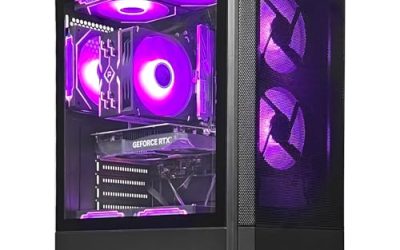
STGAubron Gaming PC Desktop,Core I5,RX 550 4G,16G RAM,512G SSD | Gaming Computer Tower for Streaming,Video Editing,Home,School,I5 up to 3.6G,ARGB Fan,WiFi 6,BT 5.0,4K DP,HDMI,Win11 Home
One of the consumer electronics options compared in this guide.
View on Amazon
Dell Optiplex 7050 SFF Desktop PC Intel i7-7700 4-Cores 3.60GHz 32GB DDR4 1TB SSD WiFi BT HDMI Duel Monitor Support Windows 11 Pro Excellent Condition(Renewed)
One of the consumer electronics options compared in this guide.
View on Amazon
HP Windows 11 Desktop Computer | 16GB RAM + 500GB SSD | Intel i5 | 16GB RAM + 500GB SSD | 24" LCD | WiFi 6 AX200 + BT | RGB Keyboard/Mouse + Speakers | Webcam | Home or Office PC (Renewed)
One of the consumer electronics options compared in this guide.
View on Amazon
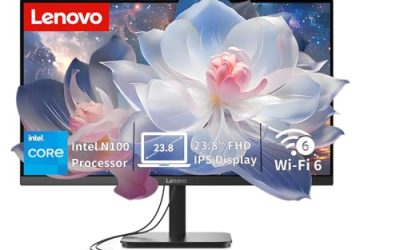
Lenovo IdeaCentre All-in-One Desktop Computer, 8GB RAM 512GB SSD | Intel 4-Core Processor, 24" FHD Anti-Glare IPS Display, Wi-Fi 6, Bluetooth 5.2, Windows 11, Everyday Use AIO
One of the consumer electronics options compared in this guide.
View on Amazon
Dell Optiplex 3050 SFF Desktop Computer PC, Intel Quad Core i5-6500 up to 3.6GHz, 16GB DDR4, 256GB SSD, WiFi, 4K Support, DP, HDMI, Windows 11 Pro 64 Bit (Renewed)
One of the consumer electronics options compared in this guide.
View on Amazon
Dell Optiplex 3070 Micro PC | Windows 11 Pro | Intel i5-9500 | 16GB RAM + 500GB SSD | 5G WiFi + BT | Mini Desktop Computer (Renewed)
One of the consumer electronics options compared in this guide.
View on Amazon| Product | Best for | Key spec from the title |
|---|---|---|
| Dell OptiPlex 5060 (i5-8500) | Six-core office power | Core i5-8500 six core, 16GB DDR4, 500GB SSD plus 1TB HDD |
| STGAubron Gaming Tower | Light gaming and streaming | Core i5, RX 550 4G, 16G RAM, 512G SSD |
| Dell OptiPlex 7050 SFF | Memory-hungry multitasking | Core i7-7700, 32GB DDR4, 1TB SSD |
| HP Desktop Bundle | Everything in one box | 16GB RAM, 500GB SSD, 24″ LCD, Wi-Fi 6 AX200 |
| Lenovo IdeaCentre All-in-One | Tidy kitchen or dorm desk | 8GB RAM, 512GB SSD, 24″ FHD IPS |
| Dell OptiPlex 3050 SFF | Basic home and school | Core i5-6500, 16GB DDR4, 256GB SSD |
| Dell OptiPlex 3070 Micro | Smallest footprint | Core i5-9500, 16GB RAM, 500GB SSD |
The 7 Best Options
Dell OptiPlex 5060 (Core i5-8500, 16GB, 500GB SSD plus 1TB HDD)
The first entry earns its place through core count. The title lists an Intel Core i5-8500 with six cores and a 4.3GHz turbo, 16GB of DDR4, a 500GB solid-state drive paired with a 1TB hard drive, Windows 11 and Wi-Fi with Bluetooth. Six cores in a machine of this class is unusual, and the two-drive layout gives you a quick boot disk plus bulk space for files, which most budget listings cannot match. Think of it as the study-and-spreadsheet champion of the group: documents, accounting software, video calls and a large archive of family photos all fit comfortably, and the processor has room left over for a second user logged in at the same time.
- Six cores handle multitasking and background tasks better than the quad-core chips in several rivals.
- The SSD plus 1TB hard drive combination offers speed and capacity in one box.
- 16GB of DDR4 is a comfortable level for everyday work.
- Integrated graphics only, going by the title, so it is not a gaming machine.
- A spinning hard drive adds some noise and is slower than a second SSD would be.
Skip it if you need a monitor included or plan to play recent games. Buyers who want a backup habit can also use the 1TB disk as a copy target for the SSD. Compared with the STGAubron tower that follows, you trade a dedicated graphics card for a more capable processor and a bigger storage pool, which suits office and study work better than play.
STGAubron Gaming PC (Core i5, Radeon RX 550 4G, 16GB, 512GB SSD)
This is the only listing here that leans on a graphics card. The title names a Core i5 up to 3.6GHz, a Radeon RX 550 with 4GB, 16GB of RAM, a 512GB SSD and an ARGB fan in a tower case marketed for streaming, video editing, home and school. The RX 550 is an entry-level card, so think casual and older titles rather than demanding releases, but it does give more graphics help than the integrated chips elsewhere in the list. Video playback, photo editing in free tools and games with modest requirements sit within its reach, and the streaming and editing language in the title suggests the seller aims at creators on a tight budget.
- A dedicated Radeon card is included, rare at this spending level.
- 16GB of RAM and a 512GB SSD give a respectable base for school and home work.
- A tower case leaves room for future parts.
- The title does not name the exact Core i5 model, so processor generation is unclear.
- The listing is a generic assembled brand, so verify warranty and support terms before ordering.
Skip it if you prize a known brand or a proven business chassis. Next to the Dell OptiPlex 7050, it offers graphics help in place of double the memory and a bigger drive, so decide whether pictures on screen or workload headroom comes first. Neither is wrong; the right answer depends on whether the computer will mostly serve homework or mostly serve play.
Dell OptiPlex 7050 SFF (Core i7-7700, 32GB, 1TB SSD)
Memory and storage are the story of this one. The title shows an Intel Core i7-7700 with four cores at 3.60GHz, 32GB of DDR4, a 1TB SSD, Wi-Fi, Bluetooth, HDMI and dual-monitor support on Windows 11 Pro, described as excellent condition. For people who treat their computer as a workbench with a dozen windows open, those numbers are valuable, and they appear in few other listings under this cap. Add a Windows 11 Pro licence and HDMI output, and the title reads like a machine prepared for a remote-work desk rather than a living room.
- 32GB of DDR4 is double the figure on most competing listings.
- A 1TB SSD removes the need for an external drive for most households.
- Dual-monitor support, per the title, suits a remote-work desk.
- Integrated graphics limit gaming and 3D work.
- Condition wording signals a pre-owned unit, so the return window is worth reading.
Skip it if you want a screen and accessories supplied. Compared with the HP bundle that follows, you get more internal hardware but must supply your own monitor, keyboard and mouse. If those items are already on your desk, the 7050 is almost certainly the stronger buy for the same cap.
In practice this is the listing for people who plan to keep a monitor they already own and want the most memory and storage the cap can reach, which makes it a rational choice for a work-from-home desk.
HP Desktop Bundle (Intel i5, 16GB, 500GB SSD, 24-Inch LCD)
The HP entry is built for people who want to unpack one carton and begin working. The title describes Windows 11, an Intel i5, 16GB of RAM, a 500GB SSD, a 24-inch LCD, Wi-Fi 6 with an AX200 card and Bluetooth, and an RGB keyboard, mouse and speakers. The bundle approach changes the arithmetic, because the cost of a monitor and peripherals is already inside the number you are comparing. For a household buying a first computer, or a relative who needs a complete desk in a single order, that convenience can outweigh a spec-for-spec comparison with the Dell boxes.
- A 24-inch LCD, keyboard, mouse and speakers are listed, so nothing else is required.
- Wi-Fi 6 through an AX200 card is a modern wireless standard.
- 16GB of RAM and a 500GB SSD meet everyday needs.
- The exact i5 generation is not stated in the title.
- Bundled accessories are usually basic, and RGB lighting adds nothing to performance.
Skip it if you already own a good monitor and peripherals; those extras are then wasted. Against the Lenovo all-in-one next in line, the HP offers more memory but a separate tower, which matters if desk space is scarce. The tower and monitor sit apart, so allow room for two objects and several cables.
A bundle also removes the risk of buying a monitor that lacks the right input, since the accessories are chosen to work together, although reading the full list of ports is still wise.
Lenovo IdeaCentre All-in-One (8GB RAM, 512GB SSD)
The Lenovo trades memory for tidiness. The title lists an Intel 4-core processor, 8GB of RAM, a 512GB SSD, a 24-inch Full HD anti-glare IPS display, Wi-Fi 6 and Bluetooth 5.2. One cable runs to the wall and the rest is the machine itself, which is useful on a crowded kitchen table or in a student room. It also doubles as a family message board and recipe screen, the sort of light role where a faster processor would be wasted.
- The built-in FHD IPS display gives good viewing angles and an anti-glare finish.
- A 512GB SSD makes startup quick for a machine in this tier.
- Modern wireless standards are listed.
- 8GB is the lowest memory figure of the seven, and heavy tab use will feel it.
- The all-in-one format limits later upgrades.
Skip it if you want long-term headroom or gaming. Compared with the OptiPlex 3050 next, it offers a screen and a bigger drive but half the memory, so add up the cost of a separate monitor before deciding which is cheaper in practice.
A buyer who accepts the 8GB figure can often add memory later only if the chassis allows it, so ask the seller whether the back panel gives access before counting on an upgrade.
Dell OptiPlex 3050 SFF (Core i5-6500, 16GB, 256GB SSD)
The 3050 is the plain, no-nonsense option. Its title shows an Intel quad-core i5-6500 at up to 3.6GHz, 16GB of DDR4, a 256GB SSD, Wi-Fi, 4K support, DisplayPort and HDMI, and Windows 11 Pro 64-bit. It is the oldest processor here, which keeps the cost down and the job description simple: documents, browsing, video and email. Because it is the plainest of the Optiplex boxes, it is also the one most worth upgrading later, with a larger drive being the obvious first improvement.
- 16GB of DDR4 is a fair figure for a basic machine.
- DisplayPort and HDMI outputs, plus 4K support in the title, add flexibility.
- Small size fits tight desks.
- 256GB of storage is the smallest in the list and fills up fast.
- The sixth-generation chip will age sooner than later options.
Skip it if you plan to keep the computer for many years. Next to the OptiPlex 3070 Micro, the 3050 gives you a larger case and older chip, whereas the Micro is smaller and newer. If your desk is not short on space, the 3050 is perfectly acceptable; if it is, the Micro wins.
Treat it as a sensible secondary computer for a spare room, a kitchen or a child’s study area, where its limits will rarely be noticed and its small footprint is a plus.
Dell OptiPlex 3070 Micro (Core i5-9500, 16GB, 500GB SSD, Renewed)
The Micro is the smallest machine in this guide. The title lists an Intel i5-9500, 16GB of RAM, a 500GB SSD, 5G Wi-Fi with Bluetooth and Windows 11 Pro, marked Renewed and described as a mini desktop computer. A ninth-generation processor is the newest silicon of the seven, and the Micro format can sit behind a monitor or on a shelf without anyone noticing it. For a reception desk, a bedroom workstation or a living-room media setup, that low profile is a genuine advantage, as is the lower noise that small business machines are designed for.
- The i5-9500 is the most recent processor generation in the list.
- 16GB of RAM and a 500GB SSD give a balanced base.
- Renewed labeling points to a refurbishment process.
- Micro chassis offer almost no room for upgrades beyond memory and storage.
- Integrated graphics only.
Skip it if you expect to add a graphics card later, since the chassis cannot take one. It is the neatest choice for anyone who wants a small office computer with a newer chip, and it closes the list as the most space-efficient option.
Wall mounting and monitor-stand mounting are common with this class of mini PC, so check whether the listing includes a bracket if you want the machine to disappear behind the screen.
Why Buy a Desktop When the Cap Is Under 500 Dollars
At this cap, a new laptop usually means a slow processor and 8GB of memory, while a renewed desktop often delivers 16GB, an SSD and a faster processor. That is the core argument: a desktop turns the budget into performance rather than into portability or a battery. The trade is that you supply or reuse a monitor, keyboard and mouse. Another advantage is repairability: business desktops use standard memory, standard drives and widely available spares, so a failed component rarely means a whole new purchase.
There is also a practical argument about lifespan. Business desktops were designed to run for years in offices, so a renewed unit with a sixth to ninth generation processor can serve a household through several school years, as long as memory and storage are adequate. Spending the cap on capacity rather than appearance is the habit that pays back.
Parents Buying for School Use
Homework, video lessons and printing rarely need more than 16GB of RAM and a solid-state drive. The HP bundle or the Lenovo all-in-one removes the question of what else to buy. Parents should also confirm the operating system licence and set up family controls before the machine goes into a bedroom.
Small Offices and Home Businesses
Business-class Dell machines are built for long hours at a desk. The OptiPlex 5060 with six cores and the 7050 with 32GB are the strongest choices for people who live in spreadsheets and accounting software. Backup is the other small-office habit worth building, and a second internal drive like the one on the 5060 makes it easy.
Anyone Reusing a Monitor
If you already have a screen, skip the bundles and put the saved money toward memory and storage, which is where the OptiPlex 7050 shines.
How to Choose a Desktop for Under 500 Dollars
Processor Generation and Core Count
Look for a Core i5 from the eighth generation or newer when you can, with six cores as the stand-out figure here. Anything labeled sixth generation, such as the i5-6500, handles light work but will date quickly. Ignore unnamed “Core i5” labels, which hide the generation. Note that the i5-9500 in the Micro is the newest chip while the i5-6500 is the oldest, and Windows 11 support tends to be smoother on newer generations.
RAM Capacity
16GB is a safe target and 8GB is a compromise. Two modules in dual-channel mode help, but titles rarely say. Choose 32GB only if you edit media, run virtual machines or keep dozens of tabs open. Speed ratings matter less than capacity at this tier, so do not pay extra for a headline megahertz figure.
Storage: SSD First
A solid-state drive of 256GB is the floor and 500GB the comfortable level. A pairing such as the 500GB SSD plus 1TB hard drive on the OptiPlex 5060 is excellent value. Avoid listings that describe only a hard drive as the boot disk, because Windows 11 on a spinning drive feels slow. Remember that advertised capacities shrink slightly once formatted.
Graphics and Display Outputs
Integrated graphics suffice for video and office work. A dedicated card like the RX 550 helps with light gaming only. Check for HDMI or DisplayPort so that the output matches your monitor, and note that dual-monitor support is stated only on the OptiPlex 7050. If you want two screens from another model, look for two video outputs in the full specification.
Wi-Fi, Bluetooth and Ports
A desktop without wireless means buying an adapter or running a cable to the router, so check that the title names Wi-Fi. Wi-Fi 5 or newer is sensible. Wi-Fi 6 appears on the HP bundle and the Lenovo all-in-one. If you plug in a printer, drives and a webcam, count the USB ports in the full listing, and look for a front-panel headphone jack if you use a headset daily.
Condition, Warranty and Where Cheap Models Cut Corners
Renewed and used machines can be excellent, but the return window and warranty length are the real price of safety. Cheaper assembled towers often save on the power supply, case and motherboard. A genuine operating system licence is another corner that gets cut, so read the Windows wording carefully. Ignore lighting and cosmetic extras; they do not change how fast the machine feels.
What to ignore is as important as what to prize. Boost-clock claims, RGB fans and decorative case windows do not change everyday speed. What to prize is a modern-enough processor, sixteen gigabytes or more of memory, a solid-state boot drive, a clear condition statement and a return window. Where cheap models cut corners is rarely the headline spec; it is the power supply, the cooling, the licence and the support, none of which a title shows.
Renewed Business PC vs Assembled Budget Tower
Almost every buyer under this cap ends up choosing between a refurbished Dell and a generic gaming-style tower. The table sets out what the titles show.
| Factor | Renewed Dell OptiPlex | Assembled Budget Tower |
|---|---|---|
| Graphics | Integrated | Radeon RX 550 4G in the listing |
| Memory | 16GB to 32GB | 16GB |
| Storage | 256GB to 1TB SSD | 512GB SSD |
| Brand support | Known business brand | Generic seller |
| Upgrades | Limited in small chassis | Roomy tower |
Warranty is the often-forgotten row. A renewed Dell from a reputable seller usually carries a stated return window, while a generic assembled tower can come with unclear support. Neither title states the term, so verify it on the listing page before you pay.
Why the Dell Usually Wins for Work
The business-class chassis, documented parts and common spares make it easier to maintain. If your day involves documents and calls, extra memory and a faster processor are worth more than a weak graphics card.
Noise and power use are the final two rows. Small business machines are built for quiet offices and modest power draw, while a tower with a graphics card and an ARGB fan can be louder under load. For a bedroom or shared space, that difference matters more than a spec table suggests.
Why the Tower Wins for Tinkerers
A standard tower accepts a new graphics card or more drives. If you want a path to a better gaming machine over time, the STGAubron tower has the room to grow where the small Dell boxes do not.
Setup, Compatibility and Upgrade Tips
What to Check Before Buying
Confirm the exact processor model, the number of memory modules, the drive type and whether a monitor and cables are included. Check that your monitor accepts HDMI or DisplayPort, because older screens might need an adapter. Look for a clear return window of at least thirty days, and keep the packaging until you have used the machine for a full week.
When the machine arrives, run Windows Update, install the latest drivers from the maker’s support page and confirm in system settings that the memory and drive match the listing. Any mismatch is easiest to resolve while the return window is open, and a clean first-week check is the best insurance on a renewed computer.
What to Upgrade First
Memory comes first because it affects every task, and storage second because a full drive slows Windows updates. Graphics, where a card can be fitted at all, come last. If a listing includes 8GB of memory, add a second module before anything else. If a machine has only a 256GB drive, swap in a larger SSD. Small boxes often allow just these two changes, which is enough for most households. Back up important files before any hardware change, and keep the original drive until the new one has been confirmed working.
Common Compatibility Traps
Before you order any upgrade part, read the model number on the machine itself, because memory type, drive connector and case size vary between generations. Micro and SFF cases use low-profile or laptop-style parts, so standard desktop components may not fit. Power supplies in these machines are modest, which limits graphics upgrades. Also confirm that Wi-Fi hardware is built in, since some desktops lack it.
Which One Fits Your Situation
A Student Who Needs Everything in One Carton
The HP bundle with its 24-inch LCD, keyboard, mouse and speakers is the straightforward choice. Unpack, connect power and the router, and the whole desk is ready, with Wi-Fi 6 listed in the title for a modern home network.
A Home Office With a Busy Workload
The Dell OptiPlex 7050 with 32GB of memory and a 1TB SSD is the one to choose. Two monitors, a long list of browser tabs and an accounting program can run side by side without the memory running dry.
A Tight Desk With Little Space
The Dell OptiPlex 3070 Micro fits in a very small footprint and uses the newest processor of the group. It can sit behind a monitor or beside a printer, and the Renewed label suggests a refurbishment process.
A Teen Who Wants Casual Games
The STGAubron tower, with its Radeon RX 550, is the only listing here that offers dedicated graphics. Keep expectations modest, pick older or lighter titles, and use the tower case to add parts if the hobby grows.
Common Mistakes
- Forgetting to budget for a monitor, keyboard and mouse when the listing includes none, which can erase the apparent savings.
- Choosing 8GB of RAM to save a little and regretting it within months as browsers and apps grow heavier.
- Ignoring the word Renewed or the condition note and the return period.
- Expecting a graphics upgrade from a Micro or SFF chassis.
- Paying for RGB accessories that add nothing to performance.
- Skipping the processor generation, which matters more than the label “Core i5”; a ninth-generation chip and a sixth-generation chip are very different machines.
Related guides
- External Hard Drive For Xbox Series X
- How To Check Gpu Temperature While Gaming
- 7.1 Surround Sound Gaming Headsets
Frequently Asked Questions
Can I really get a good desktop for under 500 dollars?
Yes, if you accept a renewed business machine. The OptiPlex models list 16GB or 32GB of memory and SSD storage, which is more than most new laptops offer at the same cap. The trade-off is that you must bring a monitor and accessories unless you pick the HP bundle or the all-in-one.
Is 8GB of RAM enough?
For light browsing it is acceptable, but it is the weak point of the Lenovo all-in-one. Aim for 16GB if you can, and look for a model with a free memory slot so you can add a module later without replacing the existing one.
Do any of these include a monitor?
The HP bundle lists a 24-inch LCD, and the Lenovo all-in-one has a built-in 24-inch Full HD display. The Dell and STGAubron listings do not mention a screen.
Which is best for light gaming?
The STGAubron tower, because it lists a Radeon RX 550 with 4GB. Expect older and casual titles rather than recent demanding games. If gaming is the main goal, this cap is tight and a tower with a larger graphics card is the more realistic route.
Are renewed computers safe to buy?
They can be, especially when labeled Renewed and backed by a return window. Read the seller terms and confirm the operating system is properly licensed. A seller that states the condition clearly and offers returns is a better sign than a low figure alone.
Which is the smallest option?
The Dell OptiPlex 3070 Micro, described as a mini desktop. It is easy to hide but leaves little room to upgrade beyond memory and storage, so choose the amount of RAM and drive size you want on day one.
Final Words
Under a cap of 500 dollars, the winners are the listings that spend your money on memory, solid-state storage and a sensible processor rather than on lights. The OptiPlex 5060 and 7050 lead for work, the HP bundle leads for convenience, the Lenovo all-in-one leads for neat desks, and the STGAubron tower leads for casual play. Read the exact configuration, confirm what accessories are missing, and keep the return window in mind before you click buy. A careful look at three lines of the listing, the processor model, the memory and the drive, will tell you more than any marketing phrase and keeps the total within the cap.