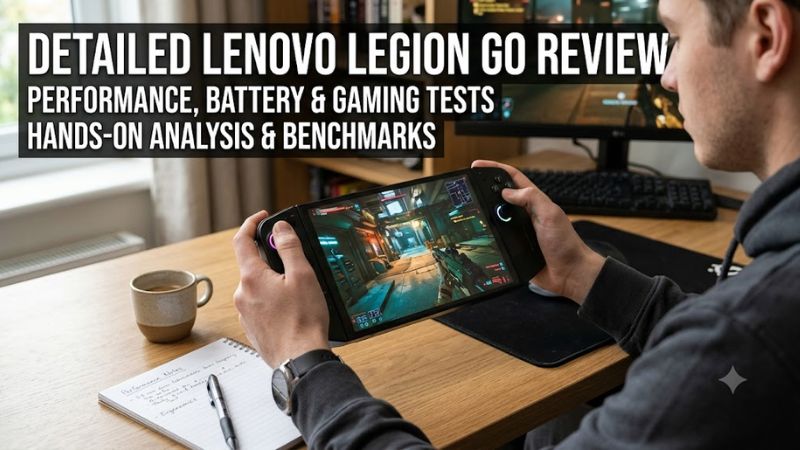
The Lenovo Legion Go is a Windows gaming handheld designed for players who want a large display, detachable controllers, and access to a broad PC game library. Its standout features include an 8.8-inch 2560 × 1600 touchscreen, a 144Hz refresh rate, and an AMD Ryzen Z1 Extreme processor option. However, its weight, limited battery endurance during demanding games, and Windows handheld experience are important compromises.
Verdict: The original Lenovo Legion Go is worth considering for gamers who prioritize screen size, flexible controls, and Windows compatibility over portability and long unplugged sessions. Its value in 2026 depends on the price of the specific configuration and how it compares with newer handheld gaming PCs.
This is a specification-based review informed by manufacturer documentation and published independent reviews. It does not claim firsthand testing by Real Gaming News. The original Legion Go, released in 2023, should also be distinguished from newer products in Lenovo’s Legion Go family.
Lenovo Legion Go review specifications
The original Legion Go launched in the United States in 2023 with a starting price of $699.99. Its hardware remains capable of running many PC games, although newer handhelds offer different combinations of processing power, display technology, battery capacity, and memory.
| Specification | Original Lenovo Legion Go |
| Processor | AMD Ryzen Z1 Extreme, 8 cores and 16 threads |
| Graphics | Integrated AMD Radeon graphics, RDNA 3 |
| Memory | 16GB LPDDR5X-7500, soldered |
| Storage | 512GB or 1TB PCIe 4.0 NVMe SSD, depending on configuration |
| Display | 8.8-inch IPS touchscreen |
| Resolution | 2560 × 1600 |
| Aspect ratio | 16:10 |
| Refresh rate | Up to 144Hz |
| Battery | 49.2Wh |
| Operating system | Windows 11 Home |
| Wireless connectivity | Wi-Fi 6E and Bluetooth |
| Expansion | microSD card reader |
| USB ports | Two USB-C 4.0 ports with DisplayPort 1.4 and Power Delivery |
| Weight | Approximately 1.88 pounds with controllers |
| Power adapter | 65W USB-C |
Specifications can vary by region and configuration. The memory is soldered, while the SSD can be replaced with a compatible drive.
Design and build quality
The Legion Go’s defining feature is its combination of a large screen and detachable controllers. With both controllers attached, the device weighs approximately 1.88 pounds. Removing the controllers reduces the weight of the main unit, but the overall system remains larger than many competing handhelds.
The size has practical benefits. The screen provides more room for game interfaces, strategy titles, desktop applications, and Windows menus. The integrated kickstand also allows the display to sit independently on a desk or table.
However, the weight can become noticeable during extended handheld sessions. The Legion Go is portable enough for a backpack, but it is less convenient for one-handed use or playing while lying down than smaller devices.
Detachable controllers and FPS mode
The TrueStrike controllers provide several ways to use the device.
- Handheld mode: Attach both controllers for conventional portable gaming.
- Detached mode: Remove the controllers and use the integrated kickstand to position the display separately.
- FPS mode: Use the right controller with its included base accessory for mouse-like aiming and movement.
These features make the Legion Go versatile for players who alternate between handheld gaming, tabletop play, and desk setups. FPS mode is particularly distinctive, although it requires some adjustment and will not suit every game or player.
The trade-off is complexity. Detachable controls introduce more components to carry and store, while the large chassis requires more space than a compact handheld.
Display quality: The Legion Go’s biggest advantage
The original Legion Go features an 8.8-inch IPS touchscreen with a 2560 × 1600 resolution, a 16:10 aspect ratio, and a refresh rate of up to 144Hz. Lenovo specifies up to 500 nits of brightness and 97% DCI-P3 color coverage.
The large display is useful beyond gaming. Web browsing, remote desktop sessions, strategy games, and applications with small interface elements can be easier to navigate than on a smaller handheld screen.
However, the native resolution is demanding for integrated graphics. Rendering at 2560 × 1600 requires substantially more GPU resources than rendering at 1280 × 800.
The following settings are practical starting points rather than guaranteed performance targets.
| Gaming scenario | Suggested starting resolution | Recommended approach |
| Demanding AAA games | 1280 × 800 | Start with low or medium graphics settings |
| Moderately demanding games | 1920 × 1200 | Adjust settings according to performance |
| Indie games and older titles | 1920 × 1200 or higher | Use higher settings where performance allows |
| Desktop use and video | 2560 × 1600 | Use native resolution when appropriate |
Actual results depend on the game, its version, graphics settings, power profile, and driver software.
The 144Hz refresh rate is a display capability, not a guarantee that every game will run at 144 frames per second. Lightweight competitive games may benefit from higher frame rates, while demanding releases often require lower resolutions and reduced visual settings.
Gaming performance: What can the Ryzen Z1 Extreme handle?
The Ryzen Z1 Extreme combines an eight-core, 16-thread Zen 4 CPU with integrated RDNA 3 graphics. It can handle a broad selection of PC games, but its integrated GPU has less graphics headroom than a dedicated desktop graphics card.
Independent testing by Tom’s Hardware found that the Legion Go could produce playable performance in several games when resolution and graphics settings were reduced. The review also reported that battery-powered performance could fall behind plugged-in performance, depending on the game and power profile.
Historical results from that review illustrate the hardware’s capabilities and limitations.
Control
Tom’s Hardware reported performance consistently above 30 FPS at 1280 × 800 on low settings, with some stuttering during combat. These were observations from the review, not a published average-FPS benchmark.
The results illustrate why demanding action games may require lower settings to maintain a playable experience.
Rocket League
The same review reported just under 120 FPS at 1280 × 800 on high settings. This demonstrates how a comparatively undemanding competitive game can make better use of the Legion Go’s high-refresh-rate display.
Cyberpunk 2077
Tom’s Hardware reported 49 FPS while plugged in at 1280 × 800 using its stated Steam Deck preset with FSR disabled. The reviewer also described poor performance under the tested battery-powered conditions.
These figures come from an independent review published in November 2023. They are historical results, not fresh 2026 benchmarks. Game updates, drivers, power settings, and testing methods can affect performance, so these results should not be compared directly with newer handhelds tested under different conditions.
Is 16GB of RAM enough?
The Legion Go includes 16GB of soldered LPDDR5X memory. This is adequate for many handheld gaming workloads, but it cannot be upgraded.
The integrated GPU also uses system memory, so the entire 16GB is not dedicated exclusively to games. Memory-heavy titles and multitasking can place additional pressure on the available capacity.
Buyers should consider this limitation before purchasing a device they expect to keep for several years.
Storage and expansion
The original Legion Go uses an M.2 2242 PCIe 4.0 NVMe SSD, with capacity depending on the configuration. A microSD card reader provides another option for storing games and files.
The SSD is replaceable, but the 2242 form factor is shorter than the common 2280 format found in many desktop PCs and laptops. Anyone planning a storage upgrade should confirm the replacement drive’s dimensions and interface before buying it.
A microSD card can provide useful additional capacity, particularly for smaller games. However, loading times vary by card, and external storage does not increase the device’s RAM or graphics performance.
Battery life and cooling
Battery life is one of the Legion Go’s main compromises. Its 49.2Wh battery must power a large, high-refresh-rate display alongside the CPU and integrated GPU. Demanding games can drain it considerably faster than lightweight games or ordinary desktop tasks.
Tom’s Hardware measured four hours and six minutes in a laptop-style battery test combining web browsing, OpenGL workloads, and video streaming at 150 nits. This was not a four-hour gaming result.
In its gaming observations, the reviewer found that Control reduced the battery to 28% after 90 minutes, while Rocket League consumed less power under the stated settings.
These results show why buyers should not assume a full afternoon of demanding gaming away from a charger. Actual runtime depends on game load, brightness, refresh rate, power limits, and battery condition.
To reduce power consumption:
- Lower the resolution to 1280 × 800 for demanding games.
- Switch to 60Hz when a high refresh rate is unnecessary.
- Reduce screen brightness in indoor environments.
- Use a balanced power profile for less demanding titles.
- Carry a compatible USB-C charger for longer sessions.
These adjustments can reduce power demand but cannot guarantee a specific runtime. They also involve trade-offs in image detail, brightness, or frame rate.
The cooling system draws air through the chassis and expels it through the top vents. Tom’s Hardware reported that the device remained manageable to hold during its review, although the fans could become noticeably loud under some workloads.
Keep the vents unobstructed during handheld and docked gaming. If temperatures or fan noise become excessive, check airflow, power settings, and software updates before assuming the hardware is defective.
Windows 11 and software experience
The Legion Go runs Windows 11 Home, providing access to Windows-compatible game launchers and applications. This flexibility is a major advantage for players who use multiple stores or need desktop software.
You can install games from Steam, the Epic Games Store, Xbox-related PC services, and other compatible launchers. However, broad platform compatibility does not guarantee that every game will work perfectly. Some titles have launch issues, demanding system requirements, controller-interface problems, or anti-cheat restrictions.
Lenovo’s Legion Space software provides a central place to access installed games and adjust device settings. It supplements Windows with handheld-oriented controls, but some tasks still require navigating the desktop interface with touch input.
The software experience has three main trade-offs:
- Advantages: Broad Windows application compatibility, access to multiple game stores, and flexibility for desktop-style tasks.
- Disadvantages: Windows dialogs, launchers, and updates can require additional configuration.
- Setup considerations: Windows updates, launcher sign-ins, controller settings, and power profiles may take time to configure.
The Steam Deck offers a more console-like SteamOS experience, while the Legion Go better suits people who value the flexibility of a Windows PC. The right choice depends on the games and applications you use.
Connectivity and external displays
The original Legion Go includes two USB-C 4.0 ports supporting DisplayPort 1.4 and USB Power Delivery, a 3.5mm audio jack, and a microSD card reader. It also supports Wi-Fi 6E and Bluetooth, although wireless specifications can vary by region.
The two USB-C ports are useful for desktop-style setups. You can connect a compatible external monitor while keeping another port available for charging or an accessory.
A USB-C dock can add display outputs and peripheral connections, but its capabilities depend on the dock, monitor, cable, and power delivery. Check the monitor’s resolution and refresh rate, the dock’s video-output specifications, and its charging capacity before purchasing accessories.
Connecting a higher-resolution monitor does not make the integrated GPU more powerful. Demanding games may require lower graphics settings to maintain playable performance.
Price and value in 2026
The original Legion Go launched in the United States at $699.99 for its base configuration. Tom’s Hardware reviewed a 1TB configuration at $749.99. These are historical launch-era prices, not verified current offers.
As of October 23, 2026, a reliable current US selling price for the original model cannot be established from the available information. Retail inventory, promotional discounts, and refurbished-market prices may vary.
For this reason, there is no defensible current dollar figure to use as a universal buying threshold. The value decision depends on the price offered by a reputable retailer, the unit’s condition, the warranty, and whether newer alternatives provide better hardware for a similar amount.
| Buying situation | Assessment |
| Substantial discount on a new unit | Worth considering if the warranty and return policy are satisfactory |
| Used unit at a modest discount | Compare with newer handhelds and check battery health |
| Price close to newer models | Compare processor, memory, display, battery, and operating system |
| Full launch-era price for old stock | Difficult to justify without a specific preference for its screen and detachable controls |
For a used or refurbished unit, inspect both controllers, the joysticks, triggers, USB-C ports, display, kickstand, fan behavior, battery condition, and SSD health. Confirm that the charger and detachable-controller accessories are included.
Lenovo Legion Go vs. the alternatives
The original Legion Go competes with handheld PCs that prioritize different features. The most useful comparison is not simply which device has the fastest processor, but which compromises best match your gaming habits.
| Device | Main advantage | Main trade-off | Best fit |
| Original Lenovo Legion Go | Large 8.8-inch, 144Hz IPS display and detachable controllers | Heavy chassis and limited battery endurance in demanding games | Players who prioritize screen size and flexible controls |
| Steam Deck OLED | OLED display and SteamOS handheld experience | Game compatibility varies; less native Windows flexibility | Players who primarily use Steam |
| ASUS ROG Ally | Compact Windows handheld design with Ryzen Z1 Extreme options | Smaller display and model-dependent battery and feature differences | Windows handheld users who prefer a smaller chassis |
| Newer Legion Go variants | Updated hardware and, depending on model, different displays or operating systems | Prices and features vary by configuration | Buyers seeking newer hardware |
The original Legion Go and the original ROG Ally share a Ryzen Z1 Extreme processor option, but similar processor names do not guarantee identical gaming performance. Cooling, power profiles, memory configuration, drivers, and battery behavior also affect results.
The Steam Deck OLED is a strong alternative for buyers who want an OLED screen and a handheld-focused SteamOS interface. However, players who depend on particular Windows applications, launchers, or multiplayer games should check compatibility before choosing it.
Newer Legion Go products should be evaluated by their exact model numbers. Some newer variants offer different display technologies, resolutions, batteries, and hardware configurations. Their specifications should not be attributed to the original Legion Go.
Pros and cons
Pros
- Large 8.8-inch touchscreen with a refresh rate of up to 144Hz.
- Detachable controllers and an integrated kickstand.
- Windows 11 compatibility with a broad range of PC applications and game launchers.
- Two USB-C 4.0 ports with DisplayPort support.
- Expandable storage through a microSD card.
- Replaceable SSD, provided the replacement uses a compatible form factor.
Cons
- Approximately 1.88 pounds with controllers attached.
- Native 2560 × 1600 resolution is demanding for the integrated GPU in modern AAA games.
- Battery life can be short during demanding gaming sessions.
- Windows 11 is less controller-focused than a dedicated handheld interface.
- The 16GB of soldered RAM cannot be upgraded.
- Current pricing and availability for the original model are not consistently verifiable.
Is the Lenovo Legion Go worth buying?
The original Lenovo Legion Go remains an appealing handheld gaming PC for people who want a large display, detachable controllers, and Windows flexibility. Its strongest features are particularly useful for strategy games, desktop-style use, and players who connect their handheld to an external monitor.
Its limitations are equally important. The device is heavy, its native resolution can challenge the integrated GPU in demanding games, and battery-powered gaming requires realistic expectations. The fixed 16GB memory capacity also limits future upgrade options.
Frequently asked questions
Is the Lenovo Legion Go good for PC gaming?
Yes, the Lenovo Legion Go can run a wide range of PC games, although demanding titles often need reduced resolution and graphics settings. Its Ryzen Z1 Extreme processor and integrated RDNA 3 graphics are suited to handheld gaming but do not deliver the performance of a powerful desktop graphics card.
How long does the Lenovo Legion Go battery last?
Battery life varies substantially with game load, brightness, refresh rate, and power settings. Tom’s Hardware recorded four hours and six minutes in a laptop-style battery test, but that result should not be interpreted as typical gaming endurance. Demanding games can drain the battery considerably faster.
Can you upgrade the Lenovo Legion Go’s RAM and storage?
The original Legion Go’s RAM cannot be upgraded because its 16GB LPDDR5X memory is soldered to the system board, but its SSD can be replaced. The original model uses an M.2 2242 PCIe 4.0 NVMe drive and also supports microSD expansion.
Is the Lenovo Legion Go better than the Steam Deck OLED?
The Lenovo Legion Go is a better fit for players who prioritize a larger screen, detachable controllers, and native Windows compatibility, while the Steam Deck OLED suits players who prefer an OLED display and a more console-like SteamOS experience. The better choice depends on game compatibility, portability, battery expectations, and current pricing.
Final recommendation
Consider the original Legion Go if you find it at a competitive price and specifically want its large IPS display and detachable controls. Compare it with newer Legion Go models and the Steam Deck OLED before spending close to the price of a newer handheld. For frequent travel and long unplugged gaming sessions, a lighter device with better battery efficiency may be more practical.