Our Top Picks
 New! Sceptre 24.5-inch Gaming Monitor 240Hz 1ms DisplayPort24.57.6 x 22 x 16 inches10 poundsCheck on Amazon
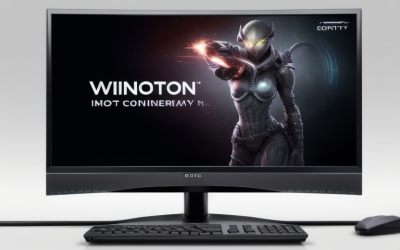
 New! Sceptre Curved 34-inch Prime Gaming Monitor 344034 inches8.5 x 31.8 x 18 inches14 poundsCheck on Amazon
For most players, 240Hz is the sensible target and 360Hz is a niche upgrade: the jump from 240Hz to 360Hz shortens each refresh interval by only about 1.4 milliseconds, so it mainly benefits competitive players who already have a fast PC, a high frame rate in their games and a good eye for motion clarity.
Short answer
If you play esports titles at very high frame rates on a strong CPU and GPU, 360Hz can give a slightly smoother and more responsive picture. If you play a mix of games, or your system cannot hold frame rates well above 240, a 240Hz monitor delivers most of the benefit with fewer compromises. The refresh rate number only helps when your game actually produces that many frames each second.

Dell 24 240Hz Gaming Monitor - SE2426HG - 23.8-inch FHD (1920x1080) 240Hz Display, in-Plane Switching (IPS) Technology, AMD FreeSync™ Premium, TÜV 3-Star, 2X HDMI, DisplayPort 1.4, Tilt
Chosen because it specifies SE2426HG and 23.8-inch FHD (1920x1080) 240Hz Display.
View on AmazonNew! Sceptre 24.5-inch Gaming Monitor 240Hz 1ms DisplayPort x2 HDMI x2 100% sRGB AMD FreeSync Premium Build-in Speakers, Machine Black 2026 (E255B-FWD240 Series)
Chosen because it specifies Machine Black 2026 (E255B-FWD240 Series).
View on Amazon
ArcticPro 24" 260Hz 240Hz Gaming Monitor, 1080p Monitor, Adaptive Sync | FHD Computer Monitor, 120% sRGB, 2ms, HDMI 2.1, DP 1.4 Ports, VESA, 3-Sided Frameless, Ultra Slim, Eye Care, 3000:1 Contrast
Chosen because it specifies 1080p Monitor and Adaptive Sync.
View on AmazonNew! Sceptre Curved 34-inch Prime Gaming Monitor 3440 x 1440 up to 240Hz 1500R 1ms 100% sRGB DisplayPort x2 HDMI x2 Build-in Speakers, Machine Black 2027 (C345B-QU240T Series)
Chosen because it specifies Machine Black 2027 (C345B-QU240T Series).
View on AmazonThe arithmetic behind the numbers
Refresh rate is how many times per second the screen updates. Dividing 1000 milliseconds by the refresh rate gives the time between updates.
| Refresh rate | Time between refreshes | Gain over previous step |
|---|---|---|
| 60Hz | About 16.7 ms | Baseline |
| 144Hz | About 6.9 ms | About 9.7 ms shorter |
| 240Hz | About 4.2 ms | About 2.8 ms shorter |
| 360Hz | About 2.8 ms | About 1.4 ms shorter |
This is the diminishing-returns story in one table. Going from 144Hz to 240Hz saves about twice as much time per refresh as going from 240Hz to 360Hz, and the 360Hz step has to be earned by a PC that delivers matching frame rates.
What you need to see the difference
A 360Hz monitor is only fully used when the game renders close to 360 frames per second. That is realistic in older or lightly demanding competitive titles on a capable system, and much harder in newer, heavier games. If the frame rate sits around 200, a 240Hz and a 360Hz monitor will look and feel very similar, and the faster one gains little.
- CPU performance often limits frame rate in esports titles at low settings, so a strong gaming CPU matters.
- Variable refresh rate (G-Sync Compatible or FreeSync, when the monitor lists support) smooths out frame rates that fall below the maximum.
- Game engines and settings vary; some titles cap frame rates or behave inconsistently above certain values.
Response time and panel type matter as much
A high refresh rate does not guarantee crisp motion. Pixel response time determines how quickly colors change, and slow transitions cause smearing even at 360Hz. Panel technology matters here: makers list OLED and fast IPS or TN options in this class, and independent reviewers publish their own motion measurements that differ from the marketing figures. OLED panels are widely reported to have very fast pixel transitions, but they carry their own considerations such as brightness limits and burn-in care, as the makers’ guidance describes. Always compare reviewer motion measurements for the exact model rather than relying on the refresh number alone.
Resolution and refresh rate trade-offs
Many 360Hz monitors are 1080p or 1440p models. A 1080p panel makes 360 frames per second easier to reach, which is why the very top refresh rates are often paired with lower resolutions. Higher resolutions at 240Hz are more common and put more load on the GPU. If you prefer a sharper image, a 1440p 240Hz screen may be a better balance than a 1080p 360Hz one.
Pick-this-if table
| Your situation | Better fit |
|---|---|
| Competitive esports, strong CPU and GPU, frame rates above 300 | 360Hz |
| Mixed genres, frame rates between 120 and 240 | 240Hz |
| Want 1440p or higher resolution | 240Hz |
| Mid-range PC | 144Hz or 240Hz |
| Fast pixel response is a priority | Compare reviewed motion results by model, not by refresh rate |
| Single-player visuals first | Resolution and panel quality over refresh rate |
Is the 360Hz difference noticeable?
Opinions differ. Some competitive players report seeing slightly cleaner motion and quicker feedback at 360Hz. Others, including reviewers who have compared the two, describe the step from 240Hz to 360Hz as small compared with the step from 60Hz or 144Hz to 240Hz. Because the benefit depends on the game, the frame rate and the person, treat it as a possible refinement rather than a guaranteed advantage.
Common mistakes
- Not setting the refresh rate. Windows can leave a new monitor at 60Hz. Open the display settings and the advanced display page to choose the highest rate.
- Using the wrong cable or port. High refresh rates at higher resolutions may need DisplayPort or a suitable HDMI version, and the monitor manual lists what each input supports.
- Expecting a bigger win than the arithmetic allows. The gap between 240Hz and 360Hz is about 1.4 ms per refresh.
- Ignoring the GPU and CPU. If the PC cannot produce the frames, the monitor cannot show them.
- Judging by the box label alone. Response time claims differ in how they are measured, so lean on independent measurements.
Alternatives
If 360Hz feels like too much, a 240Hz OLED or fast IPS panel gives most of the motion benefit. A 144Hz or 165Hz 1440p monitor is a sensible choice for a mid-range system. Some makers also offer dual-mode monitors that switch between a higher resolution and a faster refresh rate at a lower resolution, which can suit players who split their time between competitive and single-player games.
Frequently Asked Questions
Is 360Hz worth it over 240Hz?
It is worth considering only if you play fast competitive games at very high frame rates and want every possible refinement. For general gaming, 240Hz offers most of the benefit and is easier for a PC to drive.
Do I need a special cable for 360Hz?
Often yes. Higher refresh rates may require a DisplayPort connection or an HDMI port with enough bandwidth, depending on resolution. The monitor maker lists the supported modes for each input, so follow the manual.
Can my eyes see 360Hz?
Eyes do not see in frames per second in a simple way, but motion clarity and latency can improve as refresh rate rises. The effect gets smaller at each step, which is why many reviewers describe diminishing returns.
Does 360Hz reduce input lag?
It can shorten the wait for the next screen update by a small amount, but total input lag also includes the mouse, the game, the GPU and the monitor’s processing. The gain from the refresh interval alone is about 1.4 ms between 240Hz and 360Hz.
Will 360Hz help if my game runs at 150 fps?
Little. The screen can only show the frames the game makes, so at 150 fps both monitors are waiting on the PC. Variable refresh rate keeps things smooth, but the extra panel speed goes unused.
FAQ
Is the 360Hz difference noticeable?
Is 360Hz worth it over 240Hz?
Do I need a special cable for 360Hz?
Can my eyes see 360Hz?
Does 360Hz reduce input lag?
Will 360Hz help if my game runs at 150 fps?
More from Amazon
Programs that pair well with the guide above. Offers and eligibility are set by Amazon and may change.
Free shipping on eligible items, Prime Video and more. Eligible new members can start with a free trial.
Start a Prime free trialAd-free music streaming. Eligible new subscribers can start with a free trial.
Try Music Unlimited freeA Prime membership for ages 18-24 with a trial period. Eligibility is set by Amazon.
See Prime for Young AdultsAudiobooks and podcasts to listen to on the go. Eligible new members can start with a free trial.
Try Audible freeAs an Amazon Associate we earn from qualifying purchases.