Key takeaways
- Cache size: Large L3 cache (like AMD’s 3D V-Cache) often matters more for FPS than raw clock speed, since it reduces memory latency in game-heavy workloads.
- Core and thread count: 6-8 cores is the sweet spot for most gamers; extra cores mainly help with streaming, editing, and multitasking rather than pure frame rates.
- Platform and socket longevity: Check whether the motherboard socket (AM5, LGA1700) will support future CPU upgrades so you’re not forced into a full rebuild in two years.
- GPU pairing: A high-end CPU paired with a weak GPU wastes money; match your processor tier to your graphics card and target resolution to avoid bottlenecks.
- Integrated graphics and power draw: If you need a fallback display option or want to keep thermals in check, consider whether the chip includes integrated graphics and its rated TDP.
What's inside
Choosing the right CPU for gaming in 2026 isn’t as simple as grabbing the chip with the highest clock speed or core count. Between AMD’s 3D V-Cache dominance, Intel’s hybrid core architecture, and the rise of pre-built systems that bundle a CPU with a matched GPU, buyers face a genuinely confusing landscape. Get it wrong and you either overpay for cores your games never touch, or bottleneck a good graphics card with a weak processor.
This guide breaks down the best gaming CPUs and CPU-inclusive systems available right now, from flagship gaming processors to budget-friendly full builds. We’ll cover what actually matters for frame rates, compare the top contenders head-to-head, and help you match the right chip to your budget and resolution target.
As an Amazon Associate we earn from qualifying purchases at no extra cost to you.




🎮 Get More From Your Setup — Free
Prime Gaming gives you free PC games every month, in-game loot, and a free Twitch channel sub — plus fast free shipping on all the gear above. New members get a 30-day free trial.
Watch: Best What CPU Is Best For Gaming — Video Review
How to Choose a CPU for Gaming (2026)
- Cache size: Large L3 cache (like AMD’s 3D V-Cache) often matters more for FPS than raw clock speed, since it reduces memory latency in game-heavy workloads.
- Core and thread count: 6-8 cores is the sweet spot for most gamers; extra cores mainly help with streaming, editing, and multitasking rather than pure frame rates.
- Platform and socket longevity: Check whether the motherboard socket (AM5, LGA1700) will support future CPU upgrades so you’re not forced into a full rebuild in two years.
- GPU pairing: A high-end CPU paired with a weak GPU wastes money; match your processor tier to your graphics card and target resolution to avoid bottlenecks.
- Integrated graphics and power draw: If you need a fallback display option or want to keep thermals in check, consider whether the chip includes integrated graphics and its rated TDP.
The Best CPUs for Gaming (2026) Reviewed
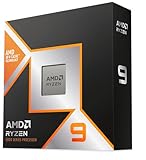
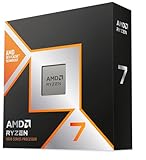
AMD Ryzen 7 9800X3D
The 9800X3D is the current gold standard for gaming, thanks to AMD’s latest 3D V-Cache design that delivers class-leading frame rates in nearly every title. If you want the best possible gaming performance without paying for unnecessary core count, this is the chip to beat.
Intel Core i7-14700K
With 20 cores split across performance and efficiency clusters, the 14700K is a strong all-rounder that handles gaming, streaming, and content creation with ease. It’s a great pick for anyone who wants a single CPU that doesn’t compromise on multitasking power.
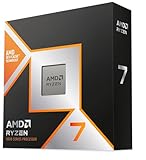
AMD Ryzen 7 7800X3D
The previous-gen 3D V-Cache champion, the 7800X3D still punches well above its price point and remains one of the best value-to-performance gaming CPUs on the market. It’s an excellent choice if you want 9800X3D-tier gaming smoothness at a more accessible price.
Intel Core i7-12700KF
The 12700KF offers 12 hybrid cores and clock speeds up to 5.0GHz, making it a capable and affordable option for gamers building on the LGA1700 platform. It’s best suited to budget-conscious builders who still want unlocked overclocking headroom.
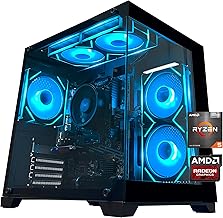
iBUYPOWER Element Gaming PC (Ryzen 9 7900X + RTX 5070)
This is the pick for anyone who wants a complete, balanced system rather than piecing together parts. The Ryzen 9 7900X and RTX 5070 pairing, backed by 32GB of DDR5 and a fast NVMe drive, is well-matched for high-refresh 1440p gaming right out of the box.
Frequently Asked Questions
Is AMD or Intel better for gaming in 2026?
AMD’s X3D chips currently lead in pure gaming frame rates thanks to their large cache, while Intel’s hybrid-core chips offer stronger multitasking performance for streaming or productivity alongside gaming.
How many CPU cores do I actually need for gaming?
Most modern games are optimized for 6-8 cores, so a chip like the 7800X3D or 9800X3D covers gaming needs well; more cores only help if you’re also streaming, rendering, or running heavy background tasks.
Should I buy a pre-built gaming PC or build my own?
Pre-builts like the iBUYPOWER Element save time and guarantee compatible, tested components, while building your own lets you choose exactly which CPU and GPU tier fits your budget and upgrade path.
Will a better CPU improve my FPS if my GPU is older?
Only up to a point — if your GPU is significantly older or weaker, it will likely become the bottleneck before the CPU does, so it’s worth upgrading both together for the best results.
Final Thoughts
For pure gaming performance, the AMD Ryzen 7 9800X3D is the clear top pick, with the Ryzen 7 7800X3D offering nearly the same experience for less money. If you’d rather skip the build process entirely, the iBUYPOWER Element with its Ryzen 9 7900X and RTX 5070 combo is a well-rounded, ready-to-play system.