Key takeaways
- Prioritize GPU class: An RTX 5080 is the safest bet for native 4K at high settings; an RTX 5070 delivers great 4K results when you lean on DLSS and frame generation.
- Insist on 16GB+ VRAM headroom: 4K textures are memory-hungry, so favor cards and configurations that give you comfortable video memory for years to come.
- Pair with a strong CPU: A Ryzen 7 9800X3D or Ryzen 9 7900X prevents bottlenecks and keeps frame times smooth in open-world and simulation titles.
- Don’t skimp on cooling and power: A 360mm AIO and an 850W Gold ATX 3.x PSU keep a high-end build stable during long 4K sessions.
- Match storage to game sizes: At least 1TB of Gen4 NVMe is essential, and 2TB is worth it given how large modern 4K-optimized games have become.
What's inside
Gaming at 4K in 2026 is more attainable than ever, thanks to DLSS 4, frame generation, and a new wave of powerful RTX 50-series prebuilts. Still, native 3840×2160 remains the most demanding mainstream resolution, so choosing a system with the right GPU and enough VRAM is critical if you want smooth, high-fidelity gameplay on a big display.
We rounded up the strongest 4K-capable prebuilt towers currently available, ranging from RTX 5070 value builds to RTX 5080 powerhouses from Skytech, STORMCRAFT, iBUYPOWER, and KOTIN. Here are our picks, along with a buying guide and answers to the questions that matter most for 4K.
As an Amazon Associate we earn from qualifying purchases at no extra cost to you.


🎮 Get More From Your Setup — Free
Prime Gaming gives you free PC games every month, in-game loot, and a free Twitch sub — plus fast free shipping on the rigs above. New members get a 30-day free trial.
Watch: Best 4K Prebuilt Gaming PC — Video Review
How to Choose a 4K Prebuilt Gaming PC
- Prioritize GPU class: An RTX 5080 is the safest bet for native 4K at high settings; an RTX 5070 delivers great 4K results when you lean on DLSS and frame generation.
- Insist on 16GB+ VRAM headroom: 4K textures are memory-hungry, so favor cards and configurations that give you comfortable video memory for years to come.
- Pair with a strong CPU: A Ryzen 7 9800X3D or Ryzen 9 7900X prevents bottlenecks and keeps frame times smooth in open-world and simulation titles.
- Don’t skimp on cooling and power: A 360mm AIO and an 850W Gold ATX 3.x PSU keep a high-end build stable during long 4K sessions.
- Match storage to game sizes: At least 1TB of Gen4 NVMe is essential, and 2TB is worth it given how large modern 4K-optimized games have become.
The Best 4K Prebuilt Gaming PCs Reviewed
Skytech King 95 (RTX 5080)
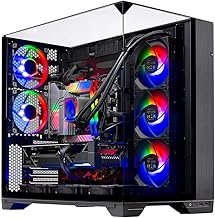
The King 95 is our top native-4K pick, combining an RTX 5080 with a Ryzen 7 9850X3D, 2TB of NVMe storage, and a 360mm ARGB AIO. It has the raw horsepower to run demanding titles at 4K high settings without leaning heavily on upscaling.
STORMCRAFT Phantom (RTX 5080)
Built around a Ryzen 7 9800X3D with 2TB of storage and a bundled keyboard and mouse, the Phantom is a complete 4K package. Its 5080 GPU and X3D CPU make it a superb, ready-to-play choice for high-refresh 4K gaming.
iBUYPOWER Element (Ryzen 9 7900X)
The Element pairs an RTX 5070 with a 12-core Ryzen 9 7900X, 32GB DDR5, and a 1TB NVMe SSD. It is the pick for buyers who want a capable 4K-with-DLSS machine that also handles multitasking and light content creation with ease.
STORMCRAFT Falcon (RTX 5070)
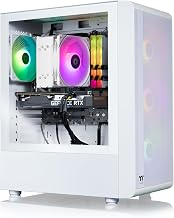
The Falcon’s Ryzen 7 7800X3D and RTX 5070 combination is tuned for high frame rates, and with DLSS enabled it delivers a smooth 4K experience across most titles. Its 360mm AIO and 32GB DDR5 round out a well-balanced, value-oriented build.
KOTIN RTX 5070 (Ryzen 7 9700X)
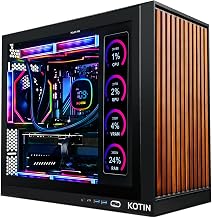
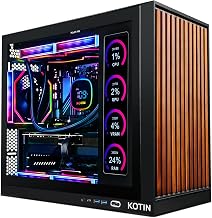
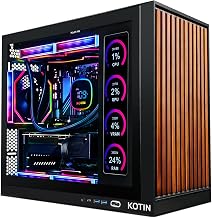
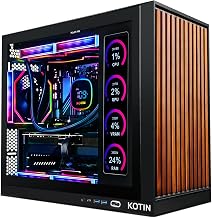
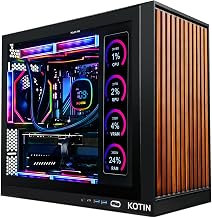
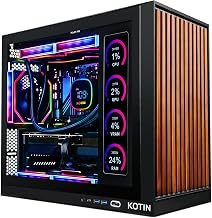
KOTIN’s 5070 tower brings 32GB DDR5, liquid cooling, WiFi 7, and a distinctive smart-display chassis. It is a stylish and flexible entry into 4K gaming, handling the resolution confidently once DLSS and frame generation are switched on.
Frequently Asked Questions
What GPU do I really need for 4K gaming?
An RTX 5080 is ideal for native 4K at high settings. An RTX 5070 is a strong, more affordable option when paired with DLSS 4 and frame generation.
Is DLSS necessary for 4K?
On RTX 5070-class systems, DLSS makes 4K genuinely smooth in demanding games. RTX 5080 builds can run many titles at native 4K, but DLSS still adds valuable frame-rate headroom.
How much should I budget for a 4K prebuilt?
RTX 5070 4K-with-DLSS systems start around $1,900, while RTX 5080 machines that target native 4K generally run from about $3,000 upward.
Does the CPU matter at 4K?
Yes, though less than at 1080p. A strong chip like a 9800X3D or 7900X prevents stutters in CPU-intensive games and keeps frame times consistent.
Final Thoughts
4K gaming has crossed into the mainstream, and these prebuilts cover every budget within it. Choose the Skytech King 95 for uncompromised native-4K performance, the iBUYPOWER Element for a versatile 4K-plus-productivity build, or the STORMCRAFT Falcon if you want great 4K value with DLSS.