Key takeaways
- Prioritize CPU cores: Editing and exporting scale with cores, so a high-core Core i9-14900HX or Ryzen 7 speeds up renders noticeably over a budget quad-core.
- Load up on RAM: 32GB is the comfortable starting point for 1080p and 1440p projects; 16GB works for lighter edits but fills quickly with 4K footage.
- Get a modern NVIDIA GPU: RTX 5060, 5060 Ti, and 5070 cards include the latest NVENC encoder, which dramatically accelerates timeline playback and exports.
- Use fast NVMe storage: A 1TB Gen4 SSD keeps scrubbing and caching smooth; add a second drive later for media if your projects grow.
- Value quiet, sustained cooling: Long exports push the CPU hard, so liquid or strong air cooling prevents thermal throttling and keeps noise in check.
What's inside
A great video-editing PC has to do two jobs at once: crunch timelines, effects, and exports quickly, then unwind with high-frame-rate gaming after hours. In 2026 the RTX 50-series makes that dual life easy, because NVIDIA’s cards accelerate encoding, decoding, and GPU effects in Premiere, DaVinci Resolve, and CapCut while still delivering excellent gaming performance.
To build this list we looked for prebuilt towers that balance CPU cores, RAM capacity, fast storage, and a capable GPU with modern NVENC support. The picks below span KOTIN, YAWYORE, and other builders, followed by a buying guide and answers to the questions creators ask most.
As an Amazon Associate we earn from qualifying purchases at no extra cost to you.


🎮 Get More From Your Setup — Free
Prime Gaming gives you free PC games every month, in-game loot, and a free Twitch sub — plus fast free shipping on the rigs above. New members get a 30-day free trial.
Watch: Best Prebuilt Gaming PC for Video Editing — Video Review
How to Choose a Prebuilt Gaming PC for Video Editing
- Prioritize CPU cores: Editing and exporting scale with cores, so a high-core Core i9-14900HX or Ryzen 7 speeds up renders noticeably over a budget quad-core.
- Load up on RAM: 32GB is the comfortable starting point for 1080p and 1440p projects; 16GB works for lighter edits but fills quickly with 4K footage.
- Get a modern NVIDIA GPU: RTX 5060, 5060 Ti, and 5070 cards include the latest NVENC encoder, which dramatically accelerates timeline playback and exports.
- Use fast NVMe storage: A 1TB Gen4 SSD keeps scrubbing and caching smooth; add a second drive later for media if your projects grow.
- Value quiet, sustained cooling: Long exports push the CPU hard, so liquid or strong air cooling prevents thermal throttling and keeps noise in check.
The Best Prebuilt Gaming PCs for Video Editing Reviewed
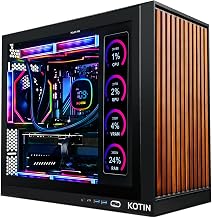
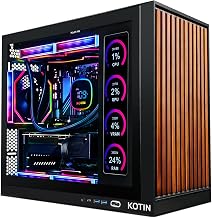
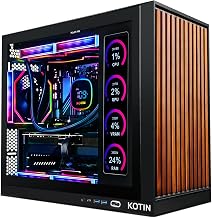
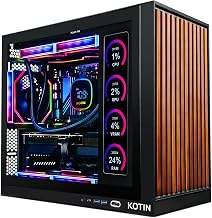
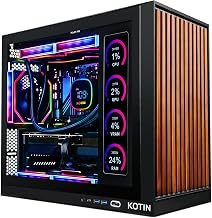
KOTIN RTX 5070 (Ryzen 7 9700X)
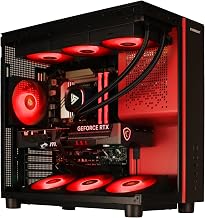
This KOTIN tower is the all-around top pick, combining a Ryzen 7 9700X, RTX 5070, 32GB DDR5, and a 360mm liquid cooler. The generous RAM and modern GPU encoder handle 4K timelines smoothly, and the same hardware makes it a superb gaming machine.
Core i9-14900HX RTX 5060 Ti
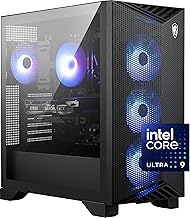
Built around a high-core Core i9-14900HX with an RTX 5060 Ti and DDR5 memory, this system is a rendering workhorse. Its many CPU threads chew through exports, making it the pick for creators who prioritize timeline and encode speed for 4K and even 8K projects.
YAWYORE RTX 5060 (Ryzen 7 5700X)
The YAWYORE offers a strong value proposition with a Ryzen 7 5700X, RTX 5060, 32GB DDR4, and a 1TB NVMe SSD. The 32GB of memory is a real advantage for editors on a budget, giving you headroom for multiple applications and larger projects.
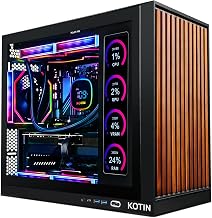
KOTIN RTX 5060 (Ryzen 5 9600X)
This KOTIN configuration pairs a Ryzen 5 9600X with an RTX 5060 and 16GB DDR5 in a WiFi 7 chassis assembled in the USA. It is a tidy entry-level editing and gaming box, ideal for social-media creators working primarily in 1080p and 1440p.
suevery RTX 3050 (Ryzen 7 5700X)
The most affordable option here, the suevery pairs an 8-core Ryzen 7 5700X with an RTX 3050 and 16GB DDR4. Those CPU cores make it a capable render machine for lighter edits, and it still holds its own in esports and older titles for after-work gaming.
Frequently Asked Questions
How much RAM do I need for video editing?
32GB is the sweet spot for smooth 4K editing and multitasking. 16GB is workable for 1080p and 1440p projects but can feel tight with effects-heavy timelines.
Does the GPU matter for editing or just the CPU?
Both matter. The CPU drives many render and export tasks, while a modern NVIDIA GPU accelerates timeline playback, GPU effects, and hardware encoding through NVENC.
Is an RTX 5060 enough for a creator?
Yes, for 1080p and most 1440p editing the RTX 5060 and 5060 Ti are excellent, thanks to their up-to-date encoder. Step up to a 5070 for heavier 4K workflows.
Can these systems game as well as edit?
Absolutely. Every pick here is a genuine gaming PC first, so they double as capable machines for high-frame-rate play once the workday is done.
Final Thoughts
The best editing PC is one that pairs strong multi-core performance with a modern GPU encoder and plenty of RAM. Choose the KOTIN RTX 5070 for the best all-around blend of editing and gaming, the Core i9-14900HX build for raw render speed, or the YAWYORE if you want 32GB of headroom on a tighter budget.