Key takeaways
- Buy for the monitor you own: The single biggest mistake is overpaying for a GPU your display cannot exploit. Match an RTX 5060/5060 Ti to 1080p and value 1440p, a 5070/5070 Ti to high-refresh 1440p, and a 5080/5090 to native 4K.
- Treat DLSS 4 as real performance, not a gimmick: Multi-frame generation genuinely transforms mid-range cards in supported titles, so a 5060 Ti or 5070 goes further in 2026 than raw raster numbers suggest.
- Pair the GPU with a CPU that can keep up: A Ryzen 7 9700X, 7800X3D or 9800X3D protects your minimum frame rates, while budget rigs sensibly lean on an i5-14400F or Ryzen 5.
- Set 32GB DDR5 as your line above $1,500: It is the difference between a machine that feels current for two years and one that feels current for five, particularly as game installs balloon.
- Scrutinize the parts nobody markets: A trustworthy 80+ Gold PSU with headroom, proper 360mm liquid or air cooling, WiFi 6E/7 and a bloat-free Windows 11 install are what separate a durable build from a spec-sheet bargain.
What's inside
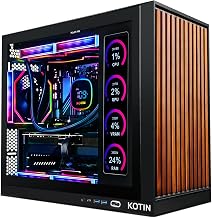
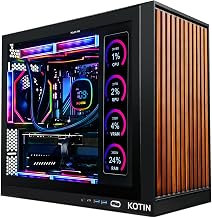
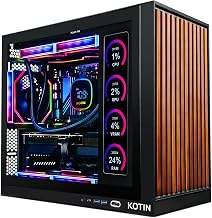
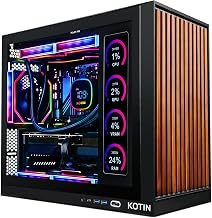
The prebuilt gaming PC landscape looks dramatically different in 2026 than it did even a year ago, and the headline is simple: the RTX 50-series is now everywhere, and it has reshaped what every price bracket delivers. Frame generation through DLSS 4 has quietly redrawn the map, letting a mid-range card produce numbers that used to demand premium hardware, while AMD’s X3D processors have become the gaming CPU of record. For anyone tracking the market, the practical takeaway is that off-the-shelf systems from Thermaltake, KOTIN, STORMCRAFT, Skytech and HP OMEN now offer configurations that are genuinely competitive with hand-built rigs, warranty and support included.
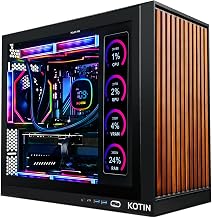
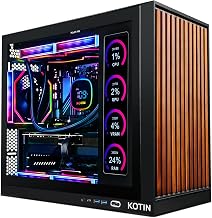
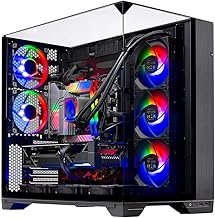
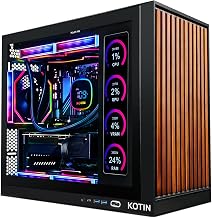
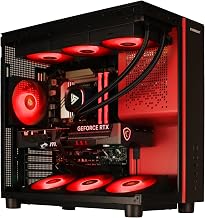
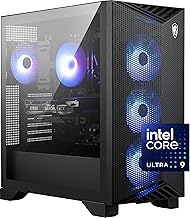
This guide rounds up the machines worth your attention right now, tier by tier. The entry point is the Thermaltake LCGS Quartz i1460 with an RTX 5060 for crisp 1080p play, followed by KOTIN’s RTX 5060 Ti builds around the Ryzen 7 8700F that comfortably handle 1440p with DLSS 4. The mainstream sweet spot belongs to the KOTIN RTX 5070 with a Ryzen 7 9700X and the STORMCRAFT Falcon RTX 5070 on a 7800X3D. Above them sit the STORMCRAFT Phantom RTX 5080 with a 9800X3D and, at the summit, the Skytech O11 Vision with an RTX 5090 for uncompromising 4K. Use the cards as your shortlist and the breakdown below to zero in on the right fit.
As an Amazon Associate we earn from qualifying purchases at no extra cost to you.


⚡ Save on Your Next PC — Amazon Prime
Prime members get fast free shipping on the systems above, plus early access to Prime Day & Black Friday PC deals. New members get a 30-day free trial.
Watch: Best Prebuilt Gaming PC 2026: Complete Buyer’s Guide by GPU, Resolution & Budget — Video Review
How to Choose a Prebuilt Gaming PC in 2026
- Buy for the monitor you own: The single biggest mistake is overpaying for a GPU your display cannot exploit. Match an RTX 5060/5060 Ti to 1080p and value 1440p, a 5070/5070 Ti to high-refresh 1440p, and a 5080/5090 to native 4K.
- Treat DLSS 4 as real performance, not a gimmick: Multi-frame generation genuinely transforms mid-range cards in supported titles, so a 5060 Ti or 5070 goes further in 2026 than raw raster numbers suggest.
- Pair the GPU with a CPU that can keep up: A Ryzen 7 9700X, 7800X3D or 9800X3D protects your minimum frame rates, while budget rigs sensibly lean on an i5-14400F or Ryzen 5.
- Set 32GB DDR5 as your line above $1,500: It is the difference between a machine that feels current for two years and one that feels current for five, particularly as game installs balloon.
- Scrutinize the parts nobody markets: A trustworthy 80+ Gold PSU with headroom, proper 360mm liquid or air cooling, WiFi 6E/7 and a bloat-free Windows 11 install are what separate a durable build from a spec-sheet bargain.
Browse Our Prebuilt Gaming PC Guides
This page anchors a full network of focused guides. Whether you have settled on a GPU, a resolution or a specific job like streaming or editing, there is a dedicated write-up with vetted systems and live pricing waiting below:
- Best Prebuilt Gaming PC with RTX 5060
- RTX 5060 Ti prebuilts
- RTX 5070 prebuilt gaming PCs
- RTX 5070 Ti builds
- RTX 5080 prebuilts
- RTX 5090 flagship rigs
- best 1440p prebuilt gaming PCs
- 1440p RTX 5070 build
- best 4K prebuilt gaming PCs
- prebuilt PC for streaming
- prebuilt PC for video editing
- best RTX 5070 prebuilt under $1500
- RTX 5070 vs RTX 5060 Ti
By Budget
Below $1,000 the Thermaltake RTX 5060 build is the sensible 1080p starting line and reaches into 1440p with upscaling switched on. The $1,200 to $1,500 window is where 2026 value concentrates, home to KOTIN’s RTX 5060 Ti systems and sharply priced RTX 5070 rigs, and it is exactly where our under-$1,500 RTX 5070 guide focuses; for most buyers this is the bracket that balances outlay against staying power best. Around $1,900 the STORMCRAFT Falcon and KOTIN RTX 5070 machines with 32GB DDR5 deliver lasting high-refresh 1440p and a credible path to 4K. Beyond $3,000 the STORMCRAFT Phantom RTX 5080 handles native 4K with ease, and the $5,500-plus Skytech O11 Vision RTX 5090 is strictly for enthusiasts who refuse to compromise on frame rate or ray tracing.
One trend worth flagging as you budget is that the mid-range has absorbed most of the generation’s gains. Because DLSS 4 does so much heavy lifting, the gap between a 5060 Ti and a 5070 in everyday play is smaller than the price difference implies, which is precisely why our RTX 5070 versus 5060 Ti comparison is one of the most useful reads in this network. Spending up only makes sense when your monitor and games can cash the extra performance; otherwise the money is better routed into more RAM, faster storage or a better display. Keep an eye on total ownership cost as well, since a well-cooled, quiet tower with a reputable power supply simply lasts longer. Decide your resolution first, keep the CPU and GPU in balance, and use the focused guides above to lock in the right build.
Frequently Asked Questions
What changed most for prebuilts in 2026?
The RTX 50-series became standard and DLSS 4 frame generation matured, so every tier gained effective performance. Assembled systems are now priced closely enough to DIY that the warranty and support tip the scales.
Is an RTX 5060 Ti enough for 1440p?
Yes, comfortably. With DLSS 4 it plays modern titles at high settings on a 1440p display, making it one of the best value picks of the year for the resolution most gamers use.
How future-proof is an RTX 5070 build?
Very. Paired with a Ryzen 7 CPU and 32GB DDR5, an RTX 5070 rig should stay strong at high-refresh 1440p and entry 4K for several years before you feel any real pressure to upgrade.
Who actually needs an RTX 5090?
Only 4K high-refresh gamers, heavy ray-tracing fans and creative professionals. For everyone else the RTX 5080 already covers native 4K, and the 5090 is more capability than typical play demands.
Final Verdict
2026 is a standout year to buy a prebuilt, and the smart-money choice for most readers is an RTX 5070 system like the STORMCRAFT Falcon or KOTIN build near $1,900, which pairs a modern Ryzen 7 CPU with 32GB DDR5 for years of high-refresh 1440p and capable 4K. Budget players are well served by the Thermaltake RTX 5060 or a KOTIN RTX 5060 Ti, while the STORMCRAFT Phantom RTX 5080 and the Skytech RTX 5090 stand ready for anyone chasing the 4K ceiling. Decide your resolution, keep the GPU and CPU balanced, and let the guides above lead you to the exact build for your setup.