Key takeaways
- Architecture: The 9800X3D uses Zen 5 with second-generation 3D V-Cache; the 7800X3D uses Zen 4 with the original stacked-cache design.
- Cache placement: AMD moved the cache die underneath the compute die on the 9800X3D, which improves heat transfer and removes the thermal ceiling that constrained the 7800X3D.
- Clock speeds: The 9800X3D boosts to roughly 5.2GHz against 5.0GHz on the 7800X3D, with a much higher base clock — a large part of its productivity advantage.
- Overclocking: The 9800X3D is fully unlocked with Precision Boost Overdrive and manual multiplier control. The 7800X3D is locked to undervolting and curve optimizer tuning only.
- Gaming performance: Expect roughly 8–15% higher average frame rates at 1080p, with larger gaps in cache-sensitive simulation and strategy titles and near-parity at 4K on most GPUs.
- Power and cooling: Both are rated at 120W, but the 7800X3D typically draws less under gaming loads and is easier to cool with a mid-range air tower.
What's inside
Few CPU matchups matter more to PC gamers than this one. AMD’s 3D V-Cache parts have dominated gaming benchmarks since 2022, and the two most relevant chips in 2026 are still the Ryzen 7 9800X3D and the older but stubbornly popular Ryzen 7 7800X3D. Both are 8-core, 16-thread AM5 processors with roughly 96MB of total L3 cache, both slot into the same DDR5 boards, and both will comfortably feed an RTX 50-series or Radeon RX 9000-series GPU. The difference is generational: Zen 5 versus Zen 4, and a redesigned cache stack versus the original.
The choice matters because it is essentially a value question rather than a capability one. The 9800X3D is the faster chip in every meaningful gaming and productivity metric, but the 7800X3D has aged into the budget-performance sweet spot, especially through discounted bundles. If you are building fresh in 2026 with a high-refresh 1440p or 4K display, the extra frames may or may not justify the premium — it depends entirely on your GPU, your monitor, and whether you plan to overclock. Here is how the two actually compare.
As an Amazon Associate we earn from qualifying purchases at no extra cost to you.




⚡ Save on Your Next PC — Amazon Prime
Prime members get fast free shipping on the systems above, plus early access to Prime Day & Black Friday PC deals. New members get a 30-day free trial.
Watch: Ryzen 7 9800X3D vs 7800X3D: Upgrade in 2026? — Video Review
Quick Verdict
Buy the Ryzen 7 9800X3D if you are pairing a flagship GPU with a 1080p or 1440p high-refresh monitor, want an unlocked chip you can tune, or intend to keep the platform for several GPU generations. Buy the Ryzen 7 7800X3D — ideally as a Micro Center CPU and motherboard combo — if you are building to a budget, gaming at 1440p or 4K where the GPU is the bottleneck, or simply want 90% of the experience for meaningfully less money.
Key Differences
- Architecture: The 9800X3D uses Zen 5 with second-generation 3D V-Cache; the 7800X3D uses Zen 4 with the original stacked-cache design.
- Cache placement: AMD moved the cache die underneath the compute die on the 9800X3D, which improves heat transfer and removes the thermal ceiling that constrained the 7800X3D.
- Clock speeds: The 9800X3D boosts to roughly 5.2GHz against 5.0GHz on the 7800X3D, with a much higher base clock — a large part of its productivity advantage.
- Overclocking: The 9800X3D is fully unlocked with Precision Boost Overdrive and manual multiplier control. The 7800X3D is locked to undervolting and curve optimizer tuning only.
- Gaming performance: Expect roughly 8–15% higher average frame rates at 1080p, with larger gaps in cache-sensitive simulation and strategy titles and near-parity at 4K on most GPUs.
- Power and cooling: Both are rated at 120W, but the 7800X3D typically draws less under gaming loads and is easier to cool with a mid-range air tower.
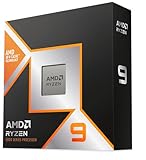
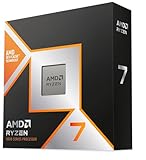
AMD Ryzen 7 9800X3D
The 9800X3D is, straightforwardly, the best gaming CPU most people can buy. The flipped cache layout was the crucial engineering change: because the cores now sit on top, AMD could raise clocks and unlock the chip without cooking the cache die. That translates into consistent gains over the 7800X3D in 1% lows — the stutter-adjacent metric that actually determines whether a game feels smooth — and a substantial lead in anything that leans on single-thread throughput, from Unreal Engine shader compilation to streaming and light content creation.
It is also the safer long-term purchase. AM5 support runs well beyond 2026, and an 8-core Zen 5 part with 96MB of L3 will not become the limiting factor in a system for years. The trade-offs are cost and heat: the 9800X3D wants a strong 240mm AIO or a premium dual-tower air cooler to hold peak boost, and it commands a clear price premium over the previous generation.
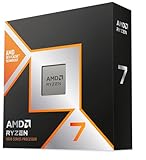
AMD Ryzen 7 7800X3D
The 7800X3D remains an outstanding gaming chip and, arguably, the better buy for value-focused builders. It still beats far more expensive non-X3D processors in most games, sips power under load, and runs happily on a modest cooler — the bundled configurations, such as the 7800X3D paired with the Cooler Master Hyper Spectrum V3 air cooler, are genuinely sufficient rather than a compromise.
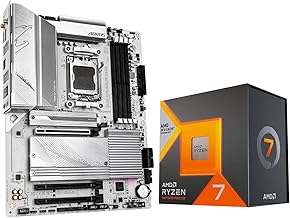
Where it shines in 2026 is bundles. The Micro Center 7800X3D combos with the GIGABYTE B850 Gaming WF or B650 AORUS Elite AX ICE give you DDR5, PCIe 5.0, Gen 5 M.2 and Wi-Fi 6E in a single purchase, often for close to the cost of a 9800X3D alone. If you are stretching your budget toward a better GPU, that is the smarter allocation. The caveats: the locked multiplier, slower productivity performance, and the fact that it is now two generations old.
Which Should You Buy?
- For competitive 1080p esports: Pick the 9800X3D — the gap is widest where frame rates are highest.
- For 1440p or 4K gaming: Pick the 7800X3D; your GPU will be the bottleneck long before the CPU is.
- For a complete new build on a budget: Pick a Micro Center 7800X3D motherboard combo and spend the savings on graphics.
- For streaming, editing or heavy multitasking: Pick the 9800X3D for its stronger all-core and single-thread performance.
- For pure productivity with no gaming focus: Consider the Ryzen 7 7700X instead — the 3D V-Cache premium buys you little outside games.
Frequently Asked Questions
Is it worth upgrading from a 7800X3D to a 9800X3D?
Generally, no. A 10% average uplift is not worth a full CPU swap unless you are chasing frame rates at 1080p with a top-tier GPU. Upgrading your graphics card or monitor will deliver a far more noticeable improvement.
Do I need a new motherboard for the 9800X3D?
No. Both chips use Socket AM5 and run on B650, X670, B850 and X870 boards. Older B650 boards may need a BIOS update for Zen 5 support, so check your manufacturer’s CPU support list before buying.
Can you overclock either processor?
The 9800X3D is fully unlocked and responds well to PBO tuning. The 7800X3D is locked; you can only undervolt it using curve optimizer, which does improve efficiency and boost behaviour but offers less headroom.
What cooler do these CPUs need?
The 7800X3D is content with a good 120mm air cooler. The 9800X3D benefits from a dual-tower air cooler or a 240mm–360mm AIO to sustain its higher clocks under extended load.
Final Verdict
The Ryzen 7 9800X3D is the better processor and the right choice if you want the fastest gaming CPU available without stepping up to a 12- or 16-core part — but the Ryzen 7 7800X3D, particularly in a discounted motherboard bundle, delivers the majority of that performance for noticeably less, and remains the smarter buy for anyone gaming above 1080p or building to a fixed budget.