Key takeaways
- Choose a storefront like Steam, GOG, or Epic Games Store if you want to own games individually and keep them long-term.
- Choose a subscription like Xbox Game Pass Ultimate or PlayStation Plus Extra/Premium if you want instant access to hundreds of games for a monthly fee.
- Choose a cloud platform like GeForce Now or Xbox Cloud Gaming if your local hardware is modest but your internet is strong.
The best gaming sites in 2026 depend on what you play and where you play: Steam offers the largest PC library, Xbox Game Pass and PlayStation Plus provide the best subscription value for console and PC, Epic Games Store competes on free games and exclusives, and GeForce Now and Xbox Cloud Gaming are the top choices if you want to play without a high-end PC or console.
How to Choose the Right Gaming Platform in 2026
There is no single winner for everyone. The right site balances six factors: game library, pricing model, device support, safety and account security, bonuses and rewards, and overall user experience. Use the criteria below to narrow your choice before you create an account or pay for a subscription.

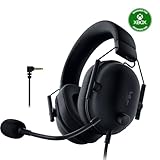
Turtle Beach Recon 50 Wired Multiplatform Gaming Headset for PS5, Xbox, PC
Included for 'Best Gaming Sites: Your Complete Guide to Top Platforms' because the listing specifies Xbox, details this guide uses to compare options.
View on Amazon
Logitech G Astro A20 X Multi-Platform Wireless Gaming Headset - White
Included for 'Best Gaming Sites: Your Complete Guide to Top Platforms' because the listing specifies White, details this guide uses to compare options.
View on Amazon- Choose a storefront like Steam, GOG, or Epic Games Store if you want to own games individually and keep them long-term.
- Choose a subscription like Xbox Game Pass Ultimate or PlayStation Plus Extra/Premium if you want instant access to hundreds of games for a monthly fee.
- Choose a cloud platform like GeForce Now or Xbox Cloud Gaming if your local hardware is modest but your internet is strong.
Game Libraries Compared: Ownership vs. Subscription
Libraries differ not just in size, but in how you access games. Storefronts sell perpetual licenses. Subscriptions rotate titles in and out. Cloud services let you stream games you already own or that are included in the service.
Major Platforms at a Glance
| Platform | Model | Library Size (Approx. 2026) | Key Strength | Primary Devices |
|---|---|---|---|---|
| Steam | Buy-to-own | 50,000+ games | Largest PC catalog, Workshop mods, Steam Deck verified titles | Windows, macOS, Linux, Steam Deck |
| Epic Games Store | Buy-to-own + weekly free games | 2,500+ games | Weekly free game giveaways, Unreal Engine exclusives | Windows, macOS |
| GOG (CD Projekt) | Buy-to-own DRM-free | 8,000+ games | DRM-free installers, classic games preservation | Windows, macOS, Linux |
| Xbox Game Pass Core / Standard / Ultimate | Subscription | 400-500 games (varies by tier) | Day-one Xbox Game Studios titles, EA Play included in Ultimate | Xbox Series X|S, Xbox One, PC, Cloud |
| PlayStation Plus Essential / Extra / Premium | Subscription | 400-700 games (varies by tier) | First-party catalog, classic PS1/PS2/PSP streaming on Premium | PS5, PS4, PC streaming |
| Nintendo Switch Online + Expansion Pack | Subscription | 100+ classic titles + online play | NES, SNES, N64, Game Boy and Sega Genesis classics | Nintendo Switch, Switch OLED, Switch 2 |
| GeForce Now | Bring-your-own-games + subscription tiers | 1,800+ supported titles | Streams games you own on Steam/Epic/GOG at up to 4K 240Hz on Ultimate tier | PC, Mac, Chromebook, phones, TVs, handhelds via browser/app |
| Humble Store / Humble Choice | Buy-to-own + monthly bundle | Monthly bundle of 8 games | Monthly curated bundle, charity contribution | Windows, macOS, Linux (Steam keys) |
If you mainly play AAA blockbusters on PC, Steam plus one subscription will cover 95% of new releases. If you are on console, the native subscription for that console is usually better value than buying every title at launch, which typically costs $60 to $80 per game in 2026.
Pricing and Value: What You Will Actually Pay
Do not compare only the monthly price. Calculate cost per game you will actually play and consider how long you keep games.
- Buy-to-own storefronts: No monthly fee. New AAA games usually $60-$80, older and indie titles usually $10-$40, with seasonal sales offering 30-75% discounts. GOG and Epic often match Steam sale pricing.
- Subscriptions: Usually $10-$20 per month for standard tiers and $17-$23 per month for premium tiers like Game Pass Ultimate or PlayStation Plus Premium. Annual plans typically reduce the monthly cost by 15-30%.
- Cloud tiers: Free tiers exist with session limits and queues. Priority/Performance tiers usually $10-$15 per month, and enthusiast 4K/240Hz tiers usually $20-$25 per month.
Worked calculation: If you play 4 new AAA games per year, buying them outright costs roughly $240-$320. A premium subscription at $20 per month costs $240 per year and gives you access to 400+ games, including many of those same AAAs within months of launch. If you play more than 3-4 full-price games you would have bought anyway, the subscription saves money. If you play only 1-2 specific games per year or replay the same titles for years, buying outright is cheaper long-term.
Device Support and Performance: What You Need to Play Smoothly
Your hardware determines which sites make sense. A gaming PC with an RTX 4060 / RX 7600 class GPU or better runs most storefront games locally at 1080p to 1440p. A less powerful laptop, Chromebook, or phone benefits more from cloud gaming, but then your internet matters more than your GPU.
Bandwidth Needed for Cloud Gaming
Cloud gaming bandwidth scales with resolution and frame rate. You can estimate your need before subscribing:
Calculation method: Approximate bitrate = (Resolution pixels x frames per second x color depth factor x compression efficiency). In practice, providers publish these real-world requirements after compression:
- 720p at 60fps: 12-15 Mbps
- 1080p at 60fps: 20-30 Mbps
- 1440p at 60fps: 35-45 Mbps
- 4K at 60fps: 45-60 Mbps
- 1080p at 120fps or 4K at 120fps: 50-75 Mbps
Latency is equally important. For responsive play, you want under 40ms ping to the nearest data center and packet loss under 1%. Use a wired Ethernet connection or 5GHz Wi-Fi 6 / Wi-Fi 6E close to the router. If your connection is below 25 Mbps or latency is above 60ms, local play via Steam, GOG, or console is more reliable than cloud.
VRAM and Local Play Guide
If you play locally, match your VRAM to your target resolution. In 2026, many new AAA titles use high-resolution textures that increase VRAM demand:
- 1080p High settings: 8GB VRAM is the comfortable minimum
- 1440p High/Ultra: 10-12GB recommended
- 4K Ultra: 12-16GB+ recommended
This is why a platform choice is also a hardware choice. GeForce Now Ultimate and similar services can provide 1440p/4K streaming even if your local device only has integrated graphics.
Safety, Security and Site Legitimacy
Stick to the established platforms listed above. For safety on any gaming site, check for these items:
- HTTPS checkout, verified publisher pages, and official domain spelling. Typosquatting sites often mimic Steam or Epic.
- Two-factor authentication support (authenticator app or hardware key). Enable it on Steam Guard, Epic, PlayStation Network, Xbox Network, and Nintendo Accounts to prevent account theft.
- Clear refund policy: Steam offers refunds within 14 days and under 2 hours played, Epic offers 14 days and under 2 hours played, GOG offers 30 days for un-downloaded titles, and Xbox/PlayStation offer more limited refund windows.
- Parental controls and spending limits, especially on console networks where children can make purchases.
- DRM approach: GOG is fully DRM-free, meaning you keep installers offline. Steam and Epic require a client, and subscriptions revoke access when you cancel or when a game leaves the catalog.
Bonuses, Rewards and User Experience
Beyond price and library, the quality of the client, social features, and rewards often decides which site you use daily.
- Steam: Best overall UX for PC with reviews, forums, Workshop mods, Remote Play, and broad controller support including DualSense and Xbox controllers. Frequent sales but no free weekly AAA games by default.
- Epic Games Store: Leaner client, weekly free games that stay in your library, and Epic Rewards (usually 5% back as credit). Coupons during major sales often give an extra $10 off $40+ purchases.
- GOG: Minimalist client (GOG Galaxy optional), no DRM, and 30-day money-back approach. Ideal if you value offline backups.
- Xbox Game Pass: Best integration between console, PC app, and cloud saves. Game Pass Quests and Microsoft Rewards can be converted into subscription credit or store gift cards.
- PlayStation Plus: Monthly Essential games are yours while subscribed, Extra/Premium catalog is stronger for exclusives, and cloud streaming is strongest on Premium for PS5 titles.
- GeForce Now: No game store itself, but the best streaming quality and lowest latency if you already own games elsewhere. RTX-specific features like DLSS and ray tracing can be enabled in supported titles even on low-end devices.
Decision Matrix: Which Site Fits Your Situation
Use this matrix to match your situation to the best primary platform. Most players combine two: one store for ownership and one subscription or cloud service for variety.
| Your Situation | Best Primary Choice | Secondary Option | Why |
|---|---|---|---|
| PC gamer with RTX 3060 / RTX 4060 or better, wants largest choice | Steam | Epic Games Store for free games | Biggest library, mods, best sales history |
| Budget PC, laptop, or Chromebook, strong internet (30+ Mbps) | GeForce Now Priority or Ultimate | Steam/GOG to own discounted games | Play AAA games without upgrading hardware |
| Xbox Series X|S owner | Xbox Game Pass Ultimate | Steam for PC-only indies | Day-one exclusives, online multiplayer and cloud included |
| PlayStation 5 owner | PlayStation Plus Extra or Premium | Steam or GOG for PC cross-play titles | Access to first-party catalog and classics |
| Nintendo Switch / Switch 2 owner | Nintendo Switch Online + Expansion Pack | Steam or Epic on PC/phone | Online play and retro catalog required for Nintendo |
| Player who replays classic games offline | GOG | Steam | DRM-free installers work without internet |
| Family with kids sharing one TV/PC | Xbox Game Pass or PlayStation Plus family settings | GOG for offline kids titles | Parental controls, spending limits, curated catalogs |
Tips to Get Better Performance and Value
- Set a monthly budget and track subscriptions in one place. Cancel or pause a service if you have not launched a game from it in 30 days.
- For local PC gaming, cap your frame rate to your monitor refresh rate in the driver (e.g., 60, 144, or 165Hz) and enable V-Sync or G-Sync/FreeSync to reduce stutter and power use.
- For cloud gaming, use Ethernet, close background downloads, and set streaming resolution to 1080p if your bandwidth fluctuates. A stable 1080p stream feels better than a stuttering 4K stream.
- Link accounts where possible. GeForce Now connects to Steam, Epic, and GOG so you do not rebuy games. Xbox and PC Game Pass share progress via cloud saves on many titles.
- Back up saves: Steam Cloud, GOG Cloud, and console cloud saves prevent loss if you switch devices. Keep local backups for DRM-free GOG installers.
Frequently Asked Questions
Do I lose games if I cancel a subscription?
Yes for subscription catalogs. Games from Xbox Game Pass or PlayStation Plus Extra/Premium are playable only while subscribed and while the game remains in the catalog. Monthly Essential free games also require an active subscription to launch. Games you bought outright on Steam, Epic, or GOG remain yours even without a subscription.
Is GeForce Now better than buying a new graphics card?
It depends on cost and internet. A mid-range GPU upgrade usually costs $300-$600 in 2026, plus power and cooling. A cloud Performance or Ultimate tier usually costs $120-$300 per year with no hardware needed, but requires 30-60 Mbps stable internet and adds latency. If you already have a decent PC and play competitive shooters, a local GPU is better. If you have a weak laptop but strong internet, cloud is more economical for 1-2 years.
Which platform is safest for kids?
Console platforms with family accounts (Xbox, PlayStation, Nintendo) offer the most granular parental controls for playtime, age filters, and purchase approvals. On PC, Steam Family View and GOG offline installers also allow control, but console ecosystems are easier to lock down for younger players.