Key takeaways
- A capable PC or console: the engine of everything, so allocate the largest share here.
- A good monitor: your window into every game; do not pair a strong system with a weak screen.
- Reliable peripherals: a comfortable mouse, keyboard, and a solid headset such as the Razer BlackShark V2 X or JBL Quantum 100M2.
- A supportive chair: the difference between a fun hour and a sore evening.
What's inside
Building your first gaming setup is exciting, but it is easy to overspend on the wrong things and underspend on the parts that shape your experience most. Beginners often pour money into flashy extras while neglecting the fundamentals that determine comfort, immersion, and how well you actually play. A smart first setup is about balance, not the biggest budget.
This guide lays out how to assemble a great beginner gaming setup in 2026 without wasting money. We will cover the core gear you truly need, how to choose a headset that carries much of the experience, why your chair and posture matter more than any accessory, how to pick a monitor that fits your games, and simple ways to make the whole space comfortable and organized. Follow it and you will build a setup that punches above its price.
As an Amazon Associate we earn from qualifying purchases at no extra cost to you.








⚡ Save on Your Next PC — Amazon Prime
Prime members get fast free shipping on the systems above, plus early access to Prime Day & Black Friday PC deals. New members get a 30-day free trial.
Watch: Best Gaming Setup for Beginners (2026 Guide) — Video Review
Start With the Core Essentials
Before any extras, get the foundation right, because these are the pieces you touch every second you play. Prioritize your budget in this order:
- A capable PC or console: the engine of everything, so allocate the largest share here.
- A good monitor: your window into every game; do not pair a strong system with a weak screen.
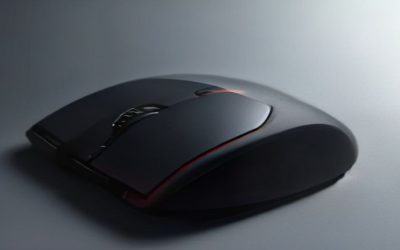
- Reliable peripherals: a comfortable mouse, keyboard, and a solid headset such as the Razer BlackShark V2 X or JBL Quantum 100M2.
- A supportive chair: the difference between a fun hour and a sore evening.
Nail these four and you can add flourishes like RGB lighting later without regret.
Choosing Your First Headset
A headset punches far above its price for beginners because it delivers both immersion and communication. Good positional audio lets you hear footsteps and cues that give you a genuine edge, while a clear microphone keeps you connected with friends and teammates. Decide first between wired and wireless: a wired headset like the Logitech G432 offers great sound for less and never needs charging, while a wireless model such as the Turtle Beach Stealth 600 or Logitech G522 Lightspeed frees you from cables. For a first setup, comfort over long sessions matters as much as sound quality, so favor lightweight designs with soft earcups.
Comfort, Chair, and Posture
The least glamorous purchase is often the most important for a beginner: where and how you sit. Gaming means hours in one position, and poor posture leads to back and neck pain that no amount of great gear can offset. Choose a chair that supports the natural curve of your lower back, set it so your feet rest flat on the floor and your knees sit at roughly 90 degrees, and position your monitor at eye level so you are not craning down. If a dedicated gaming chair is out of budget, a decent office chair with a lumbar cushion does the job. Your body is the one component you cannot upgrade, so treat it well.
Picking the Right Monitor
Your monitor shapes every moment on screen, and beginners often overlook it in favor of raw power. Match the display to your games and your system: a 1080p 144Hz monitor is the ideal starting point, offering smooth high-refresh gameplay that a mid-range setup can actually drive. Fast-paced competitive players benefit most from high refresh rates, while those who love single-player and visual spectacle may prefer a sharper 1440p panel if their system can push it. Do not chase 4K on a first build; the performance cost is steep and the smoothness of a high-refresh 1080p or 1440p screen usually feels better in motion.
Making Your Space Comfortable and Organized
The final layer turns a pile of gear into a setup you love spending time at. Give yourself enough desk space to move your mouse freely and rest your wrists, and add a large mouse pad to define the area. Manage your cables so they are not tangling around your legs or blocking airflow, and add soft ambient lighting rather than gaming in a dark room lit only by your screen, which strains your eyes. Keep a spot for a drink safely away from your keyboard, and position everything you use often within easy reach. Small touches like these make long sessions genuinely comfortable.
Tips
- Spend your budget in order of impact: system, monitor, peripherals, chair, then extras like RGB.
- Invest in a comfortable headset early; it improves both immersion and competitive awareness for little money.
- Do not skimp on seating and posture; a supportive chair or lumbar cushion prevents pain that ruins long sessions.
- Choose a 1080p 144Hz monitor to start rather than chasing 4K your first system cannot smoothly drive.
Frequently Asked Questions
What do I actually need for a first gaming setup?
The essentials are a capable PC or console, a good monitor, a comfortable mouse, keyboard, and headset, and a supportive chair. Get those right first. Extras like RGB lighting, stream decks, and premium desk mats are nice but should come after the fundamentals are covered.
Should my first headset be wired or wireless?
Both are great choices. Wired headsets deliver excellent sound for less money and never need charging, making them ideal on a budget. Wireless models cost more but remove cable clutter and let you move freely. For a first setup, prioritize comfort and clear audio over the connection type.
Do I need an expensive gaming chair?
No. What matters is support and posture, not the brand or the racing-seat looks. A quality office chair paired with a lumbar cushion can be just as healthy for your back. The key is a chair that supports your lower back and lets you sit with feet flat and knees at about 90 degrees.
What monitor should a beginner buy?
A 1080p 144Hz monitor is the best starting point for most people. It delivers smooth, high-refresh gameplay that mid-range systems can actually drive, and it looks great in fast-paced games. Save 1440p or 4K for when your hardware can comfortably power those higher resolutions.
Conclusion
A rewarding first gaming setup is not about spending the most; it is about spending in the right order. Put your money into the system, screen, peripherals, and seating that shape every session, choose a comfortable headset that delivers outsized value, and finish with a tidy, well-lit space that keeps you comfortable for hours. Build on that foundation and you can add extras over time, ending up with a setup that feels great and grows with you.